

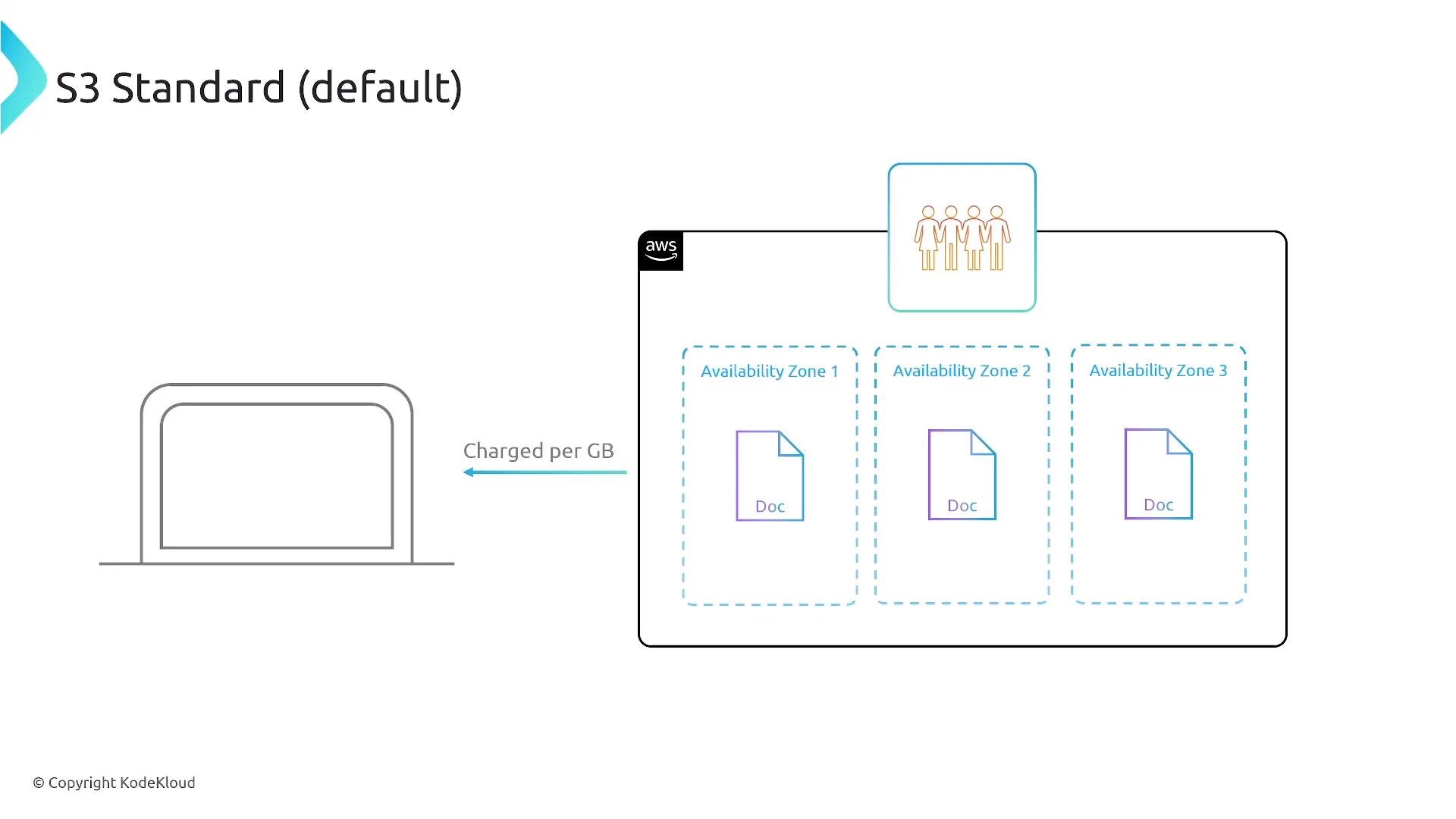
S3 Standard (default)
- Default, multi‑AZ storage class with extremely high durability (commonly quoted as “eleven 9s”).
- High availability and low latency; ideal for frequently accessed (“hot”) data and active workloads.
- Higher per‑GB cost than colder tiers; billing includes storage, API requests (PUT/GET/etc.), and data transfer.
- Example context: in
us‑east‑1, storing 1 TB in S3 Standard is typically tens of dollars/month, while colder classes can be substantially cheaper.
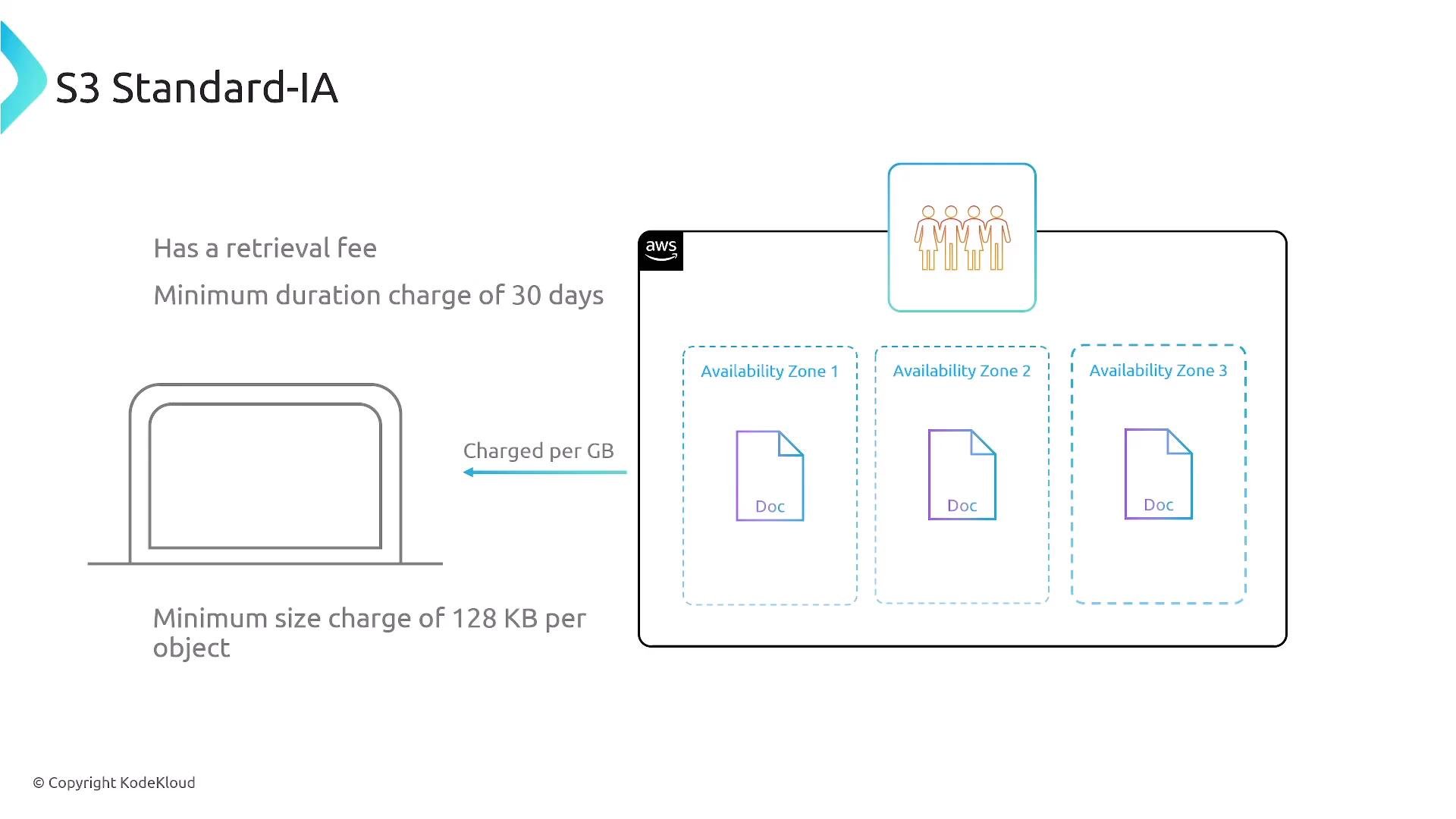
S3 Standard‑Infrequent Access (Standard‑IA)
- For long‑lived objects accessed occasionally.
- Multi‑AZ durability equal to Standard but lower storage price; retrieval and per‑request fees apply.
- Minimum storage duration (often 30 days) and minimum billable object size (commonly 128 KB) apply—small objects may be billed at the minimum size.
- Best for objects accessed infrequently where lower storage cost outweighs retrieval fees (e.g., snapshots, backups accessed a few times per month).
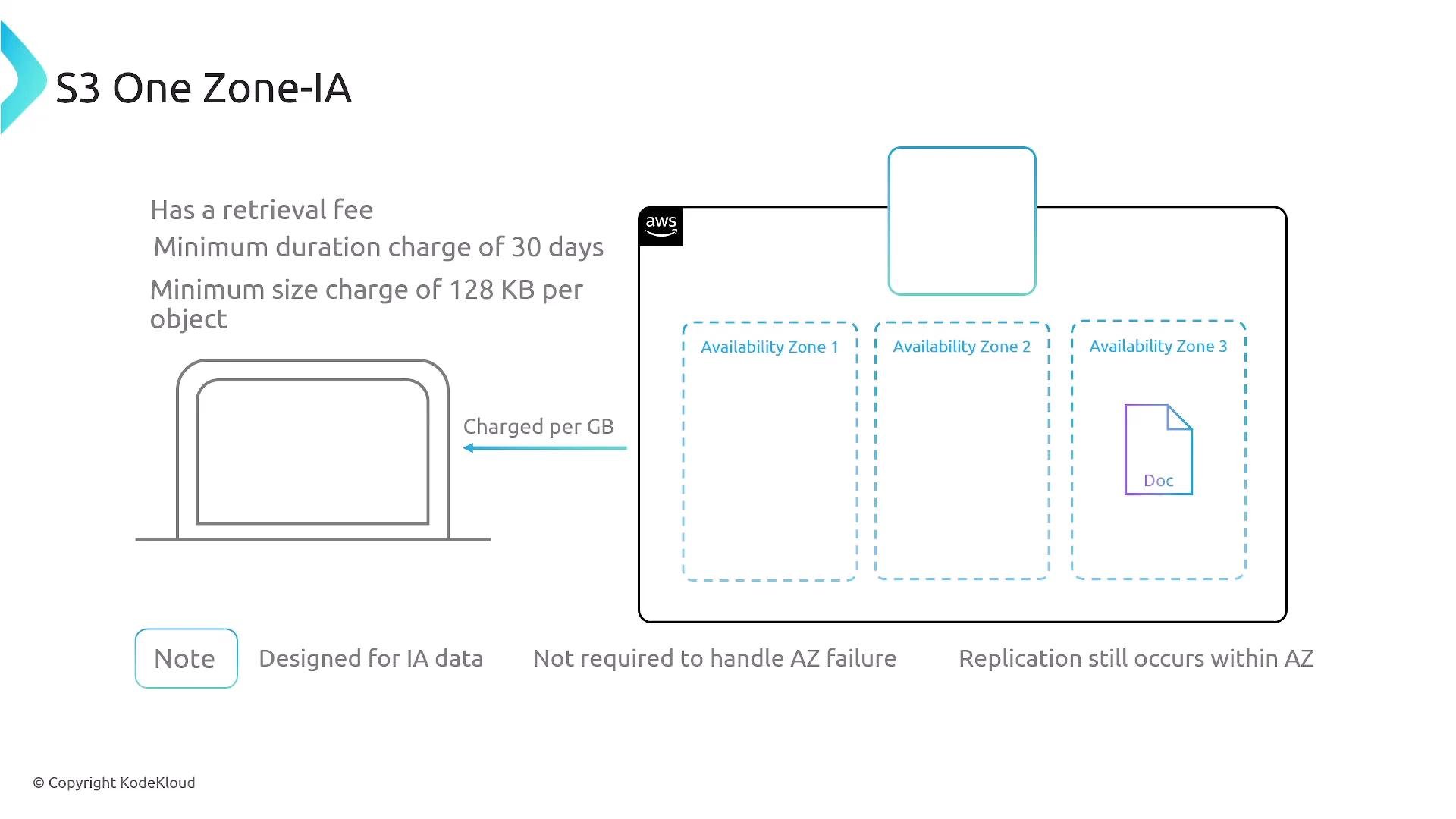
S3 One Zone‑Infrequent Access (One Zone‑IA)
- Same cost model as Standard‑IA but stores objects in a single Availability Zone (no multi‑AZ redundancy).
- Cheaper than multi‑AZ classes; intended for infrequently accessed, non‑critical, or easily reproducible data.
- Retrieval fees, minimum duration (typically 30 days), and minimum billable object size (commonly 128 KB) apply.
- Use when you can tolerate AZ loss or can reconstruct objects easily.
S3 Glacier Instant Retrieval
- Archive-class for rarely accessed data that still requires immediate (millisecond) retrieval.
- Very attractive storage cost compared to Standard and Standard‑IA; retrieval costs apply.
- Good for infrequent but latency‑sensitive archival needs (e.g., regulatory files that must be instantly available).
- Minimum storage duration and minimum object size rules apply; early delete penalties may occur.
S3 Glacier Flexible Retrieval (formerly Glacier)
- Cold, multi‑AZ archival storage with lower storage price than Glacier Instant Retrieval.
- Multiple retrieval speed/price options:
- Expedited: ~1–5 minutes (higher fee; subject to capacity)
- Standard: a few hours (typically 3–5 hours)
- Bulk: ~5–12 hours
- Restores temporarily place objects back into S3; you can then copy or transition them to another class.
- Minimum storage duration and potential minimum billable sizes apply.
S3 Glacier Deep Archive
- Lowest‑cost S3 class for long‑term retention (compliance records, long‑term backups).
- Extremely low monthly cost per GB (example: around $1/TB/month in some regions—check up‑to‑date pricing).
- Typical retrieval windows:
- Standard: ~12 hours
- Bulk: up to ~48 hours
- Longer minimum storage duration (commonly 180 days); early deletions incur charges.
- Best when you can accept multi‑hour to multi‑day restore windows.
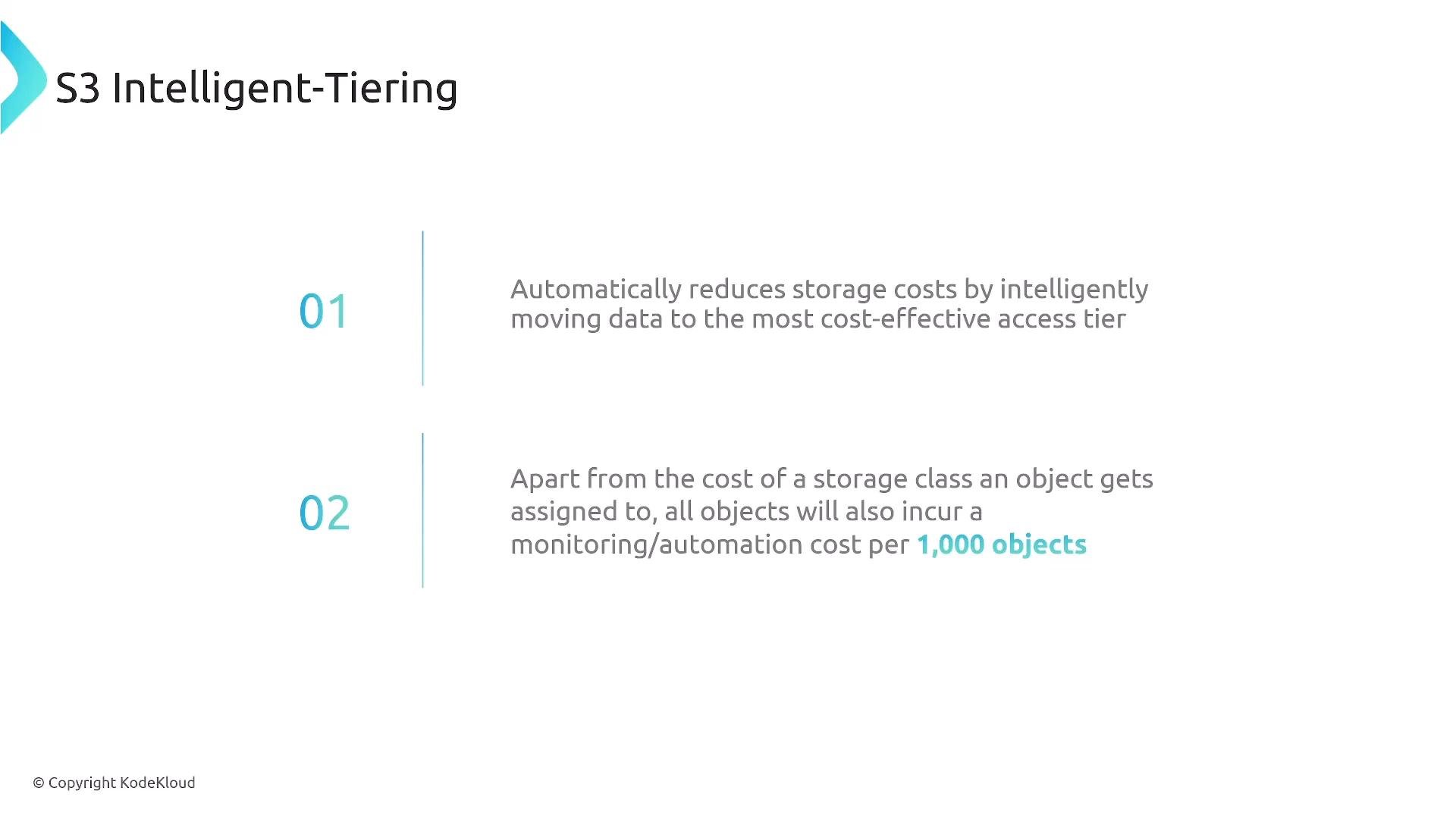
Intelligent‑Tiering
- Designed for datasets with unknown or changing access patterns.
- S3 automatically monitors object access patterns and moves objects between access tiers to minimize cost, without manual restores.
- Small monitoring/automation fee applies (for example, per 1,000 objects), but no manual tiering required.
- Good default when access behavior is unpredictable.
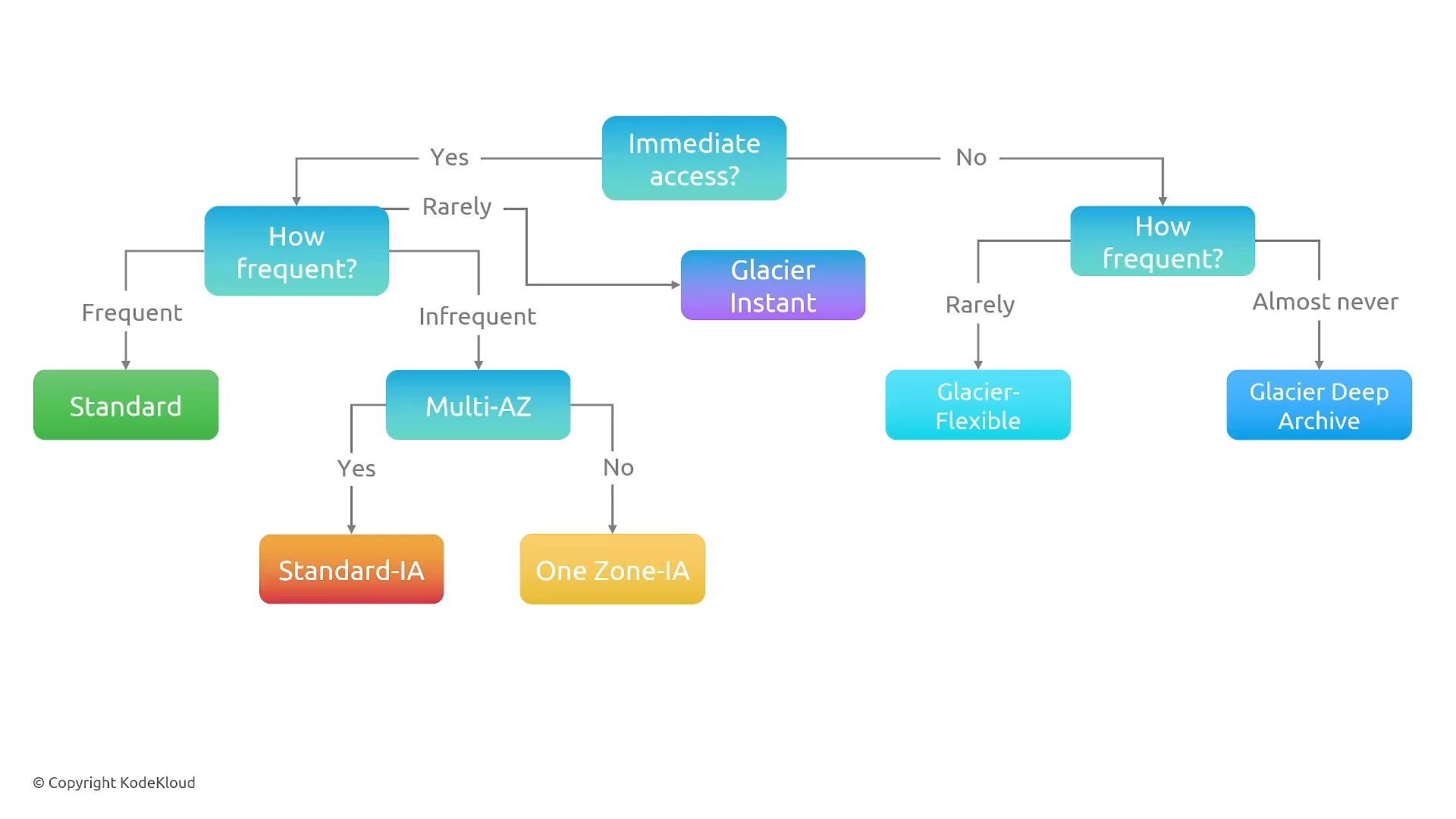
Decision flow (summary)
- Do you need immediate/hot access?
- No → Is it almost never accessed? → Glacier Deep Archive.
- No → Rarely accessed → Glacier Flexible Retrieval.
- Yes (hot data) → How frequent?
- Frequently accessed → S3 Standard.
- Extremely frequent / millisecond requirement → S3 Express One Zone (single‑AZ, ultra‑low latency).
- Infrequent but needs resilience → Standard‑IA.
- Infrequent and single‑AZ acceptable → One Zone‑IA.
- Hot but only occasional/quarterly → Glacier Instant Retrieval.
Quick reference table
Other practical notes
- AWS adds and retires S3 classes over time. RRS (Reduced Redundancy Storage) was retired; newer options (e.g., S3 Express One Zone) target specific latency/cost tradeoffs.
- Durability (e.g., “11 nines”) is typical for multi‑AZ classes; availability SLA numbers differ by class. If a class name includes “One Zone”, expect single‑AZ behavior.
- Minimum storage durations, minimum billable object sizes, retrieval fees, and early deletion penalties are key differences—memorize the important ones relevant to your workloads or exam objectives.
- To set a storage class during upload, use the
x-amz-storage-classheader in S3 PUT requests or choose the class in the console. You can change an object’s storage class after upload, but minimum duration rules and potential transition costs apply.
Pay attention to minimum retention durations and early deletion penalties—these can turn seemingly cheap storage into an expensive choice if objects are frequently deleted or overwritten.
Summary
-
Match access frequency and recovery time objectives to storage class:
- Hot: S3 Standard, S3 Express One Zone (single‑AZ, ultra‑low latency)
- Infrequent: Standard‑IA, One Zone‑IA
- Instant archive: Glacier Instant Retrieval
- Delayed archive: Glacier Flexible Retrieval
- Deep archive: Glacier Deep Archive
- Use Intelligent‑Tiering when access patterns are unknown—it automates cost optimization at a small monitoring cost.
-
Typical restore windows to remember (region and service updates may change these):
- Glacier Flexible Retrieval: Expedited ~1–5 minutes, Standard ~3–5 hours, Bulk ~5–12 hours
- Glacier Deep Archive: Standard ~12 hours, Bulk ~48 hours
- Verify current values in AWS docs and region pricing.
-
To set storage class: use the
x-amz-storage-classheader or the S3 console. Changing classes post‑upload is possible but subject to minimum duration and billing rules.
For designs that must tolerate AZ loss, avoid One Zone classes. For long‑term, rarely accessed archives (compliance/audit data), Glacier Deep Archive is usually the most cost‑effective—just plan for the restore latency.
Links and references
- S3 storage class overview: https://docs.aws.amazon.com/AmazonS3/latest/userguide/storage-class-intro.html
- S3 pricing and regional costs: https://aws.amazon.com/s3/pricing/
- S3 PUT object API (
x-amz-storage-class): https://docs.aws.amazon.com/AmazonS3/latest/API/RESTObjectPUT.html