

What is a Kafka topic?
- A topic is a named stream (or category) in Kafka where related events/messages are published and stored.
- Each topic is split into one or more partitions. Partitions provide parallelism and define message ordering within each partition.
- Topics include policies that govern retention and cleanup (how long messages are kept and how they’re removed).
Create a topic using the Kafka UI
Open the Kafka UI, go to the Topics section, and click Add Topic.- Enter a topic name (no spaces — the UI validates names and will show an error for invalid input).
- Choose the number of partitions. More partitions → more parallel consumers and higher throughput, but also more management overhead.
- Set retention (how long messages are retained). For local development a simple default is 1 partition and a 7-day retention.
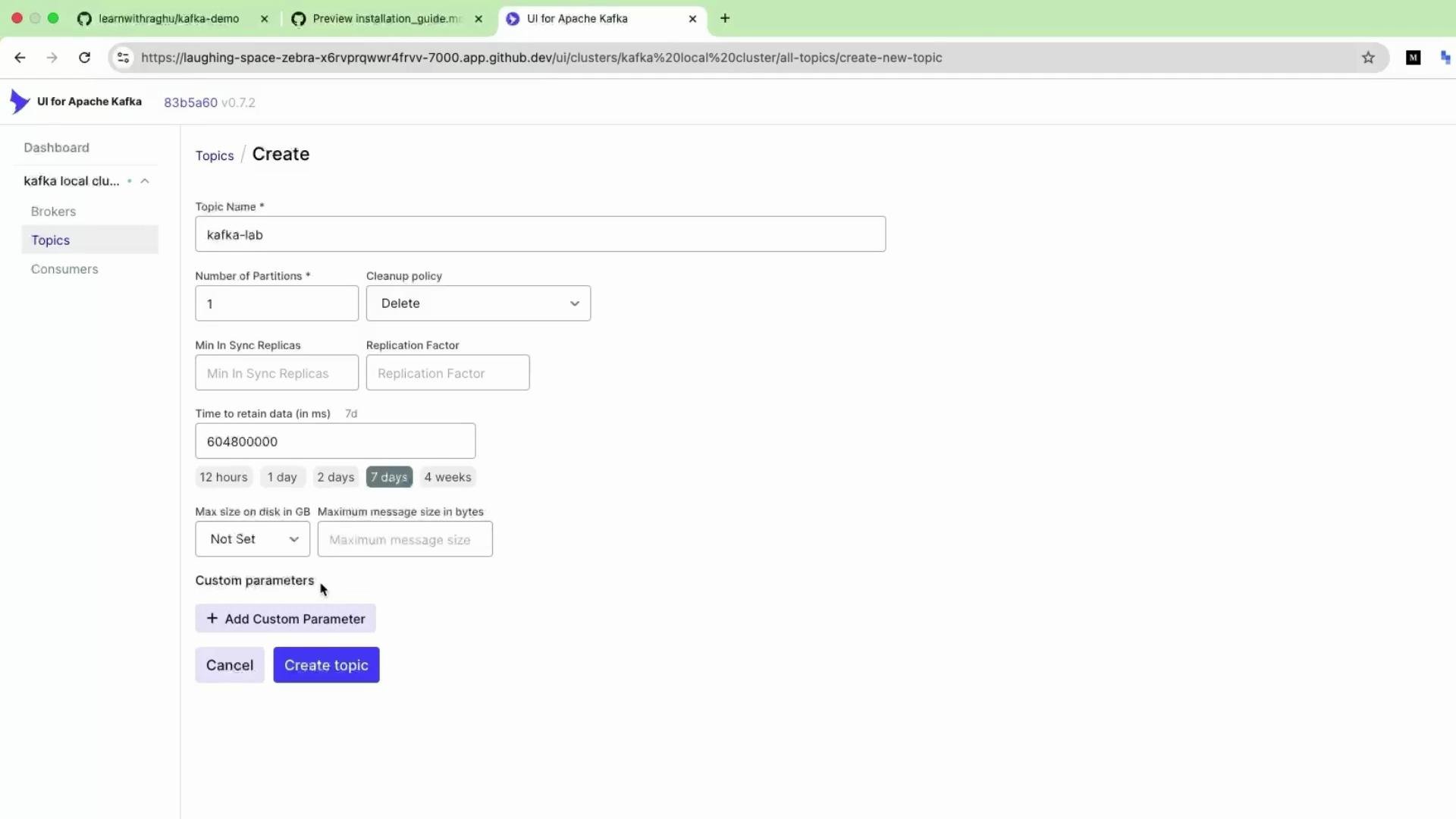
KafkaLab, Partitions = 1, Retention = 7 days), click Create Topic. The UI submits the configuration to the cluster and the topic is created.
Create a topic from the command line
Creating topics from the CLI is useful for automation, scripts, and environments without a UI. Example using the bundled Kafka tools:Common topic settings explained
For quick exploration and ad-hoc testing the Kafka UI is very convenient. For production and automated deployments prefer the CLI, Kafka Admin APIs, or Infrastructure-as-Code tools so topic configuration is versionable and reproducible.
Quick tips
- Topic names should be lowercase (convention), contain no spaces, and follow your organization’s naming strategy.
- Increasing partitions after heavy usage is possible but requires careful planning (it changes partition assignment and impacts ordering).
- Monitor topic retention and disk usage to avoid brokers filling up.