In this lesson you will create a local Apache Kafka cluster with Docker and add an external Kafka web UI to visualize and operate the cluster. This quick setup is ideal for development, testing, and learning Kafka concepts without installing each component manually. Prerequisites
  • Docker installed and running.
  • Any editor/IDE (VS Code shown in examples but any editor will work).
Step 1 — Create a Docker network Create a user-defined Docker network so containers can communicate by name. Using a bridged user network is recommended for service discovery between containers.
Step 2 — Run a packaged Kafka image For a fast local demo we use lensesio/fast-data-dev, a single image that bundles Kafka, Zookeeper and supporting services. Run it attached to kafka-net and publish ports you may want to access from the host.
Exposed ports explained When Docker cannot find the image locally, it will pull it from Docker Hub. Example output (truncated):
Step 3 — Run a Kafka UI Apache Kafka does not include an official web UI. Run an independent open-source UI (provectuslabs/kafka-ui) on the same network so it can reach the broker by container name.
Step 4 — Verify containers are running List running containers to confirm both services are up:
You should see kafka-cluster and kafka-ui in the output. If either is missing, check the container logs:
Accessing the Kafka UI Open http://localhost:7000 in your browser. The Kafka UI will prompt you to add a cluster. Use the configuration below:
  • Cluster name: Kafka local cluster
  • Bootstrap servers / Host: kafka-cluster:9092
Because both containers are on kafka-net, the UI can reach the broker using the container name kafka-cluster. Click Validate to test connectivity, then Submit to save.
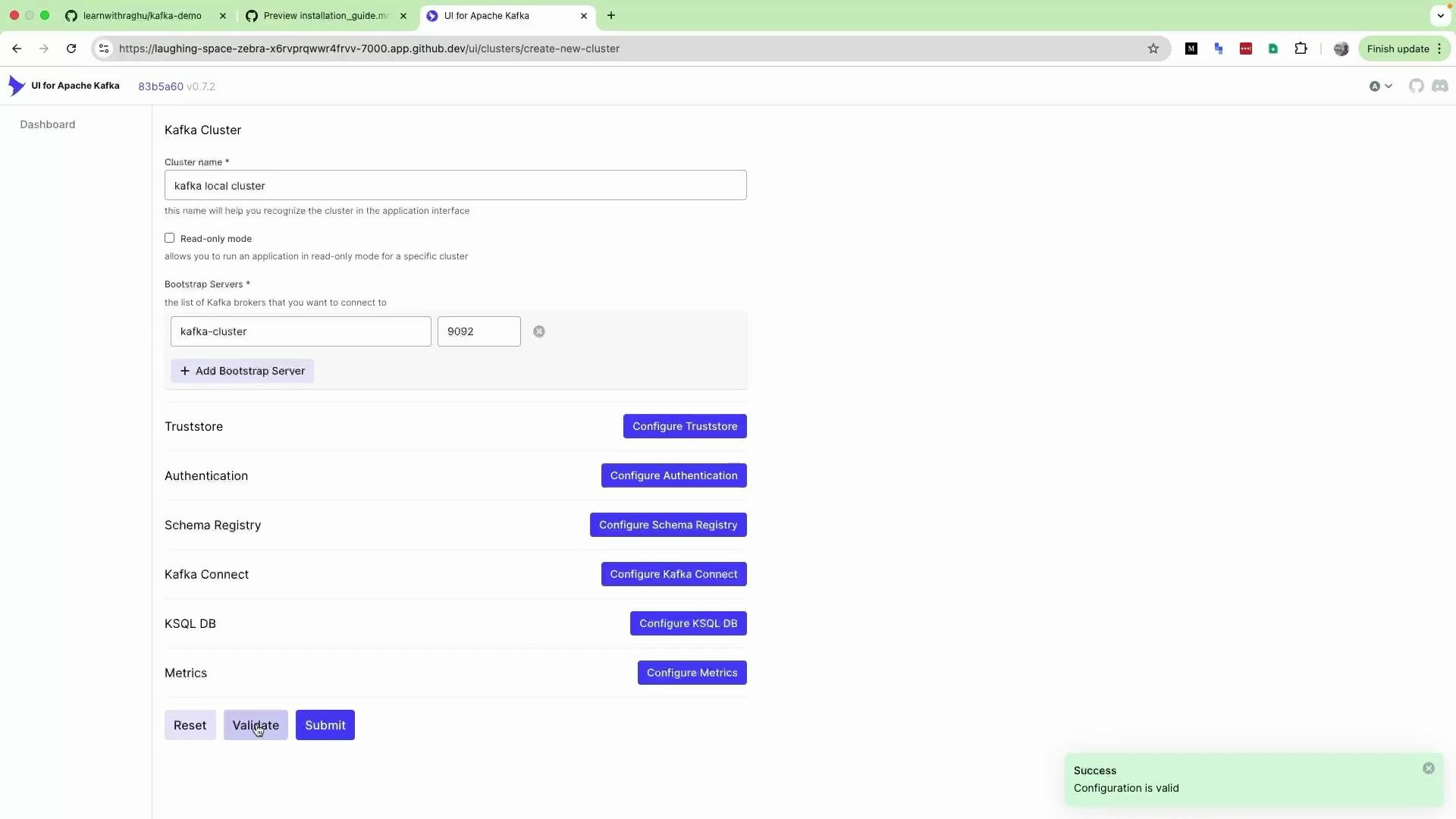
The image shows a UI for configuring an Apache Kafka cluster, where details like the cluster name and bootstrap servers are being set up, and various configuration options are available. A success message indicates the configuration is valid.
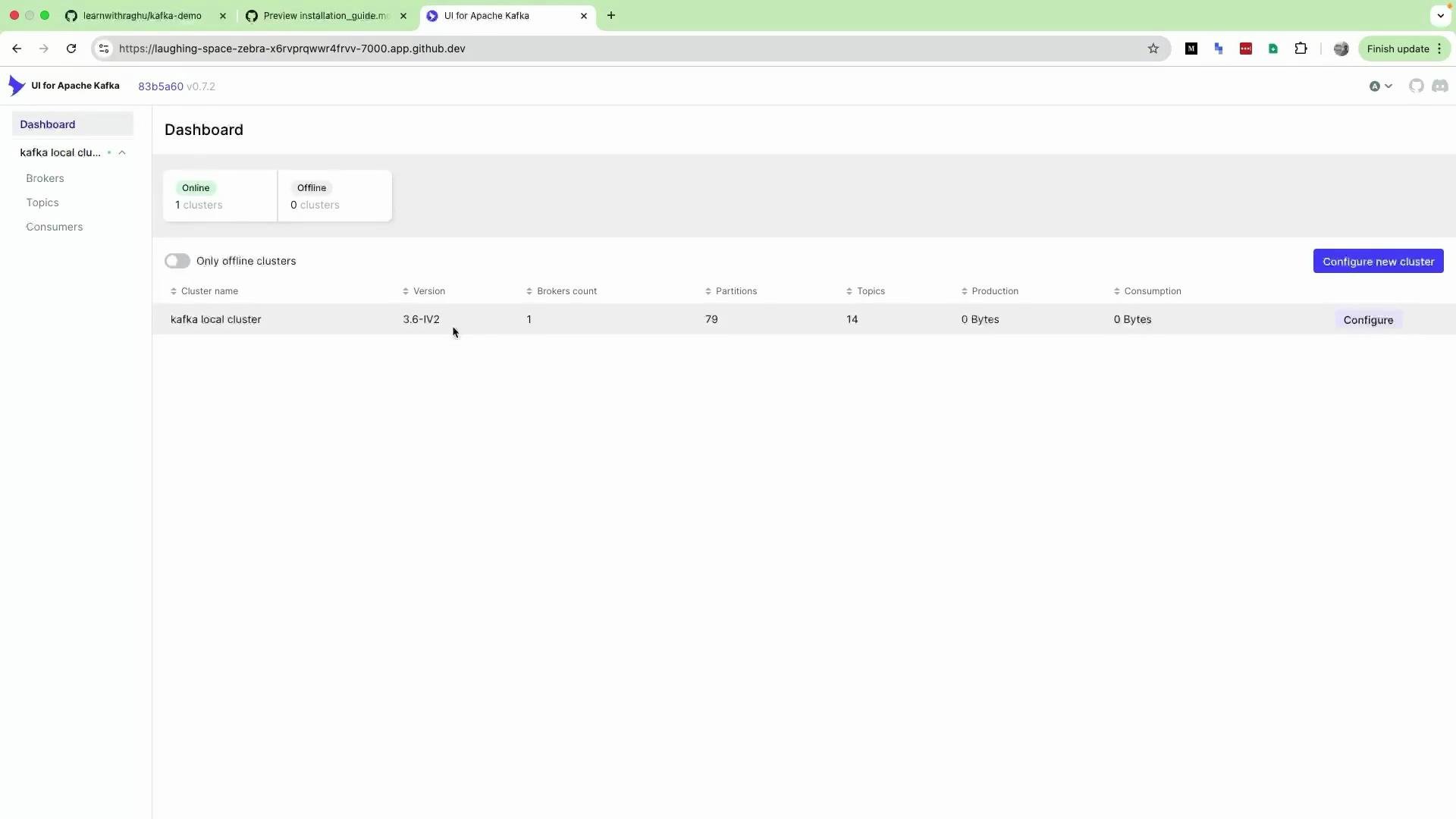
After adding the cluster and reloading, the UI dashboard should display the configured cluster and basic metrics such as broker count, partitions and throughput.
The image shows a dashboard of a UI for Apache Kafka, displaying details of an online cluster named "kafka local cluster," including version, broker count, partitions, topics, and data production and consumption metrics.
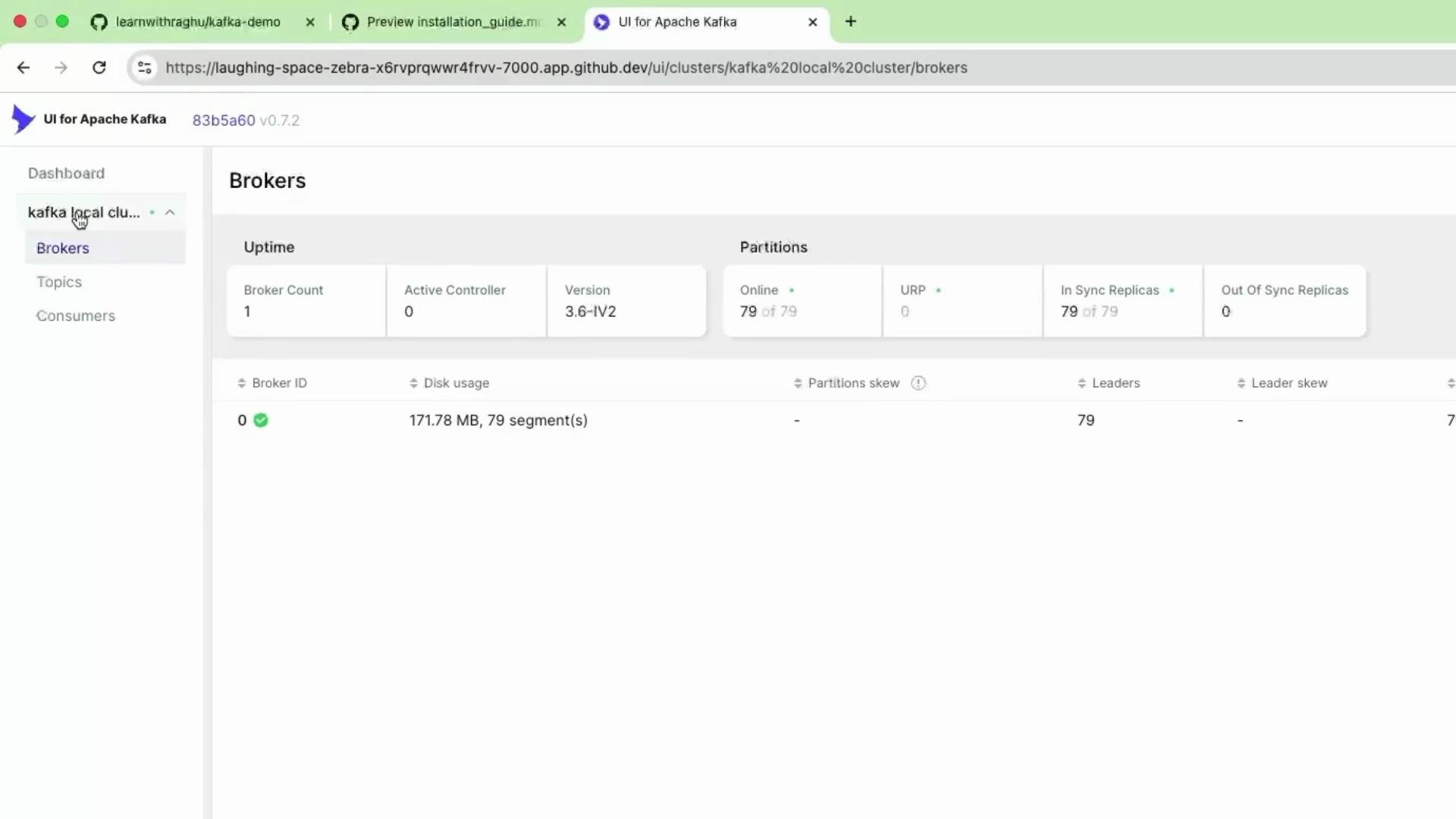
Viewing brokers and topics Use the UI to inspect brokers, partitions, topics, producers and consumers. In this bundled local demo you will usually see a single broker and several default or test topics created by the image.
The image shows a UI for Apache Kafka displaying broker information, including broker count, active controller, disk usage, and partition details for a local cluster.
The Kafka web UI is a third‑party tool and not part of the Apache Kafka project. It provides a convenient visual way to explore cluster state (topics, brokers, consumers), but all cluster operations are still performed by Kafka itself.
If host ports (e.g. 7000, 9092, 3030) are already in use on your machine, Docker will fail to bind them. Stop conflicting services or change the published ports (host side) using -p HOST_PORT:CONTAINER_PORT.
Wrap-up This guide provides a quick local Kafka environment: a bundled Kafka image (with Zookeeper and extras) plus an external Kafka UI for browsing cluster state and message flow. Use this environment to practice producing/consuming messages, creating topics, and exploring partitions. For production-like setups, consider multi-broker clusters, external Zookeeper (or KRaft mode), and persistent storage. Links and references Common commands for cleanup and troubleshooting

Watch Video