In this lesson, we’ll explore how to leverage Consul’s distributed Key/Value (K/V) store for dynamic service configuration. Consul automatically replicates all K/V data across every server in the cluster, delivering redundancy and high availability for your application settings.

Consul K/V Store: At a Glance

FeatureDescription
Distributed & ReplicatedEvery write is propagated to all Consul servers, ensuring consistency across the cluster.
Flexible StorageStore any configuration data—strings, JSON blobs, or serialized objects (≤512 KB per key).
Versioning & Atomic OpsSupports atomic Compare-and-Set (CAS) operations and optimistic locking.
Not a Full Data StoreDesigned for configuration and service discovery, not high-throughput persistence like DynamoDB.
Always enable ACLs to restrict access to your K/V data. Without proper ACLs, unauthorized users could browse or delete critical entries.

Accessing the K/V Store

You can interact with Consul’s K/V store in several ways:
MethodUsage Example
CLIconsul kv put key value
HTTP APIcurl --request PUT http://localhost:8500/v1/kv/key
Web UINavigate to Key/Value in the Consul dashboard

Key/Value Hierarchies & Limits

  • Flat Namespace: Keys are simple strings; forward slashes (/) only emulate folders (e.g., app/config/db/connection_string).
  • Size Limit: Each value ▶ 512 KB.
  • Any Object Type: Store text, JSON, or serialized binaries, up to the size cap.

Example: Managing Application Parameters

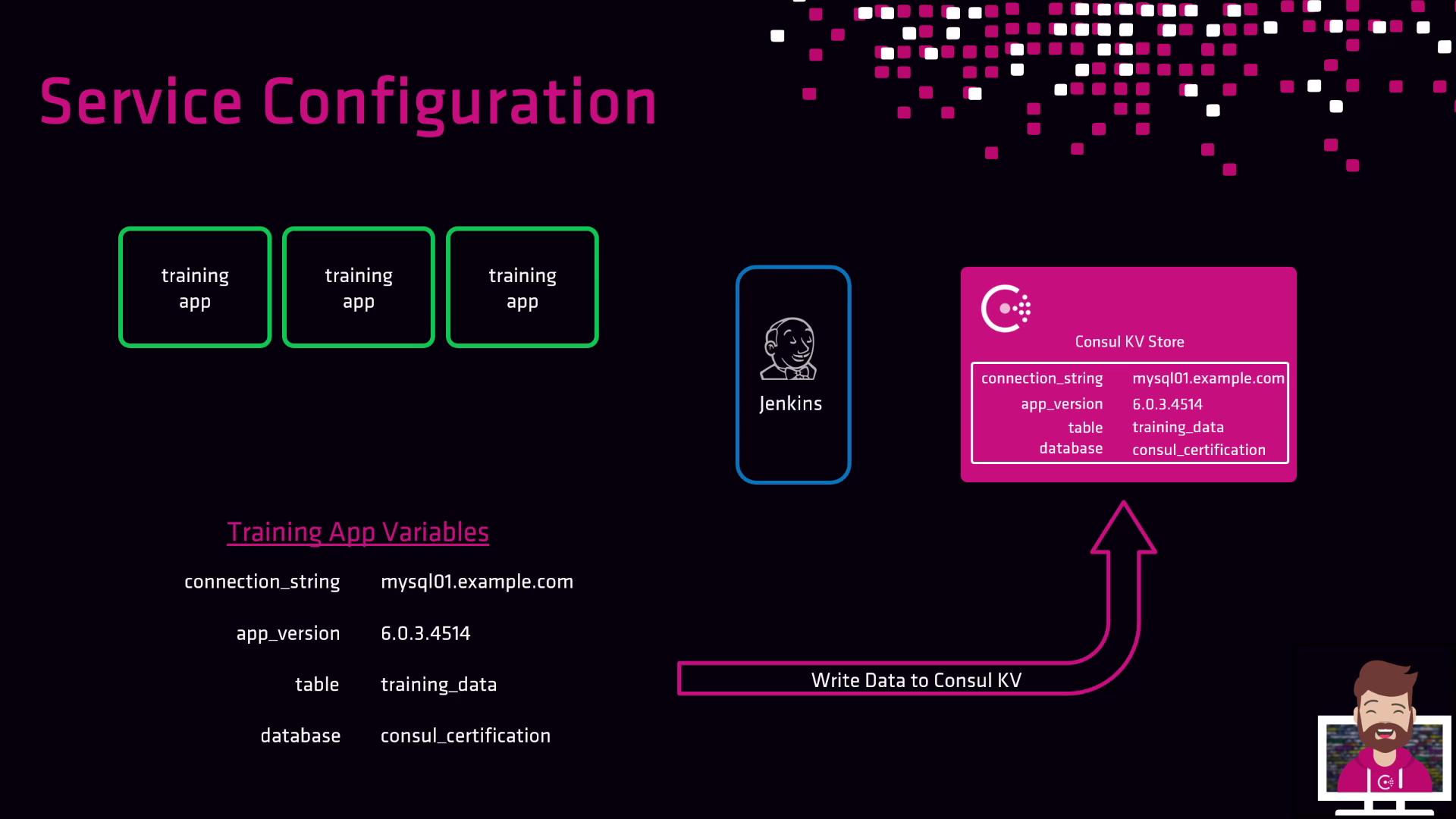
Suppose you have a “training” application deployed by a CI/CD pipeline (Jenkins, CircleCI, GitLab CI, etc.). You need to supply:
  • Database connection string
  • Application version
  • Database name
  • Database table name
First, store these in Consul:
# Store configuration in Consul K/V
consul kv put training/app/database/connection_string \
  "Server=prod.db.local;Database=training;User Id=app;Password=secret"
consul kv put training/app/version "1.2.3"
consul kv put training/app/database/name "training_db"
consul kv put training/app/database/table "users"
During deployment, your pipeline retrieves the values:
# Fetch the application version
consul kv get training/app/version
# → 1.2.3
The image illustrates a service configuration process involving training apps, Jenkins, and a Consul KV Store, with variables like connection string and app version. It shows data being written to the Consul KV Store.
  1. CI/CD fetches configuration from Consul.
  2. Pipeline applies parameters at deploy time.
  3. Any update to Consul entries triggers new deployments with current settings.
Updating K/V entries decouples configuration changes from pipeline scripts—your deployments always use up-to-date parameters.