

Consul Cluster Overview
Start by verifying your cluster members on a server node:
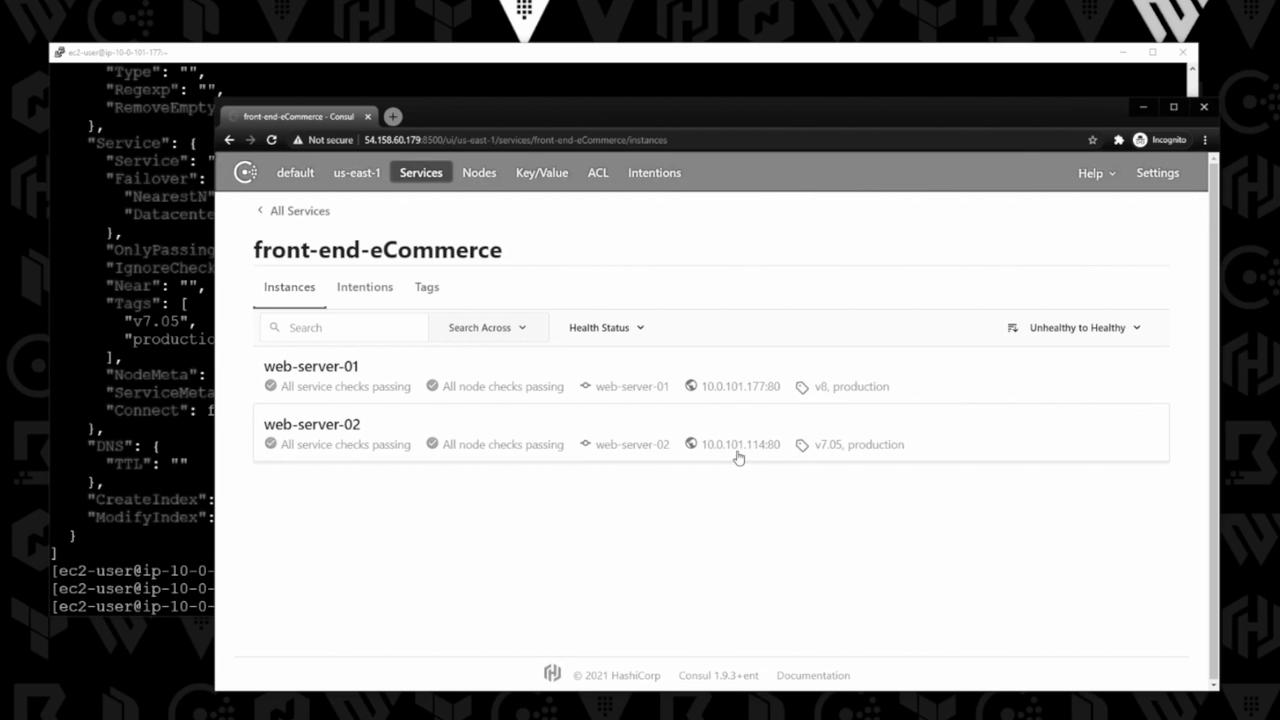
Each client hosts an Apache-based e-commerce front end, registering the
front-end-eCommerce service with version tags.
Service Registration in the Consul UI
In the Consul web interface, you’ll see two instances offront-end-eCommerce. One is tagged v7.05 and the other v8, both in the production environment.
Creating a Prepared Query
-
Save this JSON as
prepared-query.json: -
Register the query via Consul’s HTTP API:
Response:
-
Inspect the full query definition:
Set
"OnlyPassing": true in your query definition to ensure only healthy service instances are returned.Querying via DNS
Consul exposes prepared queries under the*.query.consul DNS domain. Run:
v7.05 instance:
Updating the Prepared Query to v8
When it’s time to shift traffic to versionv8, update prepared-query.json:
PUT request (replace the ID):
Always replace the query ID in your API URL when inspecting or updating prepared queries.