

- Familiarity with Docker: what an image is and how to build one from source. See Docker basics.
- Basic OpenShift project (namespace) knowledge — how to create and switch projects. If needed, review OpenShift project creation first.
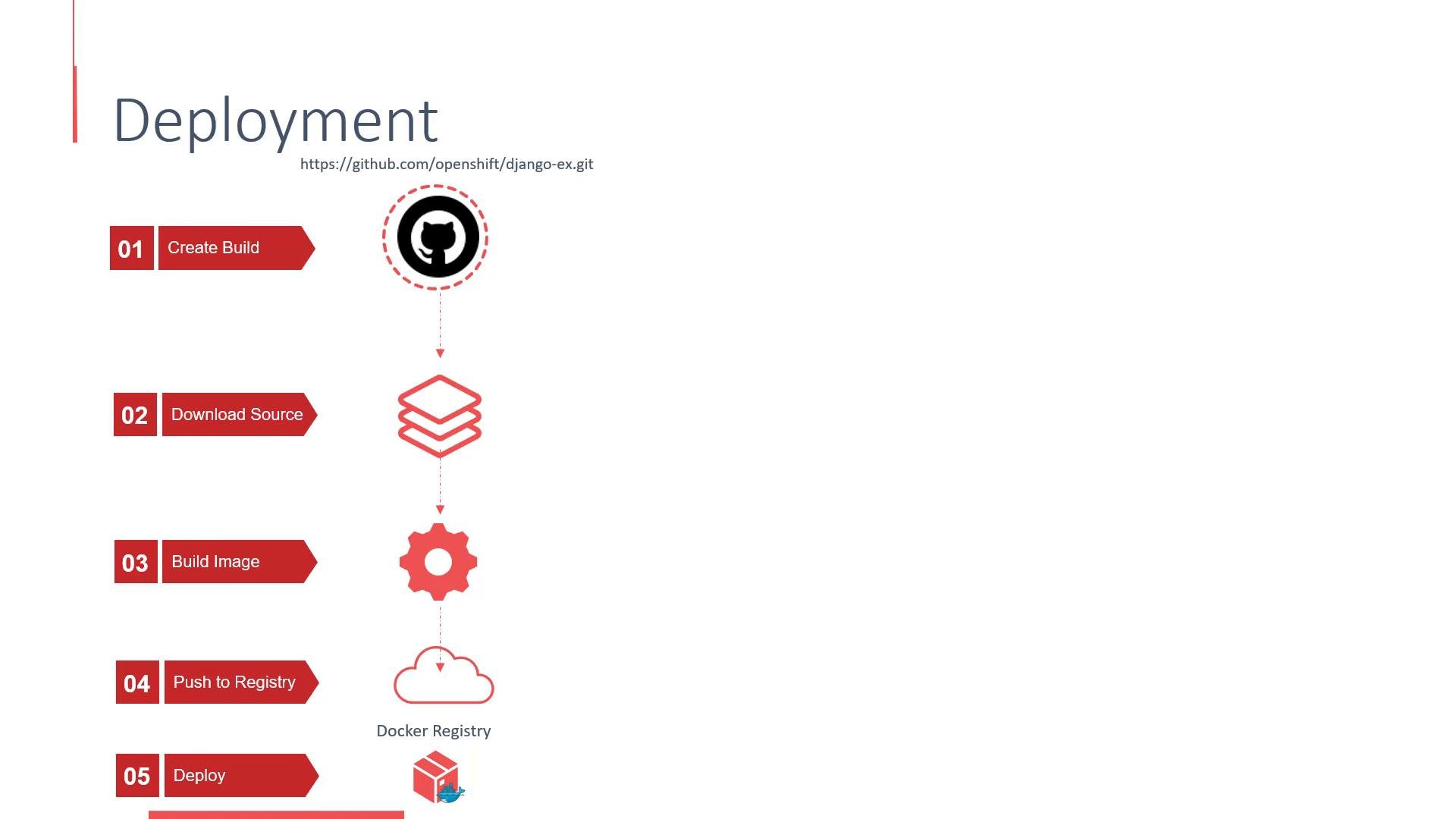
- Create BuildConfig (and start a Build) using the repository URL and chosen build strategy.
- Clone the repository inside a build pod.
- Build the application into a container image (S2I, Docker, or Custom strategy).
- Push the resulting image to the internal OpenShift image registry.
- Create (or update) an ImageStream to track the image.
- Create a DeploymentConfig (by default) that references the ImageStream.
- On image push, an image change trigger fires and the DeploymentConfig deploys the new image.
- BuildConfig: controls how builds are run and triggered.
- ImageStream: a reference to images in the OpenShift internal registry; used to trigger deployments.
- DeploymentConfig: OpenShift object for managing rollouts with OpenShift-specific triggers and hooks.
- Source-to-Image (S2I): S2I is a common builder for language runtimes. Learn more at S2I.
Ensure your Git repository is reachable from the cluster network. If the repo is private, configure credentials (Secrets) in OpenShift and reference them from the BuildConfig before starting the build.
How triggers work
- ImageStream update → Image change trigger on DeploymentConfig → New rollout using the pushed image.
- BuildConfig completion can also trigger deployments when configured.
- Start a build (example using S2I/push):
- List builds:
- View build logs:
- Watch DeploymentConfig rollouts:
- OpenShift creates a BuildConfig and starts a build.
- The build clones the repository and builds the application (S2I, Docker, or Custom).
- The build produces a container image and pushes it to the internal registry.
- An ImageStream surfaces the image and, by default, a DeploymentConfig is created and triggered to deploy the updated image.
- Create or switch to a project:
- Add the application (example):
- Check builds:
- Check ImageStreams and DeploymentConfig:
- Watch the rollout:
- OpenShift Builds & BuildConfigs: https://docs.openshift.com
- Source-to-Image (S2I): https://s2i.dev/
- Kubernetes Deployments: https://kubernetes.io/docs/concepts/workloads/controllers/deployment/