

Why Docker? A motivating example
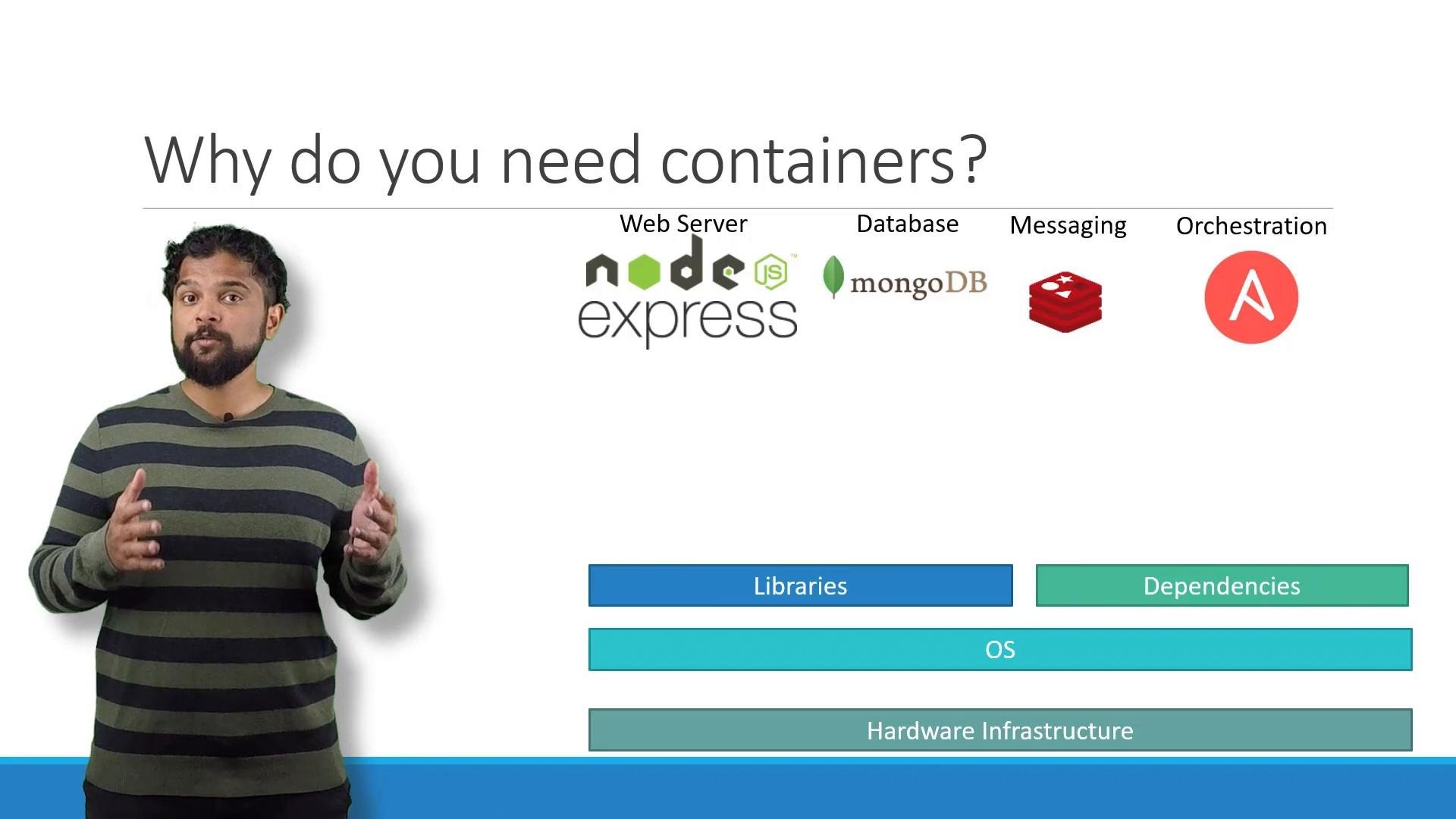
In one project I had to run an end-to-end stack with multiple technologies: a Node.js web server, MongoDB, Redis, and an orchestration tool such as Ansible. Running and developing this stack across different machines and teams created several real-world problems:- Operating system compatibility issues between services and host OS.
- Dependency conflicts when different services required different library versions.
- Re-validating the full compatibility matrix whenever a component changed.
- Slow, error-prone onboarding due to lengthy local setup instructions.
- Inconsistent behavior across developer machines and environments (dev, test, prod).
What are containers?
Containers are isolated user-space environments that include their own processes, network namespaces, and filesystem mounts. Unlike virtual machines, containers share the host operating system kernel, which makes them lightweight and fast to start. Key points:- Containers isolate applications using kernel features such as namespaces (process, network, mount, PID, user) and cgroups (resource limits and accounting).
- Containers share the host kernel, so Linux containers require a Linux host; Windows containers require a Windows host.
- Docker made containers developer-friendly by providing tooling for building, distributing, and running images. Historically Docker used LXC; modern Docker relies on a standardized runtime architecture (containerd and runC).
Containers vs Virtual Machines
Containers and virtual machines solve different problems and make different trade-offs: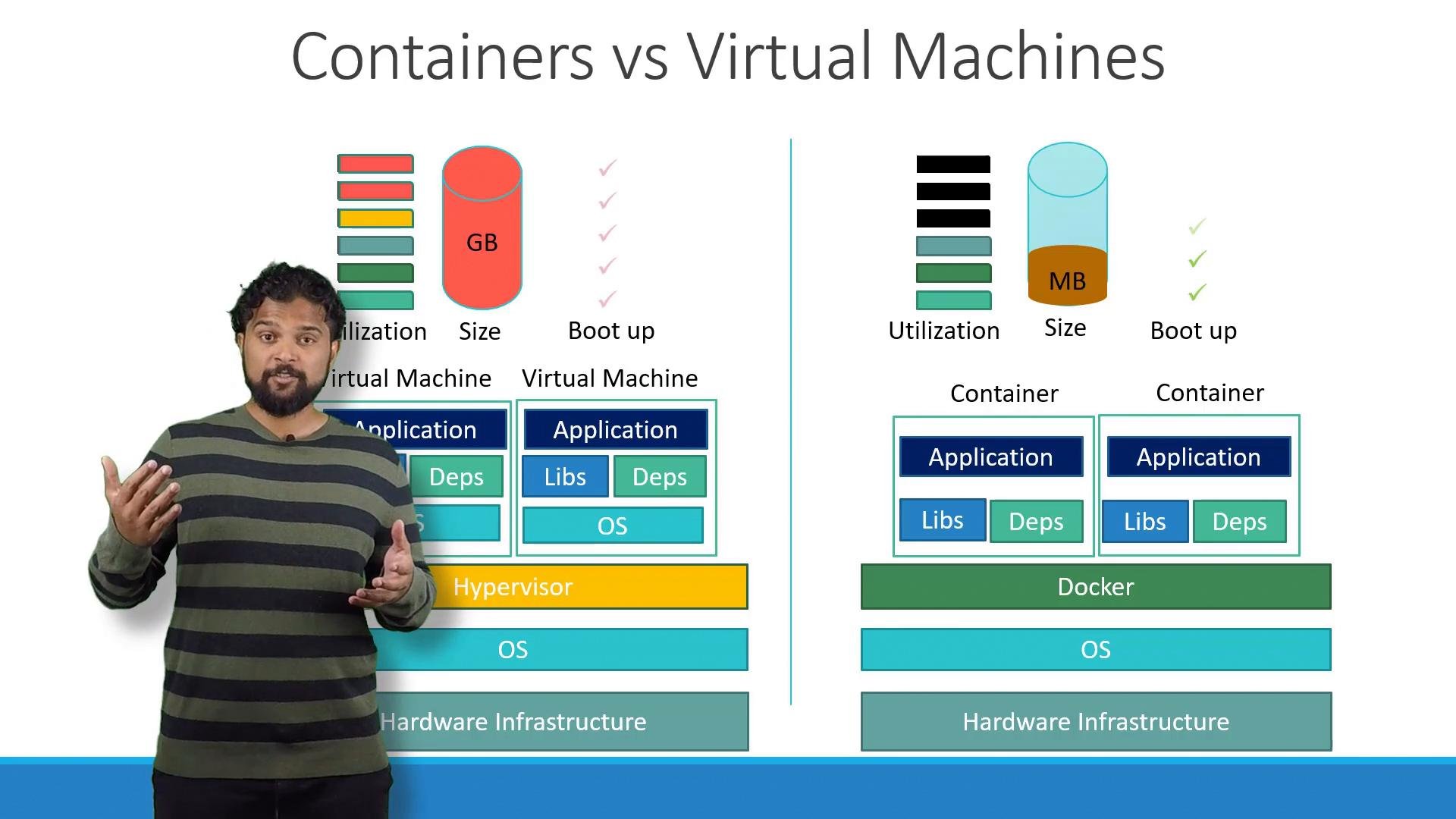
How to run containerized applications
Many common applications are available as container images in public registries such as Docker Hub (official images for OS base, databases, runtimes, etc.). After installing Docker, you can pull and run images withdocker run.
Common examples:
- Run an NGINX container:
- Run a MongoDB container:
- Run a Redis container:
- Run a Node.js container and mount local source code:
Quick reference — common docker run options
Images vs Containers
- Image: an immutable, static template (filesystem + metadata) used to create containers. Think of it as a VM template.
- Container: a running, writable instance of an image. Containers run processes defined by the image.
Dockerfile. Once an image is built, it becomes a portable artifact that can be deployed unchanged across any compatible Docker host — simplifying handoffs between development and operations.
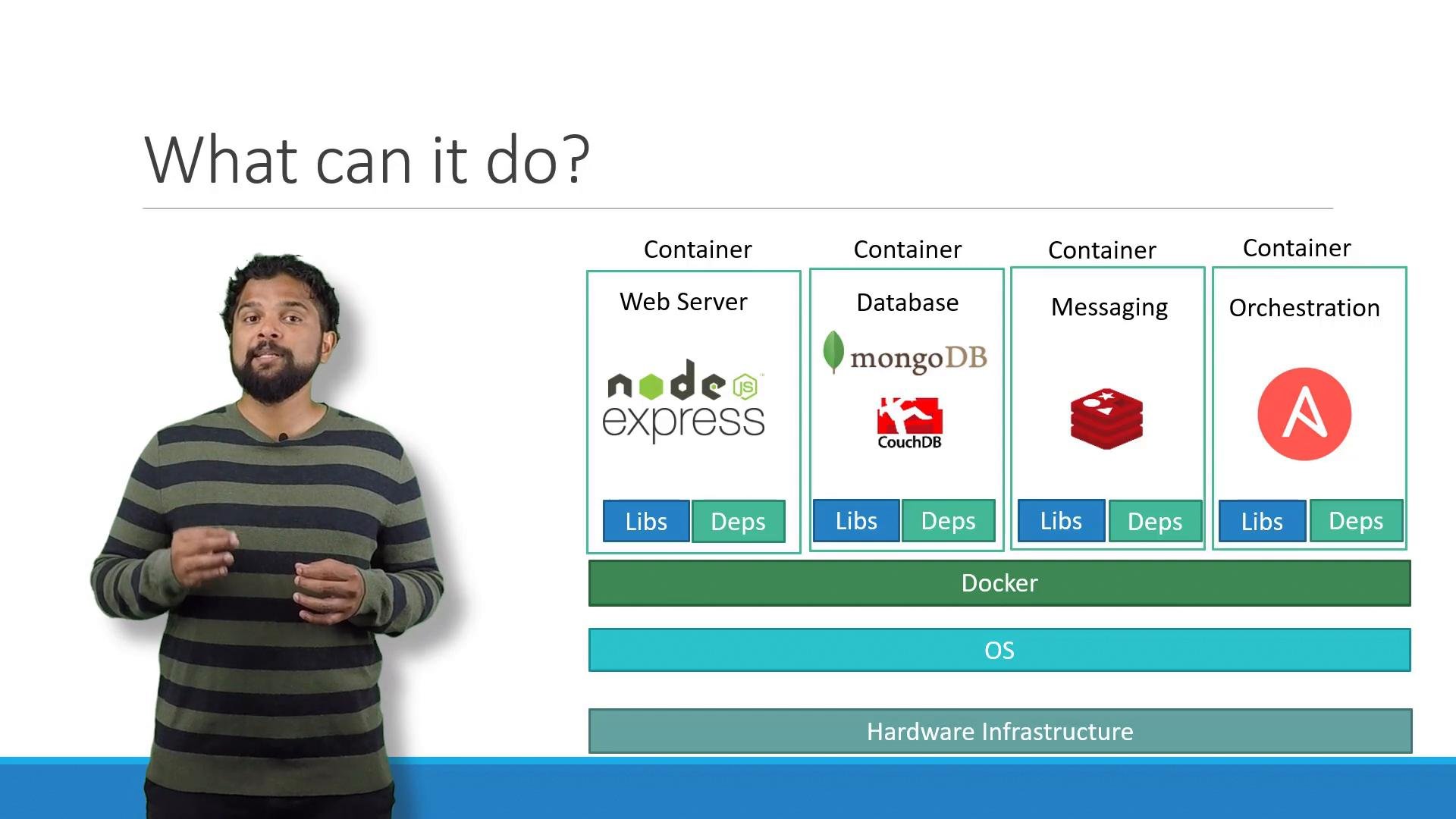
Docker popularized container-based development and shipping. Modern container tooling uses standardized runtimes (containerd, runC) and relies on kernel features such as namespaces and cgroups for isolation and resource control.
Next steps and learning resources
If you’d like hands-on practice with Docker (commands, Dockerfile authoring, Swarm services and stacks), consider these courses and resources:- Docker Training Course for the Absolute Beginner
- Docker - SWARM | SERVICES | STACKS - Hands-on
- Docker Documentation
- Docker Hub