

- Redis (required by the voting front-end)
- Voting front-end (Python)
- PostgreSQL (results DB) and the results app (Node.js)
- Worker (processes votes) — built with Docker
voting-application) and follow the sections below.
Before you begin: ensure you have cluster access and permissions to create projects, import templates, and start builds. You can use the OpenShift web console or the
oc CLI. For reference, see the OpenShift documentation.Overview of repository and application design
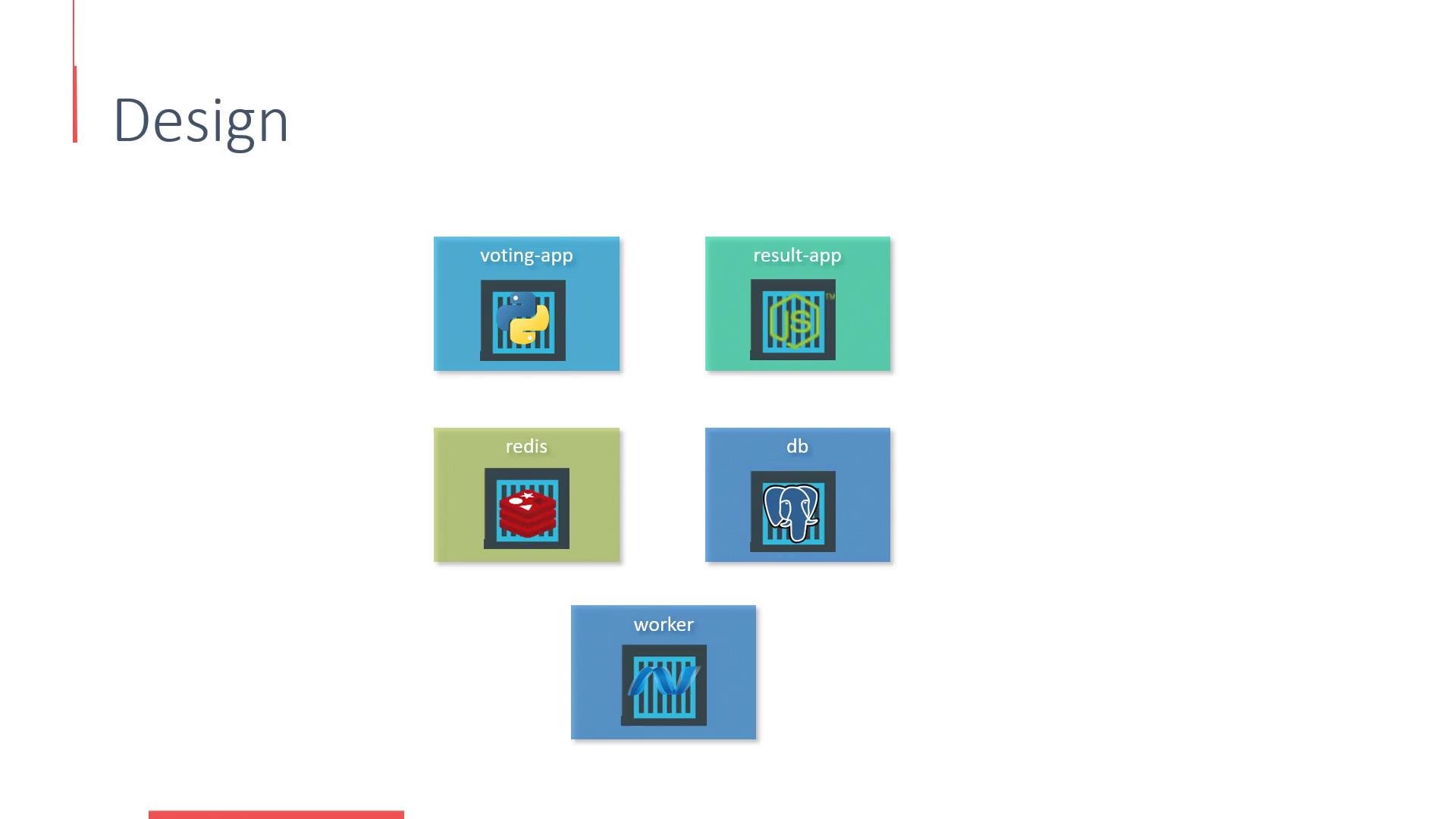
The application source is organized into service-specific context directories in the repository. The primary services:
Design diagram (microservices and how they interact):
- Redis template and adding it to the Catalog
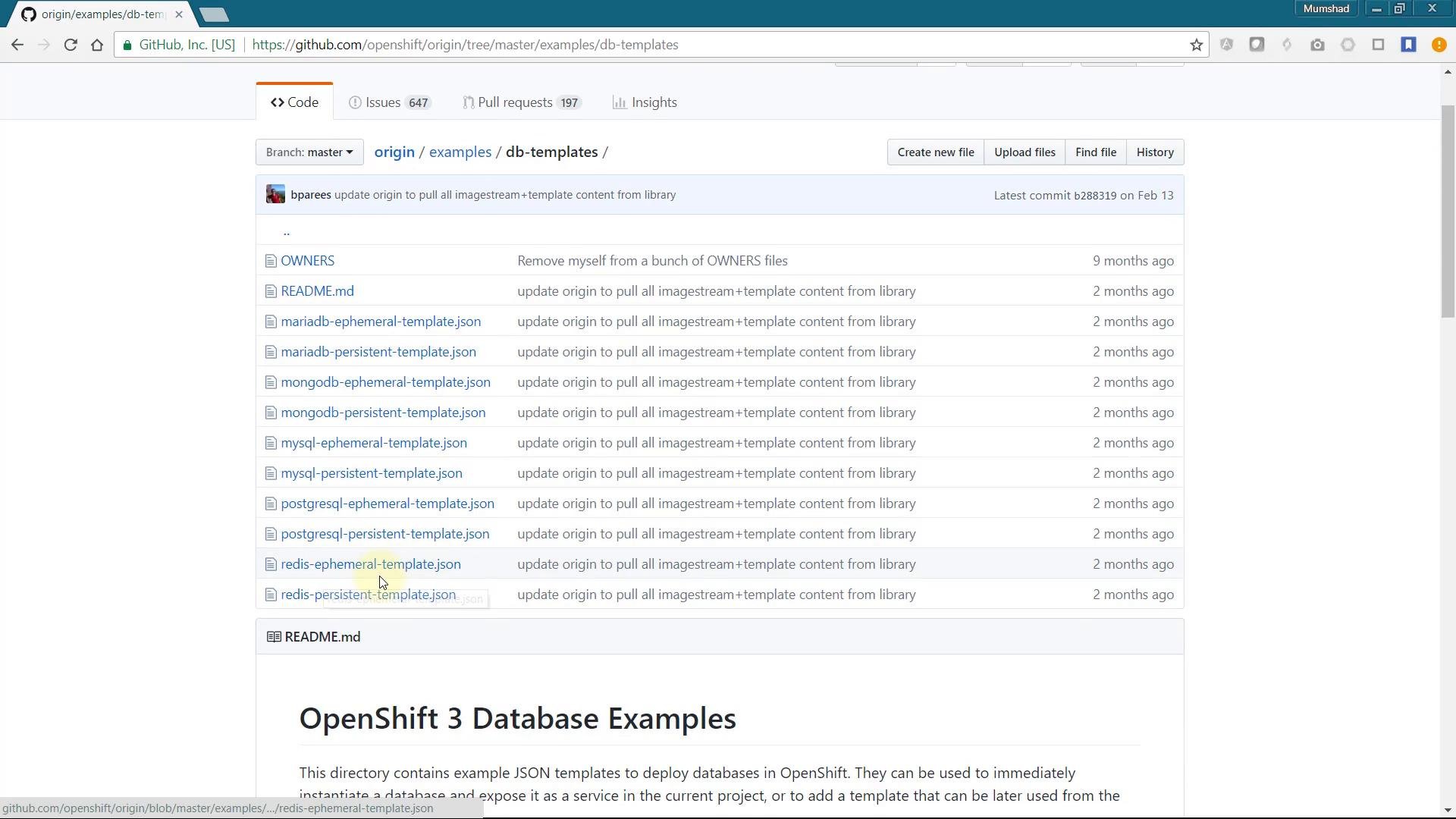
If a required service (like Redis) is not already visible in the Service Catalog, you can import an existing template into your project catalog. The OpenShift Origin examples repository contains database templates, including Redis. Search the repository for database examples and pick the Redis template — copy the JSON/YAML and import it into the web console using Import YAML/JSON. When creating the template from YAML, choose Save Template to add it to your catalog so users can instantiate it on demand.
- Deploying Redis from the Catalog
Deploy the Redis (Ephemeral) catalog item. Leave defaults, but provide a Redis password — remember this password, you will set the same value in the voting front-end environment variables.
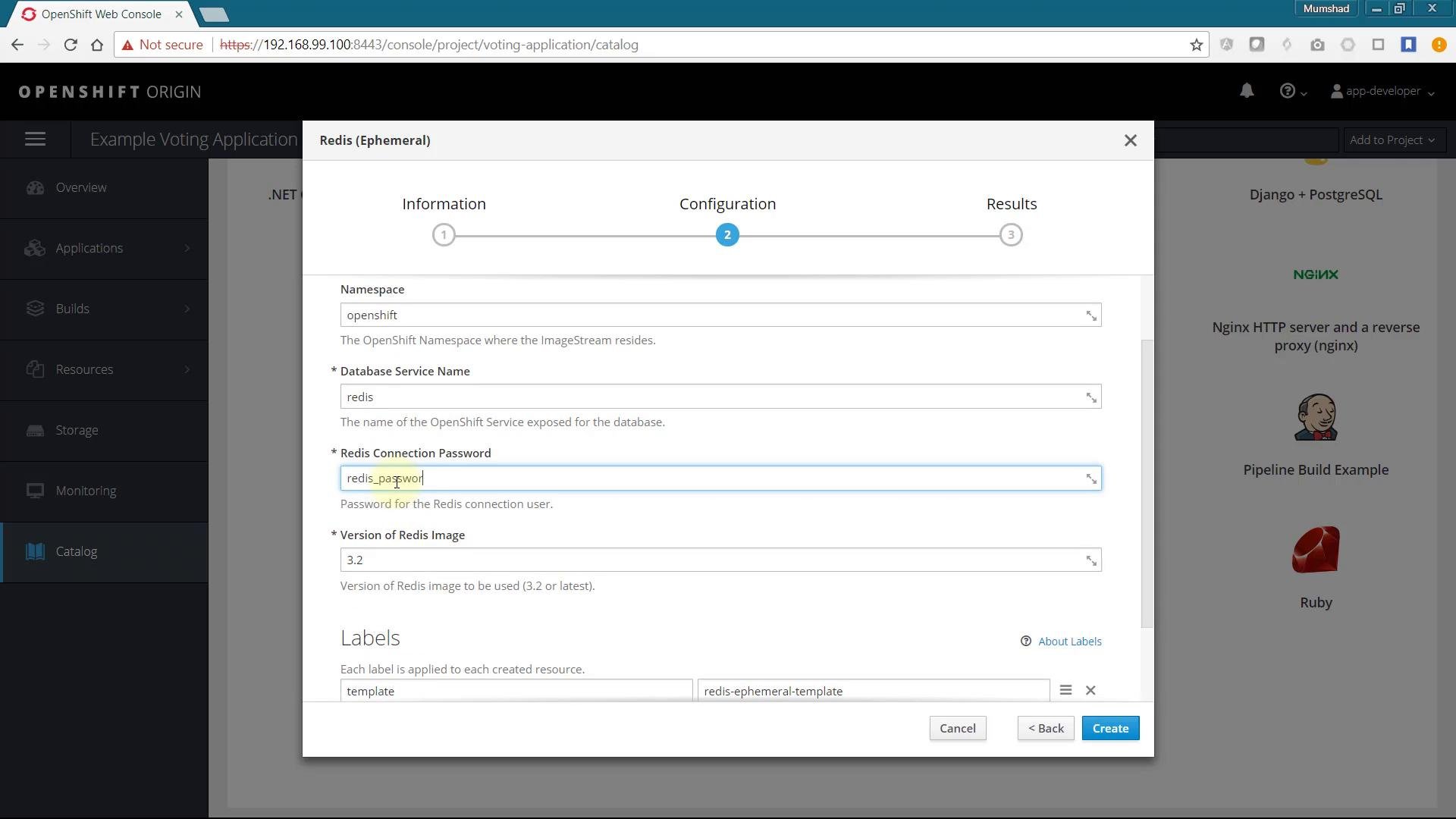
redis), password, and connection URL — the front-end and worker services will use these values to connect.
- Deploy the voting front-end (Python)
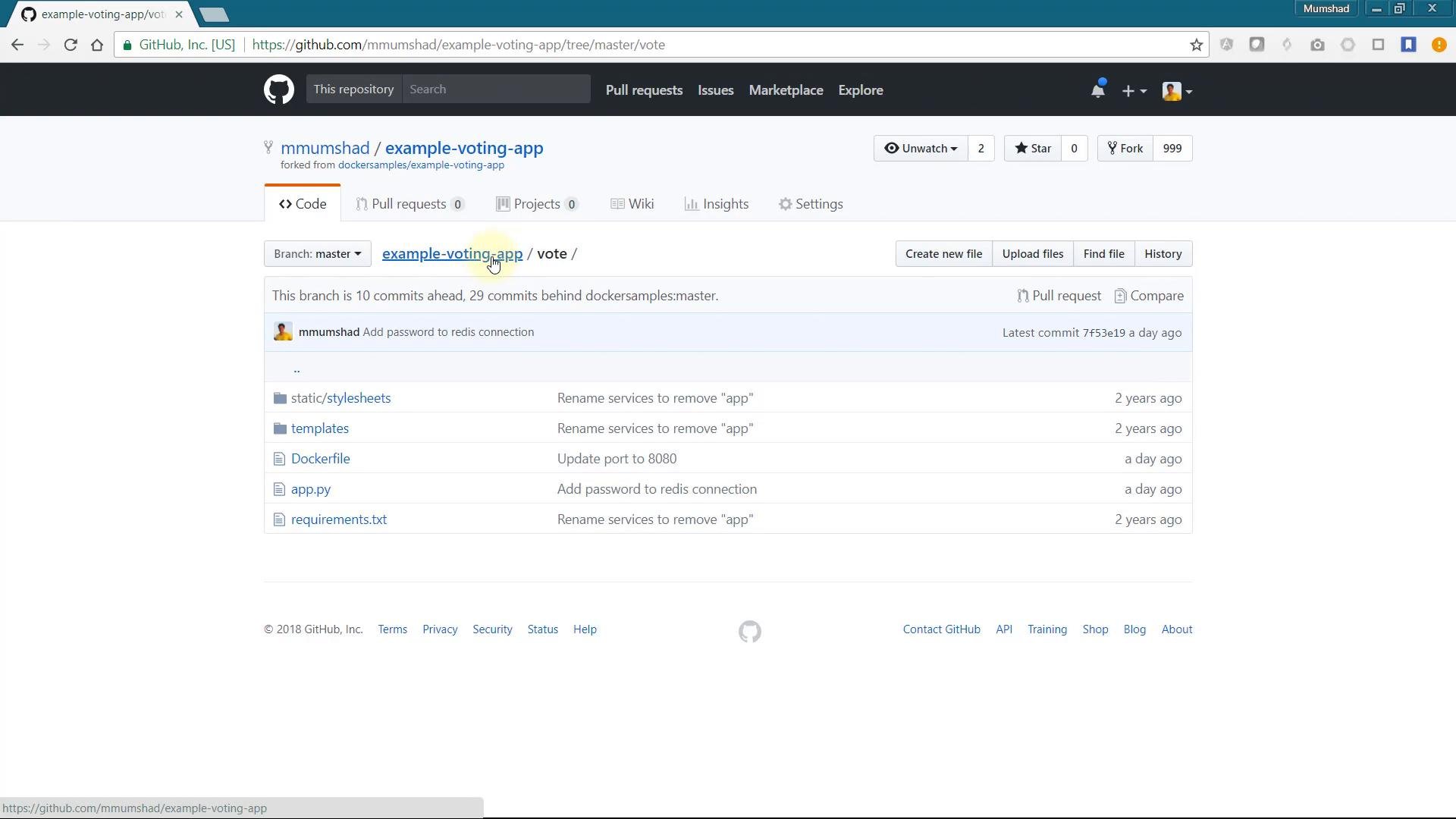
The voting UI lives under the
vote directory. In the OpenShift web console choose “Add > From Git” (or create an application) and use Advanced Options to set:
- Git repository URL: the example voting app repo
- Context directory:
/vote - Application name: e.g.
vote
Configure the Redis password in the front-end environment
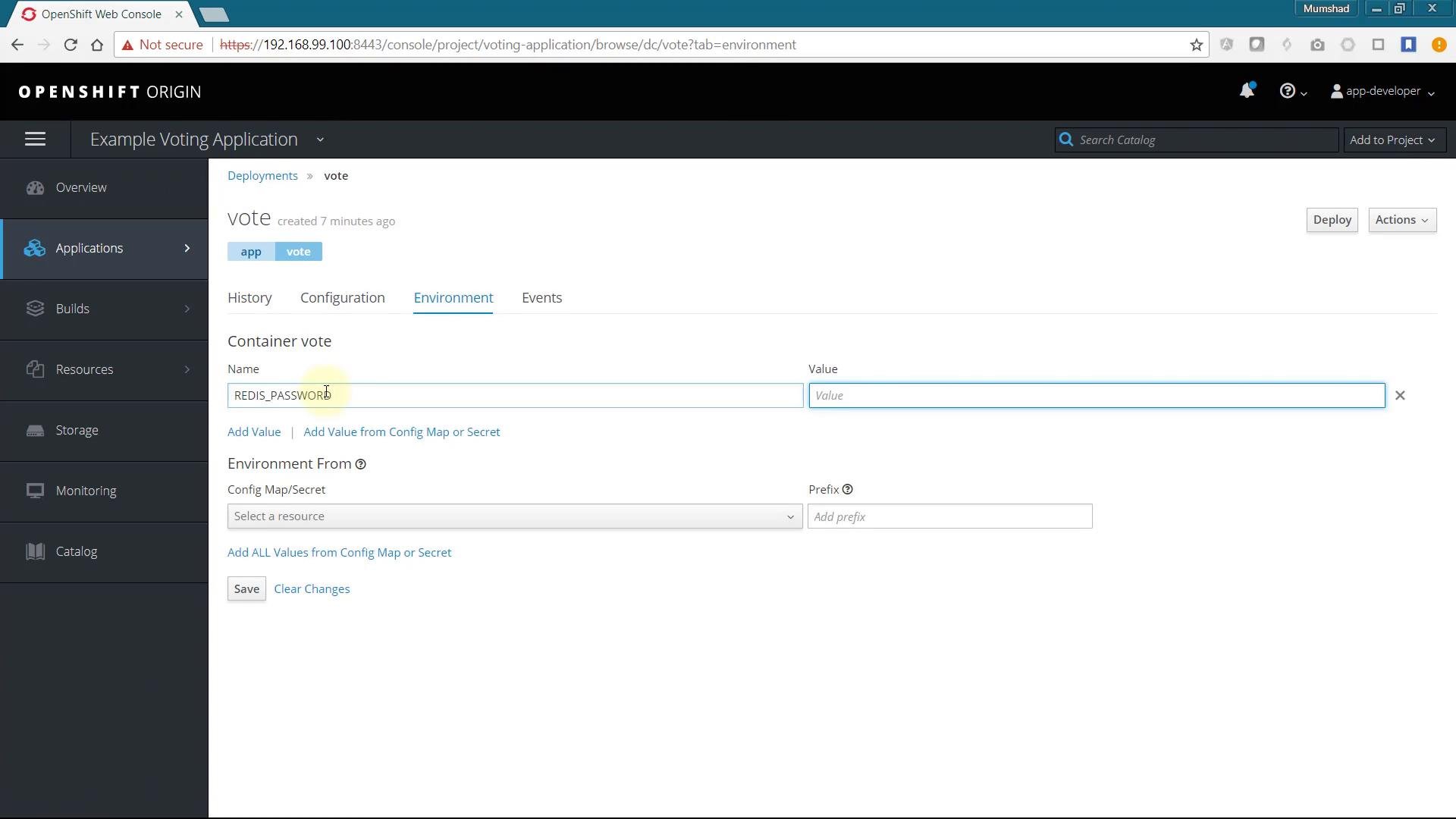
If the voting action fails with an authentication error, the front-end typically lacks the Redis password. The code expects the Redis password in theREDIS_PASSWORD environment variable:
REDIS_PASSWORD to the DeploymentConfig/Deployment environment for the vote container and set it to the same password used when creating Redis. After updating the environment, redeploy the front-end. Once the environment is set correctly, casting votes should succeed.
- Deploy PostgreSQL for the results app
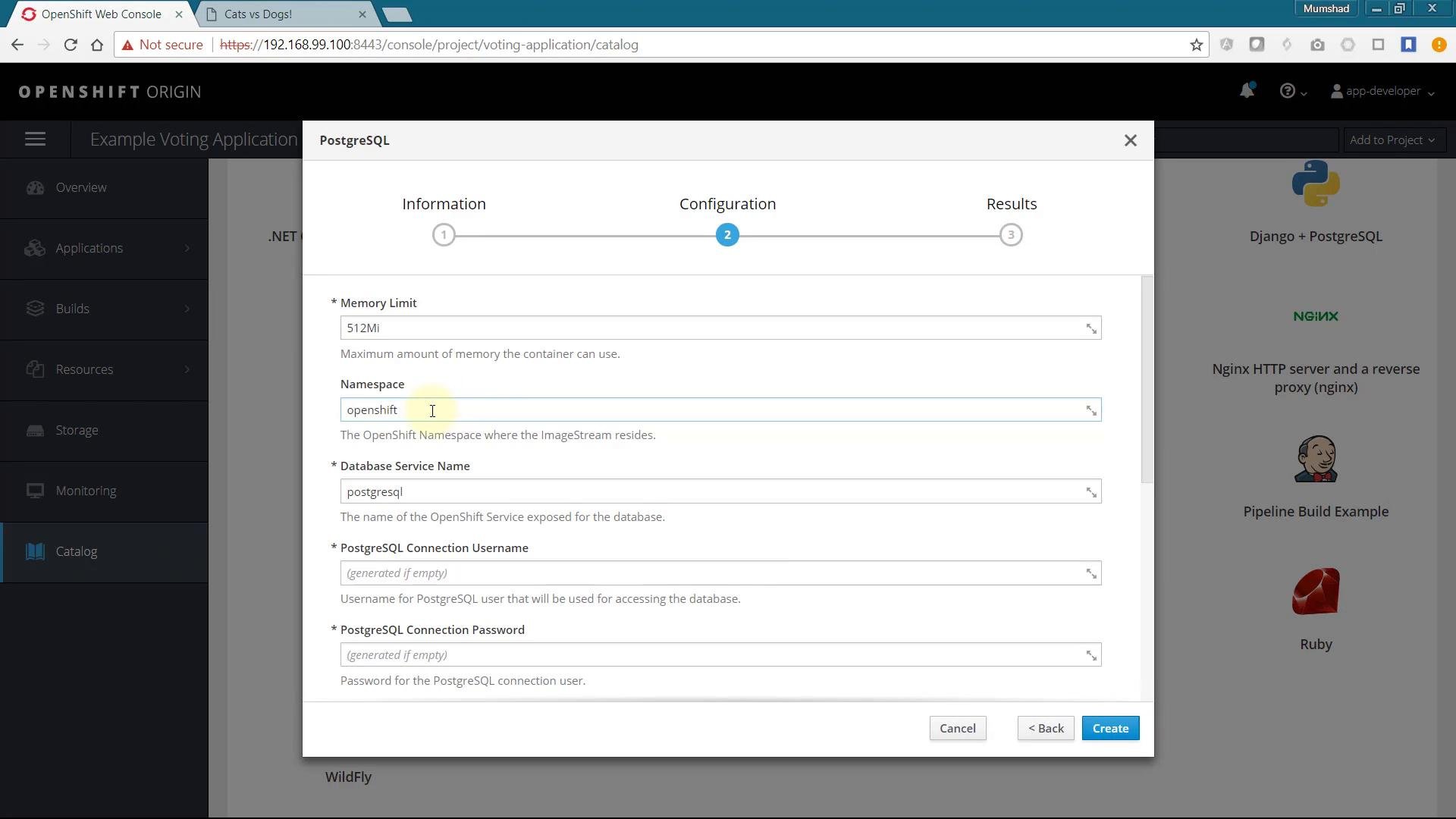
The results application requires PostgreSQL. The DB template is normally available in the Catalog; deploy it and make sure the resulting service name matches what the
result app expects (commonly db).
Provide the database name, username, and password when deploying. For production use, store credentials in Kubernetes/OpenShift Secrets and inject them into pods; for this demo environment variables are used for simplicity.
For production deployments, use Secrets and ConfigMaps to manage credentials and configuration. Avoid placing plaintext credentials directly in Deployment/Pod environment variables.
- Deploy the results application (Node.js)
The results app is implemented in Node.js and lives under the
/result context directory. Add a Node.js application via Advanced Options:
- Git repository: example voting repo
- Context directory:
/result - Application name: e.g.
result
PORT environment variable can override it). The socket and port configuration in the app:
PORT=8080 so OpenShift routes the app on port 8080 inside the container. Create and monitor the build/deployment in the Overview page and open the route to view real-time results.
If votes appear missing after you submit them (for example, counts remain 50-50), that indicates the worker is not processing queued votes.
- Deploy the worker using a Docker build
The worker consumes the votes queue from Redis and persists counts into PostgreSQL. For the worker we use a Docker build strategy (Dockerfile-based) rather than S2I. Steps:
- Create an app in the console using the
/workercontext directory (this generates a BuildConfig for S2I by default). - Edit the BuildConfig YAML and change:
strategyfromSourcetoDocker- Remove the
from(builder image) field so the build uses the Dockerfile in the repo
- Save the BuildConfig and trigger a build (
oc start-build worker -n voting-application).
Application design recap
The end-to-end system includes:- voting front-end (Python) — pushes votes into Redis
- redis — ephemeral queue for votes
- worker (Docker-built) — consumes Redis queue and writes to PostgreSQL
- db (PostgreSQL) — persistent store for results
- result-app (Node.js) — reads results from PostgreSQL and broadcasts via socket.io
Troubleshooting tips
- Invalid password errors in Redis logs indicate mismatched
REDIS_PASSWORDvalues between the Redis instance and the front-end/worker environment. - If results are not updating, confirm the worker pod is running and check its logs for connectivity errors to Redis or PostgreSQL.
- For production, store secrets in
Secretsand use restricted RBAC rules.
Conclusion
You have deployed a multi-tier voting application on OpenShift: imported templates into the Catalog, deployed Redis, added the Python voting front-end, provisioned PostgreSQL and the Node.js results app, and built/deployed a Docker-based worker. You also learned how to add environment variables, switch build strategies (S2I -> Docker), and validate connections via logs.Further reading and references
- OpenShift Documentation: https://docs.openshift.com/
- OpenShift Origin examples (db templates): https://github.com/openshift/origin/tree/master/examples/db-templates
- Redis container examples: https://github.com/sclorg/redis-container
- Kubernetes Concepts: https://kubernetes.io/docs/concepts/