

What is a Service?
A Service in OpenShift (and Kubernetes) is a stable network endpoint that provides access to a set of pods. Services decouple clients from pod IPs so you can update or replace pods without changing application configuration. Common uses:- Front-end → back-end communication through a Service
- Back-end → data-processing components
- Exposing an application to end users using a Route
- Accessing external data stores via Service-backed connectors
- an internal ClusterIP (used for intra-cluster connectivity),
- DNS entries,
- a selector that matches pod labels,
- a
port(clients use this), - and a
targetPort(the port on the pod/container).
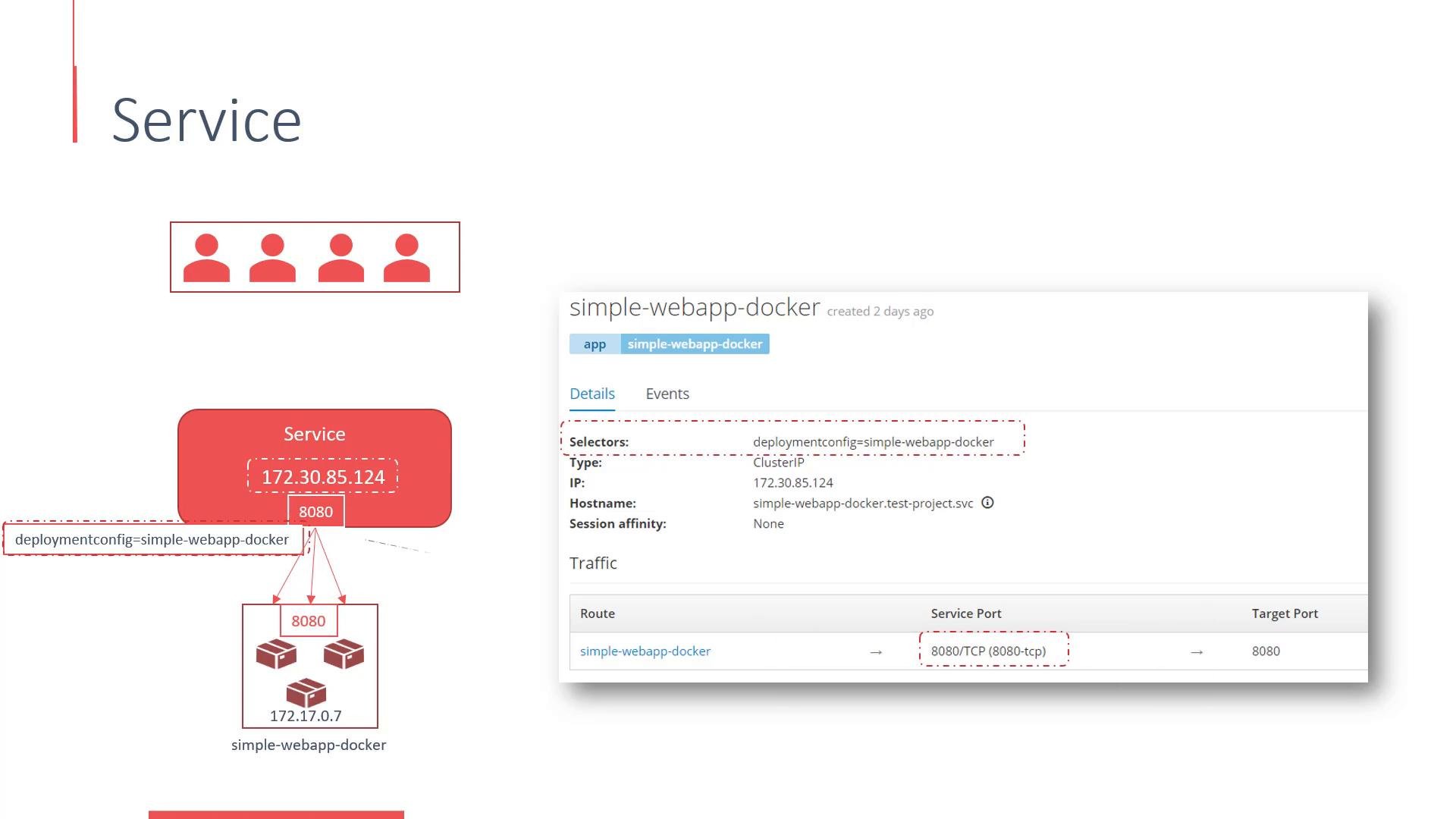
A Service selector matches pod labels. The
targetPort can be a number or a named port defined in the pod/container spec. Using a Service decouples clients from pod IPs and enables rolling updates without breaking connectivity.Routes — exposing Services externally
A Route maps a hostname (for examplewww.somewebapp.com) to a Service and acts like a reverse proxy (e.g., HAProxy). Routes can provide:
- load balancing,
- TLS termination,
- path-based routing (depending on router),
- traffic splitting for A/B tests or staged rollouts.
- Source (default) — session affinity by client IP (sticky sessions)
- Round Robin — evenly distributes requests
- Least Connections — routes to the backend with the fewest active connections
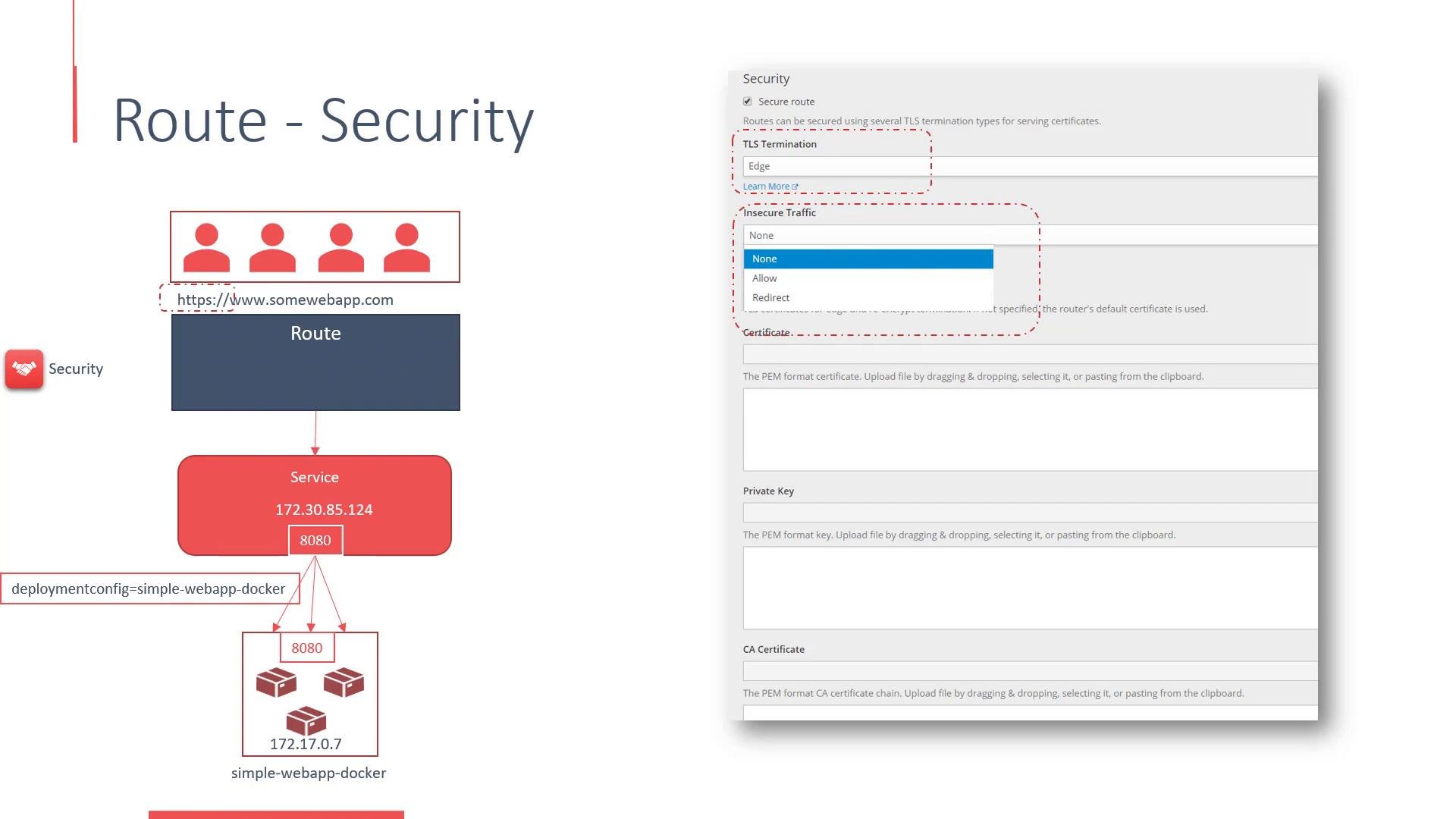
When configuring TLS termination, ensure certificates and keys are stored and rotated securely. If you allow
Insecure Traffic, understand whether HTTP is accepted, redirected to HTTPS, or rejected to avoid exposing sensitive data.oc apply -f route.yaml.
Traffic splitting (A/B testing, canary, staged rollouts)
Routes support splitting traffic across multiple Services so you can:- run A/B tests,
- shift a percentage of traffic to a canary version,
- gradually roll out new functionality.
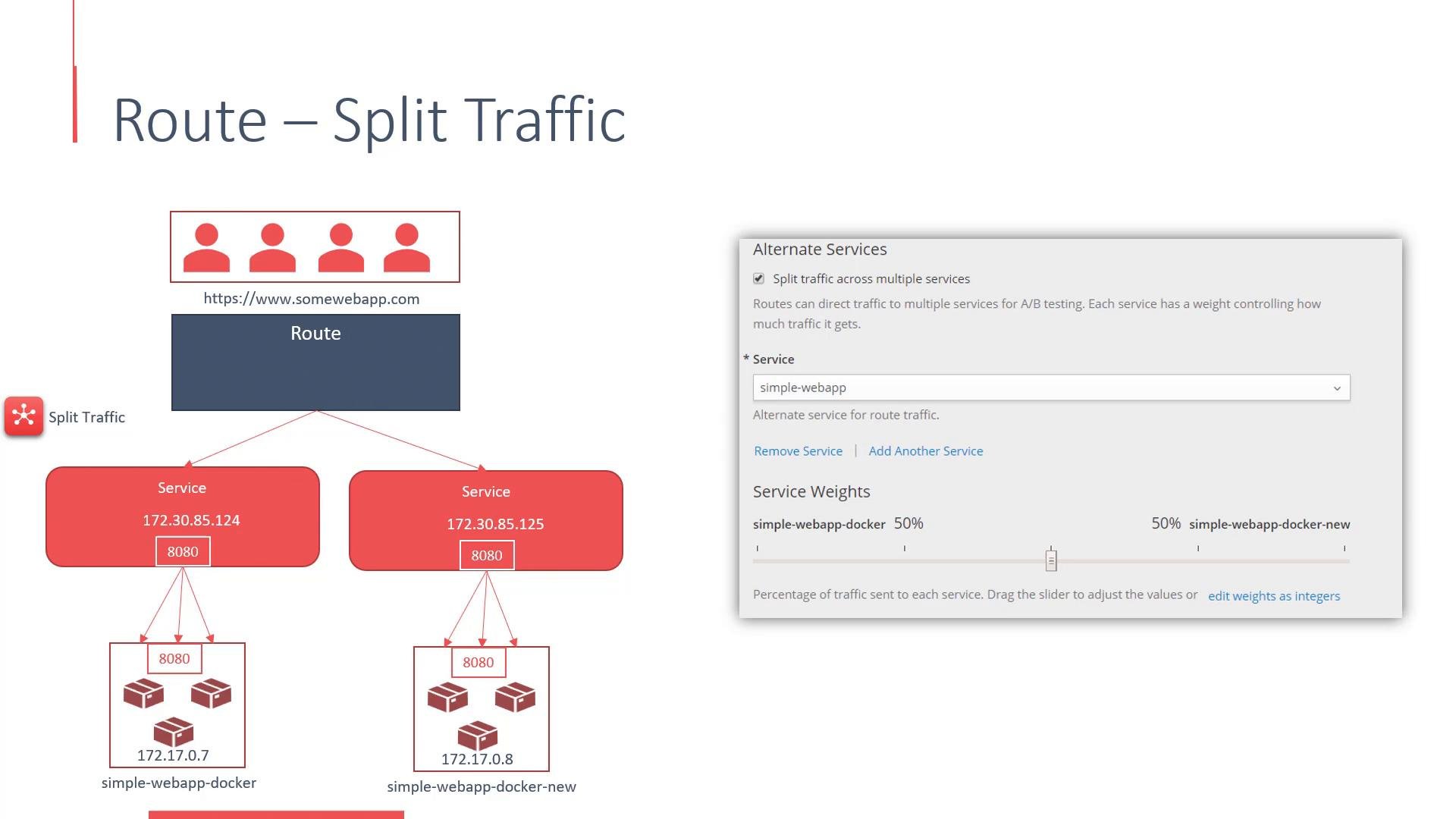
Example Service and Route YAML
Service (simplified):Links and references
- OpenShift Routes documentation: https://docs.openshift.com
- Kubernetes Services overview: https://kubernetes.io/docs/concepts/services-networking/service/
- Router and HAProxy concepts: https://docs.openshift.com/container-platform/latest/networking/routes/route-configuration.html