

Kubernetes networking model — quick recap
A Kubernetes cluster consists of master and worker nodes. Each node is a physical or virtual machine with its own IP address (for example:192.168.1.10, 192.168.1.11, 192.168.1.12, 192.168.1.13). When applications run in containers inside pods, each pod also receives a unique IP address.
Pods commonly host different components of an application (for example, a web server pod and a database pod). For these components to communicate reliably, each pod must have a unique, routable IP and the cluster must provide routing between nodes.
OpenShift implements this with a software-defined network (SDN) that creates a virtual overlay spanning all nodes.
OpenShift SDN basics
- OpenShift 3.x: default SDN implementations are based on Open vSwitch (OVS).
- OpenShift 4.x: uses OVN-Kubernetes by default.
- Default overlay CIDR (OpenShift 3.x example):
10.128.0.0/14. - Typically, each node gets a dedicated subnet from that range (commonly a
/24), and pods on that node receive IPs from the node’s subnet.
Example pod IP assignment:
To list pods and see their IPs:
Avoid relying on pod IPs directly in production. Pod IPs are ephemeral and can change when pods are restarted, rescheduled, or replaced.
Stable networking: Services and DNS
To provide stable connectivity, OpenShift offers Services and an internal DNS service (historically SkyDNS; newer clusters typically run CoreDNS). The cluster datastore (etcd) backs DNS records so services and endpoints are discoverable by name.Always prefer connecting to a Service or DNS name instead of a pod IP. For example, instead of
mysql.connect('10.128.1.2'), use a service DNS name like mysql.default.svc.cluster.local or the service environment variables provided to pods.OpenShift network plugins (3.x examples)
OpenShift 3.x supported multiple SDN plugins:ovs-subnet— the default OVS-based plugin that provides connectivity across all pods.ovs-multitenant— enforces network isolation between projects (namespaces) by providing project-scoped virtual network segments (VLAN-like behavior) so that pods in different projects are isolated by policy.
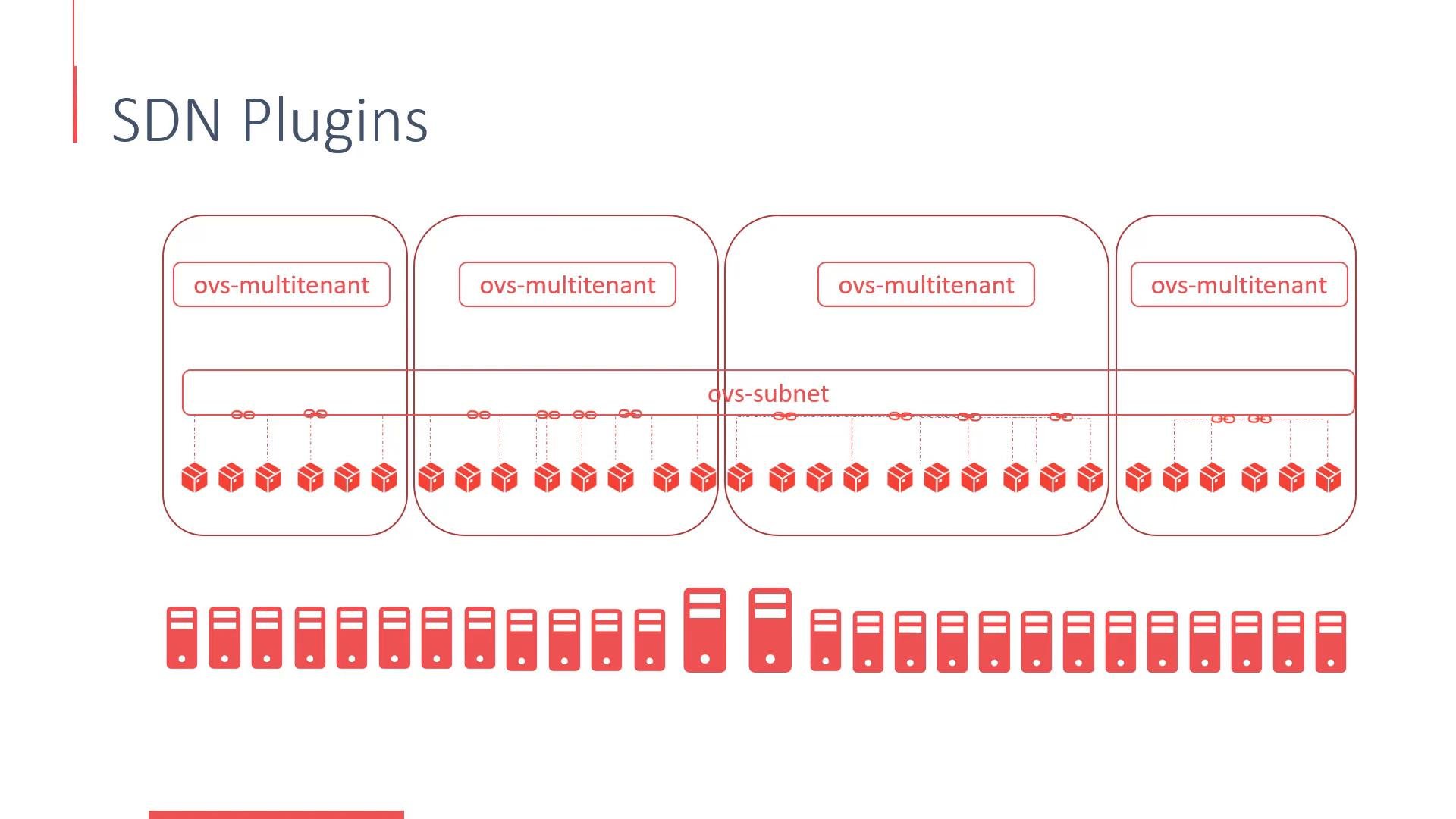
- Flannel — simple VXLAN-based overlay.
- Contiv — more advanced policy and CNI features.
- Nuage — vendor-specific SDN with advanced features for carrier and enterprise networks.
External access — Services vs Routes
OpenShift exposes in-cluster applications to external clients using Services and Routes:
Routes are an OpenShift abstraction that map hostnames to in-cluster Services and provide HTTP(S) routing, TLS termination, and host-based routing features.
Quick references
- Open vSwitch (OVS): https://www.openvswitch.org/
- OVN-Kubernetes: https://github.com/ovn-org/ovn-kubernetes
- CoreDNS: https://coredns.io/
- etcd: https://etcd.io/
- OpenShift networking docs: https://docs.openshift.com/