

Key considerations
-
Scope and exposure
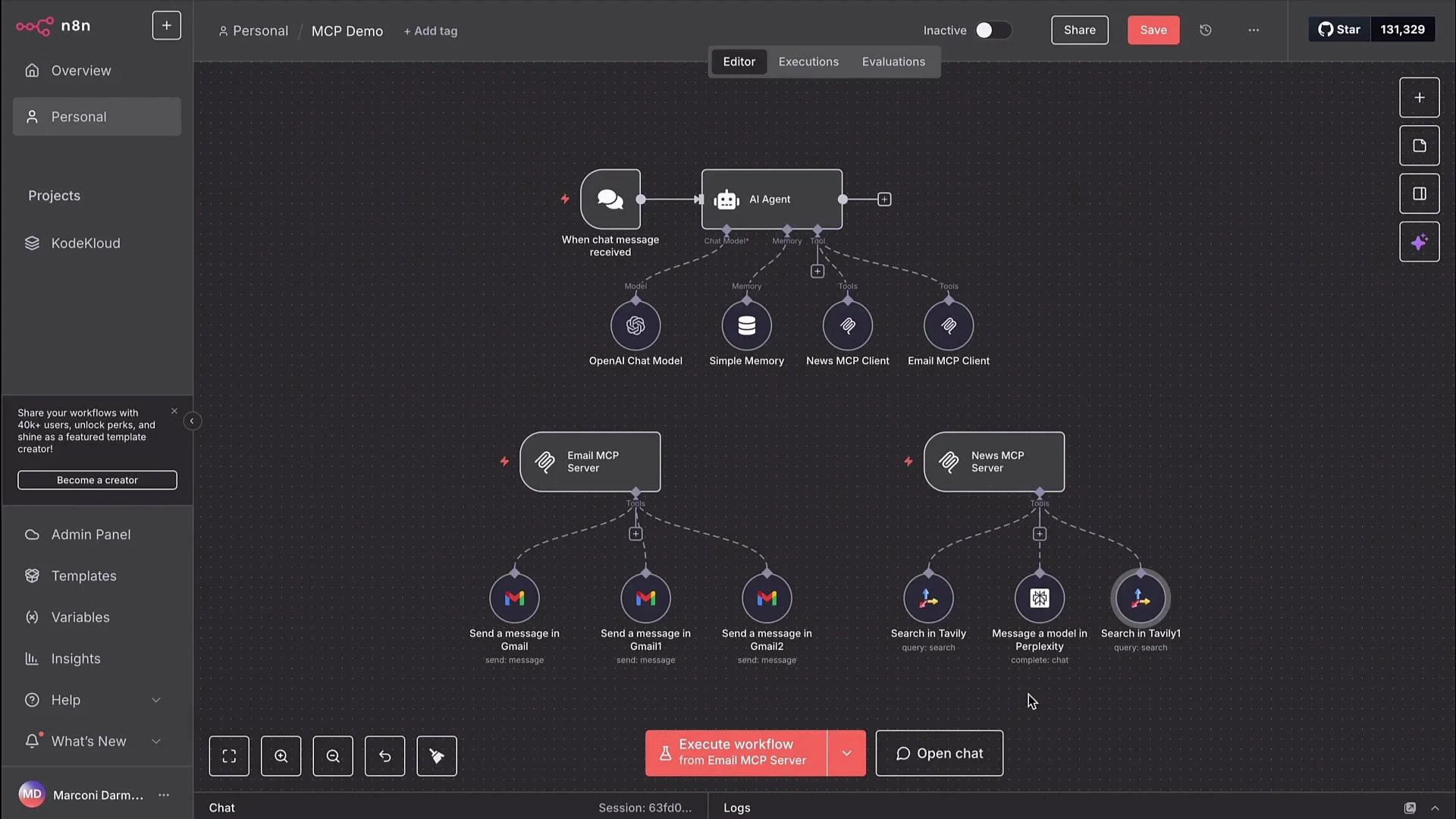
- MCP: Designed to expose callable endpoints. Use MCPs when you want third-party systems or external AI agents to directly invoke capabilities inside n8n.
- Sub-workflow: Stays inside n8n and is only invoked by other workflows or nodes in the same environment.
-
Operational overhead and cost
- External agent + MCP calls can create effectively a two-step flow — an agent decides which MCP endpoint to call, leading to extra runs, more latency, and additional cost.
- Internal sub-workflows avoid external network hops. Note: billing models vary — some n8n hosting counts each invoked workflow as a separate execution. Check your plan’s execution/pricing rules.
-
Modularity and developer speed
- Sub-workflows are quick to create, refactor, and maintain within n8n.
- MCPs formalize the integration boundary and are better when you want a stable, discoverable API surface that other teams or systems will use.
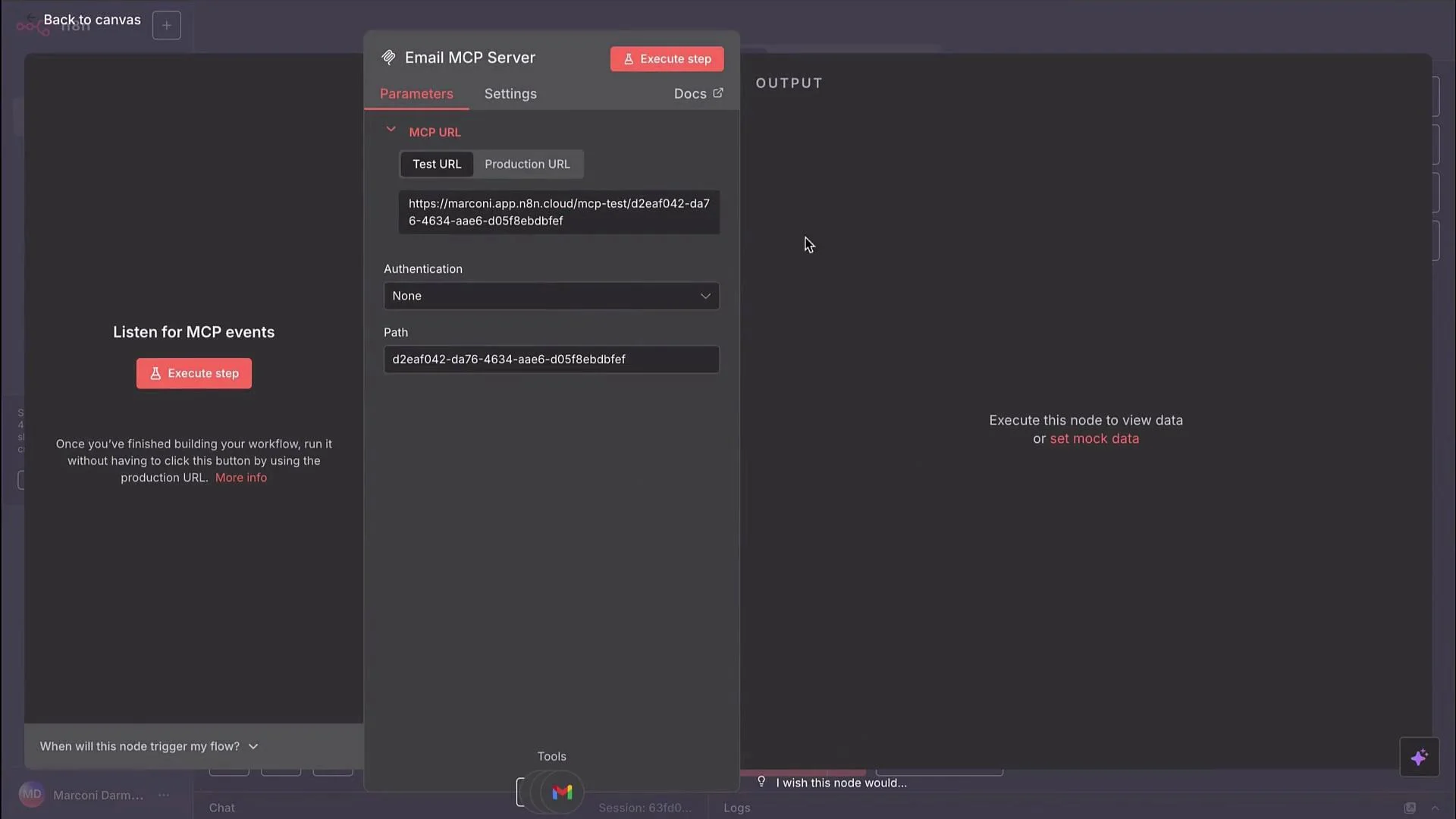
/email/send. External clients (for example, an AI agent) can send requests to that endpoint and trigger email flows inside n8n. When you implement this pattern, consider authentication for the MCP endpoint, payload validation, idempotency, and monitoring.
Example: calling an email MCP endpoint (simple curl example)
- Do you need an external-facing API? → Choose MCP.
- Is minimal latency and fewer network hops important? → Prefer sub-workflows.
- Will other teams or external agents call this capability? → Prefer MCP with authentication and versioning.
- Is rapid iteration and internal refactoring more important? → Use sub-workflows.
Choose sub-workflows for fast internal modularization and lower orchestration overhead. Choose MCPs when you need to expose functionality outside n8n (for example, to external AI agents or third-party services).
- MCPs are the right choice when you need a well-defined, external-facing API surface for agents or third-party systems.
- Sub-workflows are best for internal modularity, faster iteration, and reduced network overhead.
- Both approaches are production-ready in n8n today. The correct pattern depends on your architecture, performance requirements, cost model, and who will be calling the automation.
- n8n Documentation
- Designing APIs for integrations — general guidance
- Consider reviewing your n8n hosting/billing docs to confirm how internal workflow invocations are counted.