

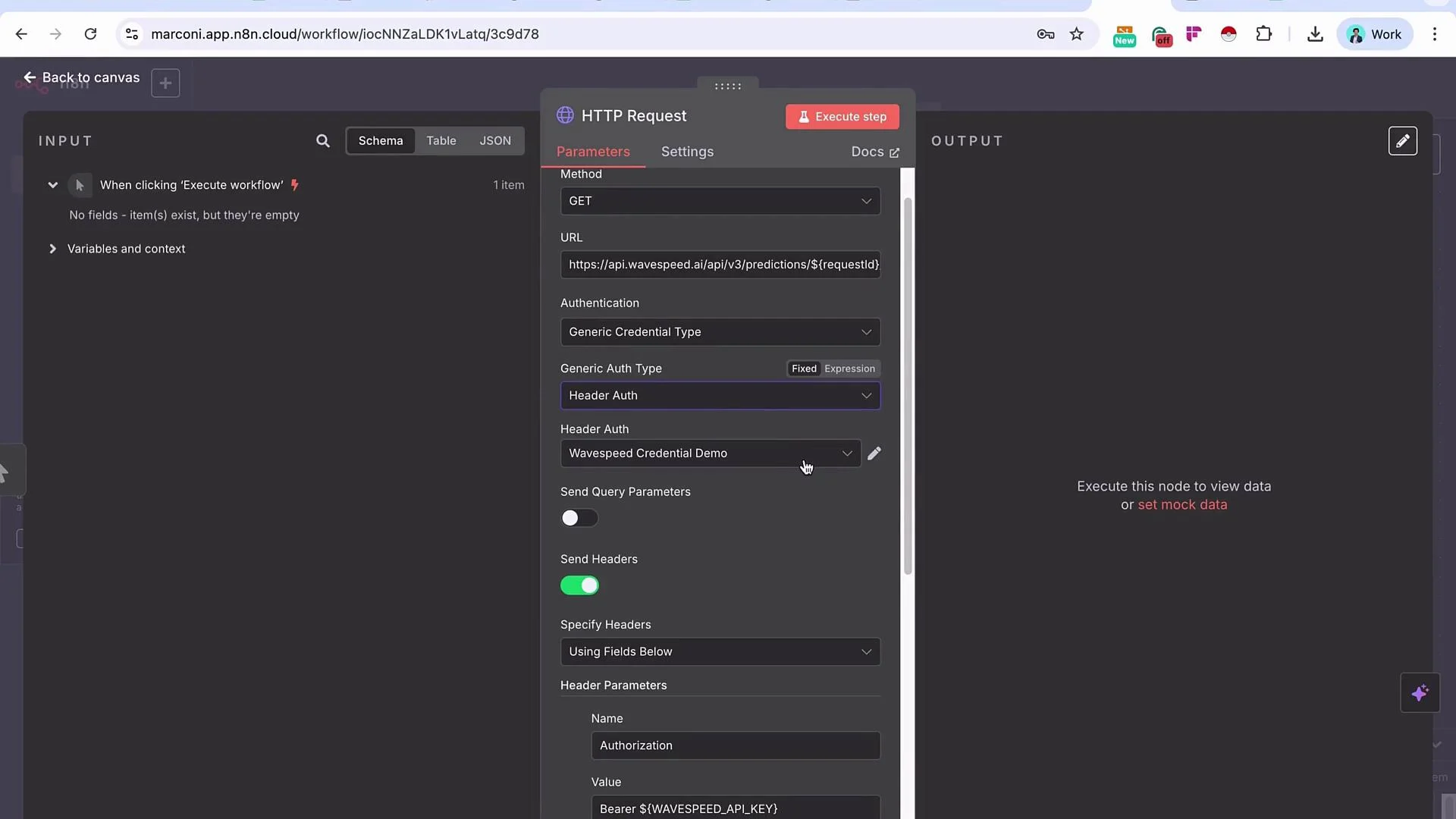
- Header-based authentication (most common): include an API key or token in a header such as
Authorizationor a custom header likex-api-key. - Using a saved Credentials entry: the node references a credential object (managed centrally) rather than embedding secrets in the node parameters.
How Import cURL helps
When you paste a cURL command into Import cURL, the HTTP Request node will usually:- Set the HTTP method (GET, POST, PUT, DELETE, etc.).
- Fill in the request URL and split out any query parameters.
- Populate headers (including
Authorizationor custom API-key headers). - Add the request body and appropriate
Content-Typeheader when applicable.
- Method:
GET - URL:
https://api.example.com/v1/data - Headers:
Authorization: Bearer abc123def456Accept: application/json
Be careful: cURL commands often contain secrets (API keys, tokens). Remove or redact sensitive headers before sharing commands or screenshots. When importing, treat the resulting node configuration as sensitive until you store secrets in a secure credential.
Authentication methods — quick reference
Why use Credentials instead of embedding headers directly
-
Reusability
- Create a credential (for example, a Header Auth credential) that stores the API key or token once, then select that credential in any HTTP Request node across workflows.
- This keeps the same credential consistent across multiple requests, reduces duplication, and simplifies updates.
-
Security and maintainability
- Credentials centralize secrets so they are not hard-coded into node parameters that can be inspected or exported.
- Central management makes key rotation, revocation, and auditing easier.
- Sharing workflows becomes safer because credentials are not embedded in exported configurations.
Best practices
- Prefer credential entries for production secrets instead of pasting keys directly into node headers.
- Use placeholder examples like
Authorization: Bearer <token>in docs; store the real token in a credential. - Rotate keys regularly and delete unused credentials via your platform’s credential management UI.
- Sanitize cURL commands before sharing or logging them to avoid accidental secret exposure.
Avoid hard-coding secrets in node parameters. Store API keys and tokens in credential entries so they can be reused, rotated, and managed centrally.
Summary
- Import cURL is a fast, reliable way to populate HTTP Request nodes with method, URL, headers, body, and query parameters.
- Header-based auth is common and convenient, but using a reusable credential entry improves security and maintainability.
- Use your platform’s credential management features for storing, rotating, and deleting sensitive information instead of embedding secrets in nodes.
Links and references
- cURL manual: https://curl.se/docs/manpage.html
- HTTP authentication overview: https://developer.mozilla.org/en-US/docs/Web/HTTP/Authentication
- n8n documentation (HTTP Request node and credentials): https://docs.n8n.io/