

- Provider examples: Pinecone, Supabase. This walkthrough uses Pinecone.
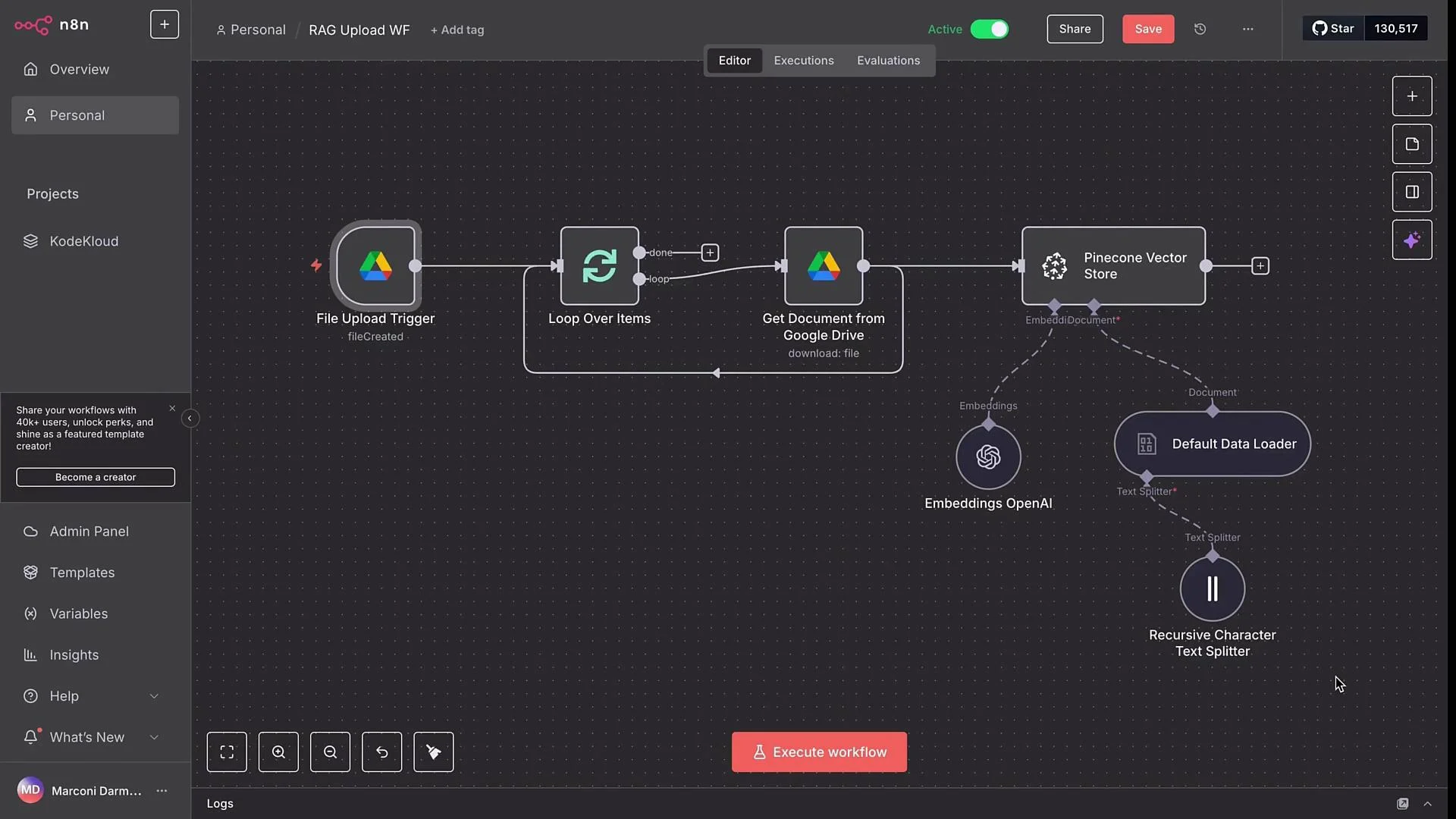
- Goal: Let team members drop files into a Google Drive folder and have n8n automatically download, chunk, embed, and upsert them into a Pinecone index.
- High-level workflow:
- Google Drive trigger watches a folder for new files.
- Loop node processes each file individually.
- Google Drive download node retrieves the file in binary.
- The document is split into chunks, embedded with OpenAI, and upserted into Pinecone.
- Traditional SQL/datastore systems handle exact-match queries.
- Vector DBs like Pinecone store embeddings and perform similarity search to find semantically similar content — ideal for retrieval in RAG agents.
- An embedding is a numeric vector representing semantic meaning of text, images, or audio.
- Embeddings act like coordinates in a high-dimensional space; semantically related items are close to one another.
The workflow starts with a file upload trigger that monitors a specific Google Drive folder for new files.
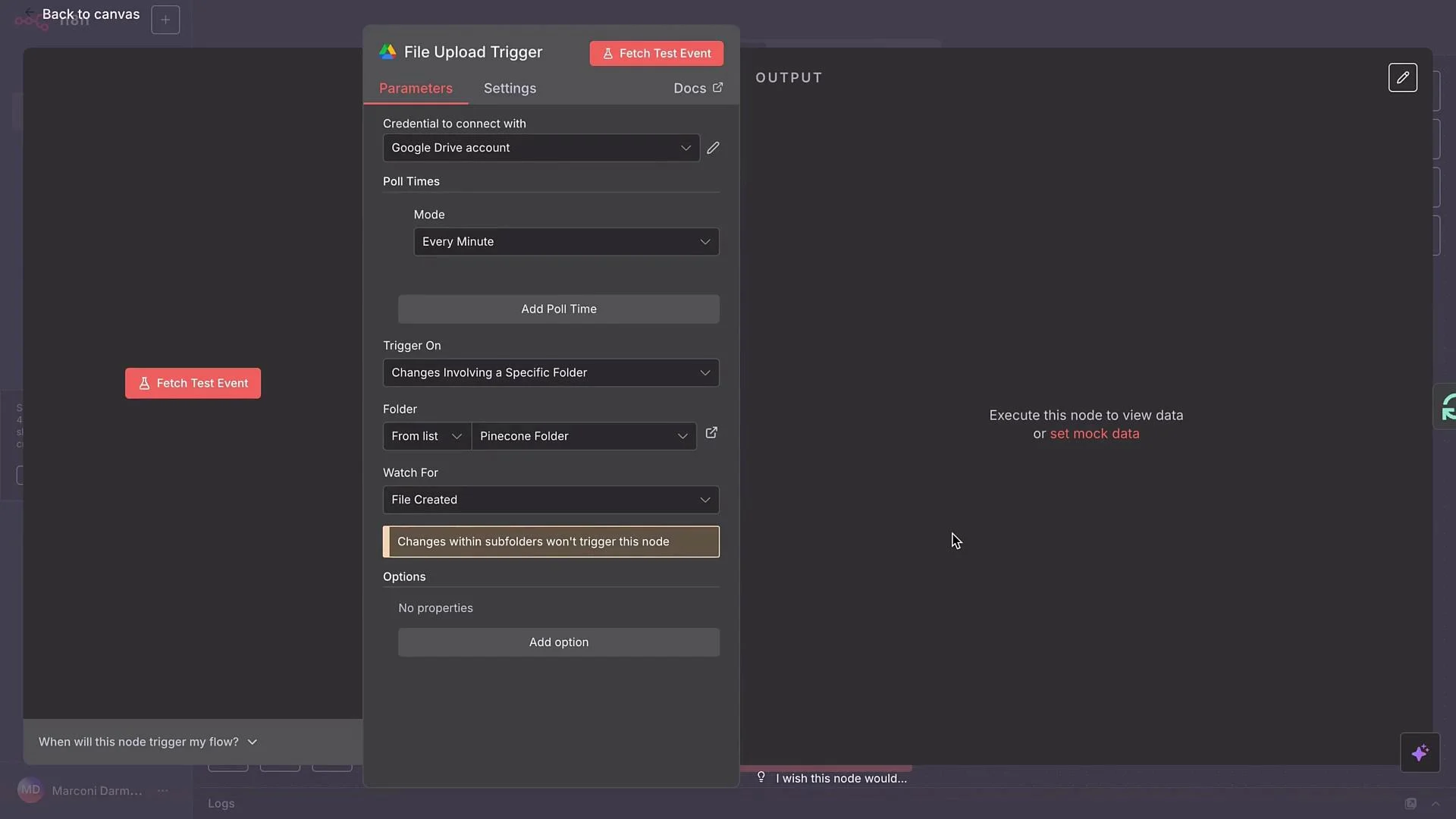
- Poll the folder every minute for near-real-time ingestion.
- Download files in
binaryformat (required by the default data loader used later).
- Embeddings node (OpenAI embeddings in this example).
- Default Data Loader to handle varying file formats (PDF, DOCX, images).
- Recursive Character Text Splitter to slice documents into semantically sensible, overlapping chunks.
binary or JSON input and prepares the text for embedding. The Recursive Character Text Splitter divides large text blocks into overlapping chunks, attempting to preserve semantic integrity across chunk boundaries.
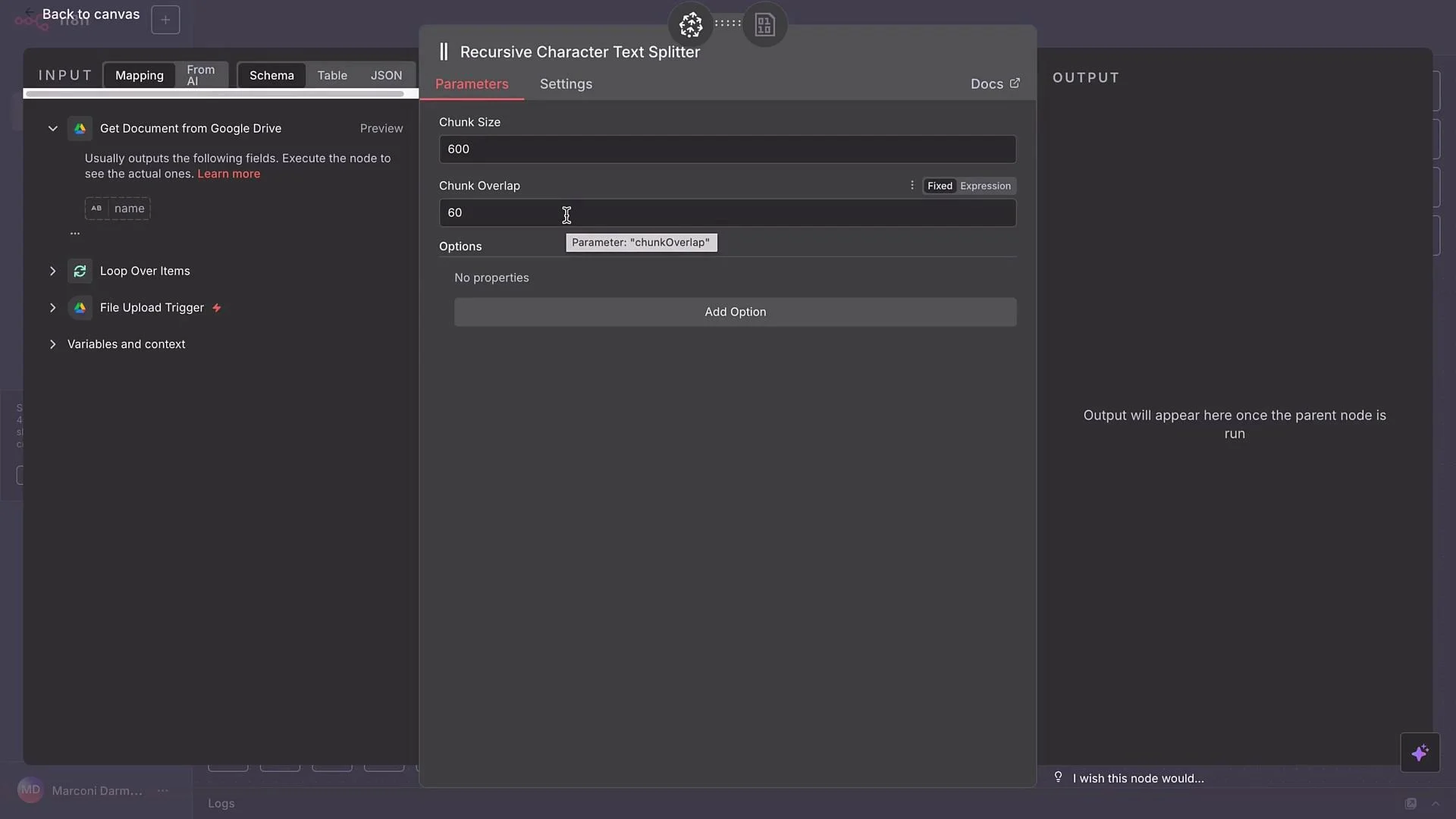
- Chunk size: maximum characters per chunk (e.g.,
500). - Chunk overlap: characters overlapping between chunks (e.g.,
50) to maintain context.
Start with a chunk size around
400–700 characters and an overlap of 10–15%. Adjust based on document structure and downstream model prompt length—smaller chunks increase retrieval precision but can increase vector count and cost.- Google Drive Trigger
- Add a Google Drive node and set it to watch your chosen folder (example: “Pinecone Folder”).
- Trigger on
File createdand set polling to1 minute. - Test by uploading a sample file (e.g., a PDF SOP for a fictional airline “AirNova”). The trigger should detect the upload and start the workflow.
- Loop Over Items
- Add a Loop Over Items node so multiple uploaded files are processed one at a time.
- For single-file scenarios, batch size
1is typical.
- Google Drive — Download File
- Use the Google Drive
Download Filenode. - Supply the file ID (or
webContentLinkper node requirements) from the trigger as input to download the file inbinary. - Execute this step to verify the file is retrieved and opens correctly in downstream nodes.
- Pinecone Vector Store — Add Documents to Vector Store
- Add a Pinecone Vector Store node and choose the
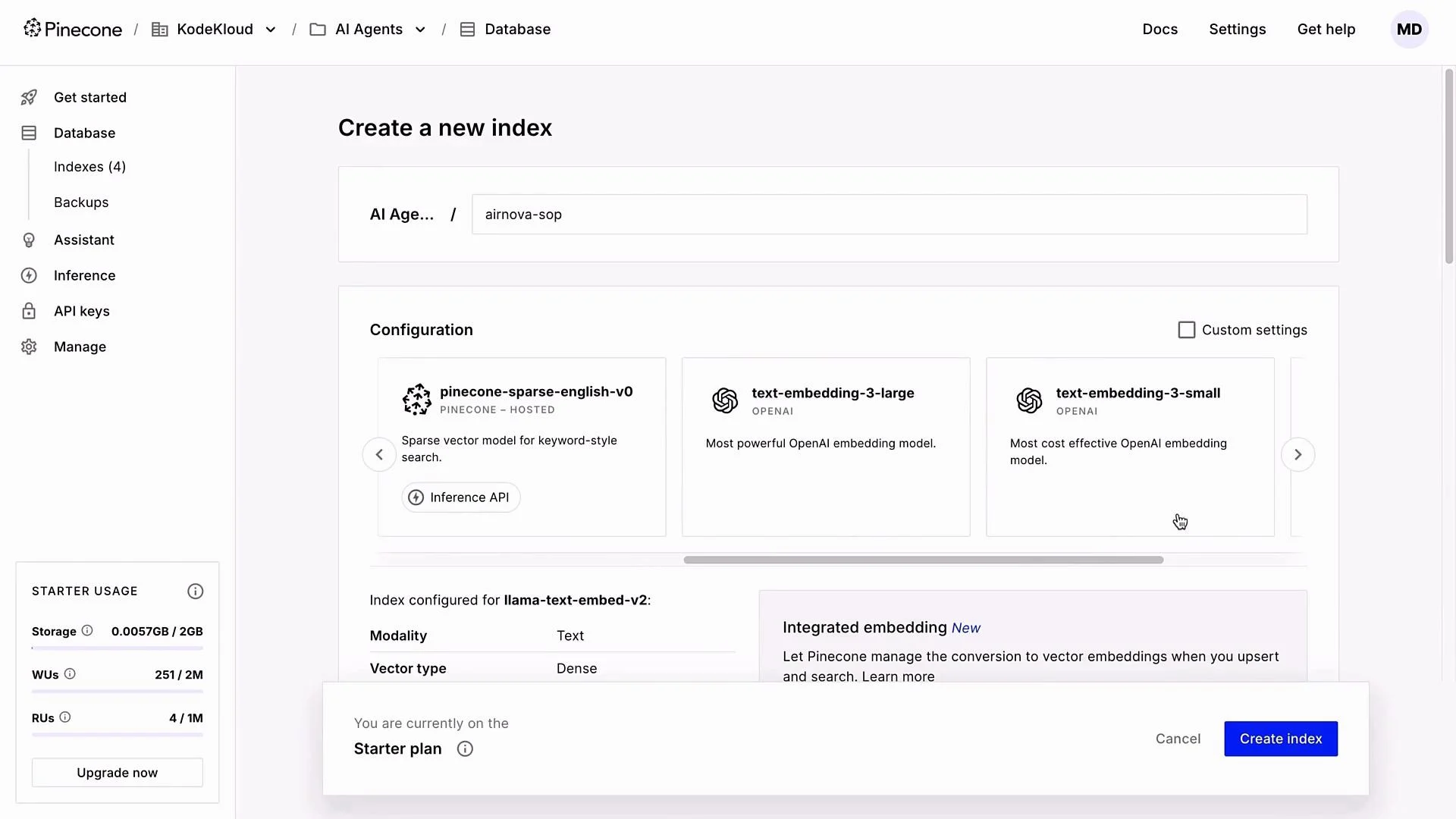
Add Documents to Vector Storeaction. - Required: a Pinecone index and an API key. If you don’t have them, create an account at https://www.pinecone.io and set up an index.
If vector dimension does not match the model output when upserting, you will receive an error — ensure dimensions align exactly.
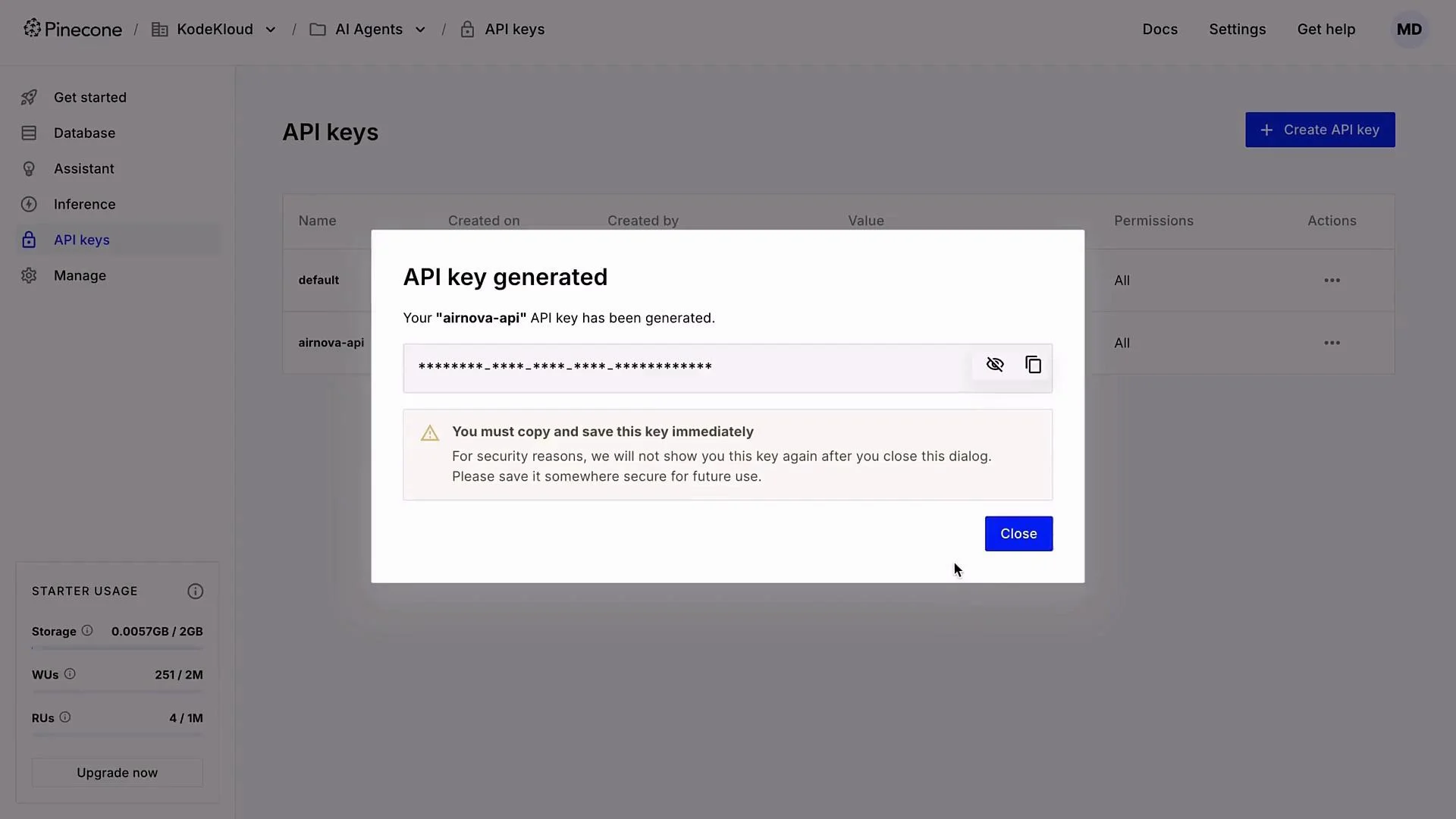
API keys are shown only once in Pinecone. Copy and store your key securely (use a secrets manager). Do not commit API keys to version control.
- Embeddings configuration in n8n
- In the Pinecone Vector Store node, set Embeddings to OpenAI.
- Select the same embedding model you used when creating the Pinecone index:
text-embedding-3-small.
- Default Data Loader
- Configure Default Data Loader:
- Type:
binary(we downloaded files in binary format). - Loader name: optional (e.g., “Data Loader Binary”).
- Load mode:
Load All Input Data. - Enable automatic type detection so PDFs, images, and other types are handled automatically.
- Type:
- Text splitter settings
- Choose Custom text splitter and attach Recursive Character Text Splitter.
- Example settings:
- Chunk size:
500 - Chunk overlap:
50(≈10%)
- Chunk size:
- Tune these as needed based on document density and RAG prompt window.
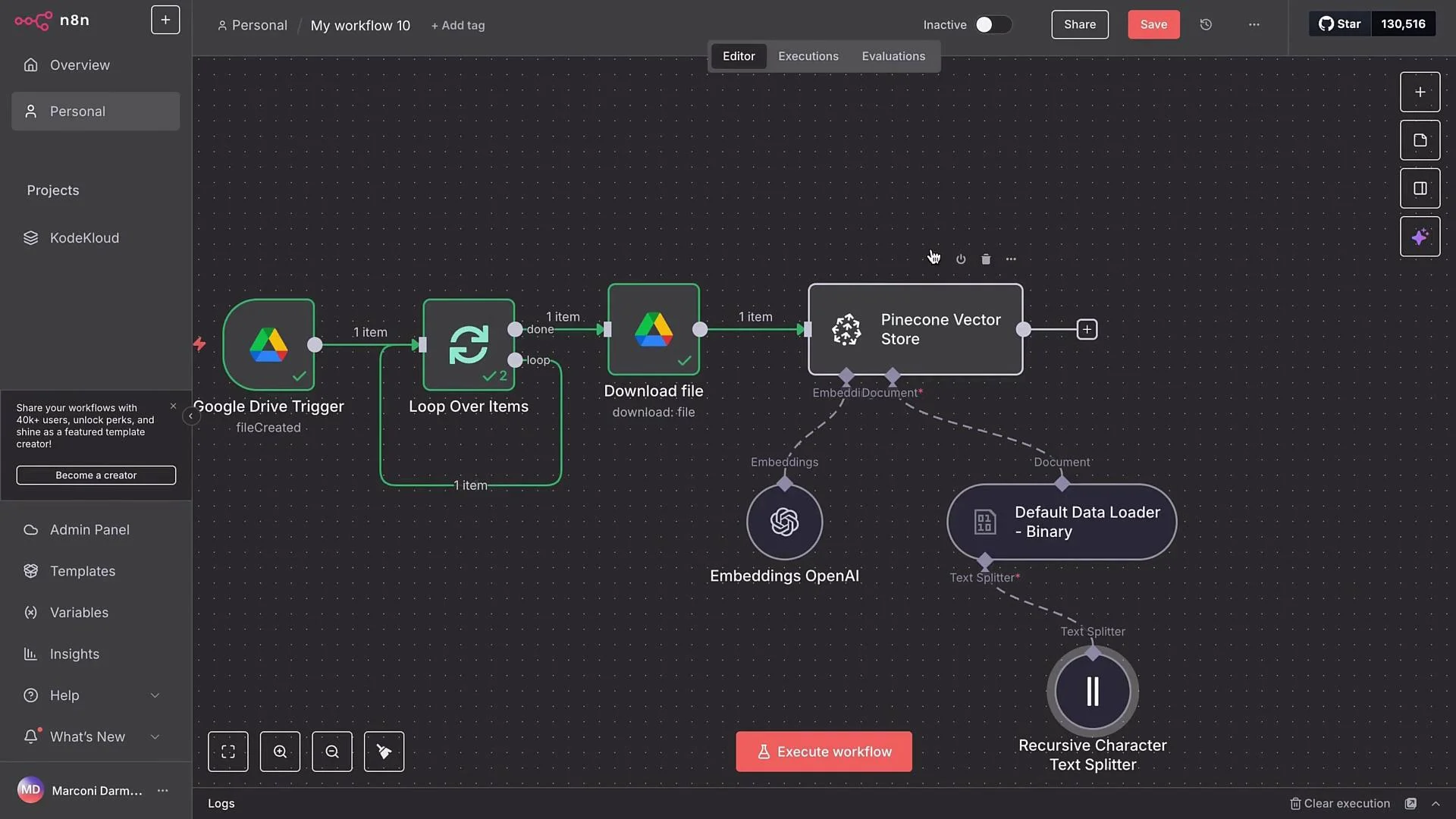
- The embedding model will process each chunk produced by the text splitter.
- The Pinecone node will upsert vectors into your index.
- Each upserted item will typically include: chunk text, vector embedding, and metadata (source file, chunk index, timestamps).
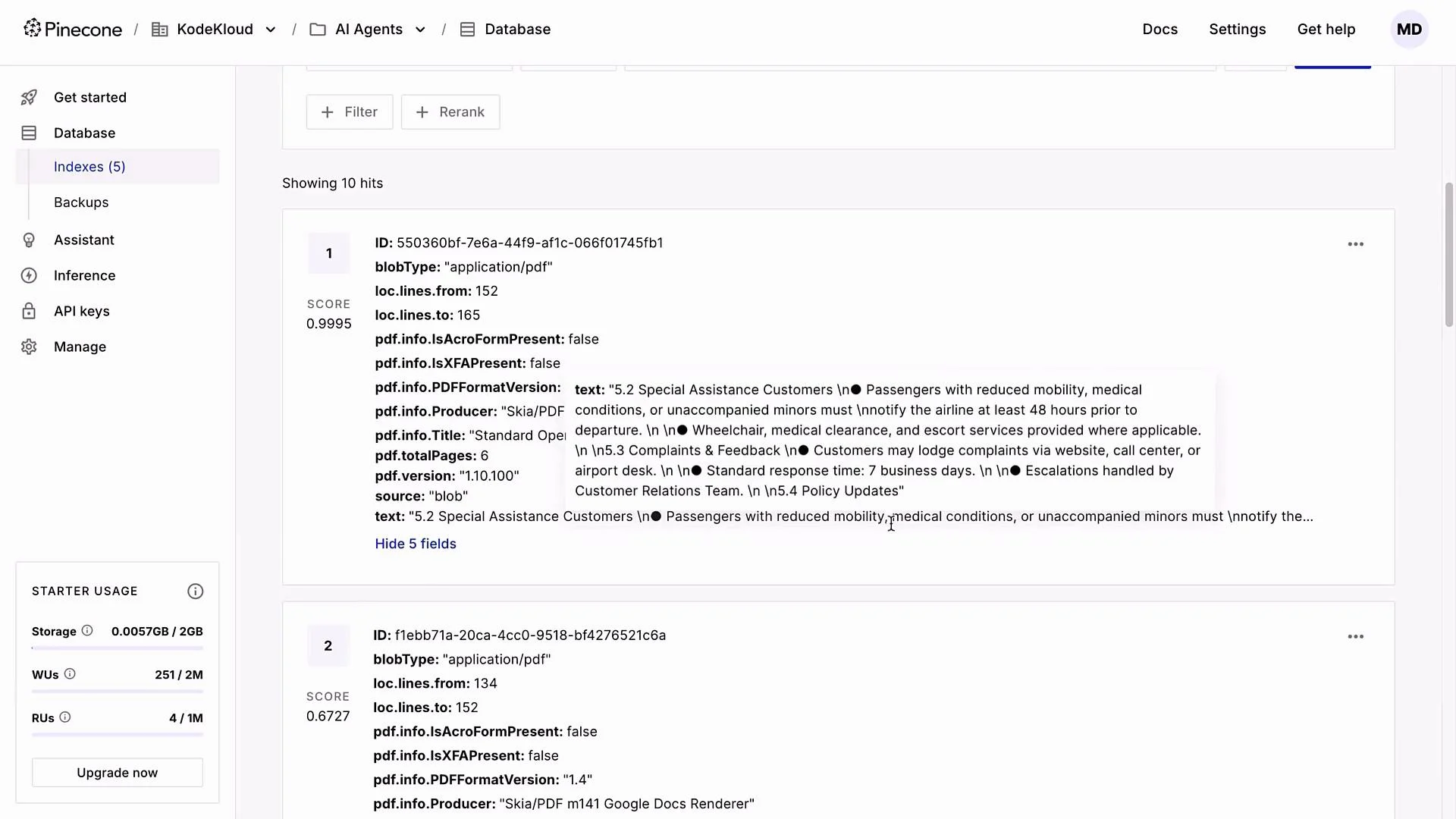
- A single SOP PDF in this demo produced 10 chunks that were embedded and upserted into the
AirNovaindex. Each vector entry contains chunk text plus metadata for retrieval.
- Build a RAG AI agent that queries the same Pinecone index to retrieve context for answering customer queries.
- Combine retrieval results with a generation model to produce accurate, context-aware responses driven by your uploaded documents.
- Pinecone: https://www.pinecone.io
- OpenAI embeddings models: https://platform.openai.com/docs/guides/embeddings
- n8n documentation: https://docs.n8n.io