

- fetches recent news (via Perplexity),
- composes an email using an Anthropic chat model,
- sends the email, and
- appends a record to Google Sheets.
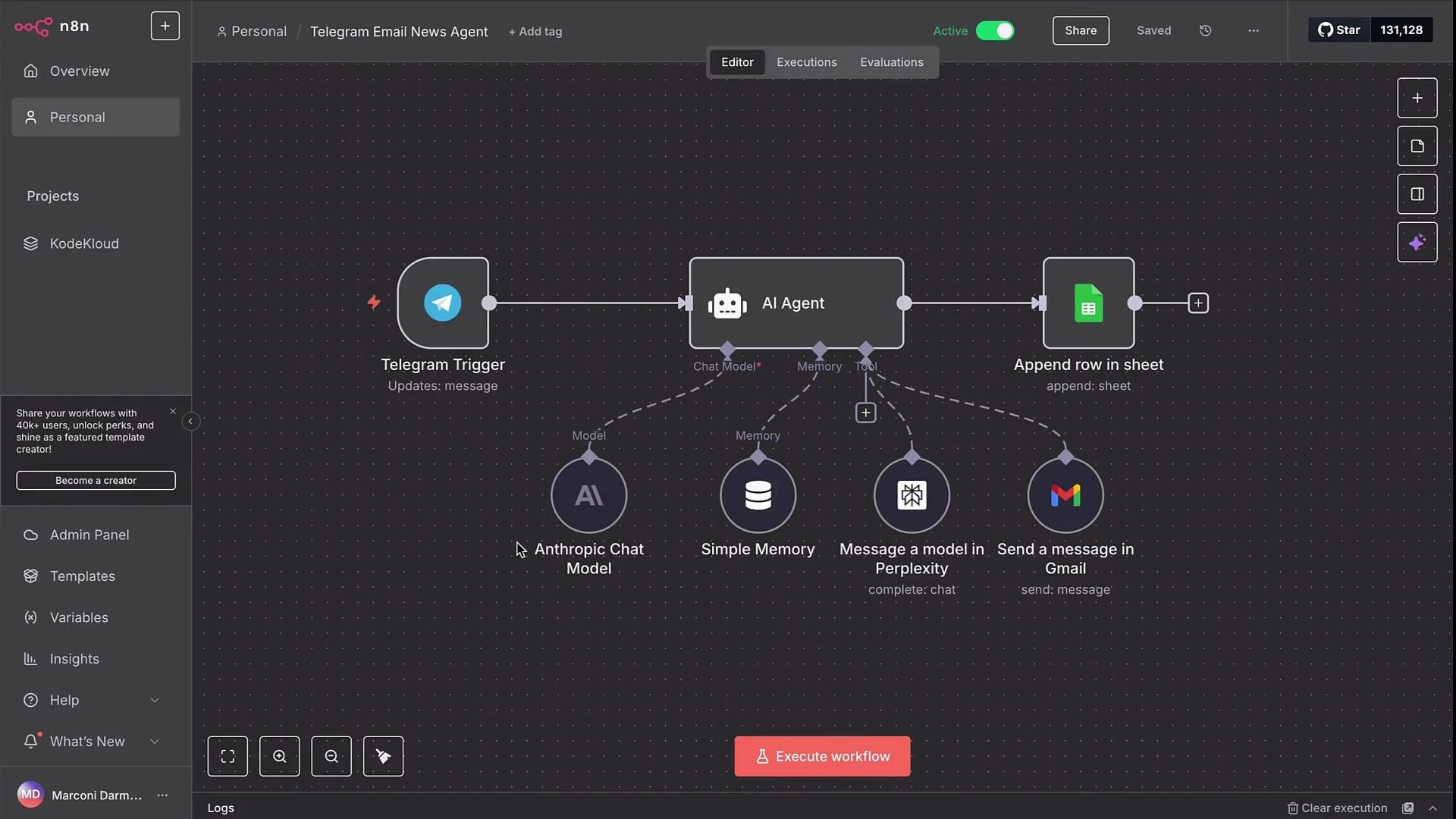
- Use an Error Trigger workflow to capture failures from production executions.
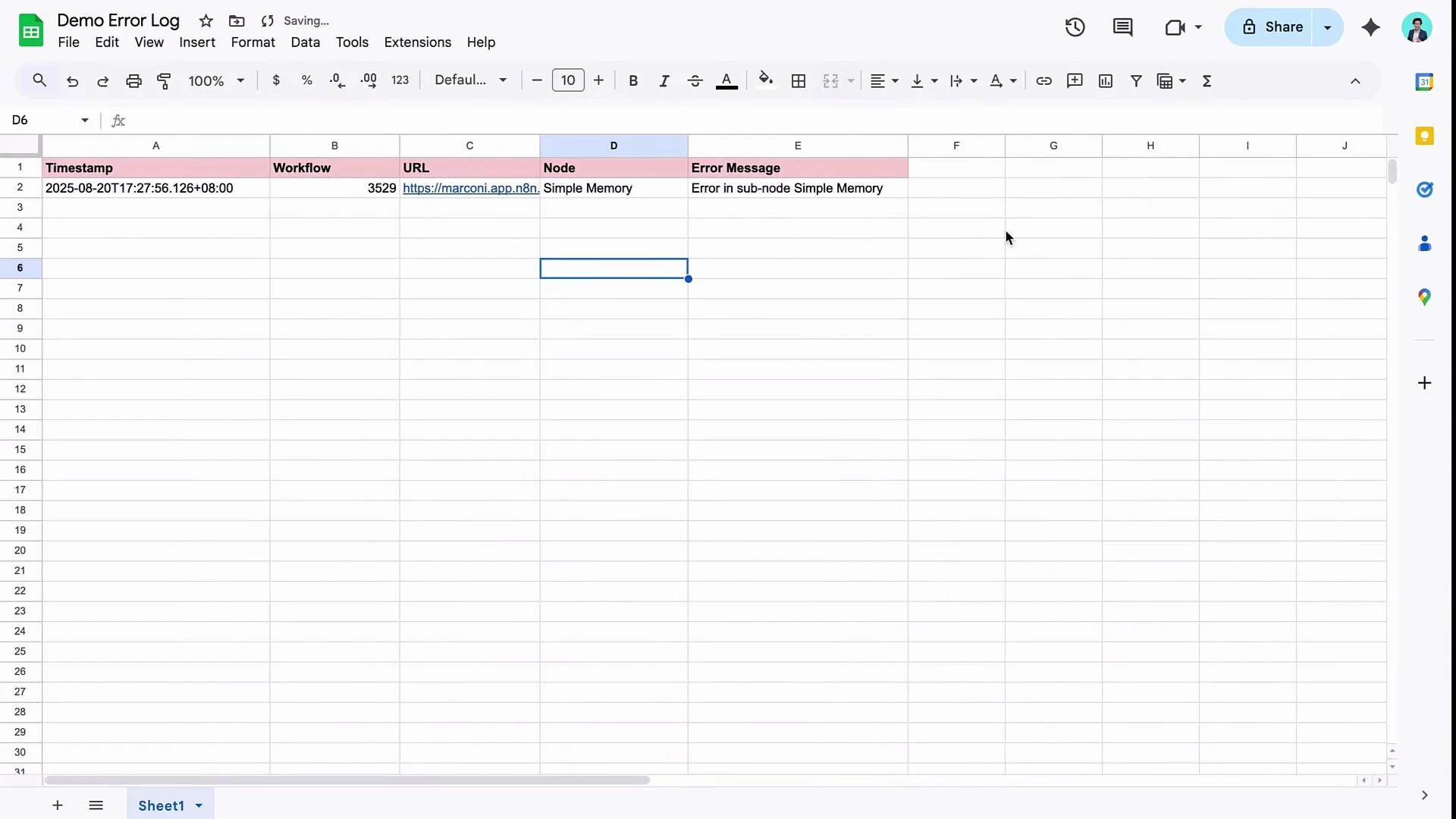
- Persist error payloads to a Google Sheet (or a database) for auditing.
- Notify the team (Slack, email, PagerDuty) so maintainers can respond quickly.
- Add node-level retries and a fallback LLM to handle transient or provider-specific outages.
- Faster detection and triage of failures
- Reduced manual monitoring overhead
- Resilient AI agents that can failover automatically
- Create a new workflow (for example, “Error Logger Demo”).
- Add an Error Trigger node. The Error Trigger captures payload information about failures from other workflows that are running in production.
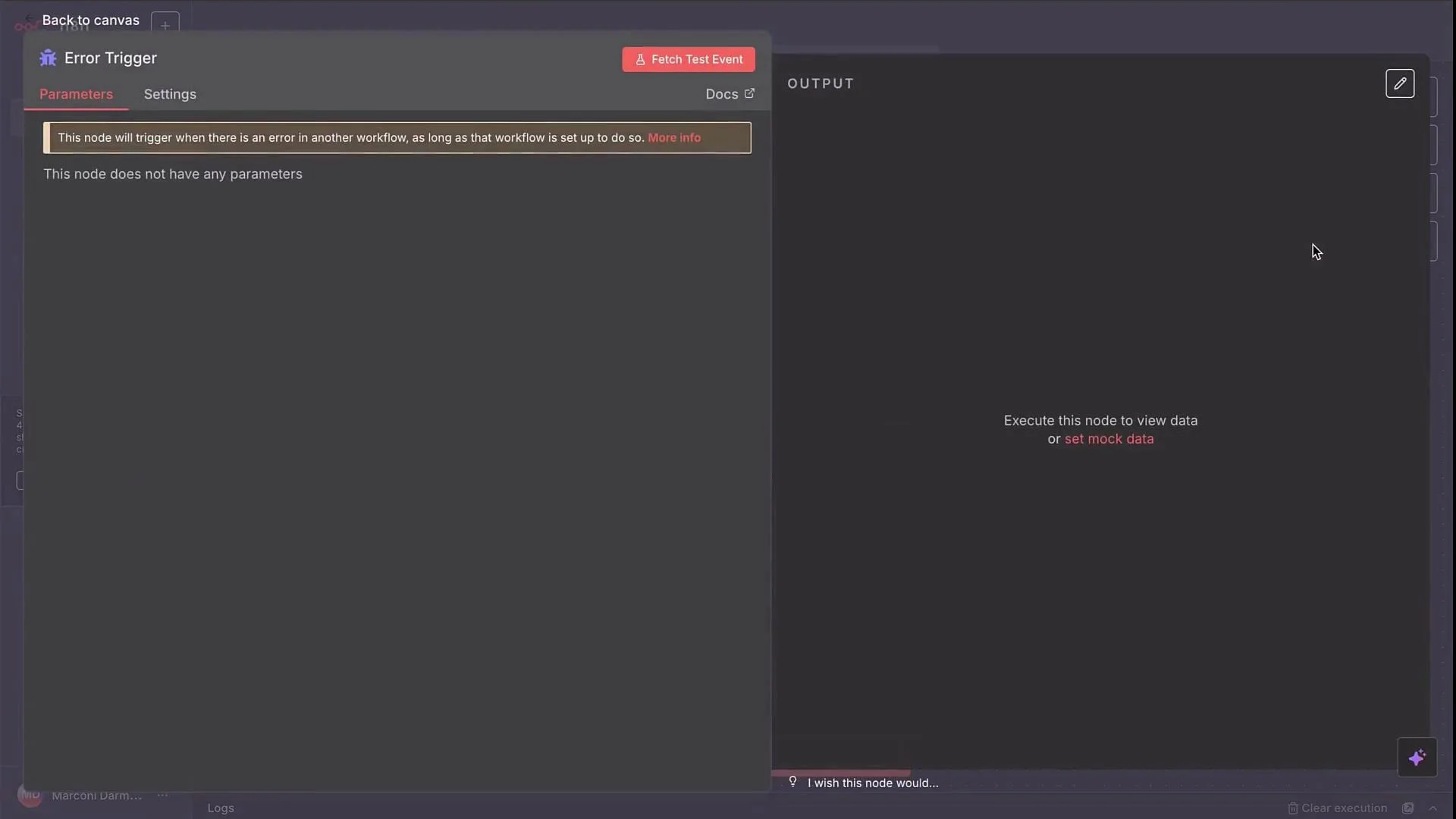
- Link this Error Trigger to your original workflow:
- Open the original workflow’s Settings (three dots in the top-right).
- Under Error Workflow, choose the workflow you created (e.g.,
Error Logger Demo) and save.
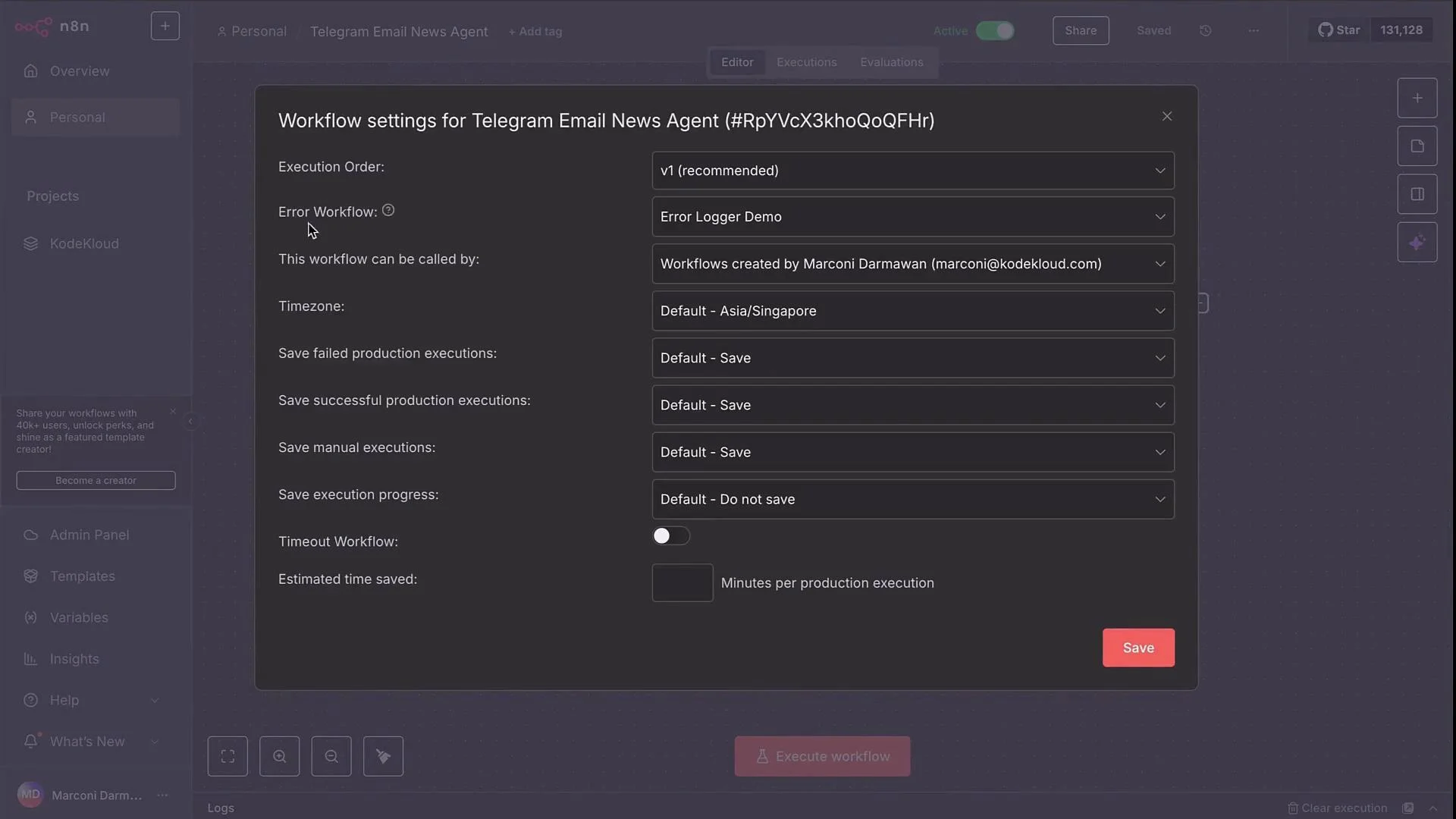
The Error Trigger only captures failures from production executions. Manual runs won’t fire the error workflow — toggle the original workflow to production to test real error forwarding.
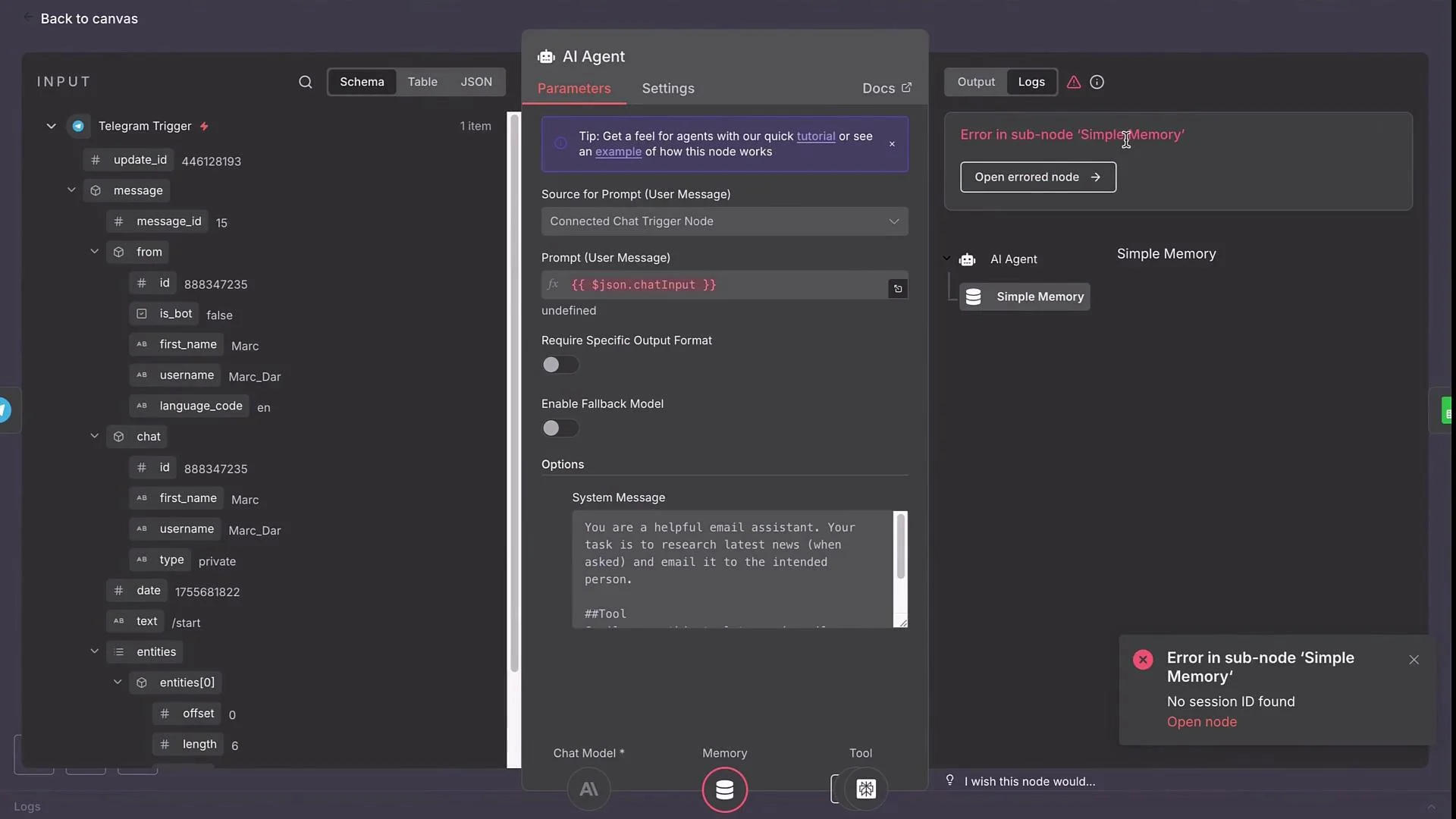
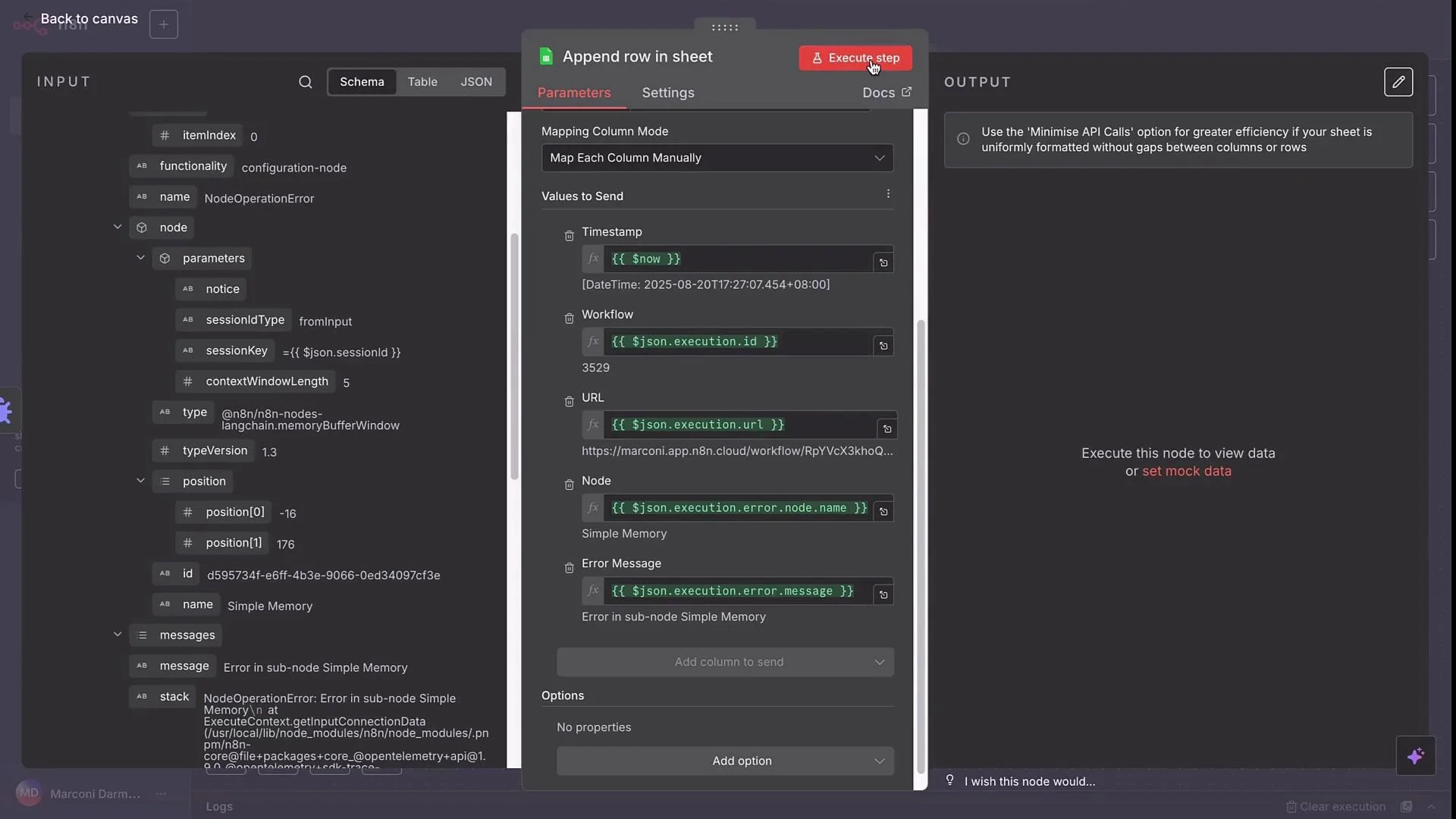
- failing node name (and sub-node, if applicable)
- error message and stack
- workflow id and URL
- execution timestamp
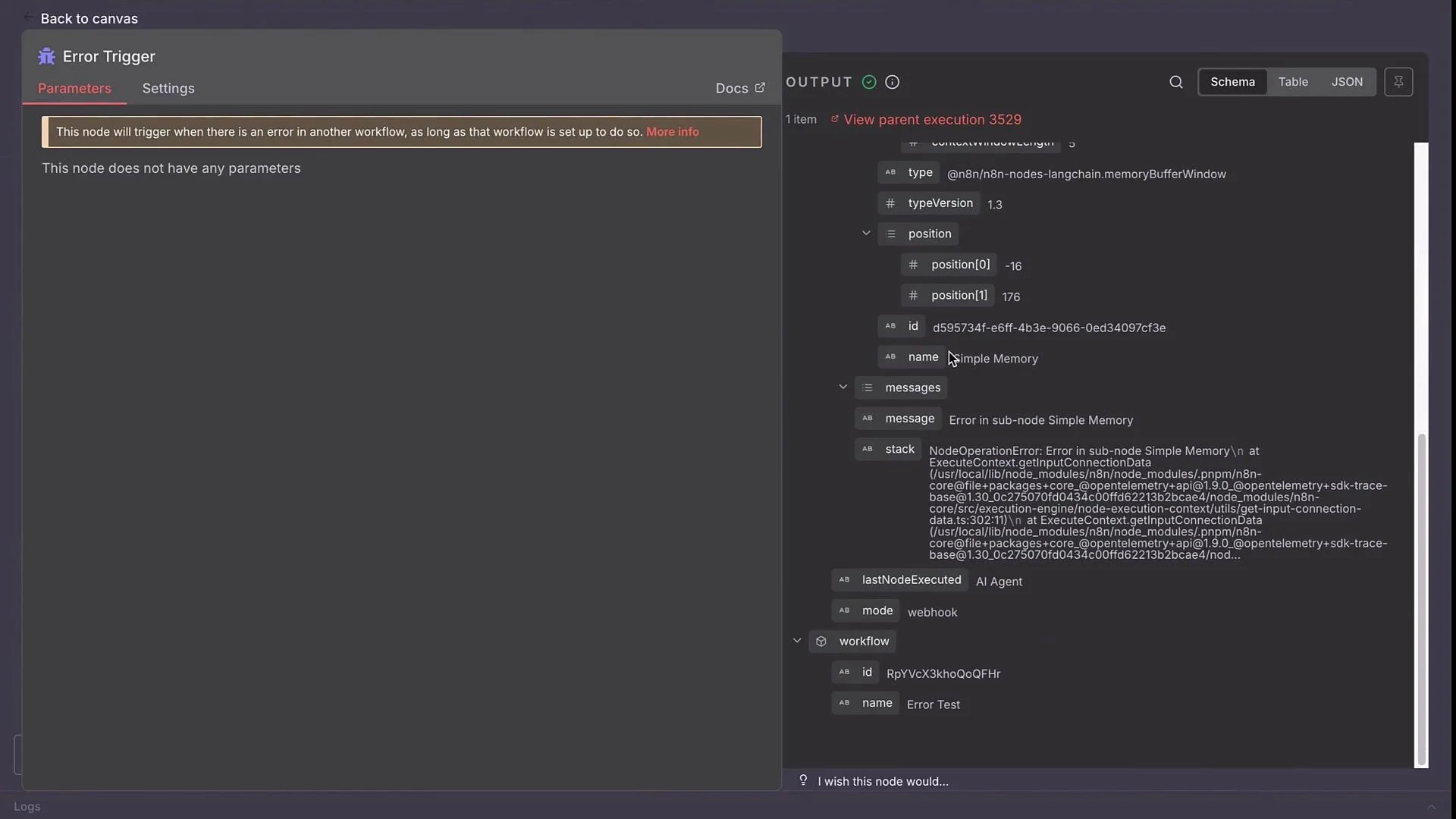
Note: Wrap field expressions like
{{$now}} or {{$json["workflowId"]}} in backticks when placing them in documentation or table cells to avoid MDX parsing issues.
Map these values in the Google Sheets node, then run the step to confirm the row is appended.
- Node-level retries:
- On critical nodes (AI Agent, HTTP Request, etc.), enable “Retry on Fail” in the node settings.
- Recommended starting point: Number of Tries = 3 with a small delay between attempts.
- Fallback LLMs:
- Configure a fallback model in your AI Agent node (e.g., if Anthropic fails, try OpenAI).
- This ensures the agent can continue serving requests when a primary provider is down or out of quota.
Putting It All Together
- Centralize production failures with an Error Trigger workflow.
- Persist key fields (timestamp, workflow, URL, node, error) to a sheet or database for audit and analysis.
- Send notifications to on-call or maintainers with actionable information (workflow URL + error).
- Harden critical nodes with retries and configure fallback LLMs to reduce downtime.
- n8n Error Trigger documentation
- n8n Workflows - Settings
- Google Sheets API / n8n Google Sheets node
- Slack API / n8n Slack node
Avoid logging sensitive PII or secrets in plain text to shared sheets or public channels. Mask or redact sensitive fields before persisting or notifying.