

- Scenario 1: Public API (no authentication) — random cat facts
- Scenario 2: Authenticated API — OpenWeatherMap current weather
- Scenario 3: Web-scraper API (Firecrawl) — SCRAPE (simple POST) and EXTRACT (POST → poll GET)
Quick reference: scenarios and endpoints
Links and references:
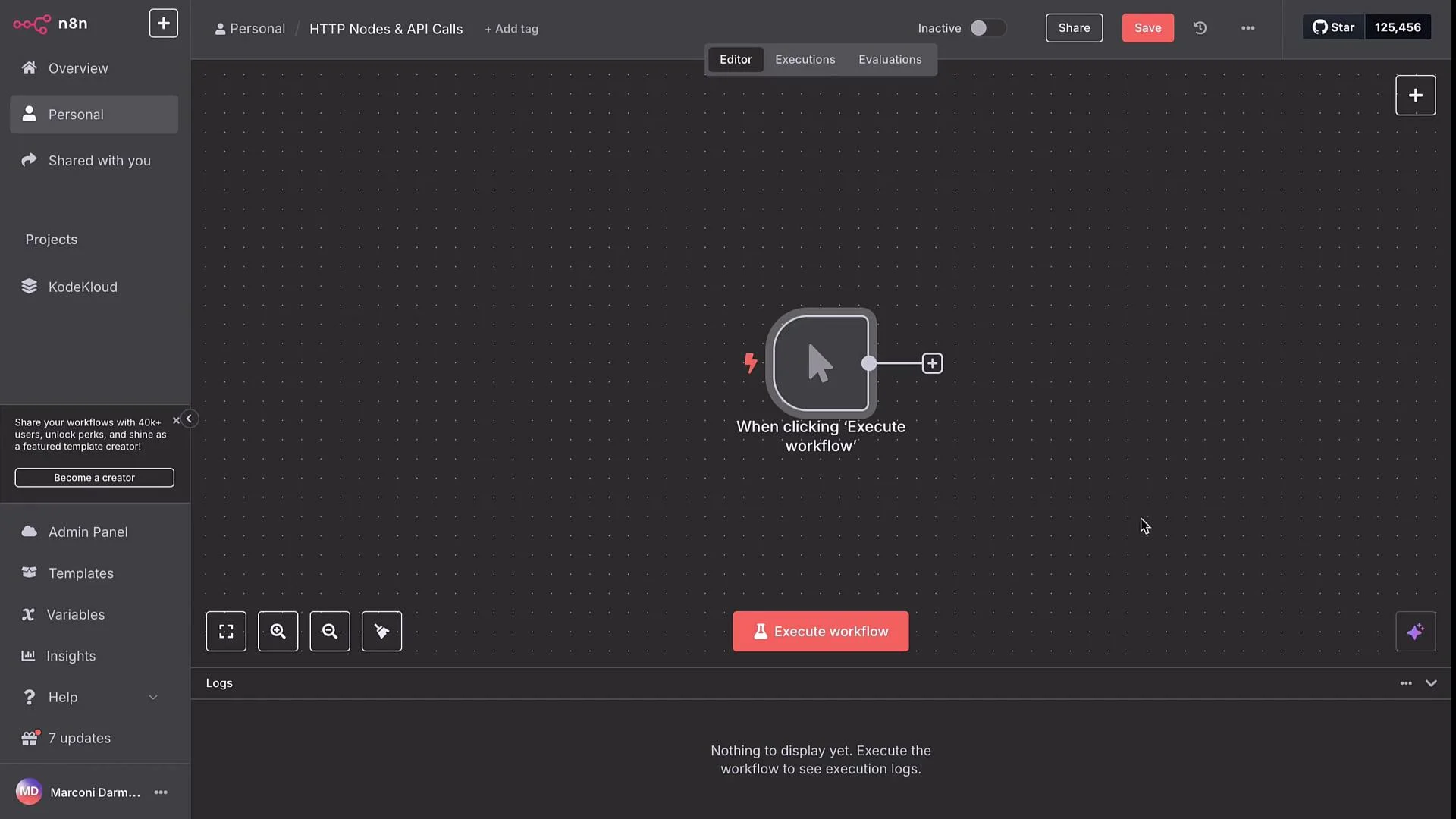
Scenario 1 — Public API (no authentication): Cat facts
Add an HTTP Request node and configure a GET to the Cat Facts API:“Two members of the cat family are distinct from all others — the clouded leopard and the cheetah. The clouded leopard does not roar like other big cats, nor does it groom or purr like small cats.”
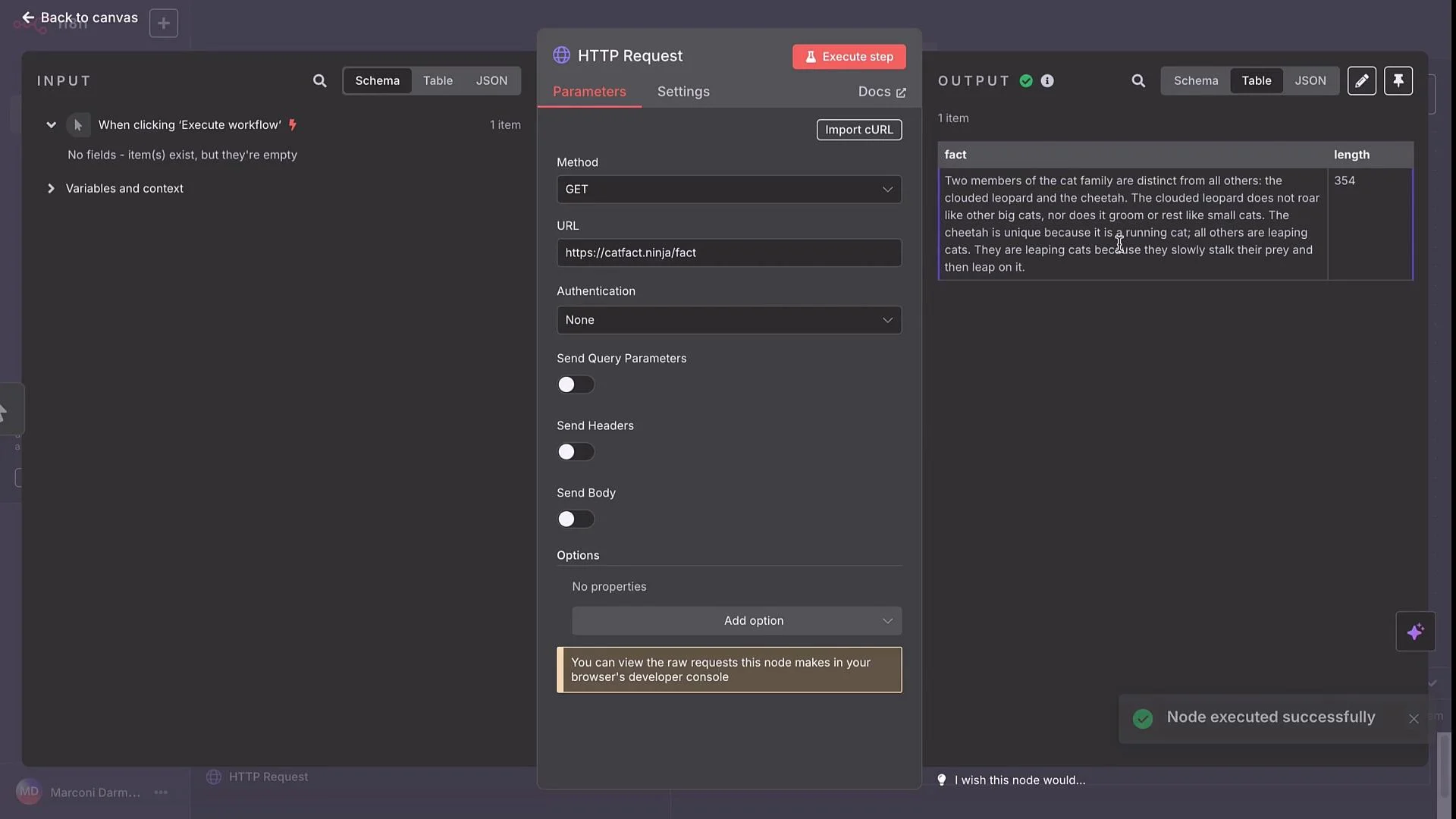
Scenario 2 — Authenticated API: OpenWeatherMap
To fetch current weather data, call the OpenWeatherMap API. The endpoint formats are (shown as text to preserve braces):main.temp, main.temp_min, main.temp_max, and clouds.all.
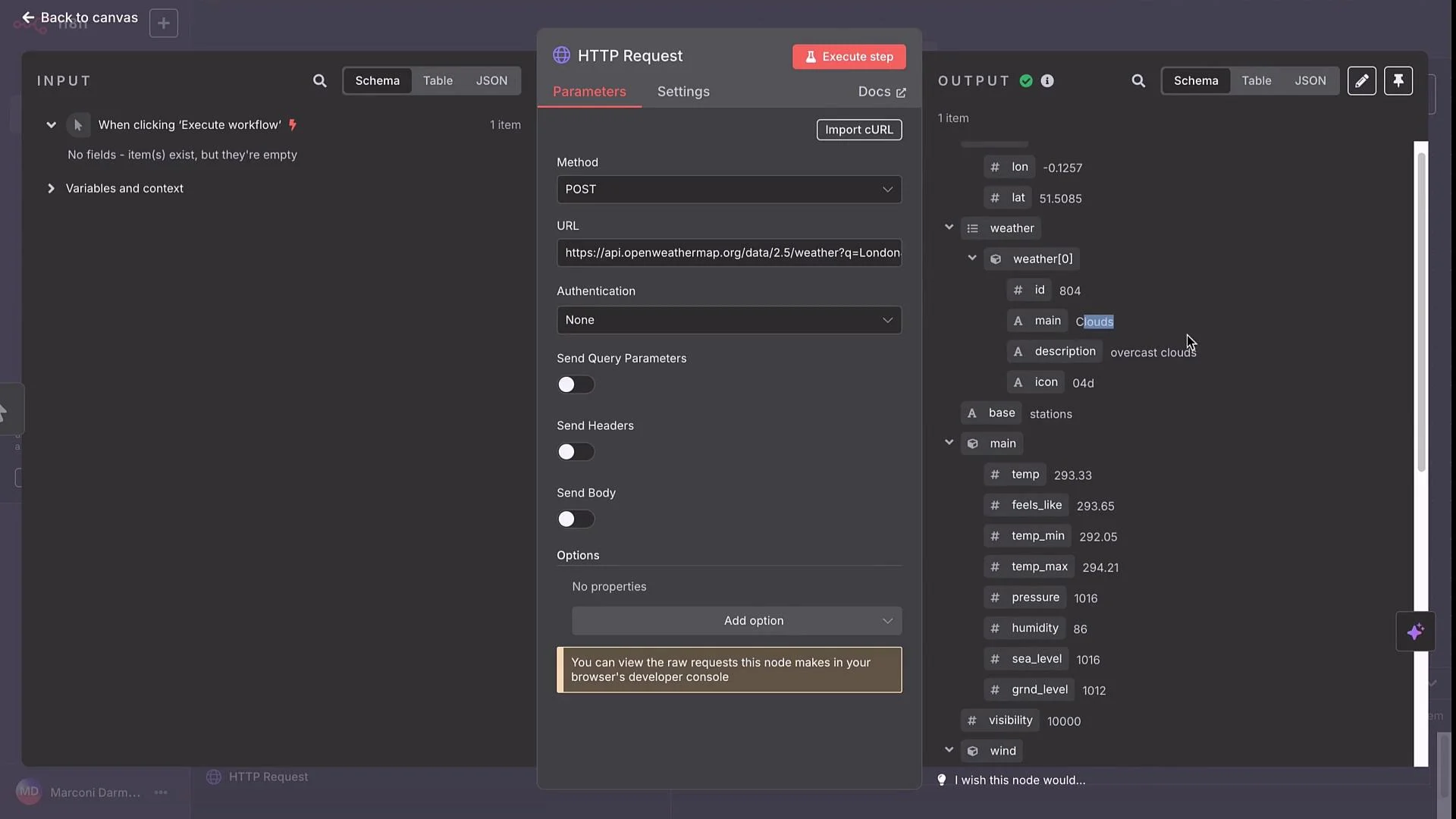
&appid={{ $credentials.OpenWeatherMap.apiKey }}
How to use credentials:
- Open the HTTP Request node → Authentication.
- Choose the appropriate credential type (API Key, Header Auth, or OAuth2) depending on the API.
- If the API expects the key as a query parameter (like
appid) you can reference a stored credential in your URL expression. - If the API expects a header (for example
Authorization: Bearer ...orX-API-Key), configure Header Auth credentials.
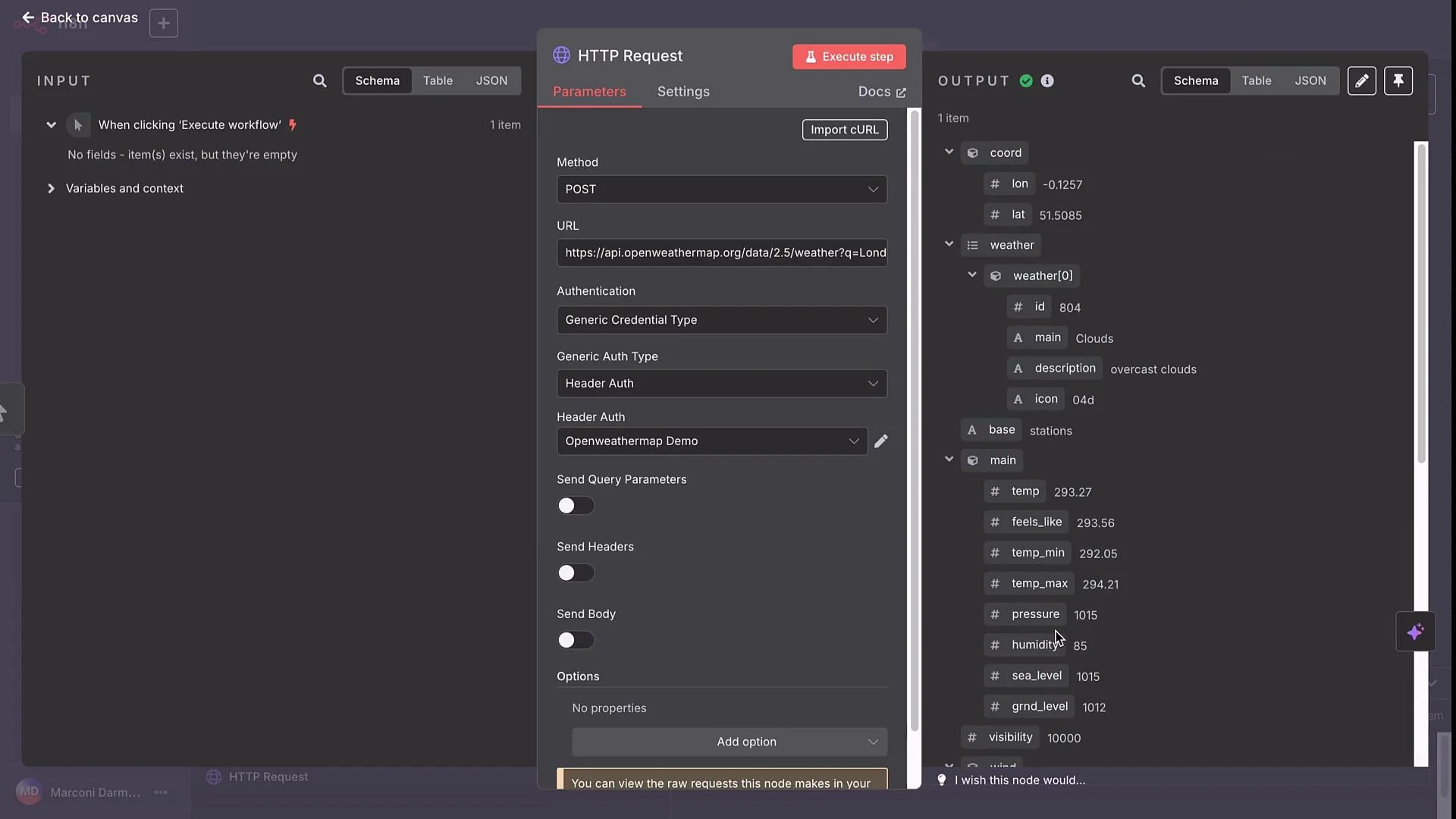
Store API keys in n8n credentials (Header Auth, API Key, or OAuth) instead of embedding them in URLs or node fields. Credentials are reusable, easier to rotate, and reduce the risk of secret leakage.
Scenario 3 — Web-scraper API (Firecrawl)
Firecrawl provides two relevant flows:- SCRAPE: POST
/v1/scrapeto retrieve page content (HTML, markdown, screenshot). - EXTRACT: POST
/v1/extractto request structured extraction across pages — the API returns anidand you poll with GET/v1/extract/{id}until results are ready.
Firecrawl — SCRAPE (POST)
Import the provider’s cURL into an HTTP Request node and replace thelocation body field with the URL you want to scrape.
Example cURL body (importable into n8n):
location field with the target, for example:
markdown, html, and other assets that you can forward to other nodes for processing or storage.
Firecrawl — EXTRACT (async): POST → poll GET
EXTRACT is asynchronous. The recommended pattern in n8n is:- POST
/v1/extractwithurls, aprompt, and aschema. The API returns an object containing anid. - Wait a fixed interval (e.g., 30s).
- GET
/v1/extract/{id}to check status/results. - If not completed, wait and retry (loop) until
statusbecomescompletedor until a max retry/timeout is reached.
id:
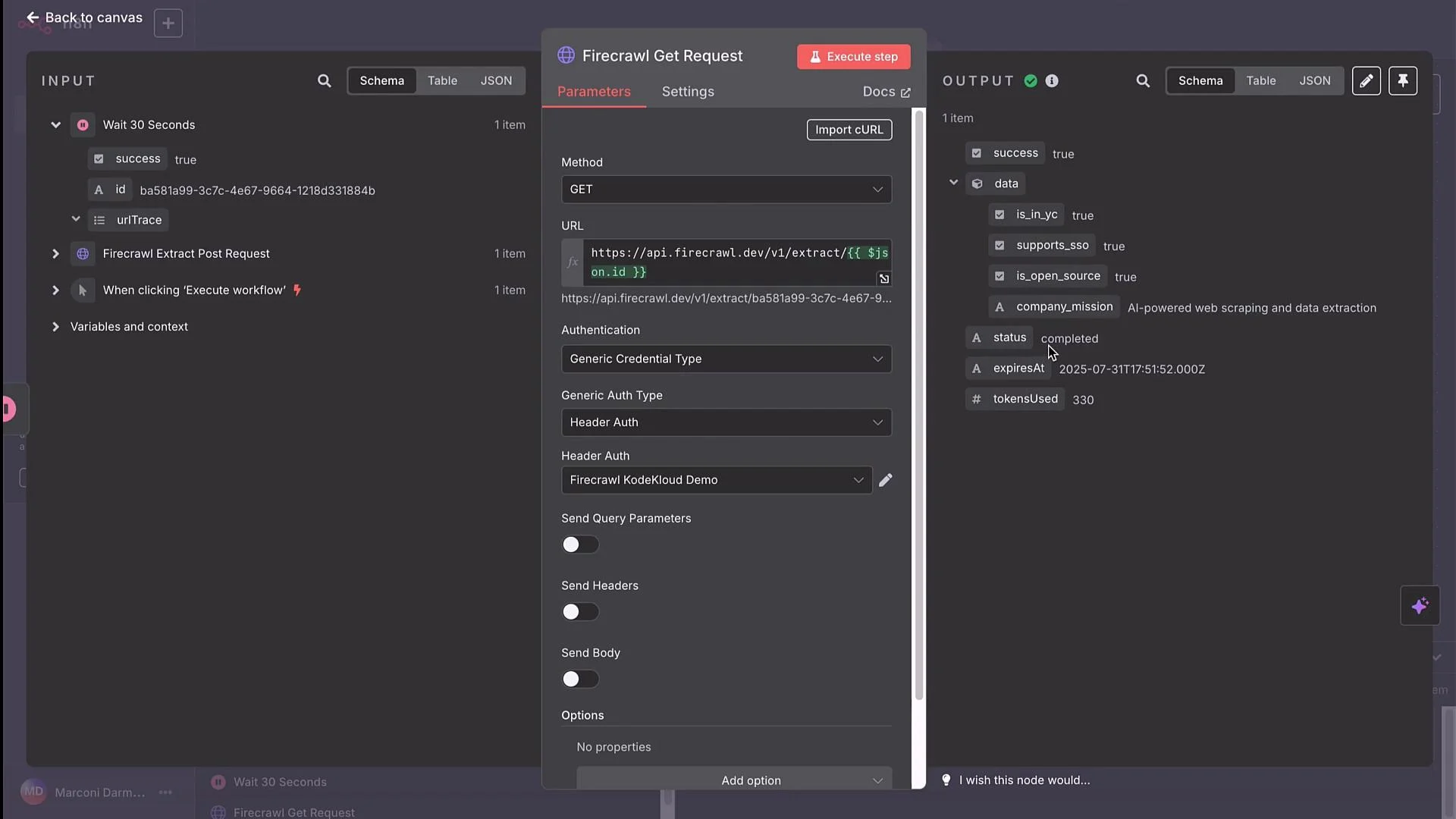
id from the POST response. Example URL expression (wrap double-curly expressions in backticks):
https://api.firecrawl.dev/v1/extract/{{ $json.id }}
Execute the GET after a Wait node and inspect response fields such as status and the extracted data (e.g., company_mission).
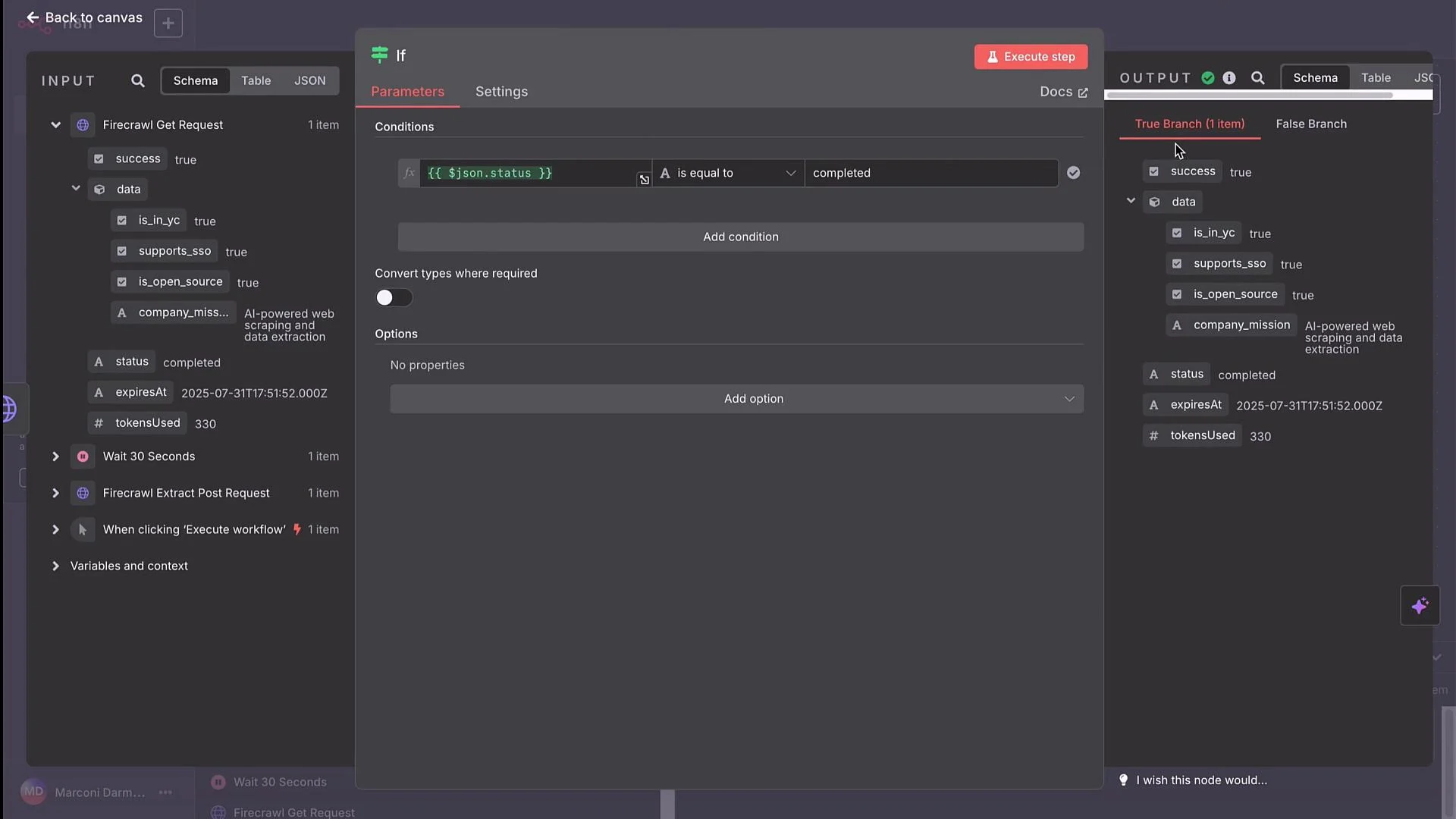
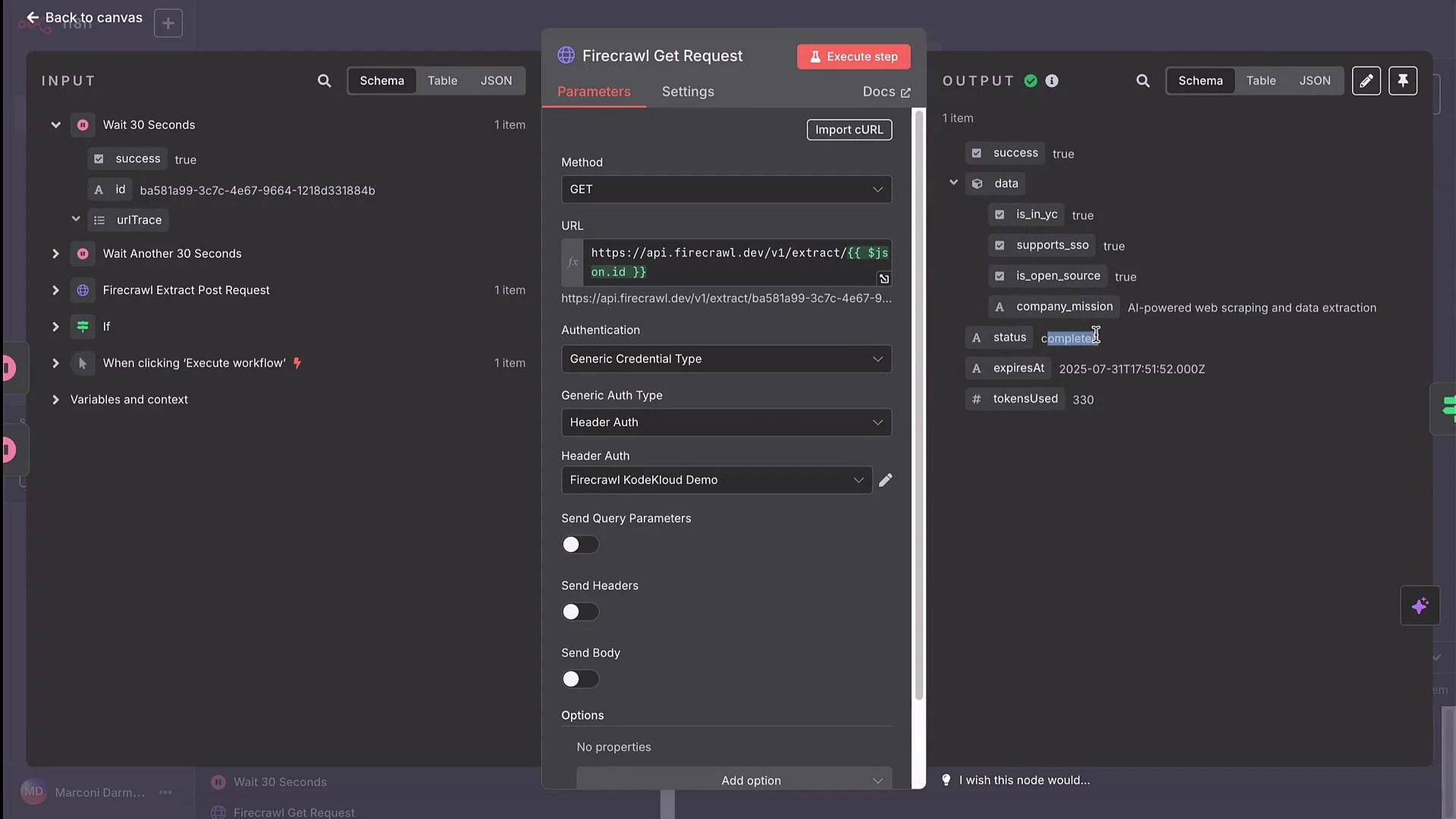
When polling asynchronous endpoints, always implement a sensible timeout and maximum retries. Without limits you risk infinite loops or unexpected API charges. Use an If node to evaluate
status and a Wait node plus a retry counter to prevent runaway executions.Implementing the loop in n8n (step-by-step)
- POST EXTRACT node → receives JSON array with
id. - Wait node → pause workflow for a chosen interval (e.g., 30 seconds).
- HTTP Request node (GET) → URL: use a runtime expression to insert the
id, for example:https://api.firecrawl.dev/v1/extract/{{ $json.id }}
- If node → check the GET response
statusfield:- Condition:
statusequalscompleted - True branch: process and forward results (store, send email, etc.)
- False branch: connect to another Wait node and loop back to the GET request (increment a retry counter or check elapsed time)
- Condition:
- Add logic to stop after N retries or after a maximum elapsed time to avoid infinite loops.
- POST returns:
-
GET URL expression:
https://api.firecrawl.dev/v1/extract/{{ $json.id }} -
If node checks:
- If
status == "completed"→ process results - Else → Wait (30s) → GET again
- If
Summary & best practices
- The HTTP Request node can call any HTTP API: public endpoints, authenticated services, and async jobs that require polling.
- Use n8n credentials (Header Auth, API Key, OAuth2) to secure and reuse API keys. Match the credential type to what the provider expects (query parameter vs header).
- For async endpoints that return request IDs, implement Wait + GET + If loops with a retry cap to poll until completion.
- Import provider cURL examples directly into n8n’s HTTP Request node to save time on configuration.