

Vertex AI HTTP request (curl example)
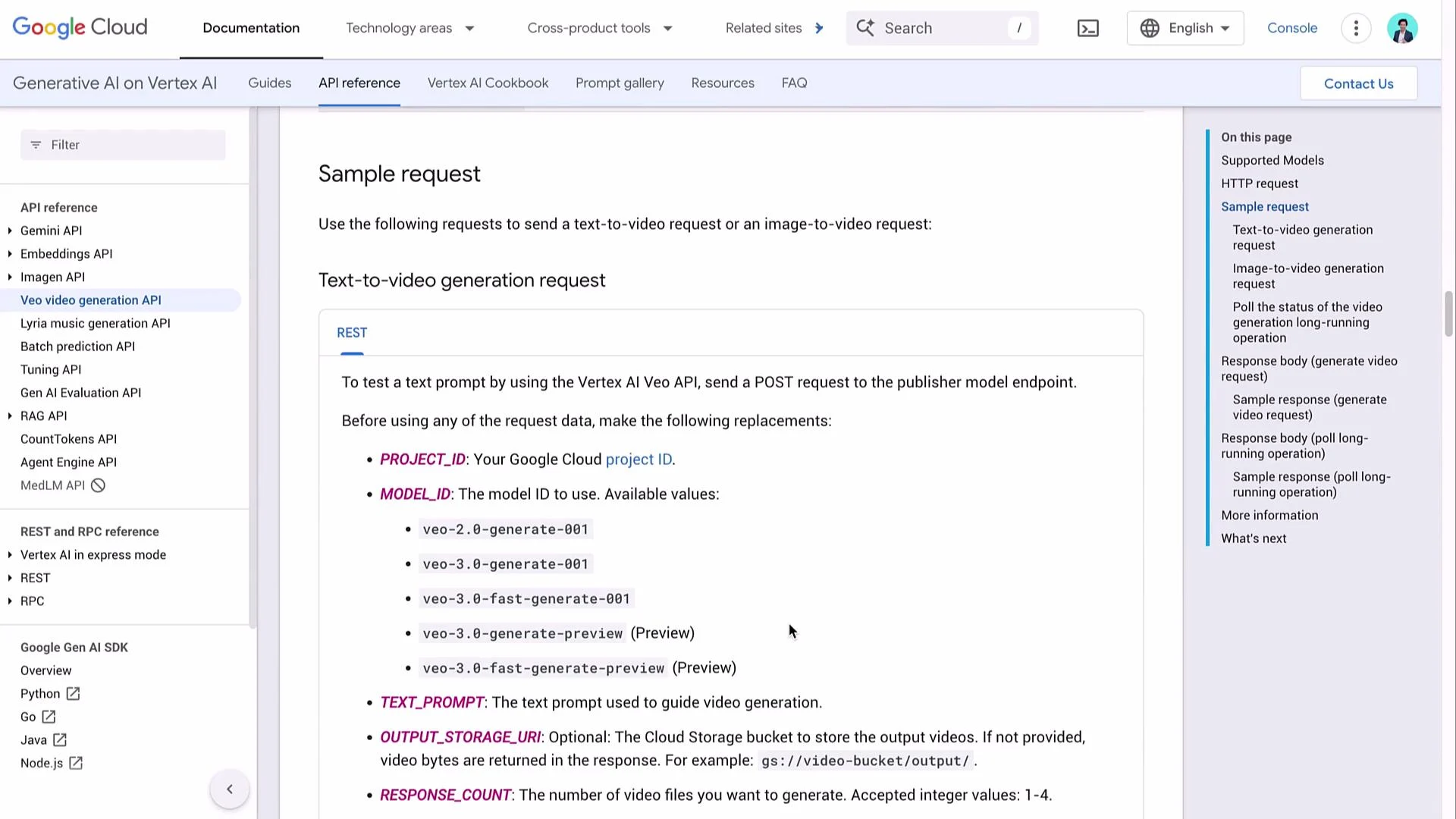
Vertex AI uses Google OAuth2 for authentication and accepts a JSON request body that containsinstances and parameters. Replace LOCATION, PROJECT_ID, and MODEL_ID with your values.
- URL: this is the publisher model endpoint for Google-hosted models. For Veo3 you might use a model ID like
veo-3.0-fast-generate-001(verify the latest ID in Vertex docs). storageUri(optional): if provided, Vertex AI writes the generated video file(s) to the specified Google Cloud Storage bucket. If omitted, the API may return the generated video(s) inline as Base64.- Authentication: use OAuth2; the curl example uses
gcloud auth print-access-tokento get a short-lived access token.
Simplified JSON request body
A compact JSON body for a text-to-video request (8-second duration used below as many endpoints enforce minimum durations):"storageUri": "gs://OUTPUT_BUCKET/..." inside parameters to write results to GCS instead of returning Base64 inline.
Build the n8n workflow (overview)
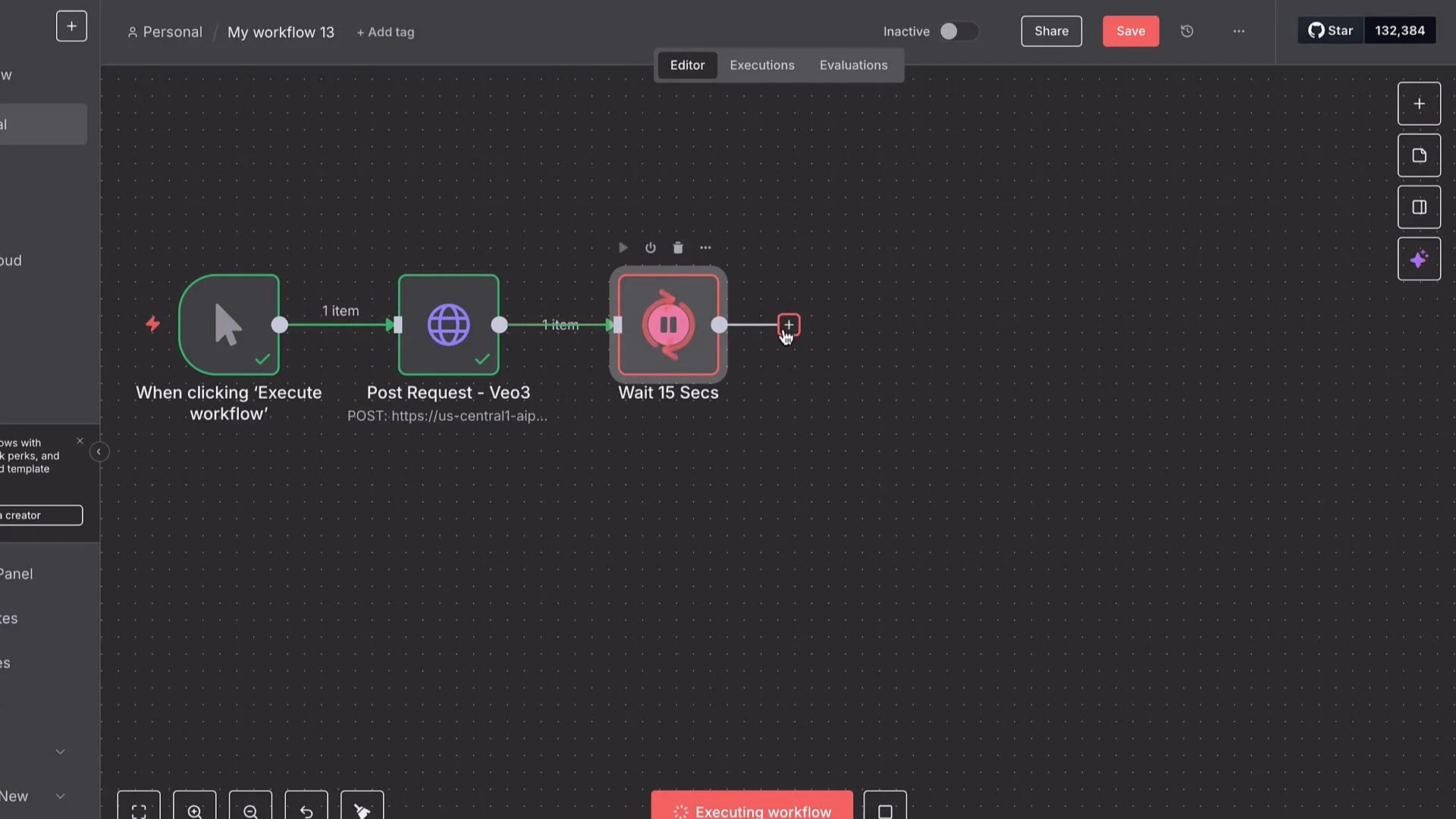
This pattern works well in automation tools like n8n:- Manual Trigger — start/testing.
- HTTP Request node — POST the Vertex AI generation request.
- Wait (e.g., 15s) and poll the long-running operation with a second HTTP Request node.
- When operation is
done, retrieve output (Base64 or fetch from GCS). - Convert Base64 to a binary file and save/forward it (upload to Drive, S3/GCS, send via email, etc.).
PROJECT_ID— your Google Cloud project ID (string).MODEL_ID— publisher model ID (e.g.,veo-3.0-fast-generate-001).
Authentication: Google OAuth2 in n8n
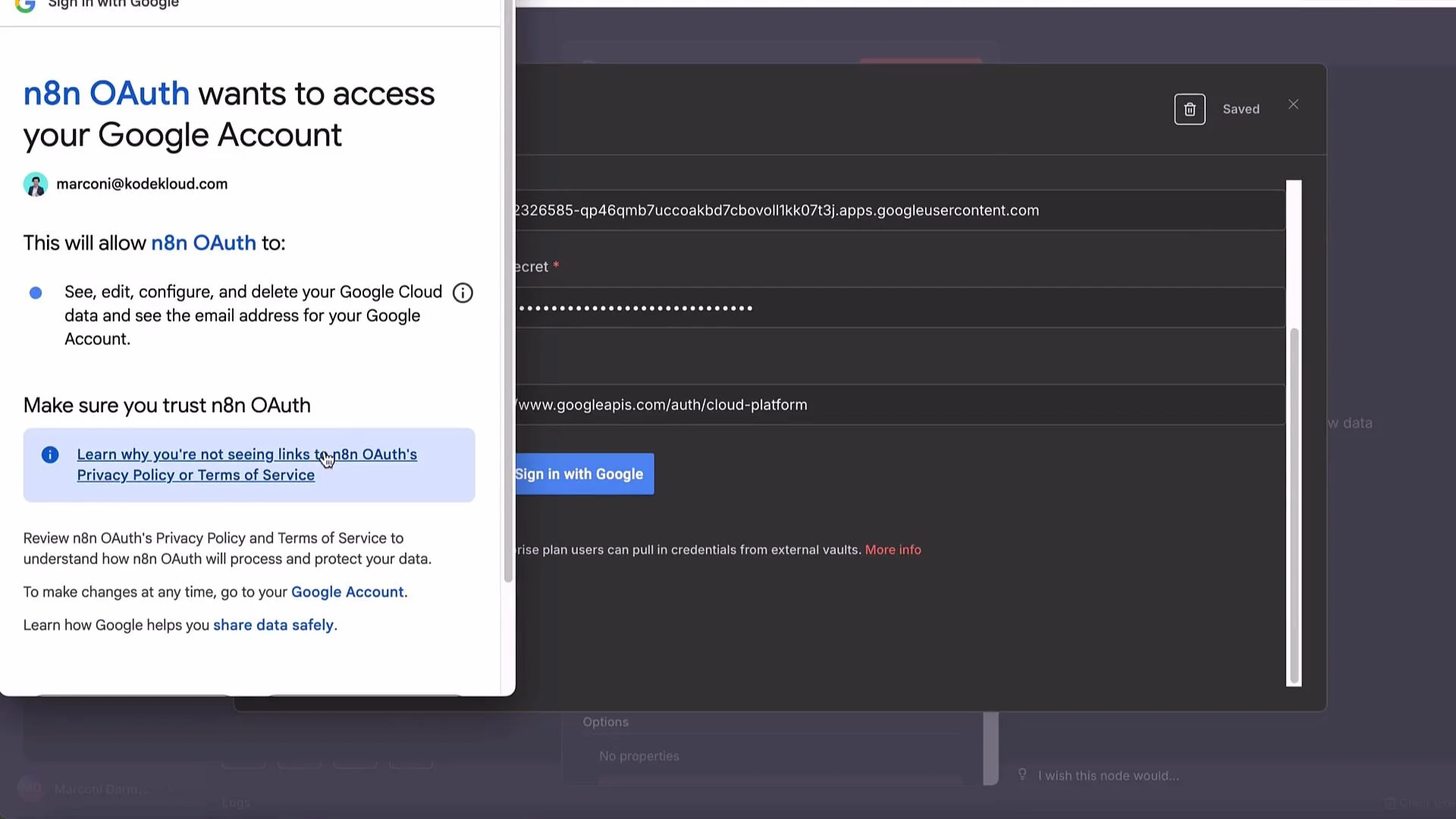
When using n8n, select a Predefined Credential Type and choose Google OAuth (OAuth2). Typical steps:- Create an OAuth client in Google Cloud Console → APIs & Services → Credentials.
- Copy the Client ID and Client Secret into n8n’s Google OAuth credential.
- Ensure authorized redirect URI in Cloud Console matches n8n’s OAuth redirect URL.
- Add scopes such as
https://www.googleapis.com/auth/cloud-platformso the token can access Vertex AI and GCS. - Enable the Vertex AI API in your Google Cloud project before authorizing.
Use
cloud-platform scope for broad access. If you only need Vertex and GCS access, ensure your OAuth client includes those scopes and that the service account or user has the required IAM roles (Vertex AI User, Storage Object Admin/Viewer as needed).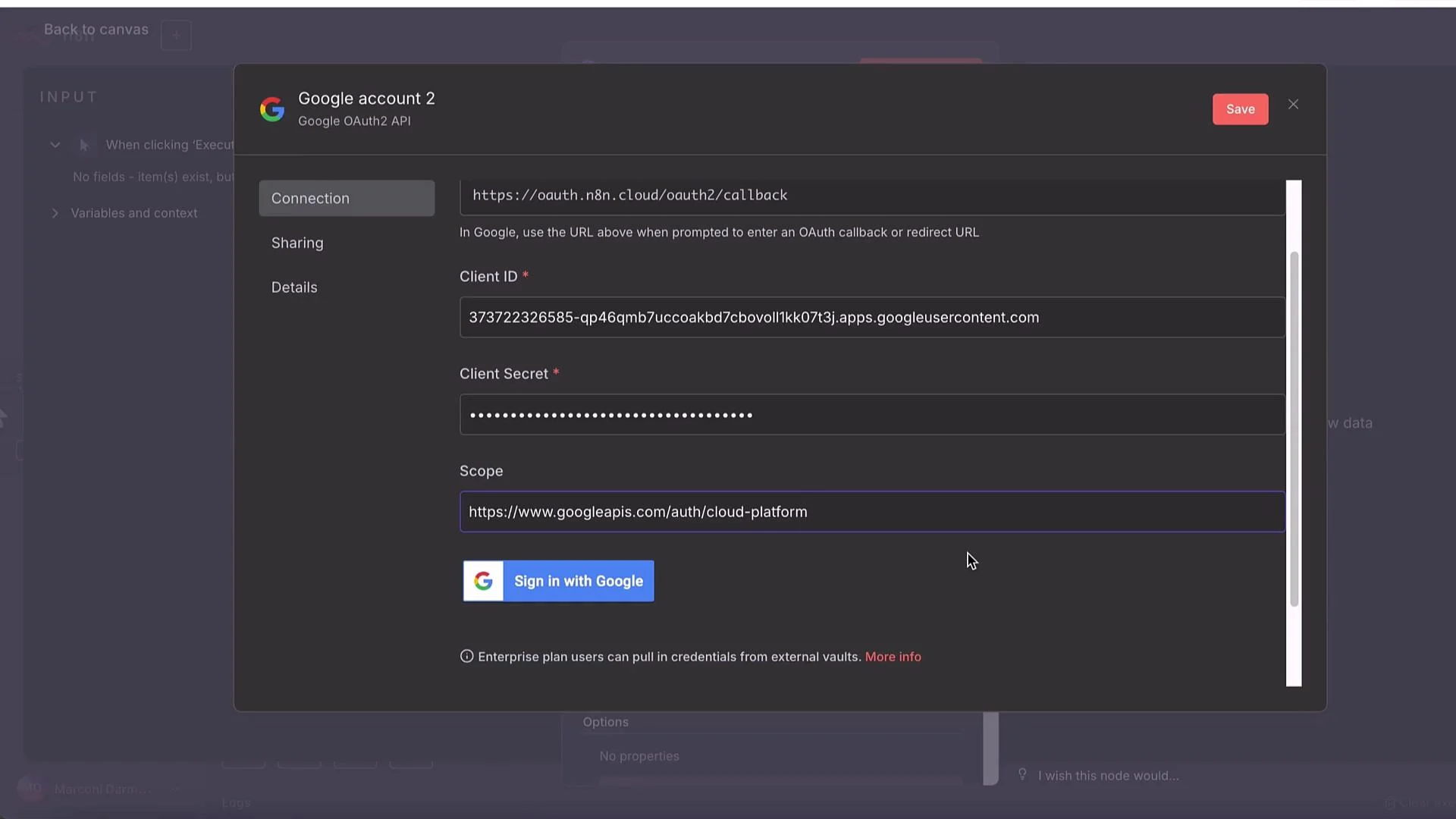
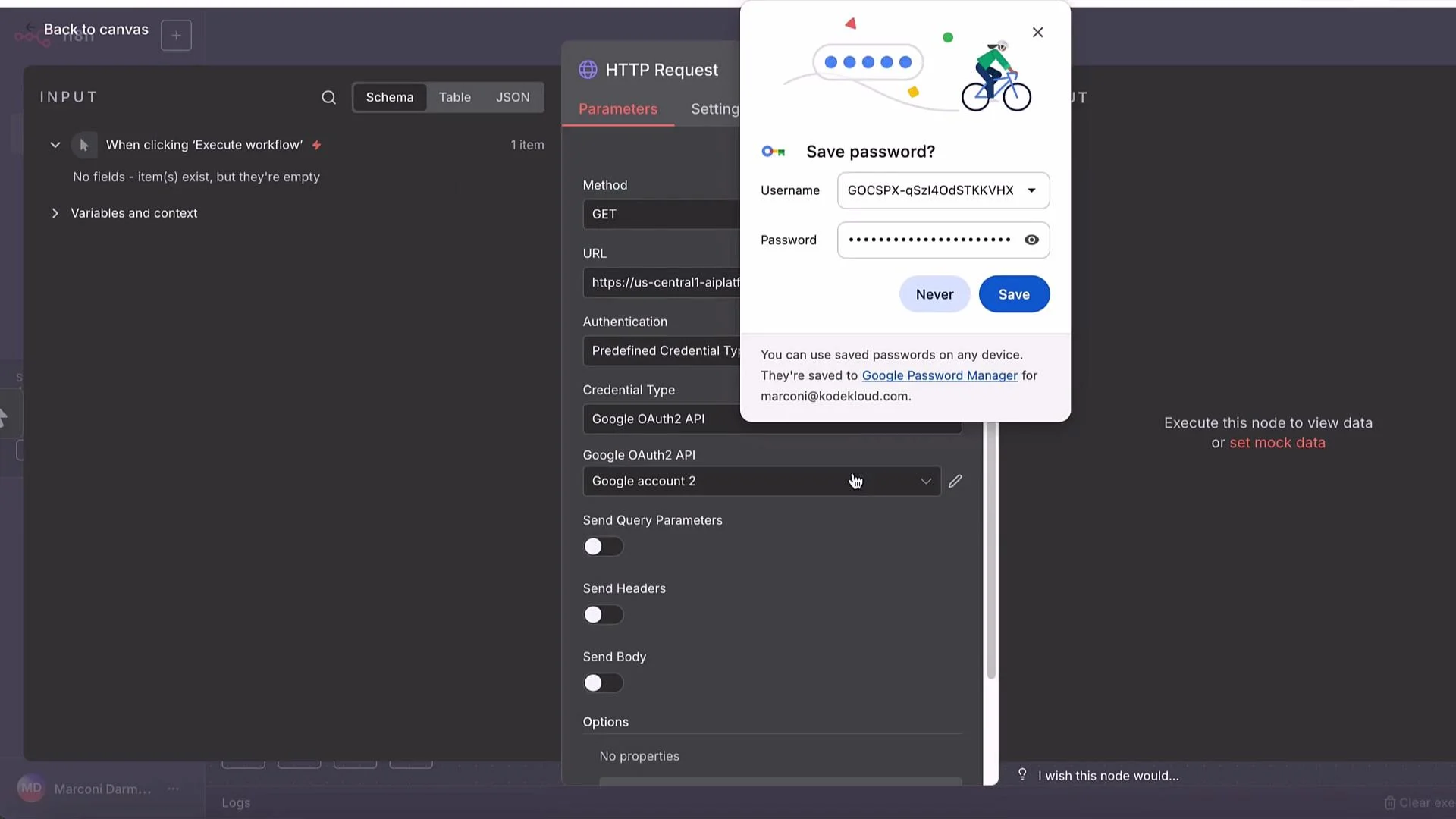
n8n HTTP node configuration
Minimum settings for the POST node:- Method: POST
- URL:
https://LOCATION-aiplatform.googleapis.com/v1/projects/PROJECT_ID/locations/LOCATION/publishers/google/models/MODEL_ID:generateText - Authentication: Predefined Credential Type → Google OAuth
- Send Body: Use JSON Body
- Body: paste the JSON request shown earlier
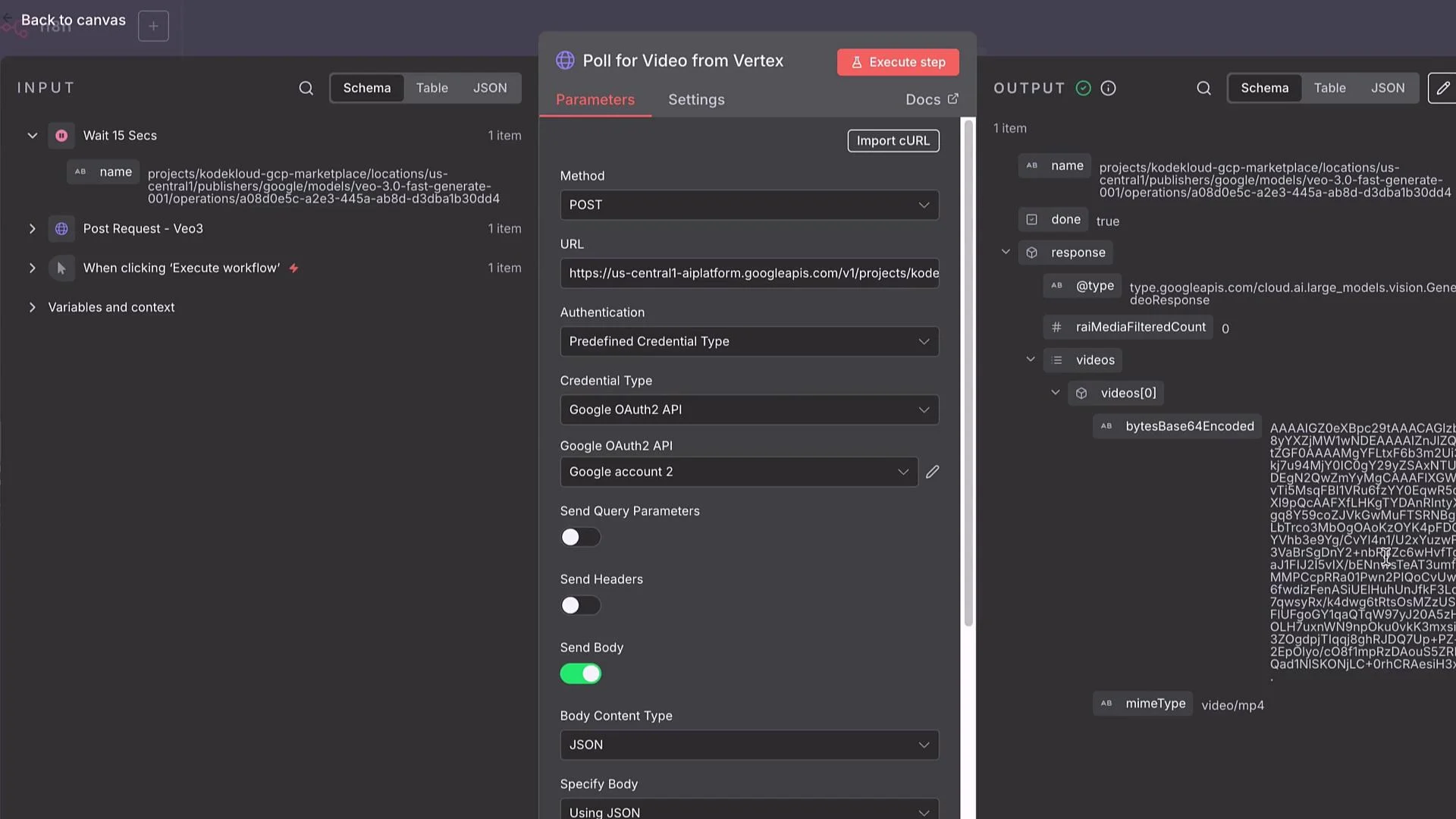
Handling long-running operations and polling
Vertex AI often returns a long-running operation resource instead of the final file. Typical flow:- POST generation request.
- API returns an operation resource name, e.g.:
projects/PROJECT_ID/locations/LOCATION/operations/OPERATION_ID - Poll the operations endpoint until
"done": true.- GET URL:
https://LOCATION-aiplatform.googleapis.com/v1/projects/PROJECT_ID/locations/LOCATION/operations/OPERATION_ID
- GET URL:
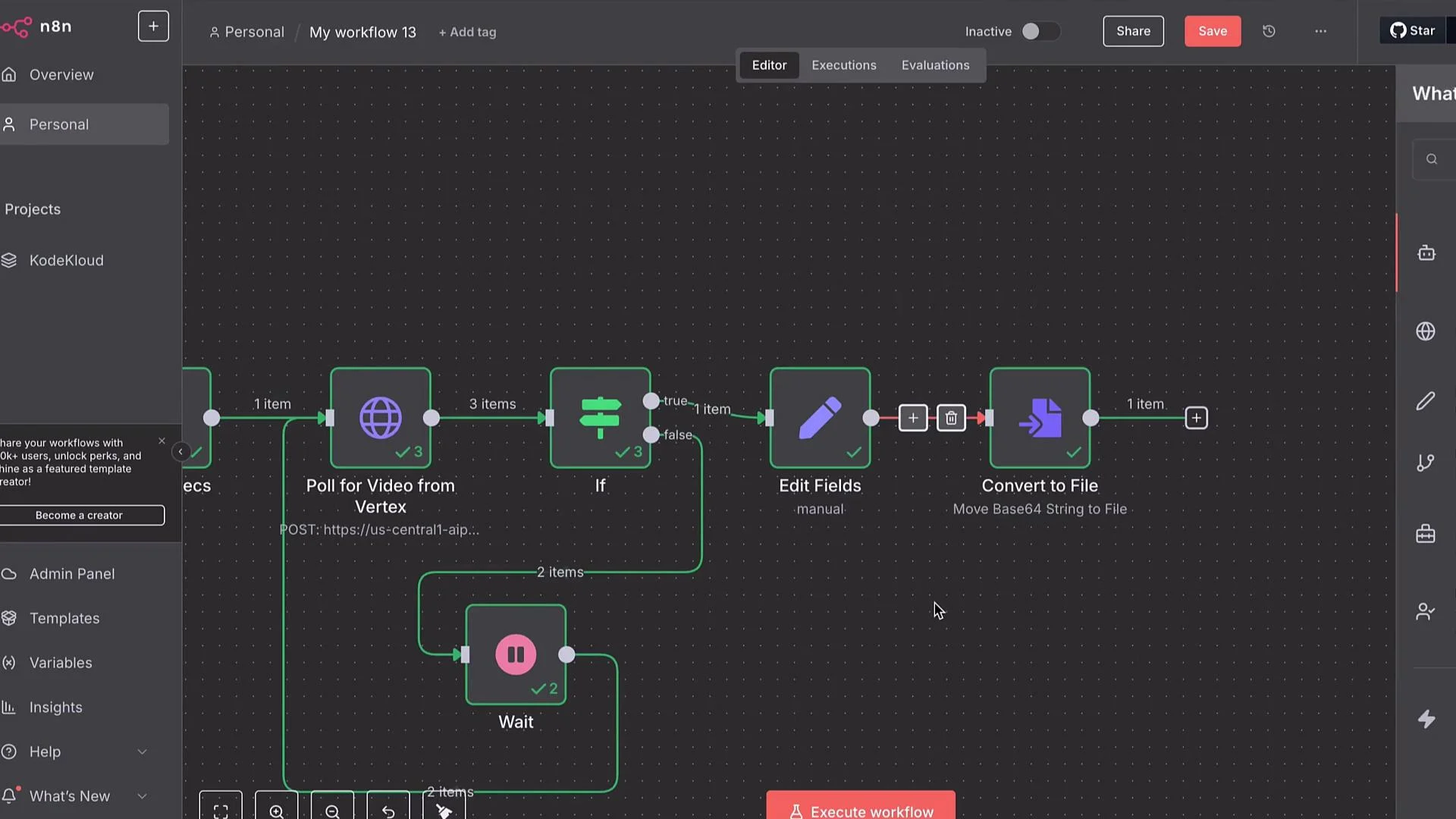
"done": true. If not done, route to a Wait node (e.g., 15s) and loop back to poll again.
If you supply storageUri, the operation result will typically include references to the generated file(s) in that bucket. If not, the response may contain Base64-encoded file contents.
If you request an unsupported durationSeconds, you might get errors such as “unsupported output video duration.” Adjust durationSeconds accordingly (8s in the examples above is commonly acceptable but verify limits for your model).
Receiving the video and converting Base64 to a file
If the operation returns Base64:- Use a Set (Edit Fields) node to extract the Base64 payload into a field (e.g.,
base64). - Use a “Move Binary Data / Convert to File” node to convert the Base64 string into binary.
- Save or forward the file (upload to Drive, GCS, S3, or send via email).
storageUri the workflow can skip Base64 conversion and simply fetch the file from the specified GCS path.
Parameter reference (common fields)
Note: wrap GCS URIs and any angle-bracket placeholders in backticks when embedding in templates.
Final notes, tradeoffs and cost considerations
- For larger assets, writing output to a GCS bucket via
storageUriis more reliable than returning Base64 inline. - Vertex AI Veo3 models produce high-fidelity results but can be more expensive than smaller models. If you generate many short videos, evaluate lower-cost models or multi-model aggregators.
- Using Vertex directly requires managing OAuth credentials and IAM roles. Aggregator platforms (WaveSpeed, etc.) can simplify credential management and provide unified access to many models.
Be mindful of quotas and costs. Long-running or high-resolution video generation can incur significant charges. Ensure billing, IAM, and API enablement are configured correctly before automating large-scale generation workflows.
Links and References
- Vertex AI documentation: https://cloud.google.com/vertex-ai/docs
- n8n: Zero to Hero course: https://learn.kodekloud.com/user/courses/n8n-zero-to-hero-2
- Google Cloud Storage docs: https://cloud.google.com/storage/docs