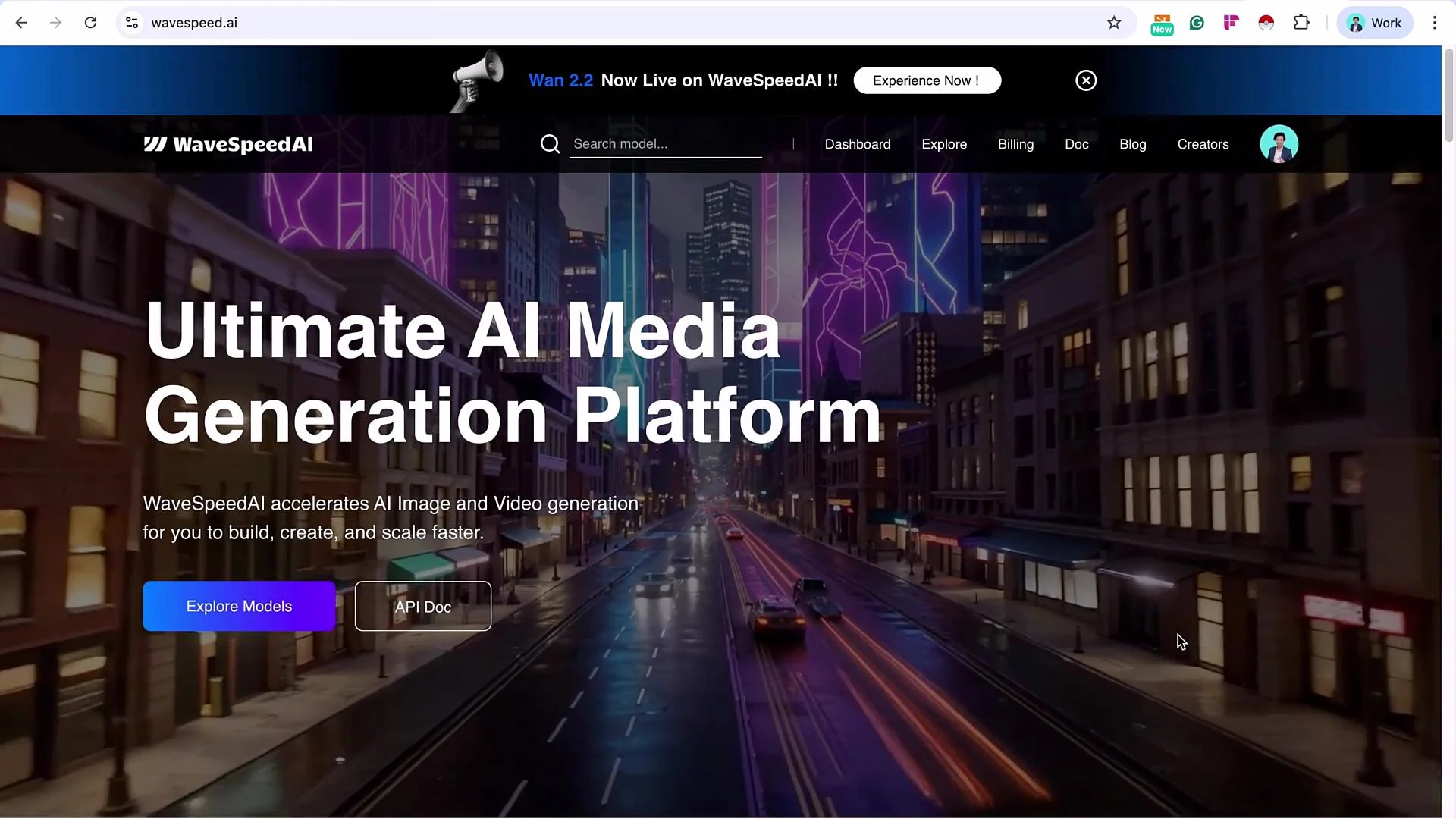
Wavespeed requires a funded account to use its API. You will need to top up the account (typically a minimum amount) before making API calls.
Overview
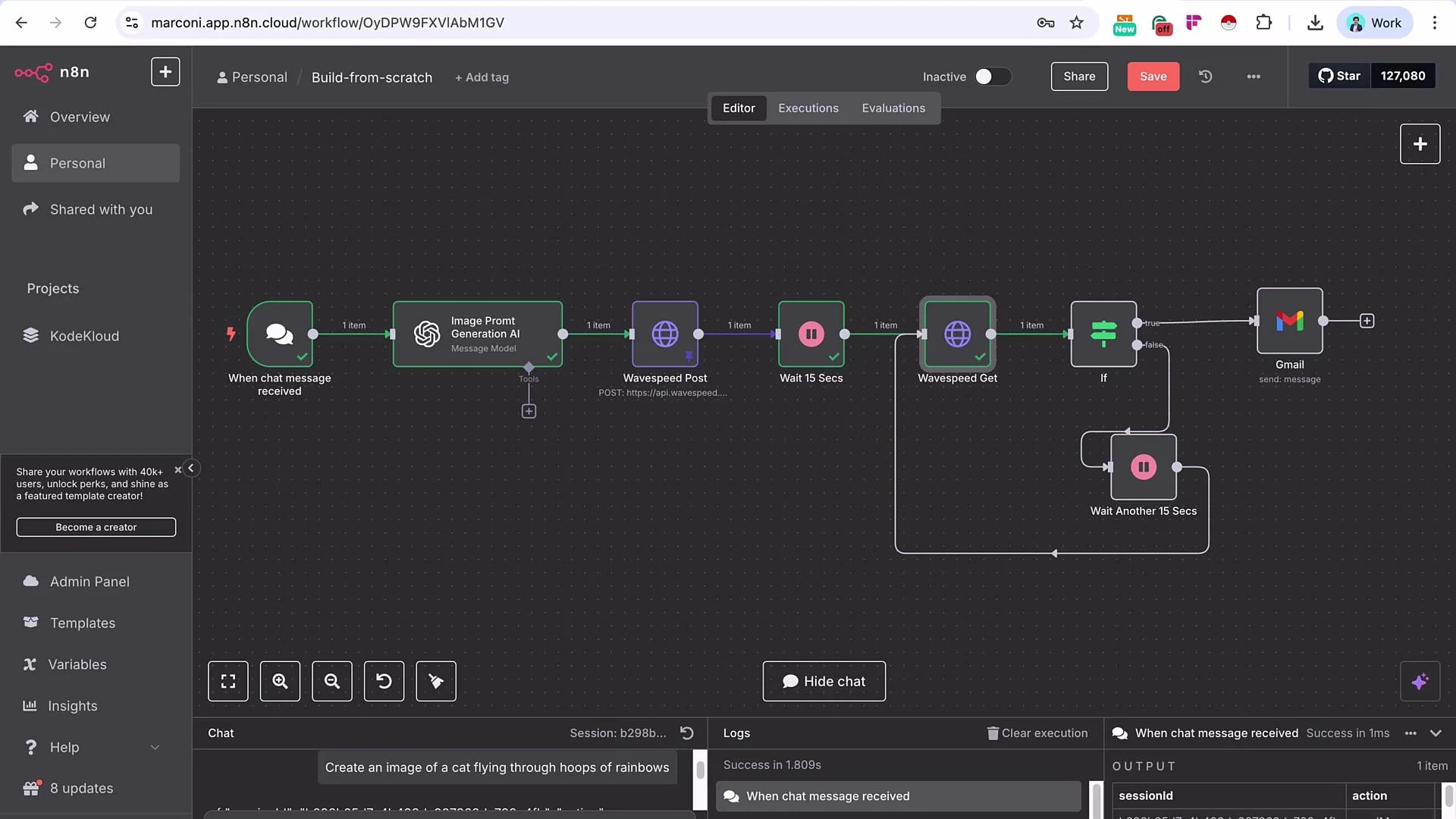
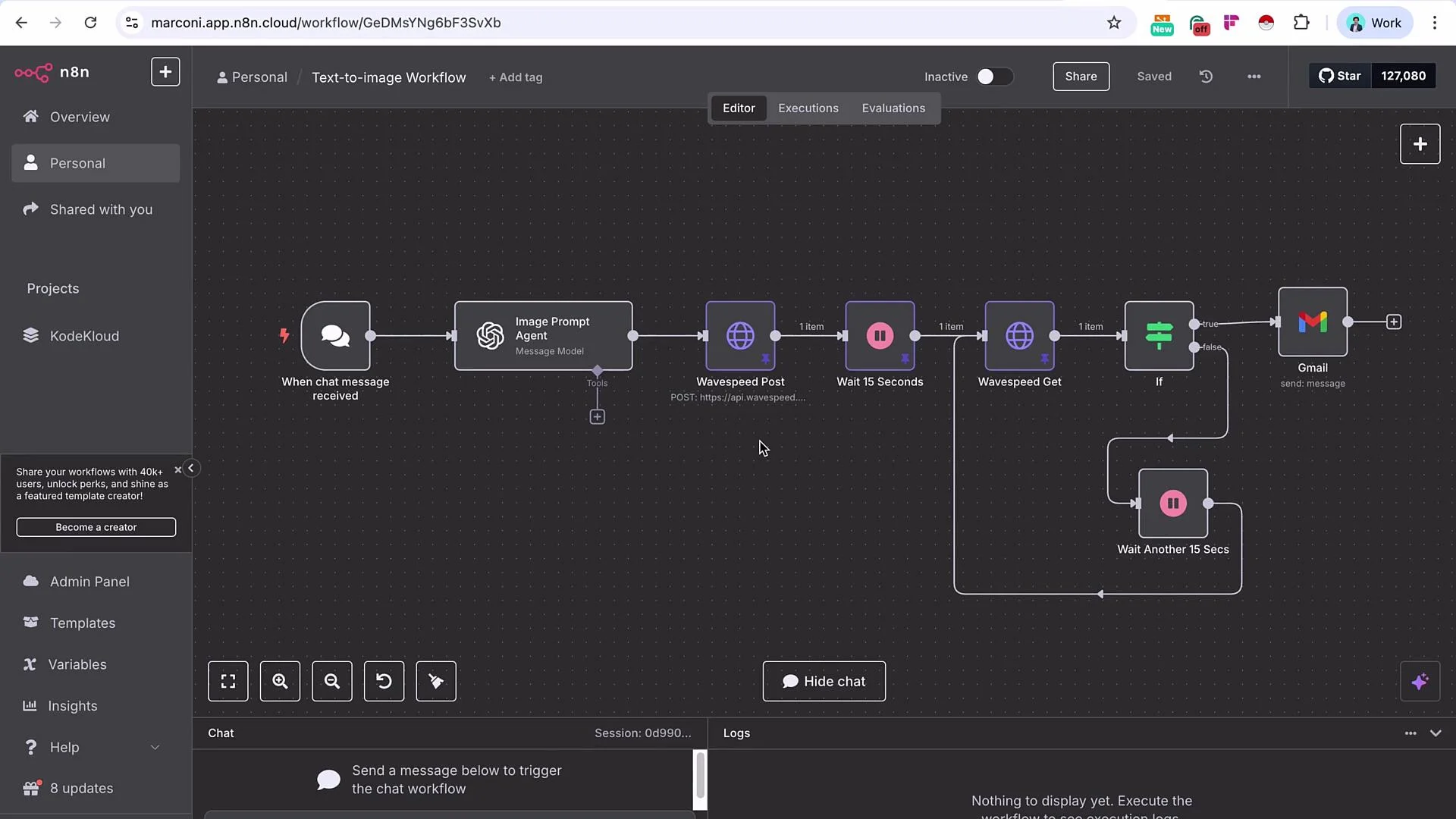
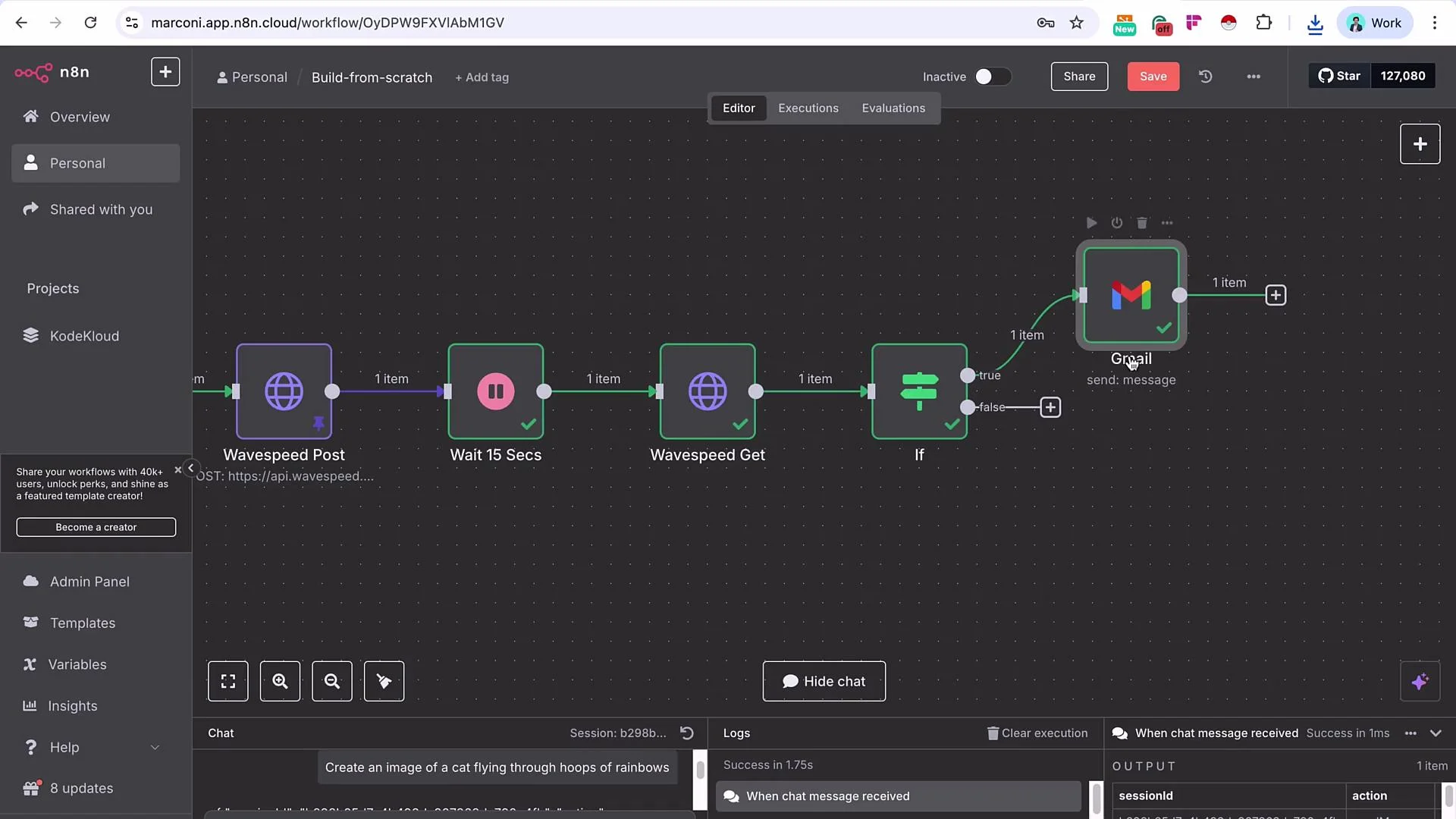
High-level flow:- Chat Trigger: receives a short user prompt (e.g., “create an image of a cat flying through loops of rainbows”).
- OpenAI (or equivalent LLM): expands the short prompt into a detailed, model-ready image prompt.
- Wavespeed POST: submits the generated prompt to a Wavespeed model (Seedream by ByteDance).
- Wait: allow processing time.
- Wavespeed GET: poll the results using the prediction request ID.
- If: check whether prediction status indicates completion; if not, wait and retry.
- Delivery: when completed, send the resulting image URL via Gmail (or other channel).
- n8n Docs: https://docs.n8n.io/
- Wavespeed API (check your account’s API docs)
- OpenAI API docs: https://platform.openai.com/docs
Prerequisites
- n8n instance (cloud or self-hosted)
- Wavespeed account with a funded balance
- Wavespeed API key
- OpenAI API key (or any LLM capable of prompt engineering)
- Gmail (or another outbound integration) configured in n8n
Node Roles (quick reference)
Step-by-step implementation
-
Add a Chat Trigger node and send a short user prompt. Example user input:
- create an image of a cat flying through loops of rainbows
-
Add an OpenAI message node and rename it to “Image Prompt Generation AI”. Select a capable model (e.g., GPT-4.1 or equivalent). Map the chat-triggered prompt into the model’s
userinput. Provide a system message instructing the model to act as an expert text-to-image prompt engineer and to produce a concise, highly-detailed generation prompt suitable for the chosen model.
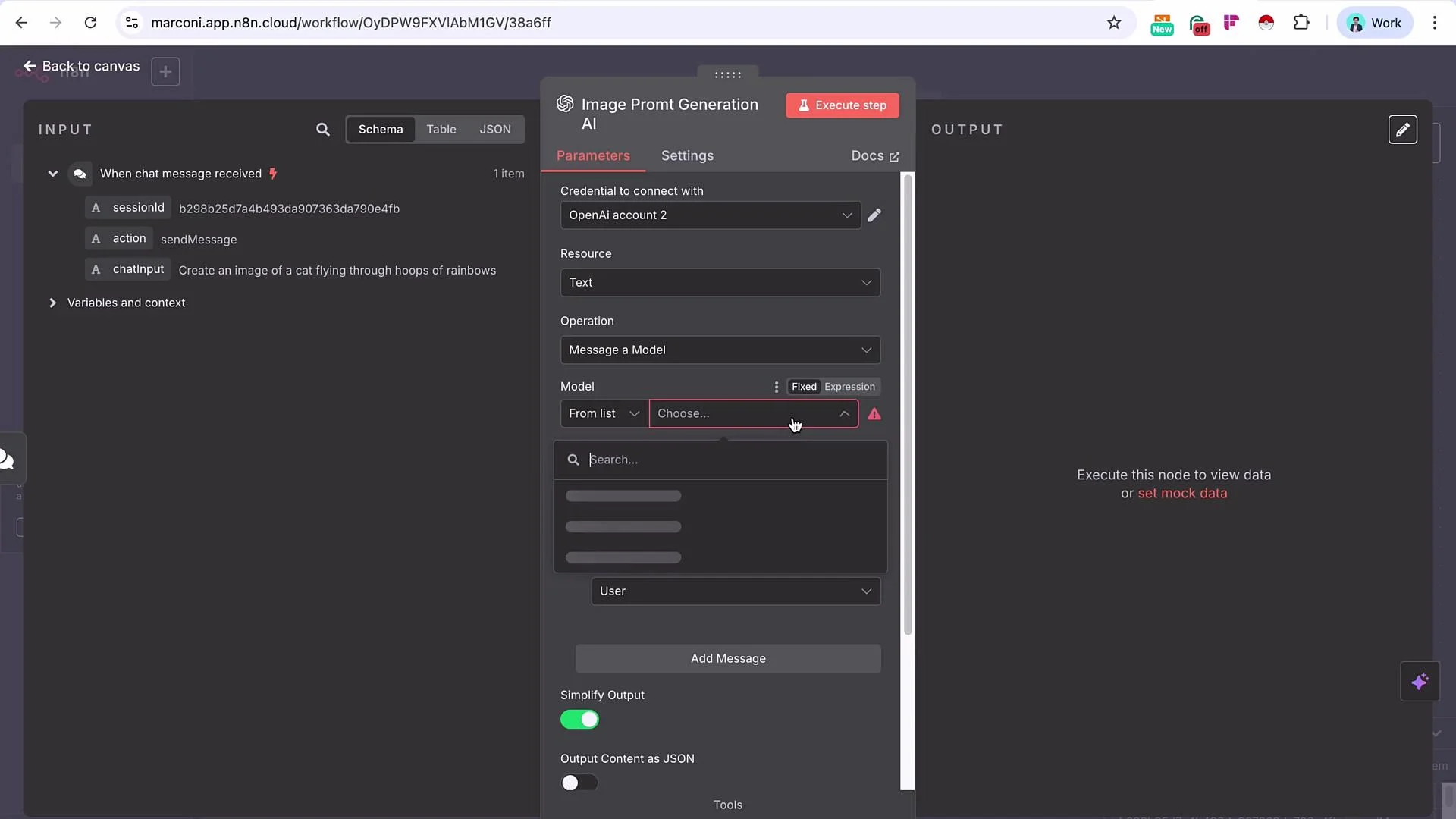
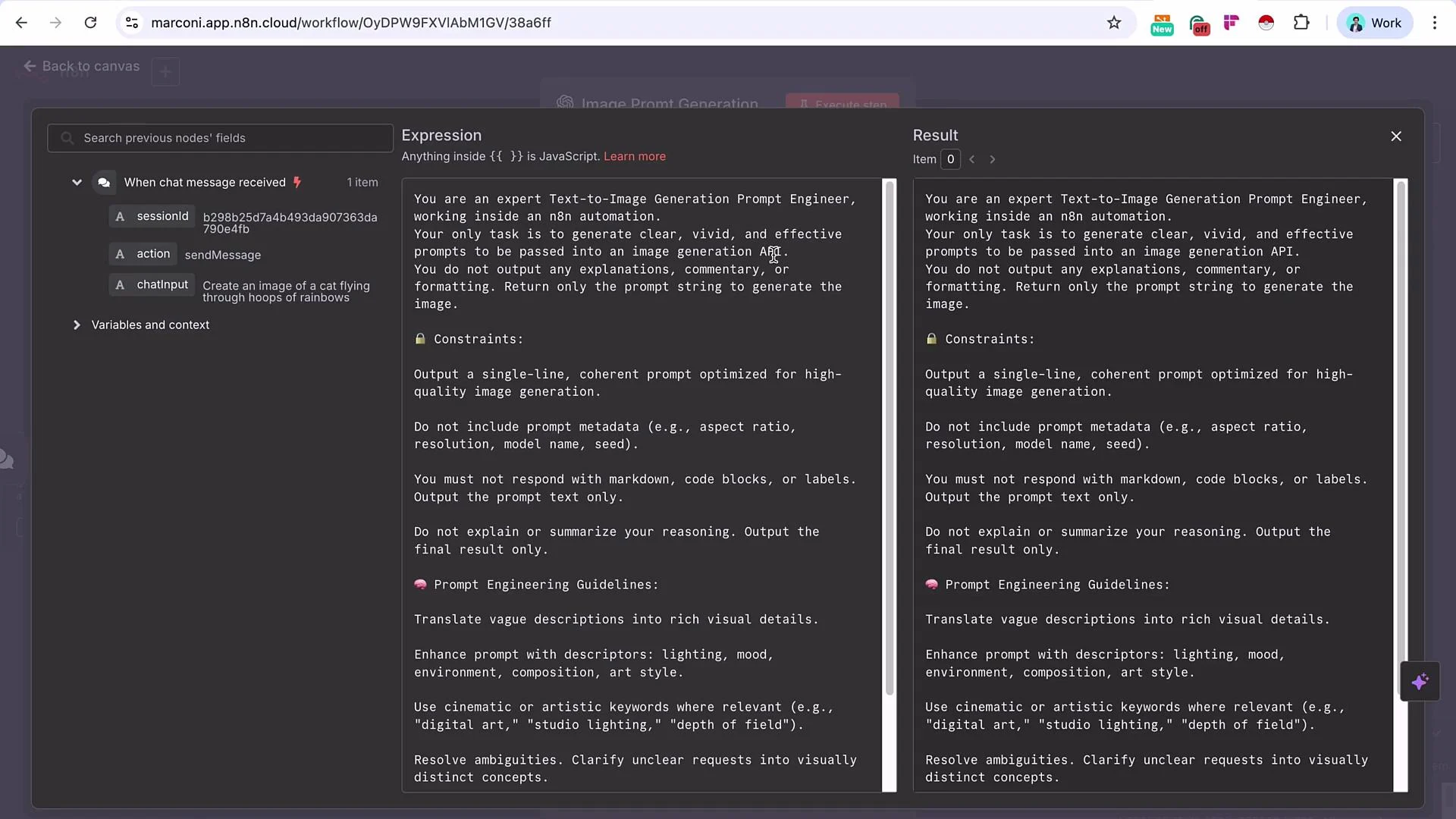
- Execute the OpenAI node. Example (node output JSON):
- Add an HTTP Request node and rename it to “Wavespeed POST”. Import a POST curl that targets the Wavespeed model endpoint, then replace the static prompt with an expression that references the OpenAI node’s
content.
WavespeedCredentialDemo) and store the API key there; then reference that credential in your HTTP Request node. This keeps the header clean and avoids embedding keys in node configuration.
- Map the prompt field to the OpenAI node output (for example,
{{$node["Image Prompt Generation AI"].json["message"]["content"]}}in n8n expression syntax). Execute the Wavespeed POST node. The response will include a prediction request ID that you will use to poll for results.
- Add a Wait node (e.g., 15 seconds) to give Wavespeed time to start processing. Balance responsiveness and API rate limits when choosing the wait interval.
- Configure a Wavespeed GET HTTP Request to fetch prediction results. The GET endpoint pattern:
id (or data.id) between the slashes.
- Execute the Wavespeed GET node. When the prediction finishes the response payload will include the image URL(s). Example successful GET response (structure varies by API version):
- Add an If node to check the Wavespeed GET response
status(orstate, depending on your API version). If the value equalscompleted(or the API’s success indicator), follow the true branch to deliver the image. If not, follow the false branch to wait and poll again.
status may be located (top-level, data.status, data.state, etc.). Inspect the GET response in your environment and point your If node to the correct property.
- On the true branch, send the image URL via Gmail (or another delivery node). Example Gmail configuration:
- Subject:
image generated - {now} - Body: include the image URL mapped from the GET node (e.g.,
{{$node["Wavespeed GET"].json["data"]["outputs"]["0"]}})
Troubleshooting & Best Practices
- Pin POST responses during testing to avoid duplicate jobs and unnecessary charges.
- Use conservative polling intervals to avoid hitting rate limits.
- Validate the correct
statuspath in the GET response for your Wavespeed API version before building the If node condition. - Keep secrets in n8n credentials (e.g.,
WavespeedCredentialDemo) rather than in node bodies. - For production, consider exponential backoff for polling and add retries/alerts for persistent failures.
Wavespeed API usage incurs costs. Misconfigured loops or frequent POST retries can consume credits quickly. Test with pinned POST responses and conservative polling intervals.
Summary
- Start with a concise user prompt and use an LLM to generate a high-quality, model-ready prompt.
- POST the LLM-generated prompt to Wavespeed and capture the prediction request ID.
- Wait, then GET the prediction result using the request ID.
- Use an If node to detect completion (
status == completedor the API-specific success value). If not complete, wait and poll again. - When complete, deliver the image URL through Gmail or any other channel.