

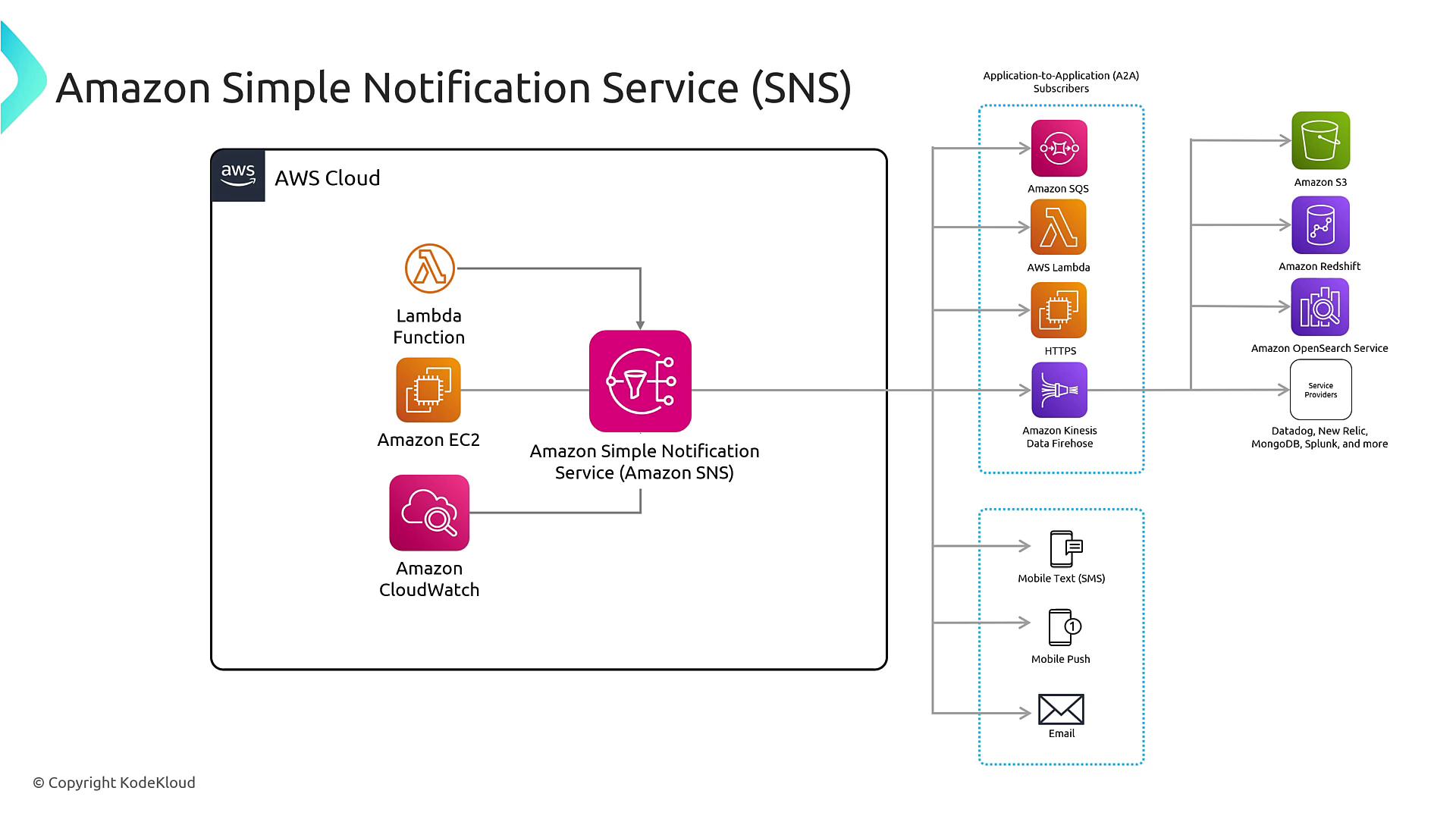
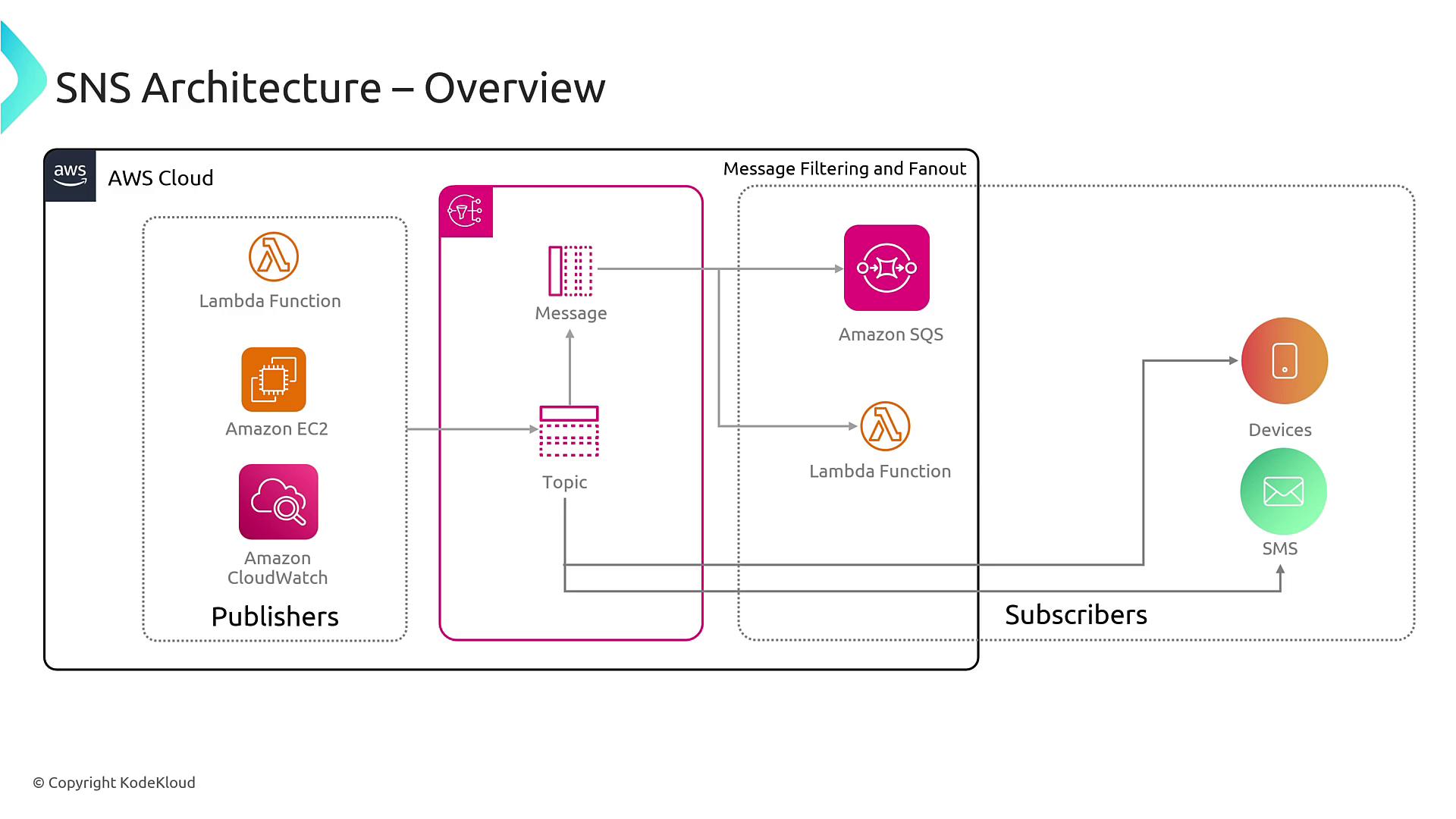
• SNS operates on a Pub/Sub model.
• Topics act as central hubs for notifications.
• Subscribers can be diverse, including email addresses, SMS numbers, mobile devices, and webhooks.
• Topics act as central hubs for notifications.
• Subscribers can be diverse, including email addresses, SMS numbers, mobile devices, and webhooks.
Configuring SNS with CloudWatch Alarms
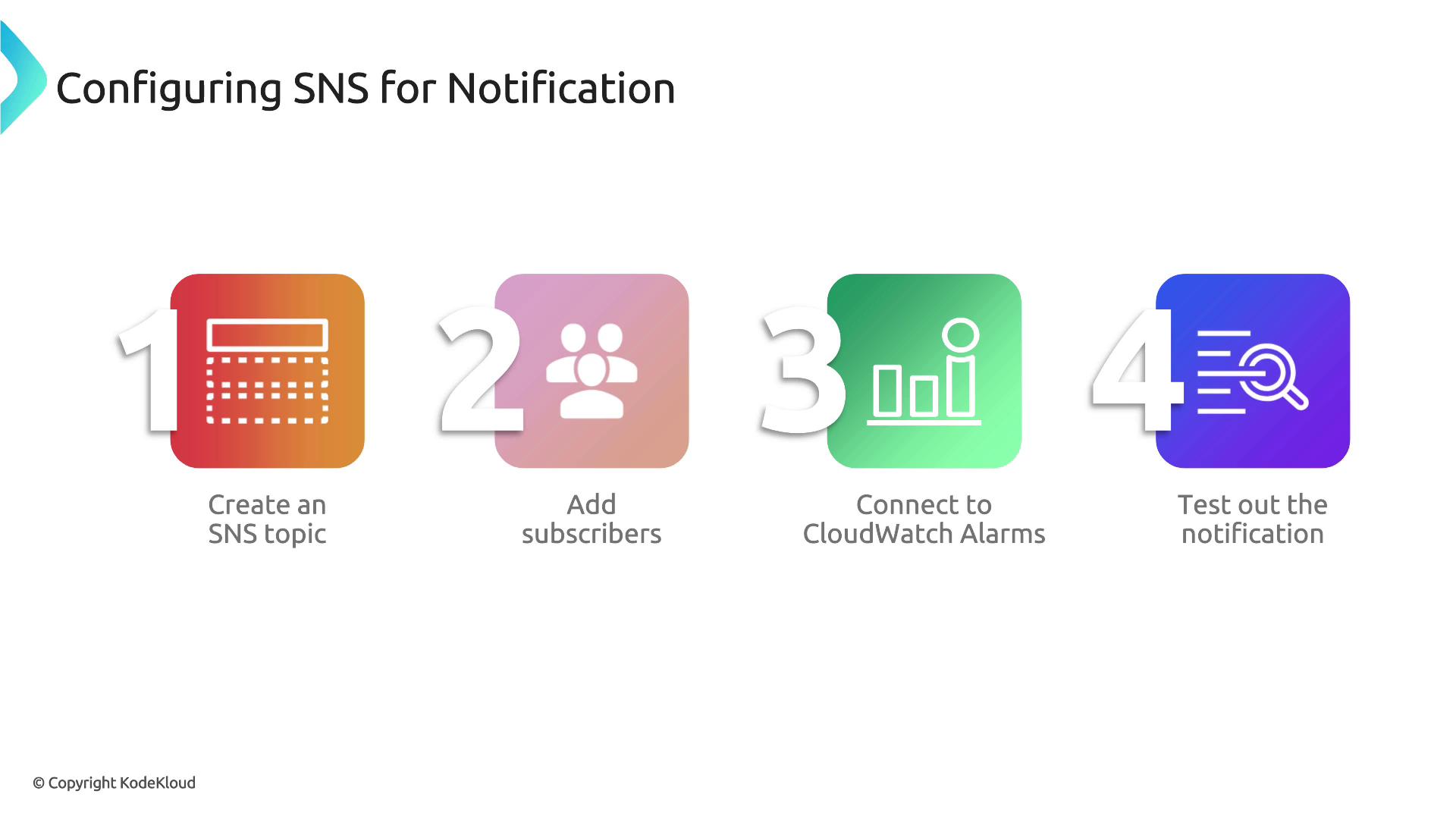
To set up notifications with SNS and CloudWatch alarms, follow these steps:-
Create an SNS Topic
This topic will serve as the central collection point for notifications, such as important alerts for administrators. -
Subscribe to the Topic
Add subscriptions for administrators or applications using methods like email, mobile push, SMS, or webhook endpoints. -
Connect CloudWatch Alarms to the SNS Topic
When configuring an alarm in CloudWatch, select the SNS topic as the notification channel. -
Test the Notification
Simulate the alarm condition to ensure notifications are successfully sent to all subscribers.

Best Practices and Additional Considerations
- Monitor Deliverability: Regularly check message deliverability to ensure that notifications are successfully reaching their targets.
- Implement Throttling: Use throttling mechanisms to manage high traffic volumes and prevent system overload.
- Avoid Message Duplication: Ensure that notifications are not sent multiple times unnecessarily by configuring de-duplication mechanisms.
- Personalize Notifications: Enhance engagement by including unique identifiers and actionable information (e.g., remediation steps) in your notifications.
- Opt-In Management: Provide clear options for users to opt in or out of personalized notifications.
Ensure that your SNS configuration aligns with your security and compliance requirements. Monitor these settings regularly to prevent any unintended access or notification overload.