- Recreate Deployment
- Blue-Green Deployment
- Rolling Updates
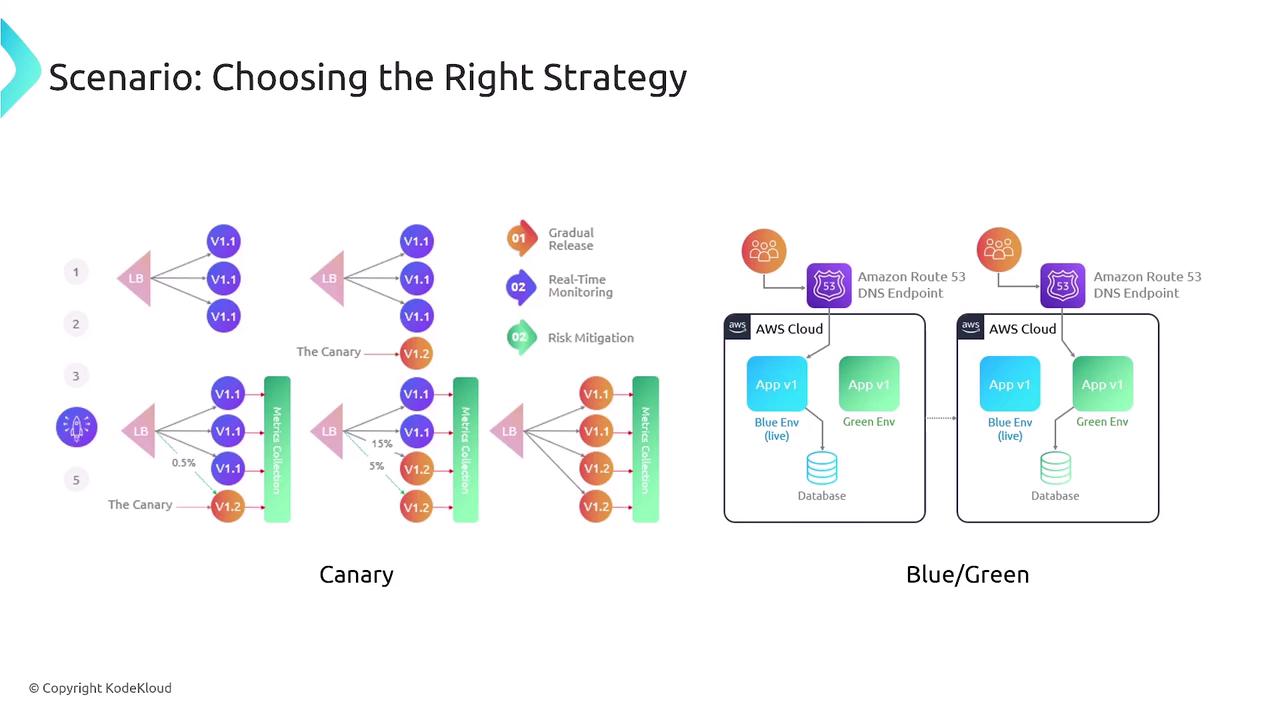
- Canary Deployment
- A/B Testing
Recreate Deployment
Recreate Deployment is the simplest approach. In this method, the current version of the application is completely shut down and replaced with the new version. Since the old version is terminated before the new version starts, users may experience service downtime. For example, if the application takes five minutes to start, that downtime is inevitable during the transition.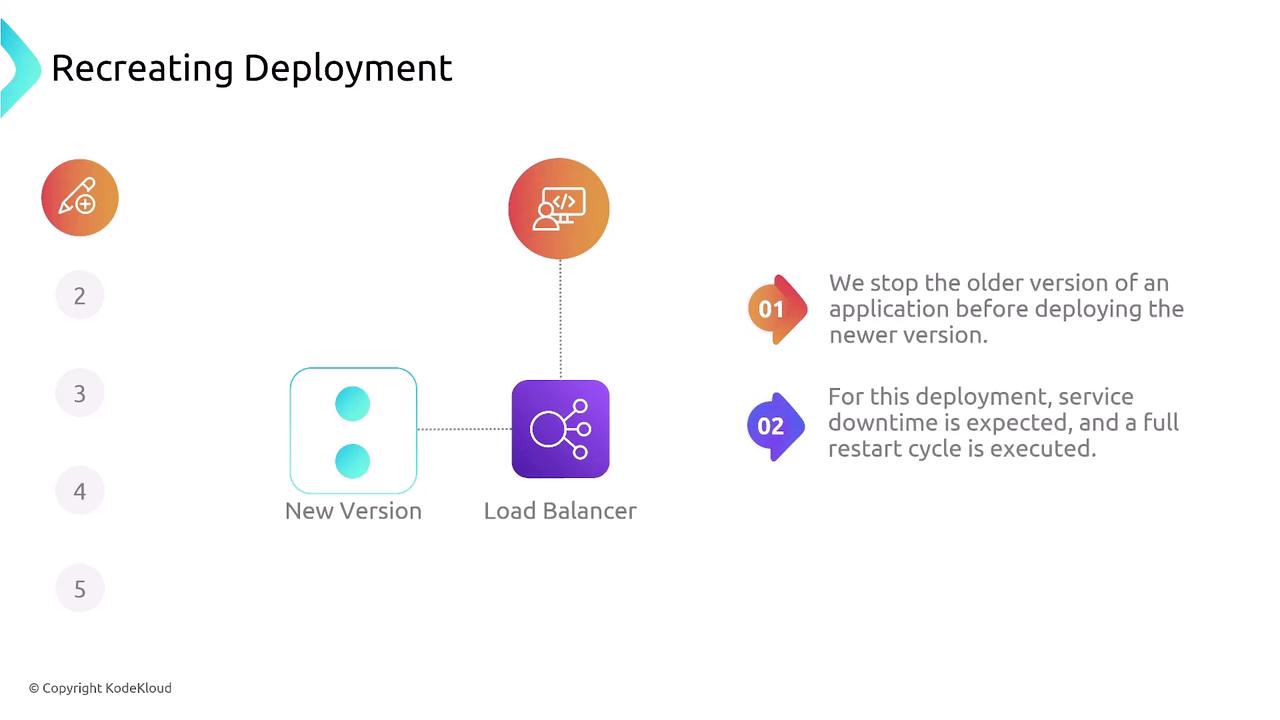
This strategy is best suited for applications where a brief downtime is acceptable and the startup process is optimized.
Blue-Green Deployment
Blue-Green Deployment maintains two separate environments: one live (blue) and one updated (green). Initially, the DNS points to the live blue environment. Once the new version is deployed to the green environment, DNS is switched to redirect users to it. Often, database updates are performed in parallel, which might require maintaining duplicate databases. This strategy facilitates a quick rollback by simply switching DNS back, though it typically incurs higher infrastructure costs due to running duplicate environments.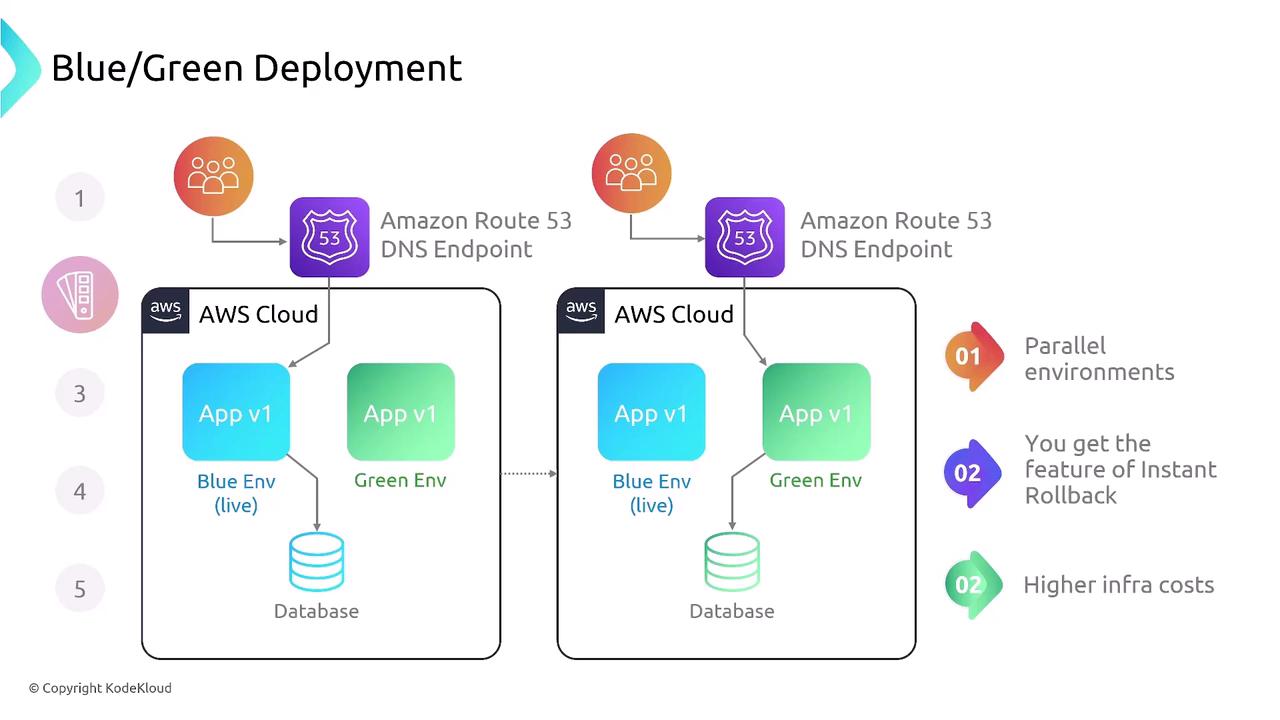
Blue-Green Deployment can double infrastructure costs. Ensure that budget constraints are considered before opting for this strategy.
Rolling Updates
Rolling Updates involve updating only a subset of servers at a time rather than all servers simultaneously. For instance, if an application runs on 10 servers, updates may be applied one by one or in small batches. This minimizes downtime by ensuring that most servers remain active throughout the update process. This strategy works best when differences between the old and new versions are minimal. Significant differences or accompanying database changes might create inconsistencies, in which case a Blue-Green Deployment could be a better fit. With Rolling Updates, continuous availability is maintained with minimal service disruption as long as changes are incremental.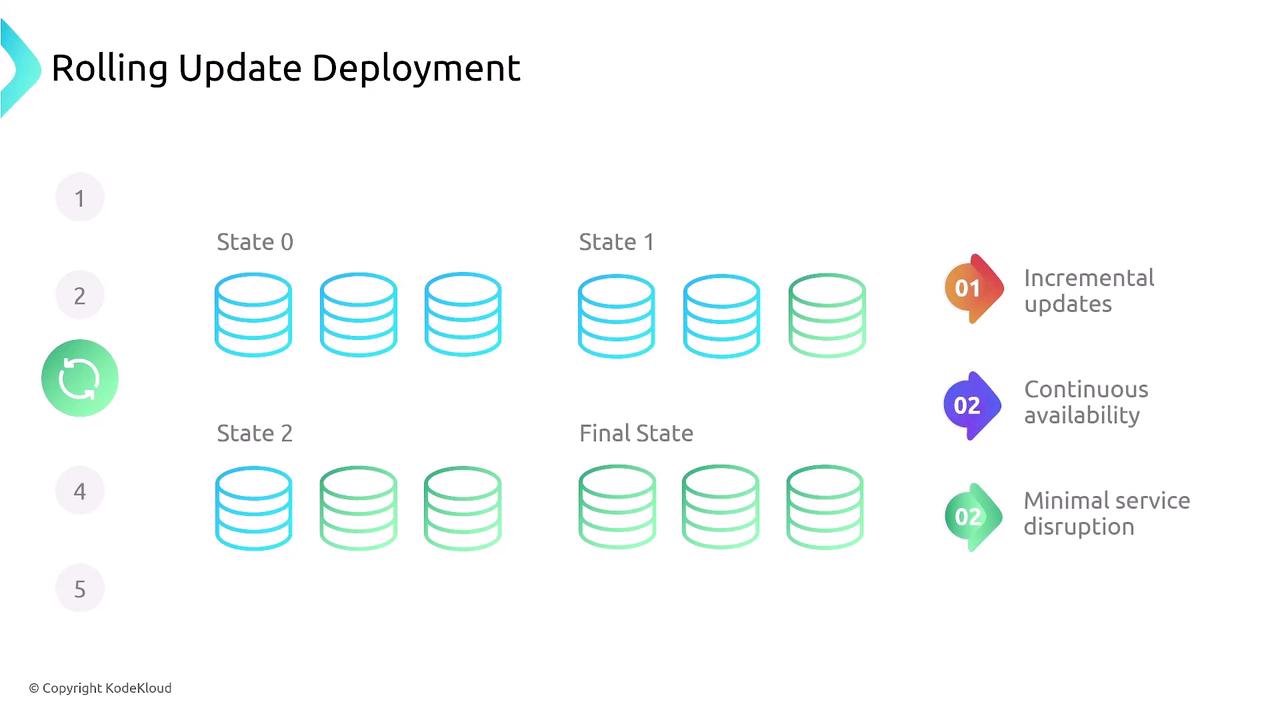
Canary Deployment
Canary Deployment gradually introduces a new version to a small subset of users before a full rollout. For example, you might begin by directing only 0.5% of production traffic to the new version. Once the new version proves stable, the traffic percentage is gradually increased until it serves all users. This approach minimizes risk as it limits the exposure of potential issues to a small group. The term “canary” comes from the use of canaries in coal mines to detect toxic gases. In this strategy, the “canary” (new version) is monitored with a small traffic portion, and if it performs well, it is rolled out to the entire user base.A/B Testing
A/B Testing is used primarily to compare two versions of an application rather than to facilitate a full transition. For instance, you might have 75% of users see version A while 25% see version B. This method is used to gather feedback and assess user responses to new features, rather than to completely replace the current version. While similar in appearance to Canary Deployment, A/B Testing’s main aim is performance and user experience comparison, not a full rollout. This strategy is particularly useful when validating new features before finalizing the selection for complete deployment.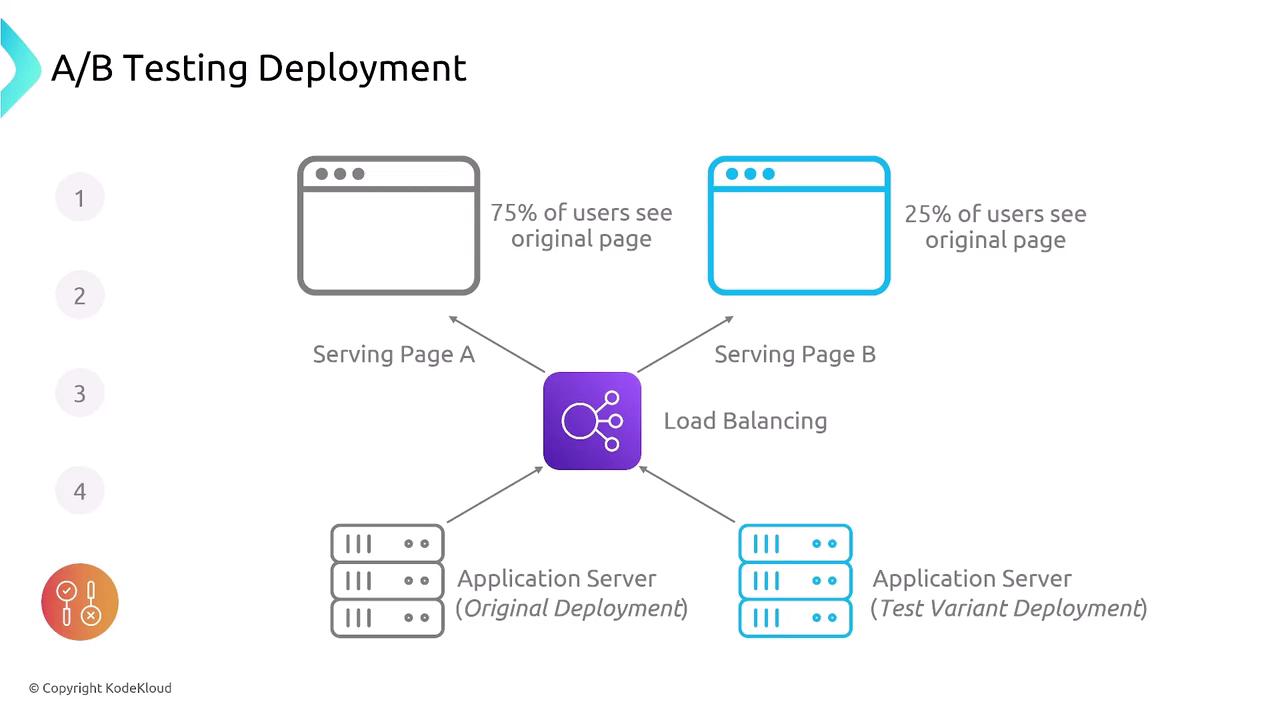
Choosing the Right Deployment Strategy
Choosing the appropriate deployment strategy depends on your environment and requirements. Consider the following guidelines:| Requirement | Recommended Strategy | Considerations |
|---|---|---|
| Rapid rollback with duplicate environments | Blue-Green Deployment | Higher infrastructure cost due to duplicate environments |
| Minimal downtime with incremental updates | Rolling Updates | Best for applications with minimal differences between releases |
| Gradual rollout for risk mitigation | Canary Deployment | Ideal for introducing changes to a small user base before full rollout |
| Comparing feature performance | A/B Testing | Not intended for full transitions; focus is on gathering user feedback |
- If rapid rollback is essential, Blue-Green Deployment is effective despite higher costs.
- If a controlled, gradual rollout fits your needs, Rolling Updates or a Canary Deployment minimizes the risk.
- For feature comparison and testing user experience, A/B Testing offers valuable insights.