

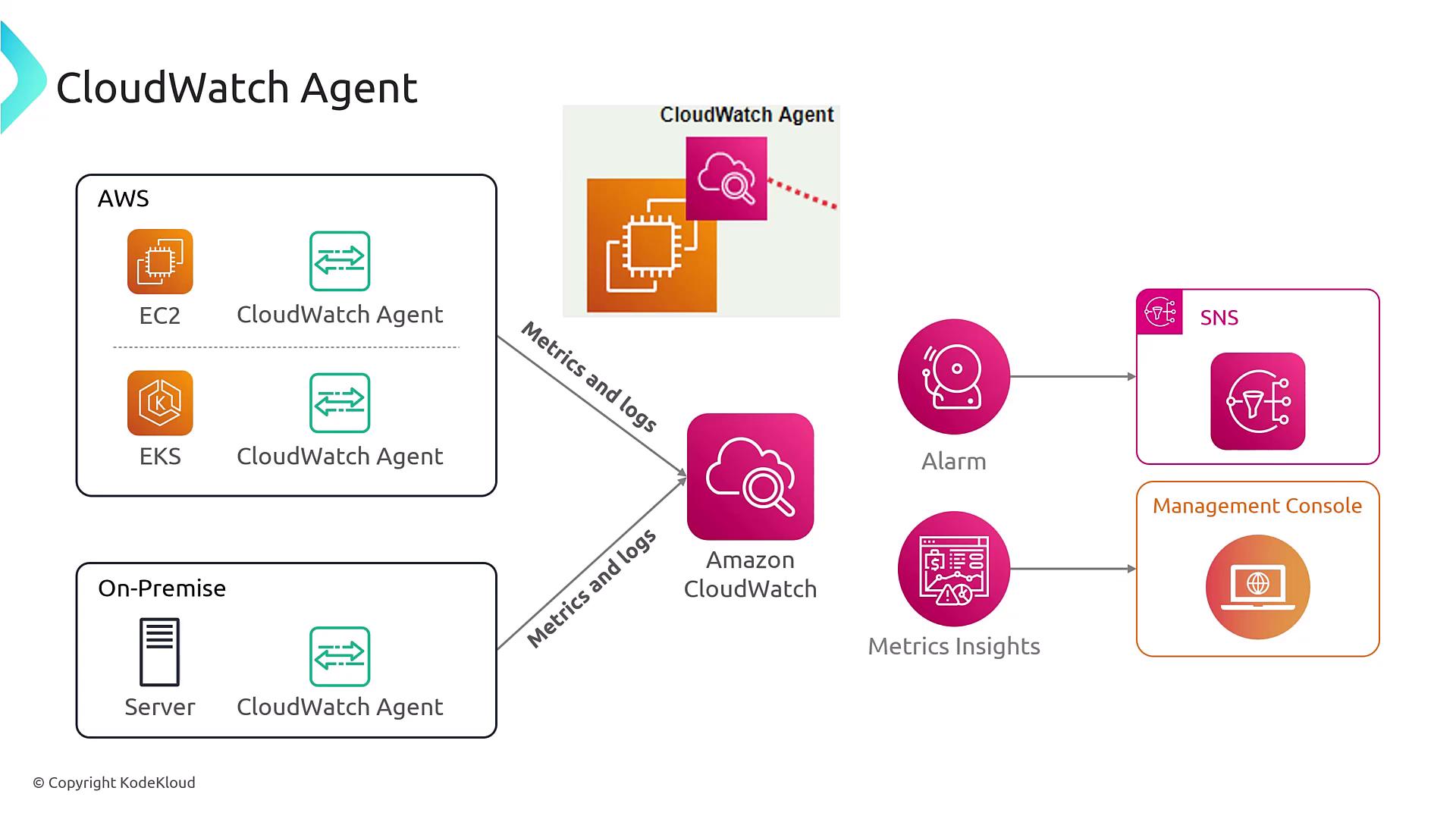
Before installing the CloudWatch Agent, ensure that the proper permissions are in place. This guarantees that your server can securely connect to CloudWatch.
Installation and Configuration
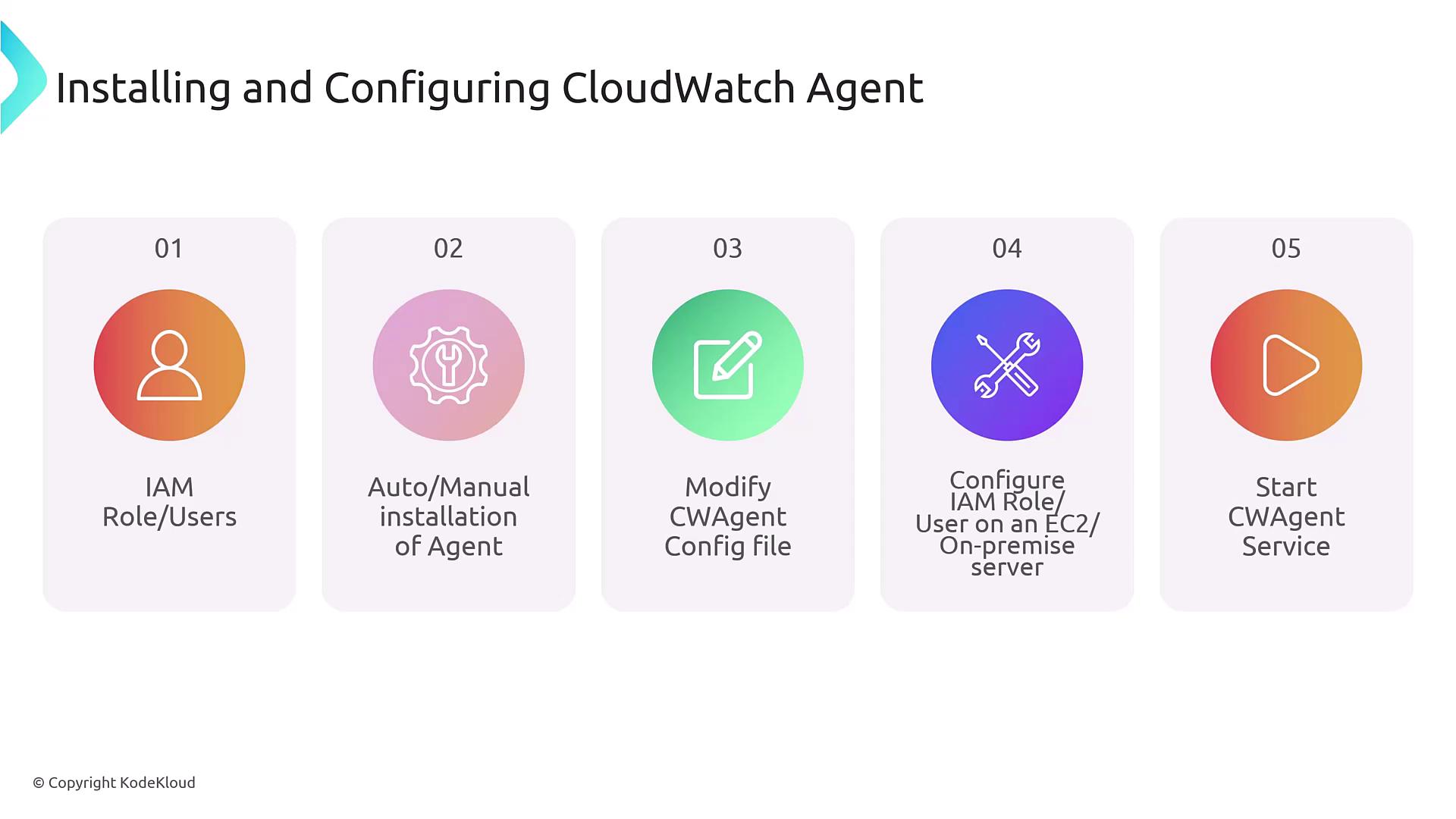
Before starting, follow these essential steps to install and configure the CloudWatch Agent:- Create the necessary IAM roles or policies for your instance or container.
- Install the CloudWatch Agent on your operating system.
- Configure the CWAgent configuration file to specify which metrics and logs to collect.
- Attach the appropriate permissions to the compute resource (e.g., EC2 instance, ECS task, or EKS service account). In EKS, you might also use a pod identity service so that individual pods have the necessary permissions.
- Start the agent on your operating system.
Metrics Collection
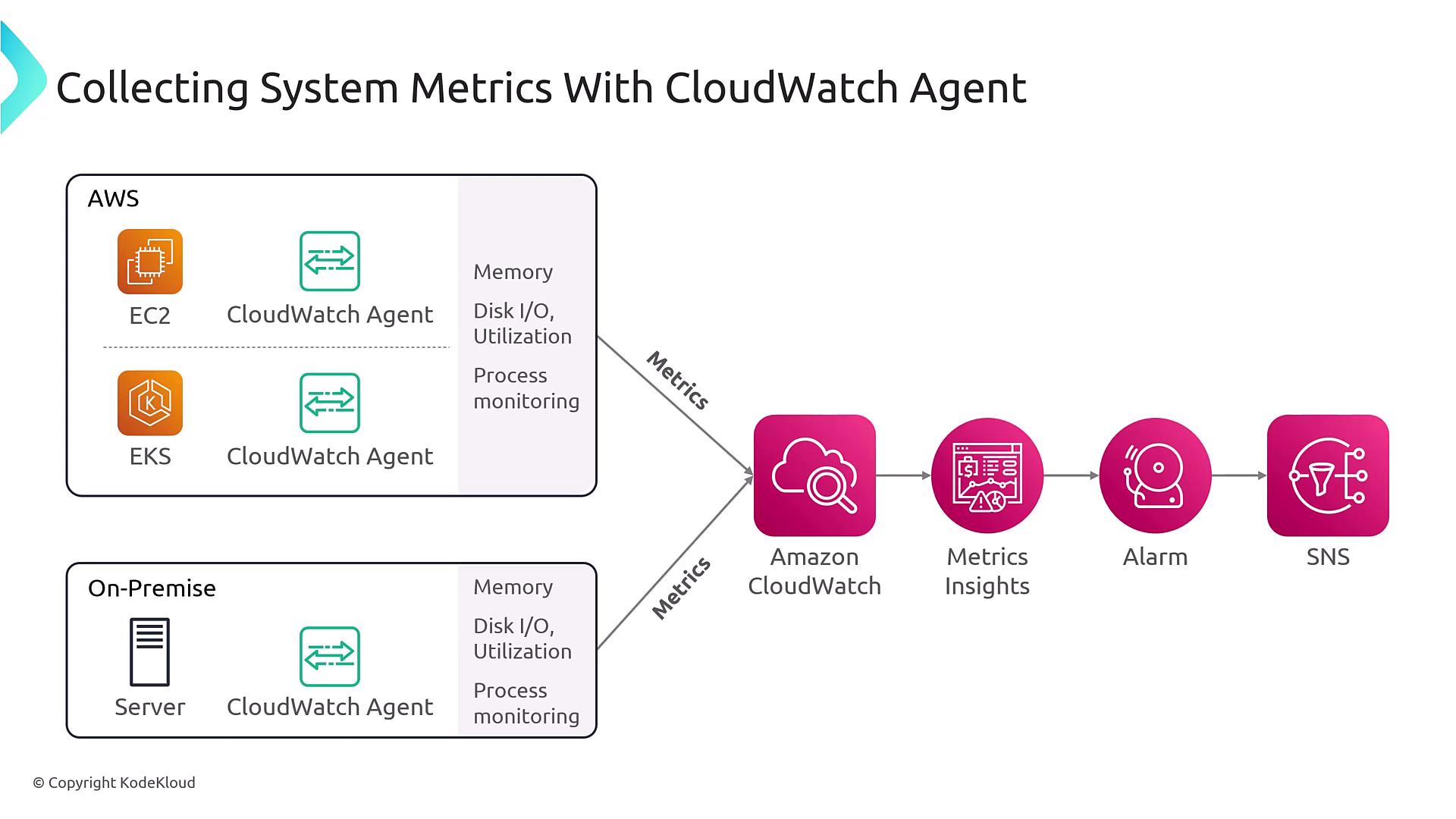
Running the CloudWatch Agent on your operating system allows you to capture in-depth metrics not available via hypervisor-level monitoring alone. For example, the agent provides:- Detailed memory usage (e.g., the actual percentage of memory utilized by the OS)
- Disk I/O and disk utilization metrics from the OS perspective
- Process-level monitoring
Logs Collection
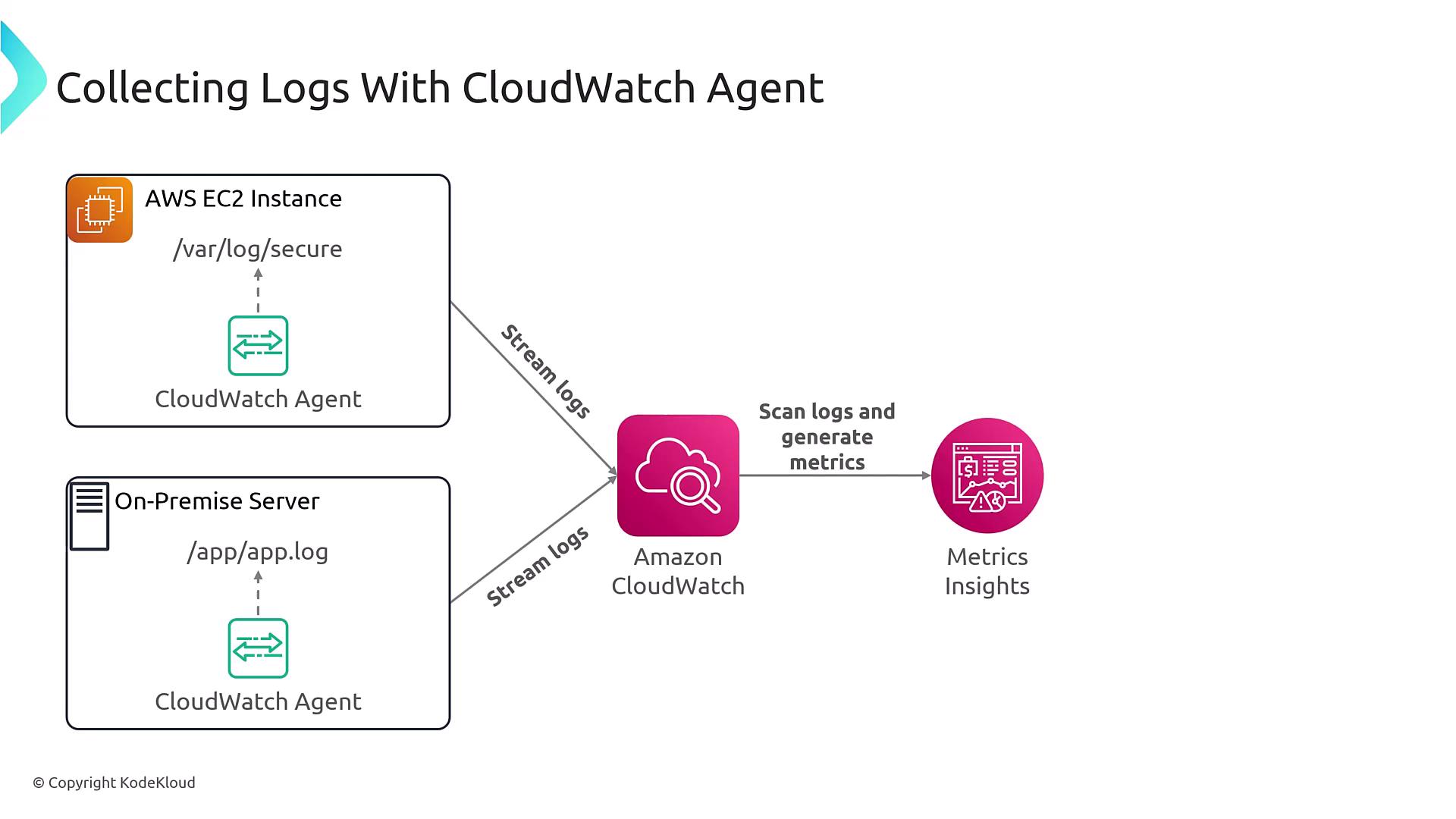
In addition to metrics, the CloudWatch Agent gathers logs based on the configuration in the CWAgent file. For example:- On Windows systems, it typically collects Windows Event Logs.
- On Linux systems, it gathers messages from directories such as /var/log.
Best Practices
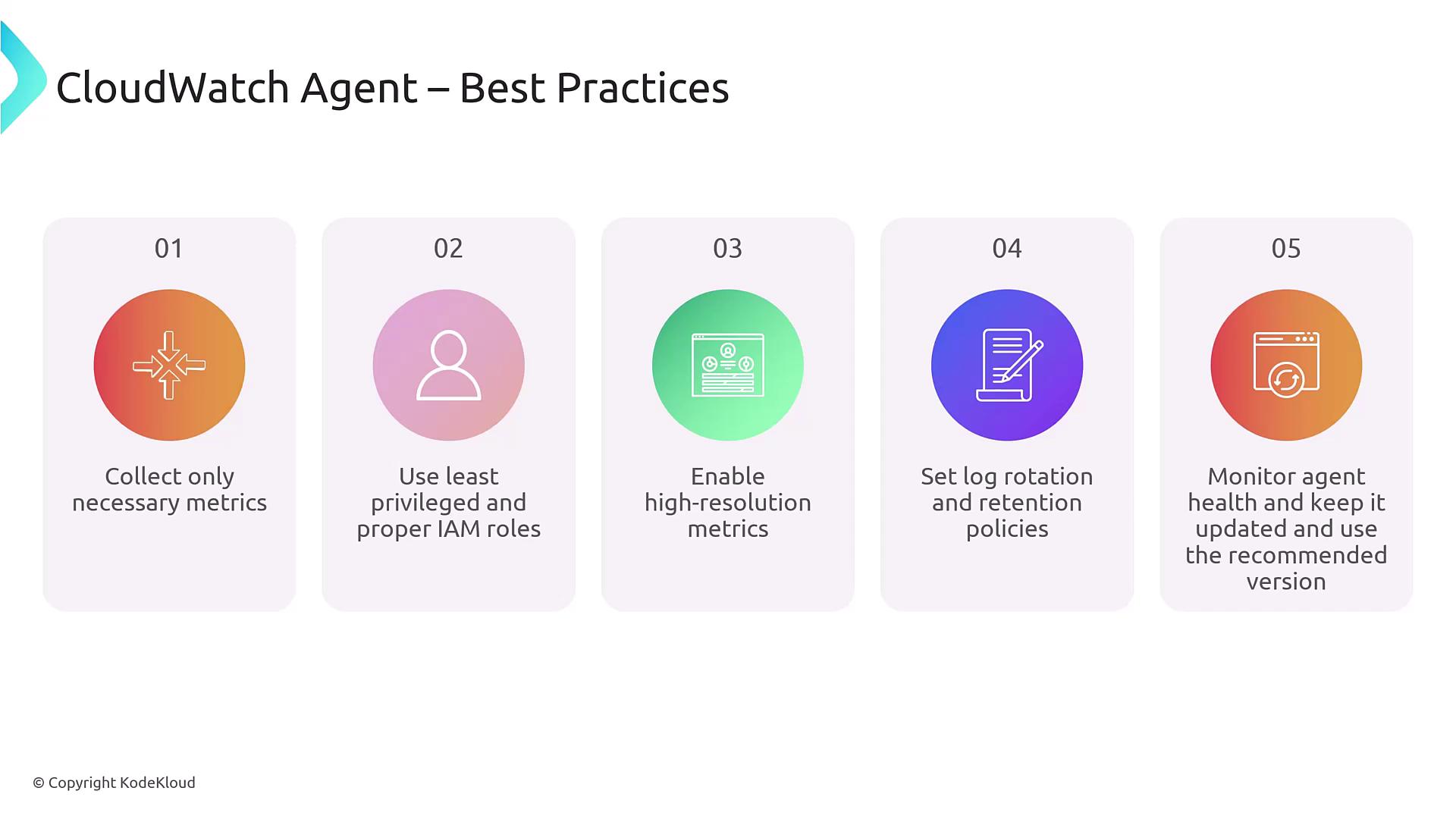
When using the CloudWatch Agent, consider the following best practices:- Collect only necessary metrics and logs: Avoid overwhelming the system by gathering more data than needed.
- Implement the principle of least privilege: Use the minimum required IAM permissions for your compute resources. For example, do not grant administrative permissions solely to facilitate CloudWatch communication.
- Enable high-resolution metrics for critical systems: For high-traffic web applications or other critical environments, consider one-second interval metrics to capture transient performance spikes.
- Configure log rotation and retention policies: Manage data volume and control costs by setting retention policies. Remember, CloudWatch Logs store data indefinitely unless you specify otherwise; consider archiving logs to S3 for long-term cost-effective storage.
- Maintain the agent with regular updates: Use patch management or configuration management tools to ensure the CloudWatch Agent remains up-to-date and fully operational.
Always ensure that your IAM roles and policies follow the principle of least privilege to minimize security risks.