

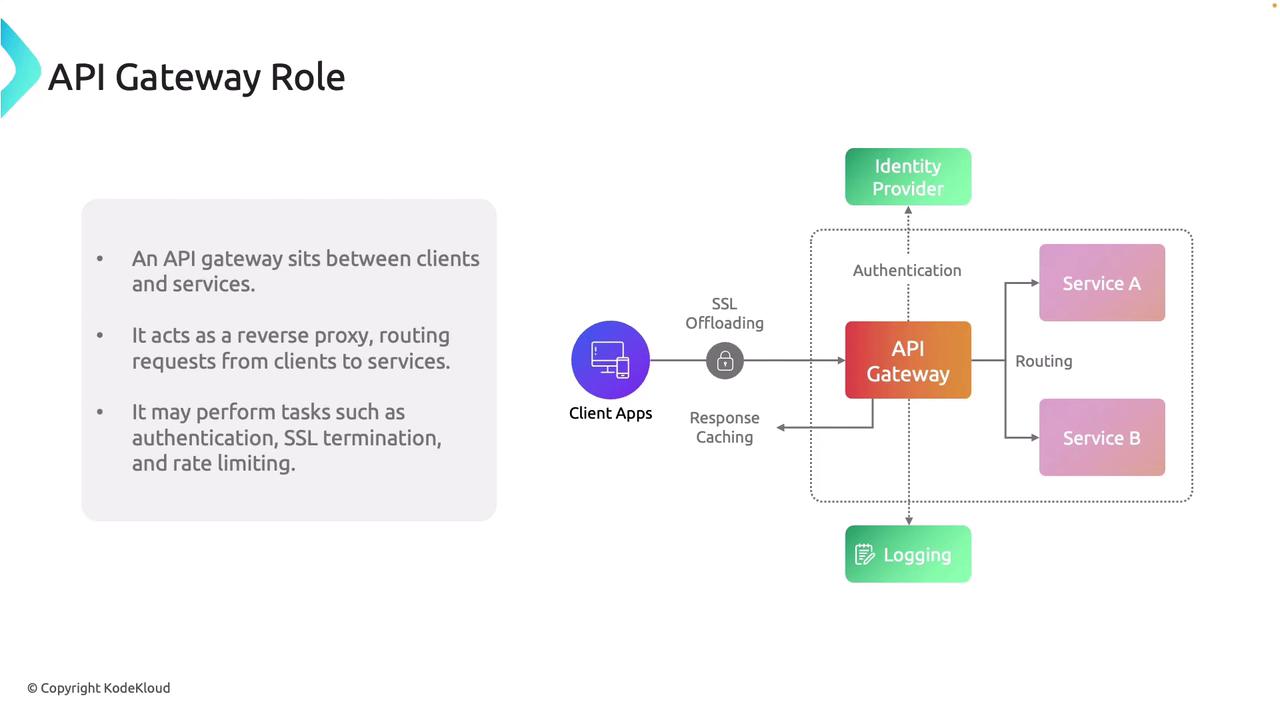
An API gateway enables streamlined client-to-service communication while abstracting and centralizing cross-cutting responsibilities.
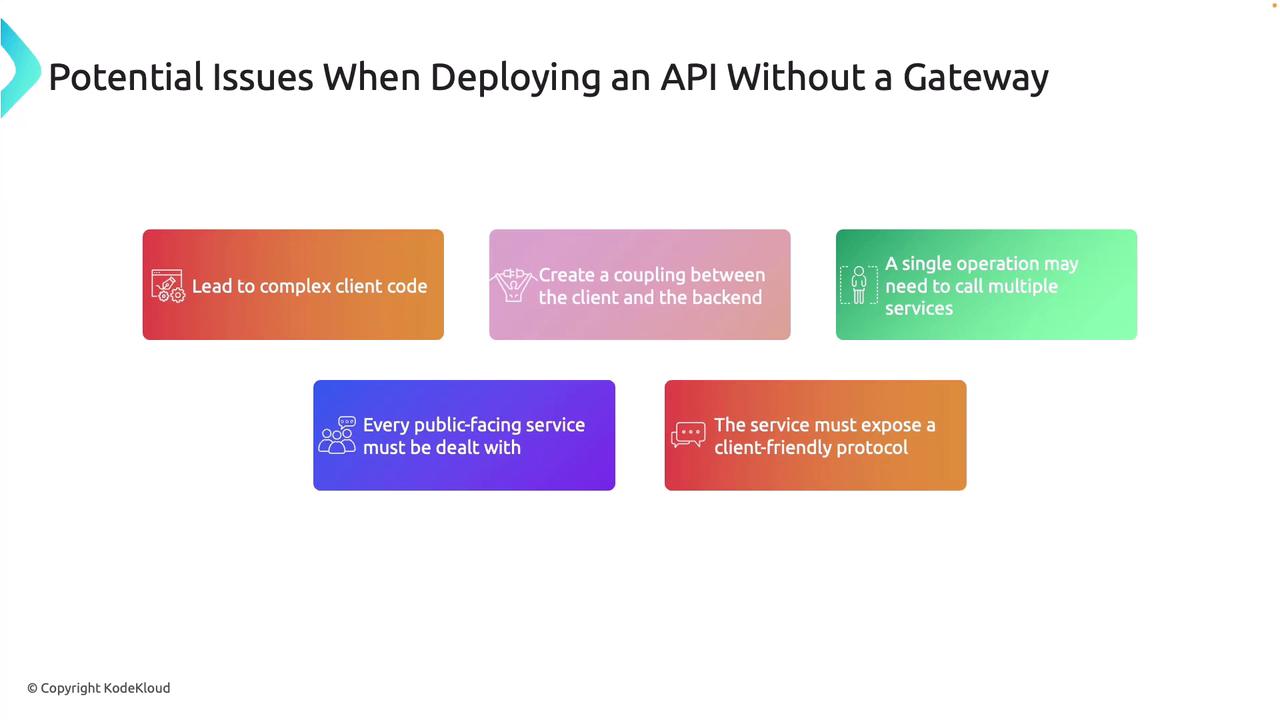
Avoiding the use of an API gateway can result in a fragile, unscalable, and insecure system. Implementing a gateway is highly recommended to mitigate these risks.
Common API Gateway Design Patterns
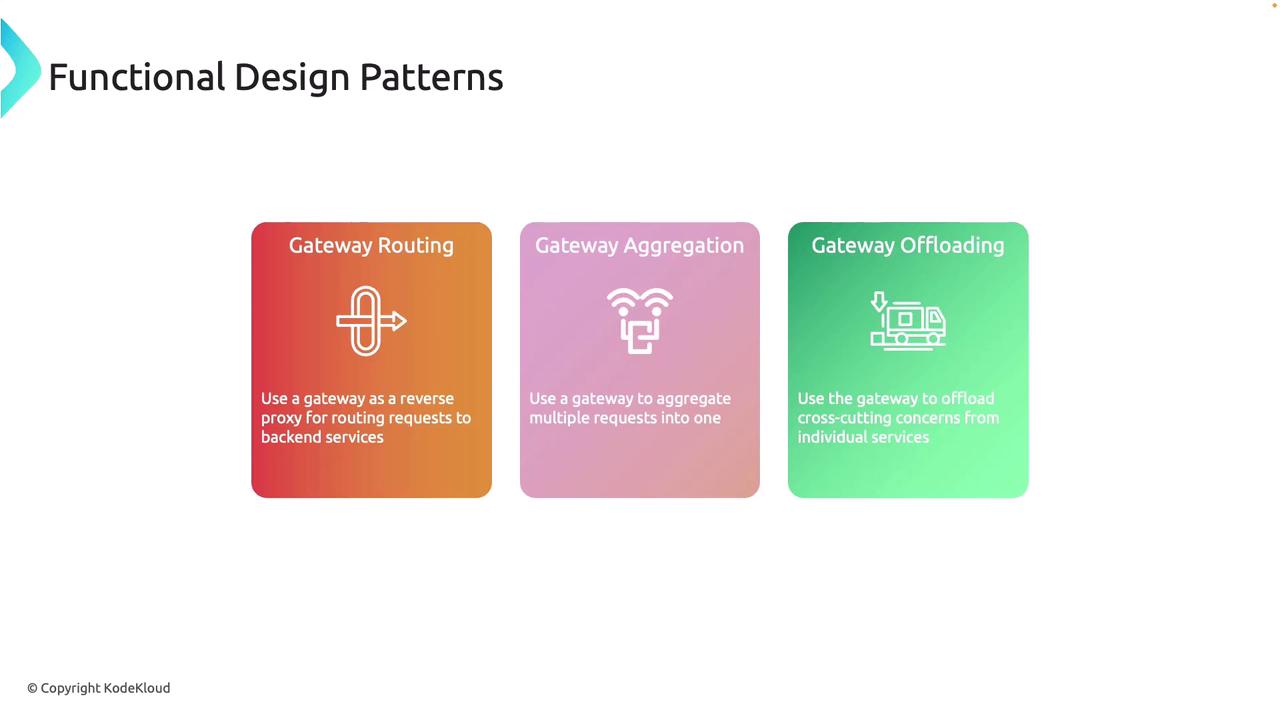
Implementing an API gateway unlocks several design patterns that simplify client interactions and backend integrations:-
Gateway Routing
The gateway acts as a reverse proxy, routing client requests to the correct backend services based on established rules. -
Gateway Aggregation
Multiple backend service calls are combined into a single client request, reducing the number of calls needed and simplifying client logic. -
Gateway Offloading
Cross-cutting concerns—such as authentication, logging, and SSL termination—are managed by the gateway, reducing the burden on individual services.
Implementing an API Gateway Using Azure API Management
In this section, we will explore how to set up an API gateway using the Azure portal. In our example, the API Management service handles two web APIs: one for flight logs and another for employee information—both hosted in Azure App Service.Sample APIs
When a request is sent to the employee endpoint, the service returns employee data. Below is a sample JSON response from the employee API:Deploying API Management in Azure
When deploying the API Management service in the Azure portal, you need to select an appropriate resource group and region (e.g., East US). In our example, the service is deployed under the name “C204APIM01” for the organization “KodeKloud.” The Developer pricing tier is used during development, with the option to upgrade later. Azure offers a range of monitoring and connectivity options, including Log Analytics, Defender for APIs, and Application Insights. You can configure the service to be public, attach it to a virtual network, or use a private endpoint. Managed identities further enhance operations such as retrieving certificates from the Key Vault.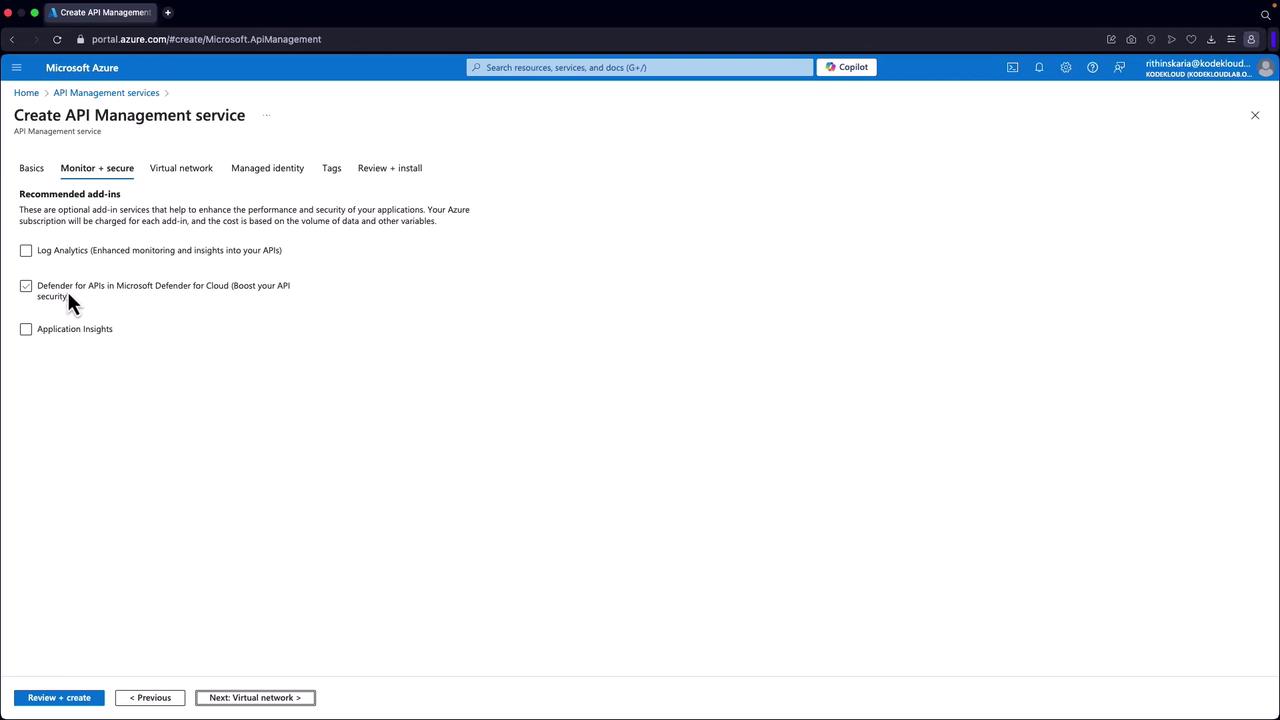
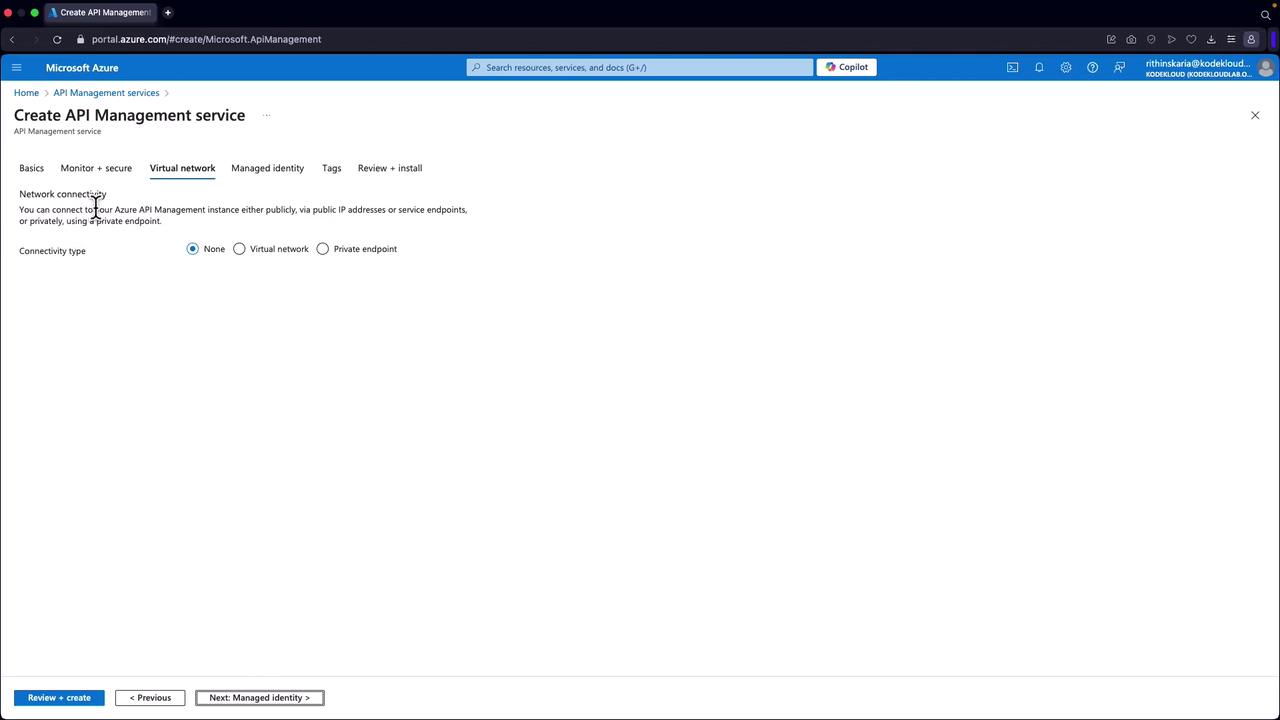
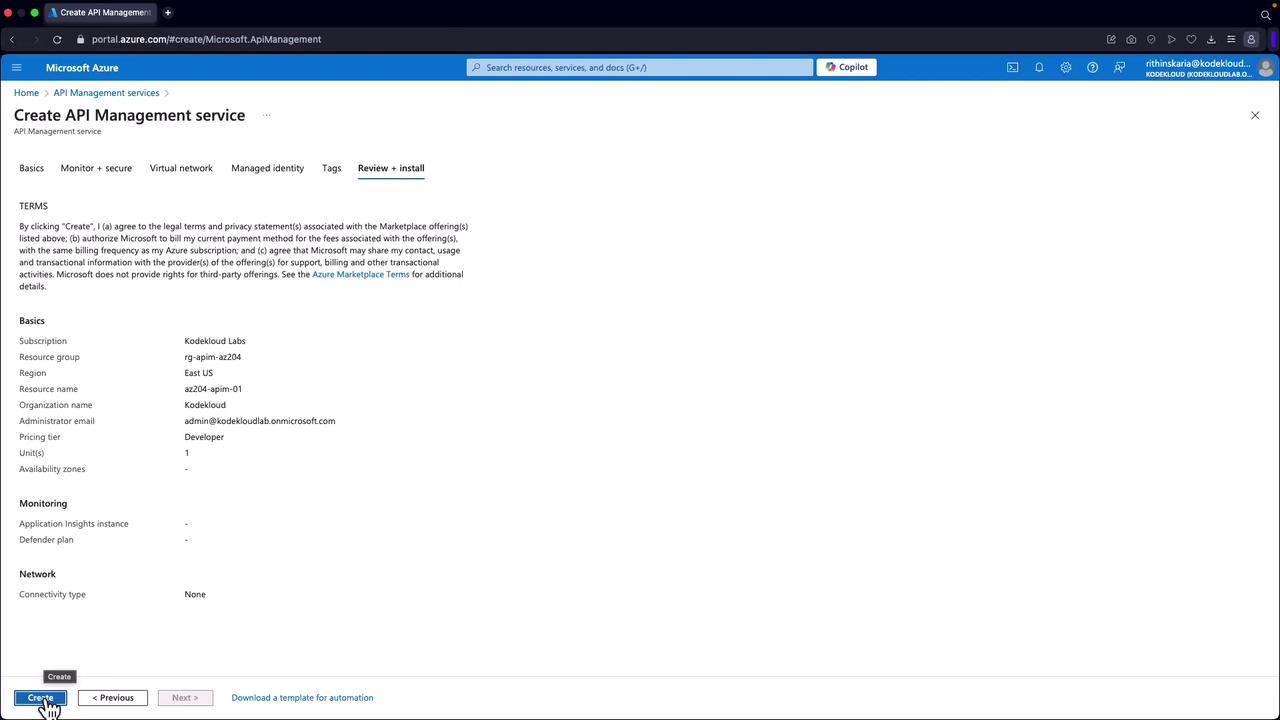

Creating APIs from App Service
From the available options, you can define an API from an HTTP endpoint by selecting the corresponding App Service. For example, to create the employee API:- Display Name: Employee API
- Path: /api/employee
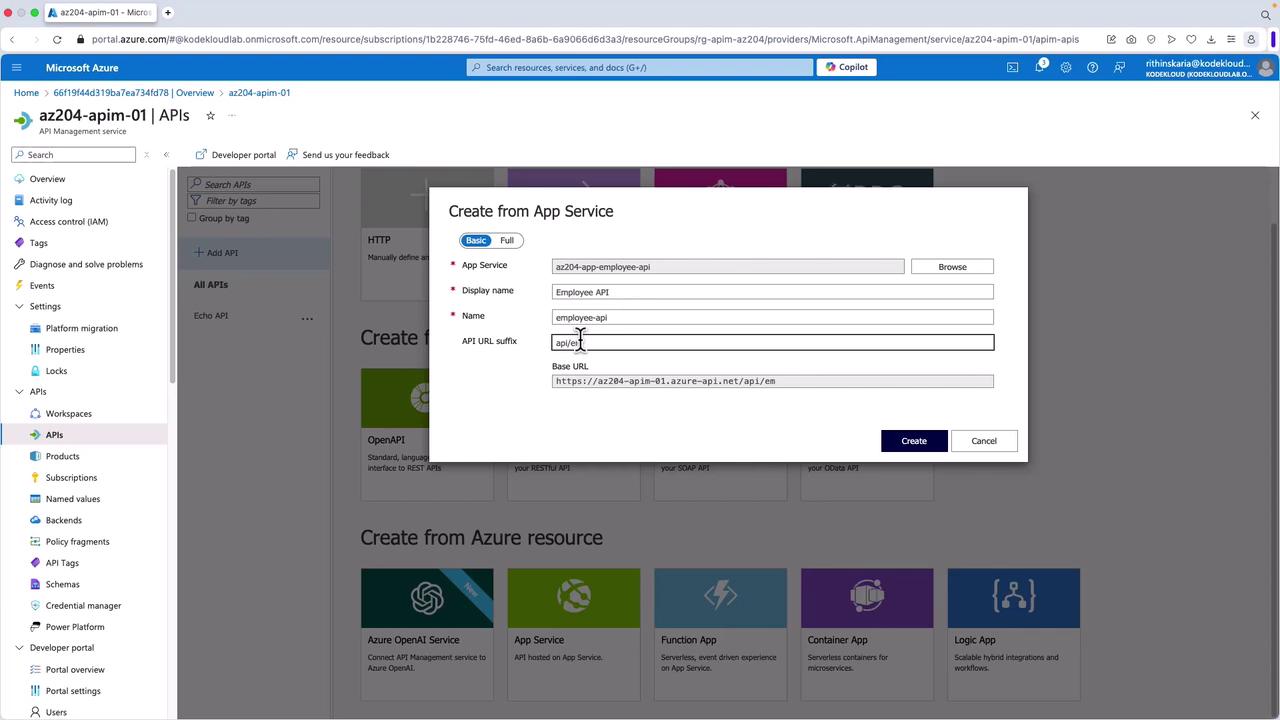
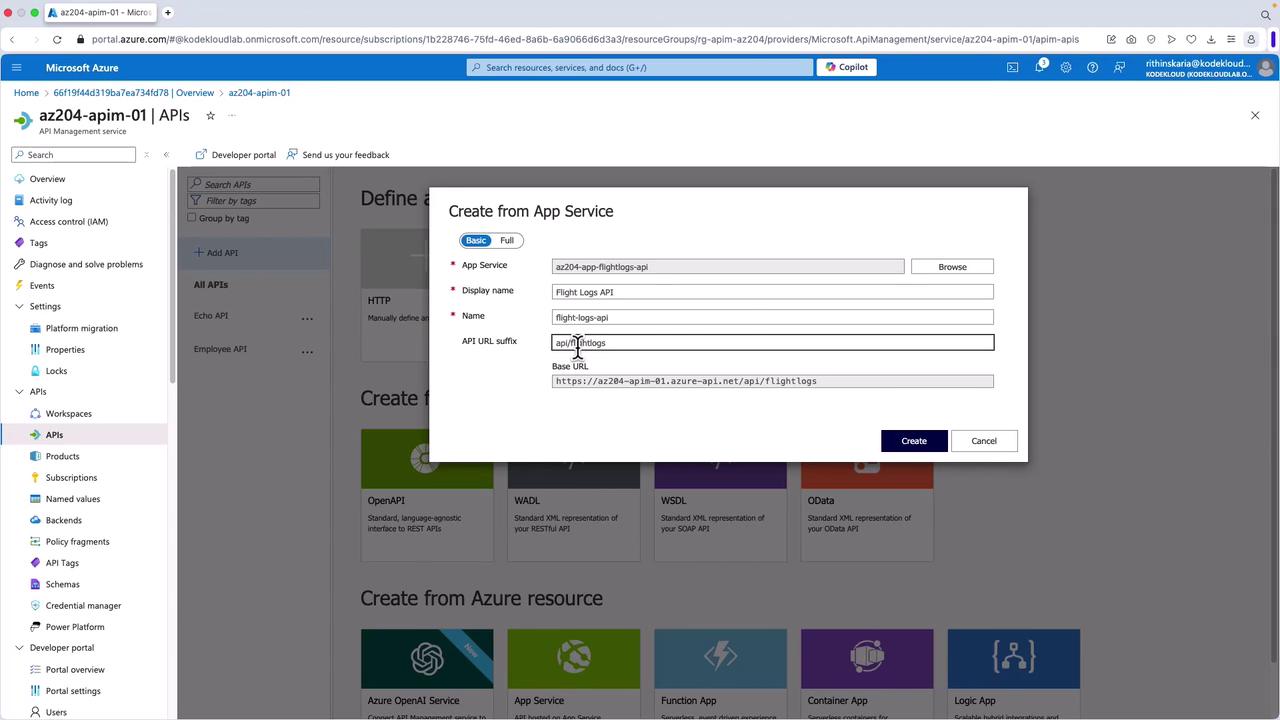
This concludes our exploration of API gateways, their design patterns, and their implementation using Azure API Management. Future articles will delve deeper into configuring subscription keys, policies, and other advanced features to further secure and optimize your API ecosystem.