

Stored Access Policies allow you to centrally manage access permissions, simplify expiry management, and swiftly revoke access without the need to recreate SAS tokens.
Key Benefits
-
Centralized Management
Administrators can streamline the management of access permissions by applying updates to a single stored access policy, which multiple SAS tokens can reference. This centralization simplifies overall access control. -
Enhanced Expiry Management
With a stored access policy, you can adjust permissions and expiry times without issuing new tokens. Simply update the policy to extend or reduce access according to your requirements. -
Rapid Revocation
If you need to revoke access immediately, modify or delete the stored access policy. Any SAS token linked to that policy will automatically inherit the updated restrictions, ensuring quick enforcement of security changes.
Example Code
Below are examples demonstrating how to create a stored access policy using both C# and the Azure CLI. In these examples, a policy is set with a one-hour expiry and read/write permissions.How to Use Stored Access Policies
When creating or modifying a SAS token, you can reference a stored access policy rather than embedding permissions and expiry details directly into the token. For example, in the Azure Portal:- Navigate to your storage account’s container.
- Go to the Access Policies section.
- Add a new policy (for instance, a “manager’s read policy”) with the desired start and expiry times.
- Save the configuration, then proceed to the Shared Access Signatures section.
- Instead of directly specifying permissions, select the stored access policy you created.
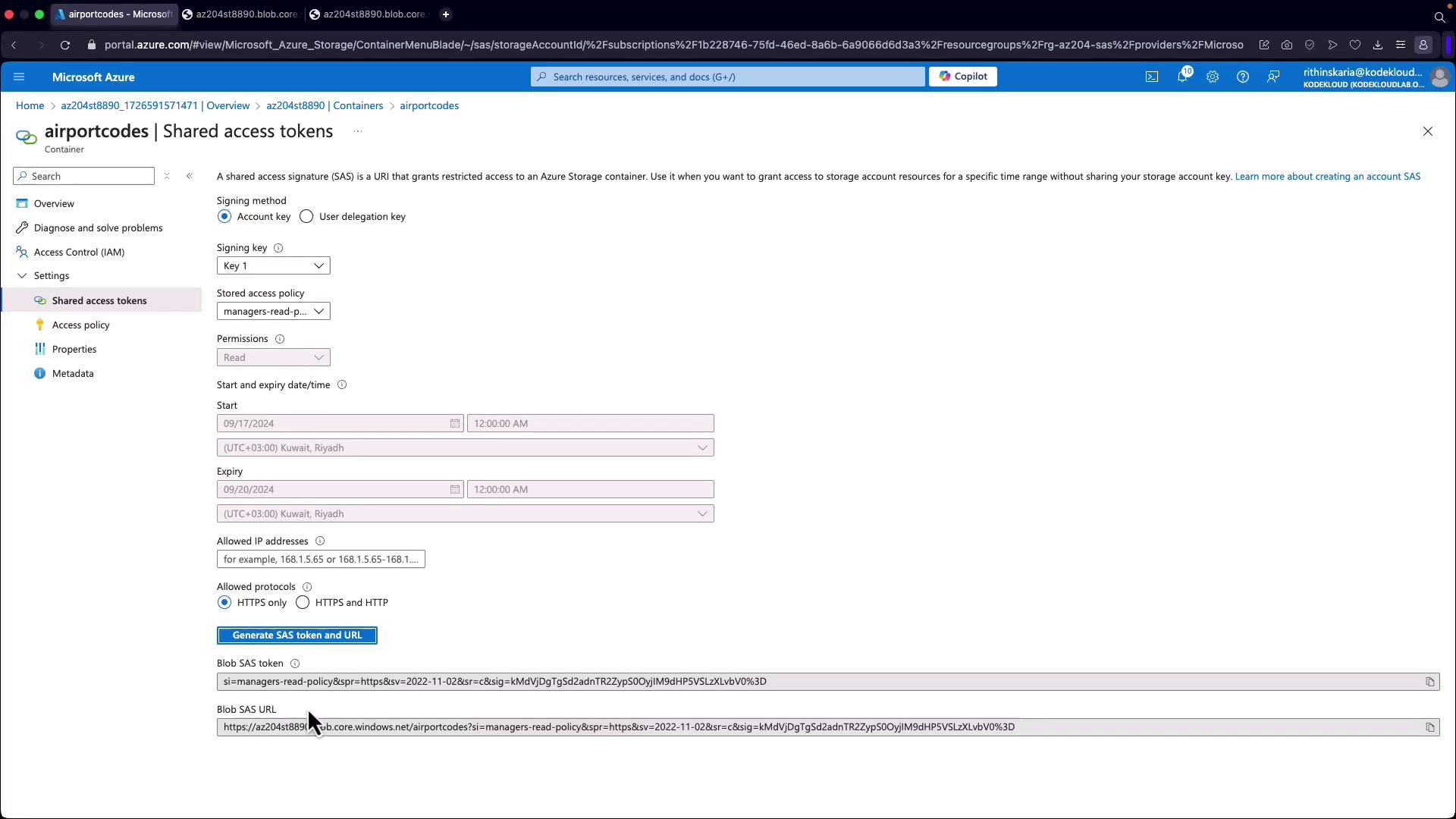
Using stored access policies minimizes administrative overhead and reduces the risk of outdated or misconfigured SAS tokens when access requirements change.