

Automatic Traffic Distribution
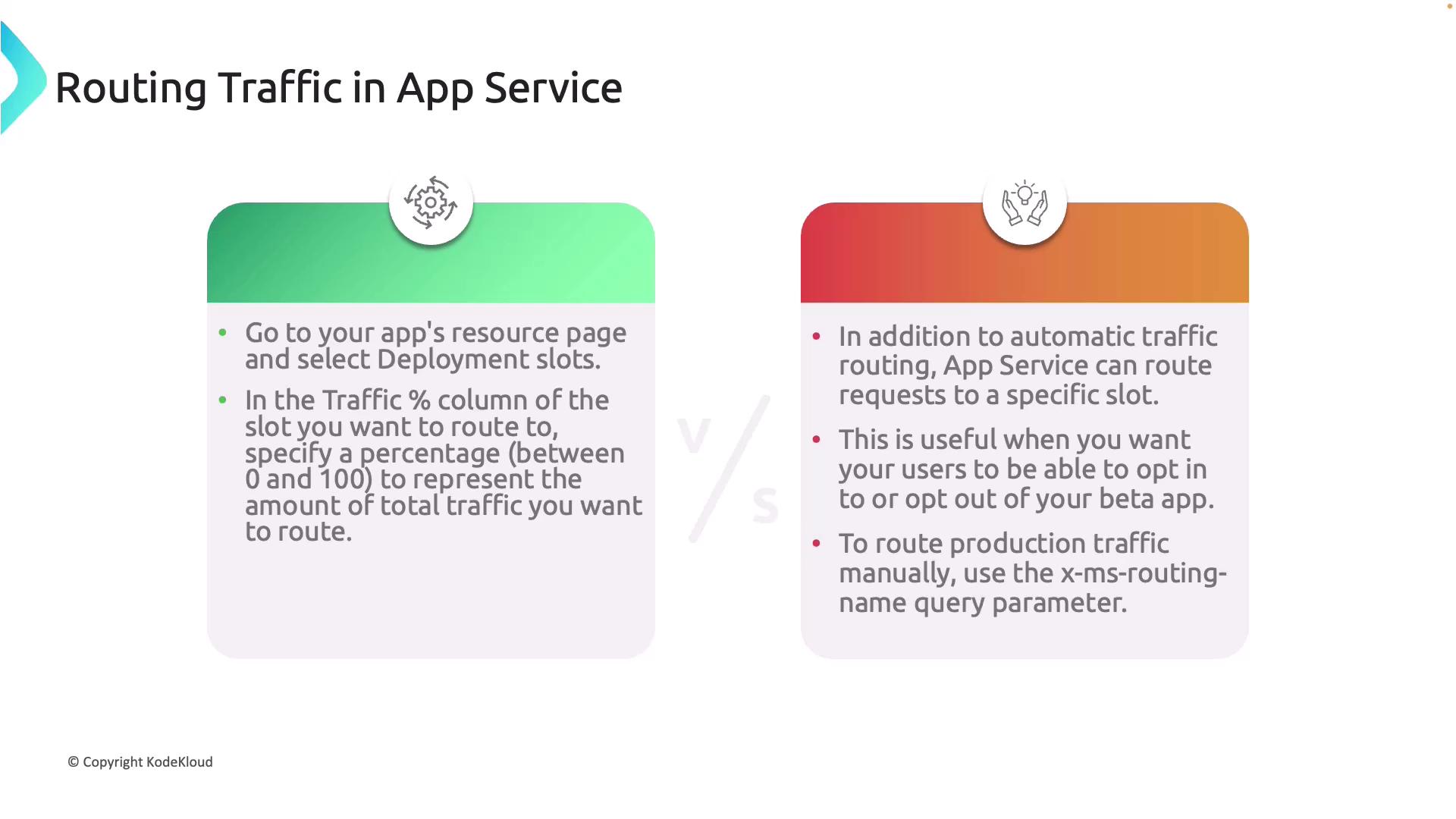
Automatic traffic distribution enables you to gradually shift user traffic from your production environment to a new version deployed in a staging slot. This approach minimizes risks by exposing the new version incrementally. To set up automatic routing:- Navigate to the resource page in the Azure portal.
- Select Deployment slots.
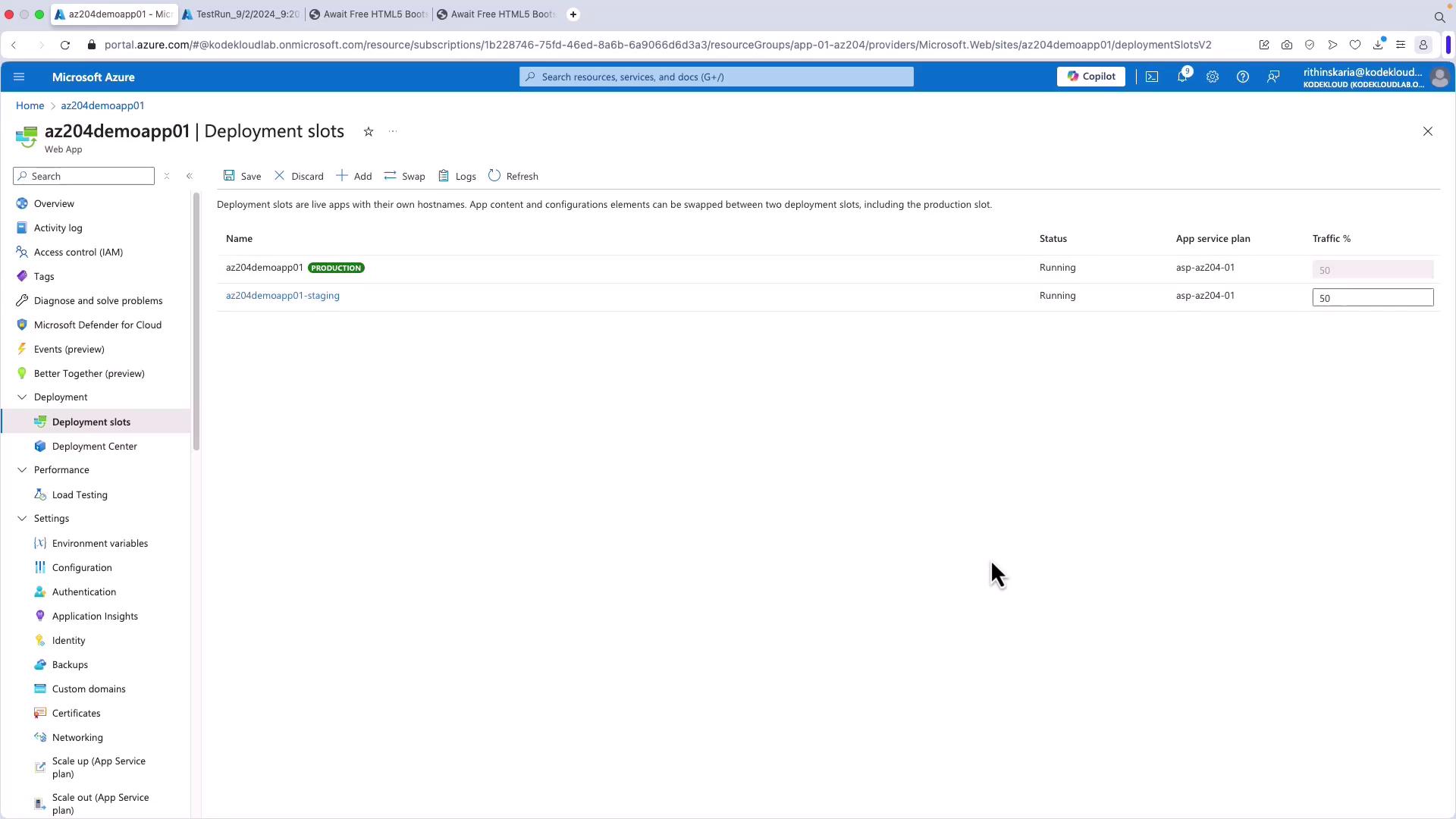
- In the Traffic percentage column for the desired slot, specify a value between 0 and 100 to indicate the share of total traffic that should be directed there.
Automatic distribution is ideal for rolling updates and controlled exposure to new application versions.
Manual Traffic Routing
Manual traffic routing provides more precise control, allowing you to direct specific users to a particular slot. This method is especially useful when deploying beta versions that users can opt in or out of. By appending theX-MS-Routing-Name parameter to the URL, you can target particular requests without changing the overall traffic split.
Configuring Traffic Routing in the Azure Portal
Setting up and managing traffic routing via the Azure portal is straightforward. Consider the following configuration examples:- Setting a 50% traffic distribution for the staging slot means half of all incoming traffic is automatically routed to staging, while the remaining traffic is served by production.
- For directing specific users to a particular slot, manually include headers (e.g., the
X-MS-Routing-Nameparameter) in the URL. This option provides selective access control, such as allowing beta users to test new features without affecting the general user base.
When manually routing traffic using the
X-MS-Routing-Name parameter, ensure that your application logic correctly interprets the headers to avoid unintended behavior.