

- Create a connection to an Azure Cache for Redis instance
- Obtain an
IDatabaseinstance - Perform basic GET/SET operations with TTL (expiration)
- Verify behavior with the Redis CLI
- Review commonly used StackExchange.Redis methods for advanced scenarios
- Azure Cache for Redis: https://learn.microsoft.com/azure/azure-cache-for-redis/
- StackExchange.Redis client: https://github.com/StackExchange/StackExchange.Redis
- Redis CLI documentation: https://redis.io/docs/manual/cli/
Do not hard-code credentials or connection strings in production code. Use Azure Managed Identity, environment variables, or Azure Key Vault to manage secrets securely.
- .NET SDK installed (3.1 / 5 / 6 / 7+)
- An Azure Cache for Redis instance (obtain its host name, port, and access key)
- Add the StackExchange.Redis package to your project:
- Connect to an Azure Cache for Redis instance.
- Obtain an
IDatabaseinstance. - Store a value with a TTL (expiration).
- Retrieve the value, wait for expiration, and confirm it is removed.
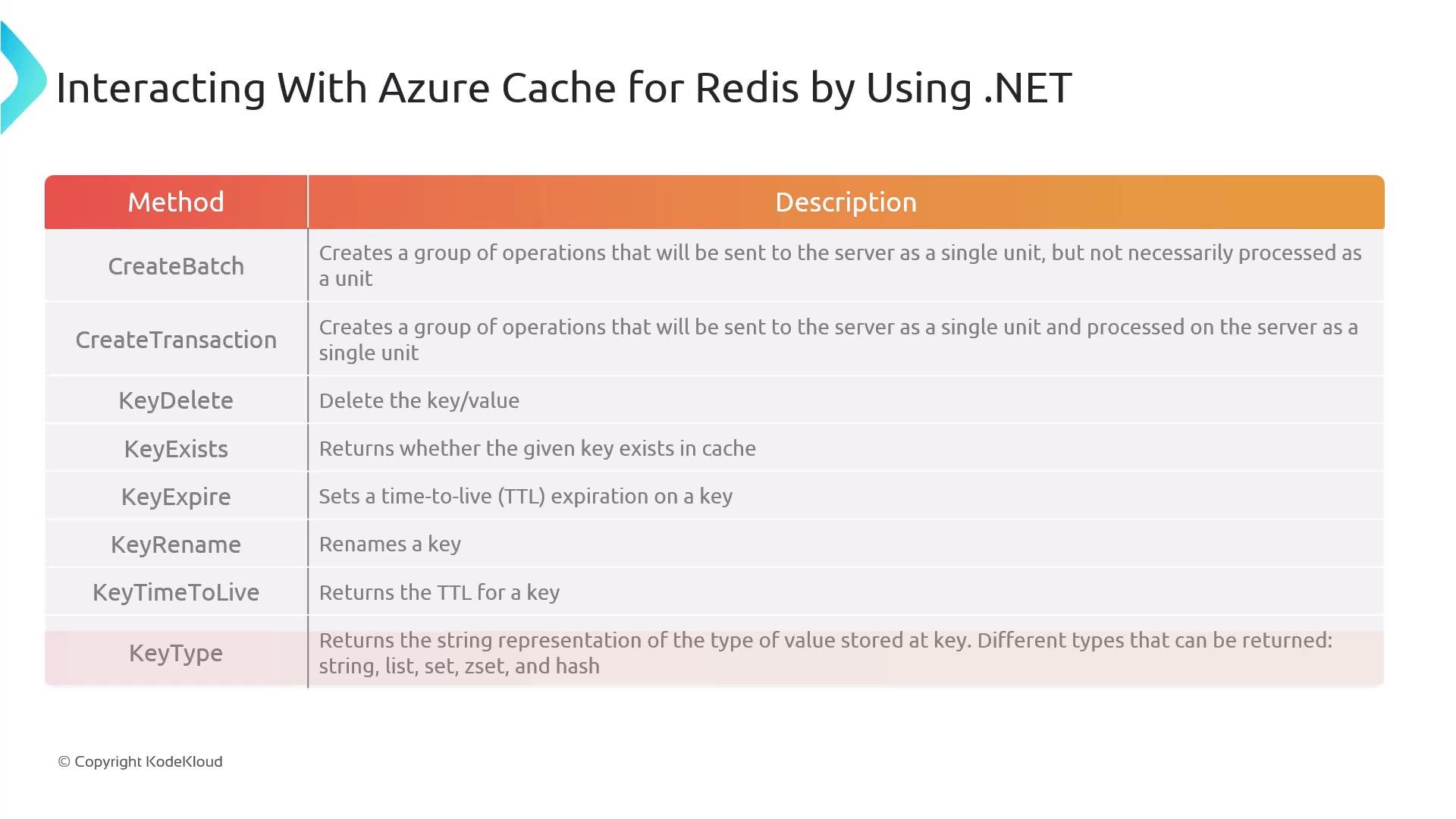
- Set expirations for short-lived cached entries using
StringSetwith aTimeSpanorKeyExpire. - Check existence with
KeyExistsbefore conditional updates. - Remove stale entries with
KeyDelete. - Rename keys atomically with
KeyRenamewhen reorganizing data. - Inspect
KeyTypeto work appropriately with lists, sets, hashes, and sorted sets.
- Azure Cache for Redis (Microsoft Docs)
- StackExchange.Redis (GitHub)
- Redis CLI docs
- Dotnet NuGet: StackExchange.Redis