

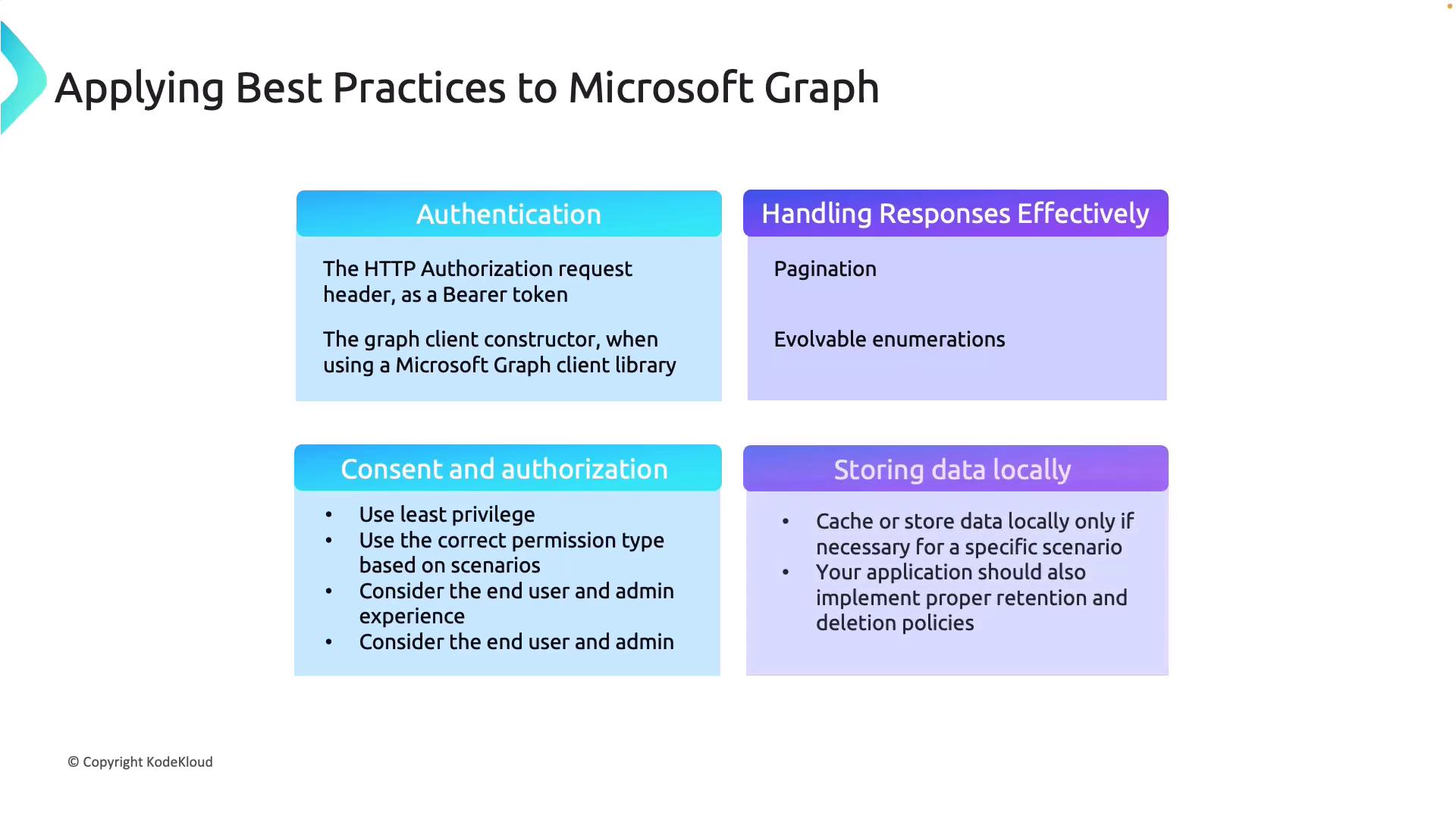
Starting with Authentication
A fundamental aspect of working with Microsoft Graph is using a bearer token in the authorization request header. This token authenticates every API request to Microsoft Graph. In previous lessons, you learned how to generate a device code for user login, which subsequently created the token required for API calls. When using the Microsoft Authentication Library (MSAL), ensure you initialize the Graph Client accurately. This creates a secure connection and optimizes your API interactions.Handling Responses Effectively
Pagination
When dealing with large datasets, Microsoft Graph returns results in a paginated format. It is essential to handle these paginated responses correctly to avoid missing any data.Evolvable Enumerations
Microsoft Graph evolves continuously, and API enumerations may change over time. Design your application to accommodate these changes gracefully, ensuring future compatibility with new enumerations and API updates.Consent and Authorization
Principle of Least Privilege
Always follow the principle of least privilege by granting your application only the minimal permissions needed to perform its tasks. This minimizes exposure and improves overall security.Correct Permission Types
Different scenarios may require distinct permission types:- Use delegated permissions when the application acts on behalf of a user.
- Use application permissions for background processes or operations that do not involve a user.
User and Admin Experience
Streamline the consent process for both end users and administrators. A user-friendly consent prompt enhances the overall experience, while robust security measures maintain trust and protect sensitive data.For more detailed guidance on permission types and best practices, review the Microsoft Graph permissions guide.
Storing Data Locally
Working with Microsoft Graph Explorer
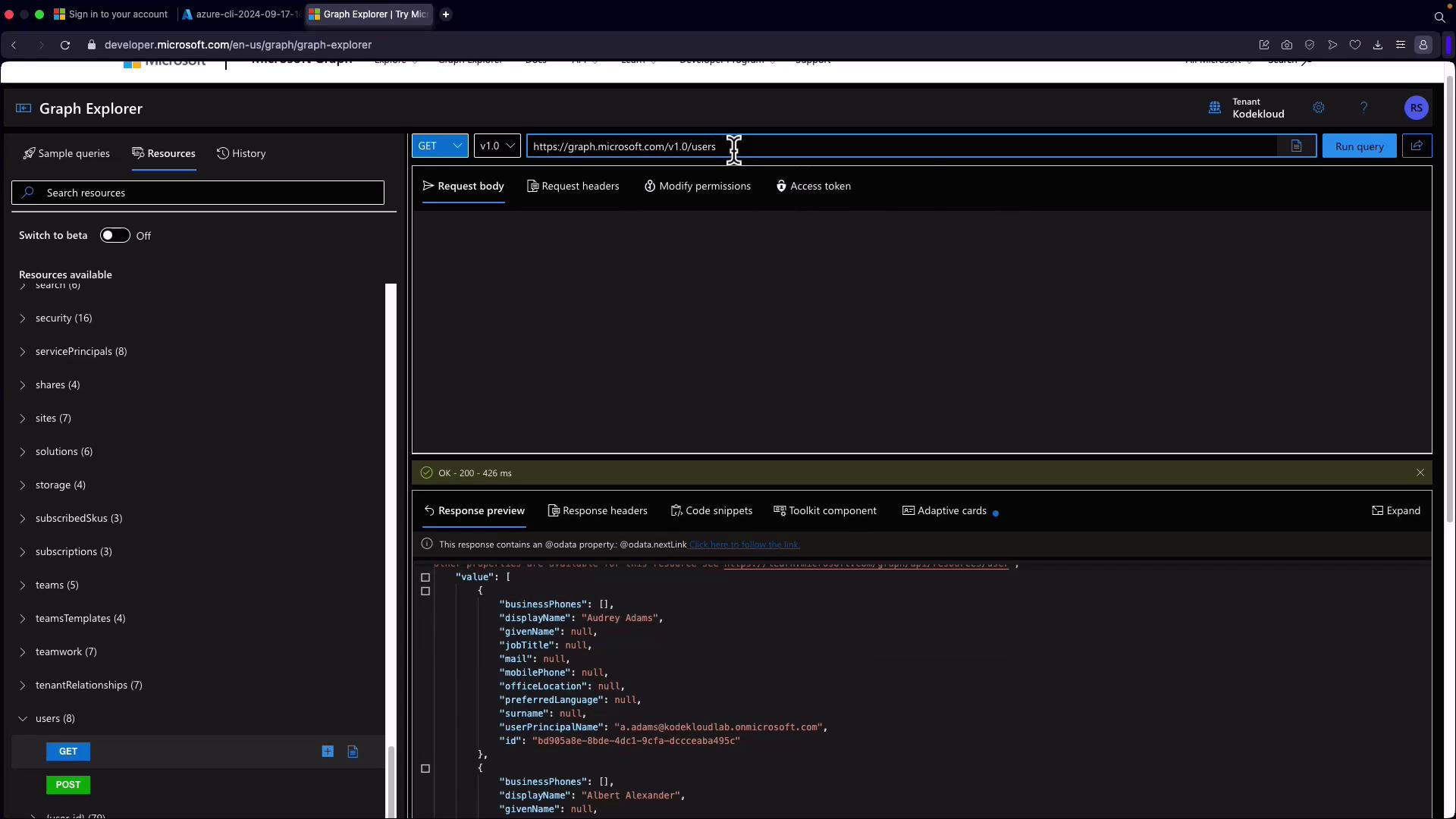
Microsoft Graph Explorer is a powerful tool that simplifies data querying and testing API calls. It enables you to filter data and select specific fields for a streamlined experience. In Microsoft Graph Explorer:- Sign in to your tenant to interact with your dataset or use a sample tenant such as the KodeKloud tenant.
- Run queries to retrieve data, such as your user profile details.
$select query parameter. This method retrieves only the desired property, reducing overhead and response size.
Next, navigate to the “Resources” section in Microsoft Graph Explorer and select “Users.” You can apply the $filter parameter to search for a particular user. For example, setting a filter condition on the user principal name allows you to narrow down results. Additionally, you can utilize parameters such as $top to limit the number of records returned, and combine filters, ordering, selection, expansion, and count operations as needed.
Learn additional techniques and advanced query options by visiting the Microsoft Graph Documentation.