This article explains Request Units in Azure Cosmos DB, detailing their impact on throughput, performance, and cost for various database operations.
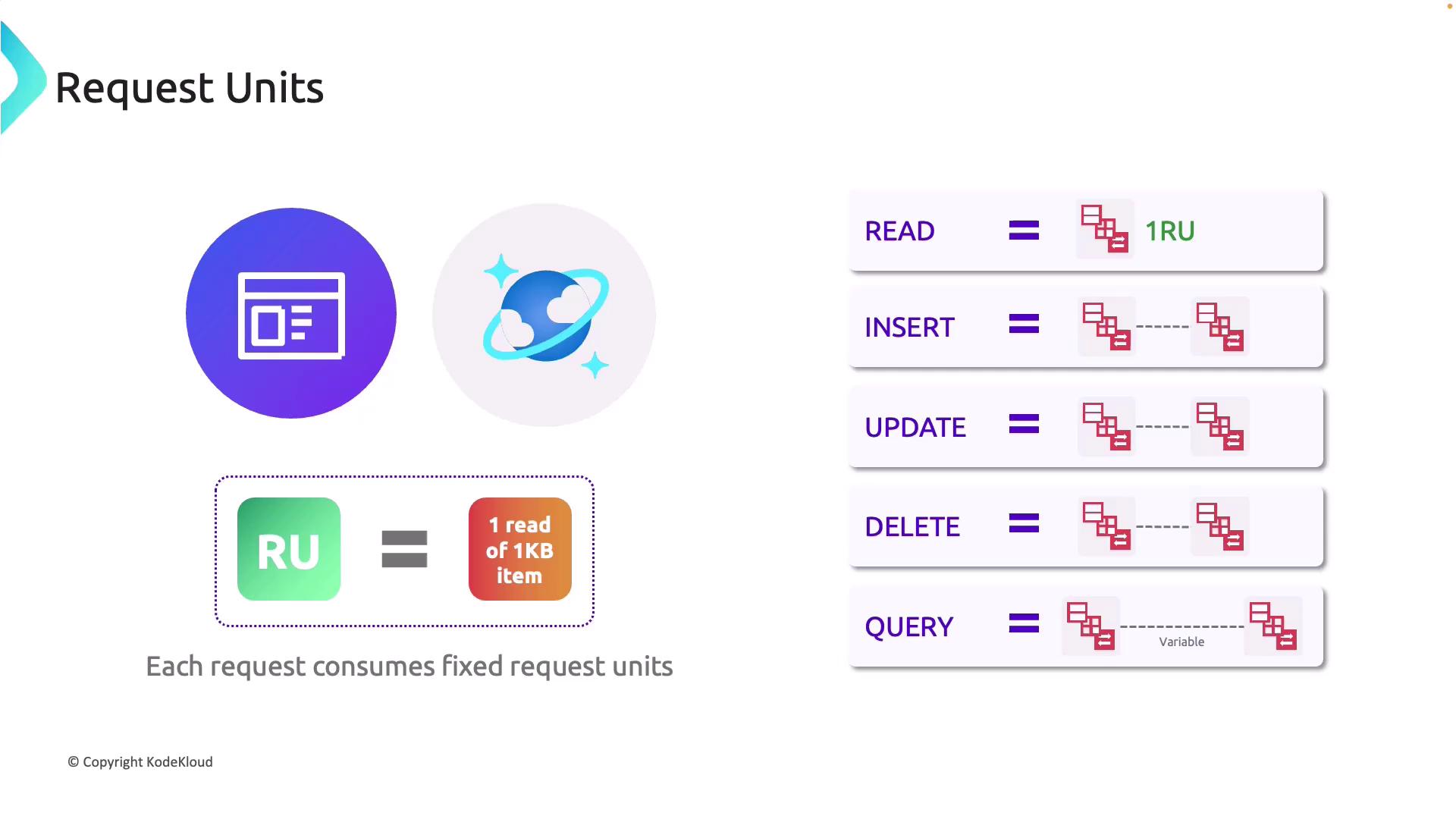
Azure Cosmos DB uses Request Units (RUs) as the primary metric to measure throughput for database operations. Each operation—whether a read, write, update, or delete—consumes a specific number of RUs. Understanding this consumption is essential for optimizing both performance and cost in your Cosmos DB environment.For instance, a simple read of a 1 KB document typically consumes 1 RU. This baseline allows you to estimate the RU cost for larger operations, as any read operation involving more data will proportionally increase RU consumption.When inserting new JSON documents, the cost in RUs depends on both the document size and the indexing requirements. Since the operation involves creating a new entry and updating indexes, it generally consumes more RUs than a basic read.
Similarly, updating an existing document involves modifying the data and potentially re-indexing, which increases RU usage. Deleting a document removes both the data and its associated indexes, with the RU cost being proportional to the document’s size.Query operations can vary considerably in their RU consumption. While simple queries may be inexpensive, those that include filters, sorting, or cross-partition operations can quickly become more costly. It is therefore crucial to understand the RU cost for each type of operation to properly balance performance and expense.
Plan your RU consumption carefully. Depending on your workload needs, you can optimize your Cosmos DB instance by choosing between the serverless or the provisioned throughput model.
Another important concept in Azure Cosmos DB is the consistency level. Consistency levels control how data is replicated and synchronized across multiple regions, a critical factor in designing a resilient and scalable database solution. When configuring your Cosmos DB instance in the Azure Portal, ensure you set the appropriate consistency level to match your application’s requirements.In this article, we delve into both RU consumption and consistency levels to equip you with the necessary insights for effectively configuring your Cosmos DB instance.For further reading, check out other helpful resources on Azure Cosmos DB documentation.