Types of SAS Tokens
There are three main types of SAS tokens in Azure:1. User Delegation SAS
User Delegation SAS is the most secure type because it is generated using Microsoft Entra ID credentials, thus enforcing the same access controls and Conditional Access Policies supported by Microsoft Entra ID. For example, if you have a storage account holding sensitive financial data, you can generate a User Delegation SAS to provide temporary and controlled access for specific users or groups. To create a User Delegation SAS, you need appropriate storage roles, such as Storage Blob Data Contributor, Owner, or Reader.2. Service SAS
A Service SAS grants delegated access to specific resources within a storage account and is authenticated using the storage account key. With a Service SAS, you can limit access to particular services like Blob, File, Queue, or Table. A common scenario is a web application using a Service SAS to allow image uploads to a Blob container for a short duration.3. Account SAS
Account SAS tokens provide access to the entire storage account—including blob containers, queues, tables, and file shares—and are useful when multiple teams need concurrent access to different storage components.
Best Practices for Using SAS Tokens
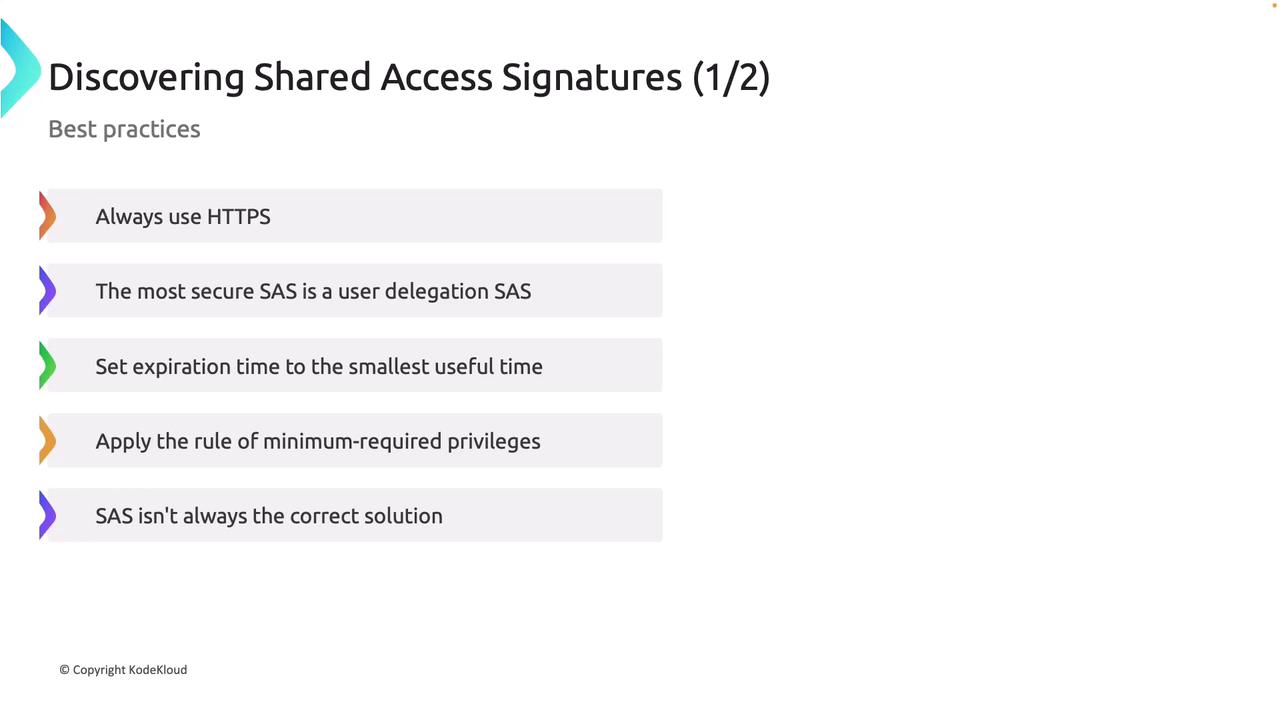
- Always Use HTTPS: Enforce secure connections (HTTPS) when generating a SAS token to ensure data encryption during transmission.
- Prefer User Delegation SAS: When possible, choose User Delegation SAS since it leverages Microsoft Entra ID for stronger security.
- Set Short Expiration Times: Limit the SAS token validity period to minimize the exposure risk.
- Apply the Principle of Least Privilege: Grant only the permissions needed for the task at hand. For instance, if read-only access is sufficient, avoid providing write or delete permissions.
- Assess Alternatives: In environments with elevated security requirements, consider using Microsoft Entra ID directly instead of relying solely on SAS tokens.
Ensure that your SAS token usage aligns with your overall security policies to maintain secure data access.
Anatomy of a SAS URL
A typical SAS URL is composed of the following components:- Base URL: e.g., medicalrecords.blob.core.windows.net
- Container Name: e.g., patientimage
- Blob or Object Name: e.g., a JPEG file
- SAS Token Parameters: Includes permissions, start and expiry times, API version, storage type, and a cryptographic signature
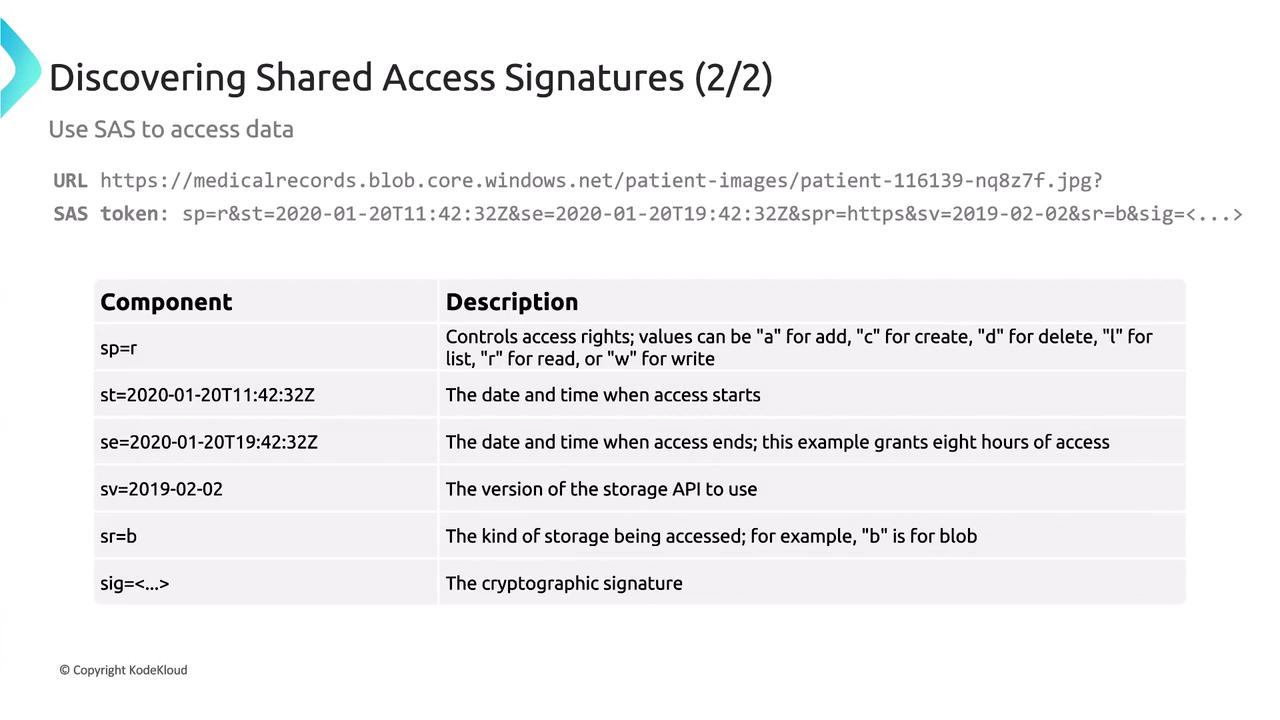
- SP: Lists permissions (R for read, W for write, D for delete, etc.)
- ST/SE: Define the start and expiry times.
- SV: Specifies the storage API version.
- SRB: Indicates the type of storage resource (B for blob, F for file, etc.)
- Signature: A unique cryptographic string that verifies authenticity.
Generating SAS Tokens via the Azure Portal
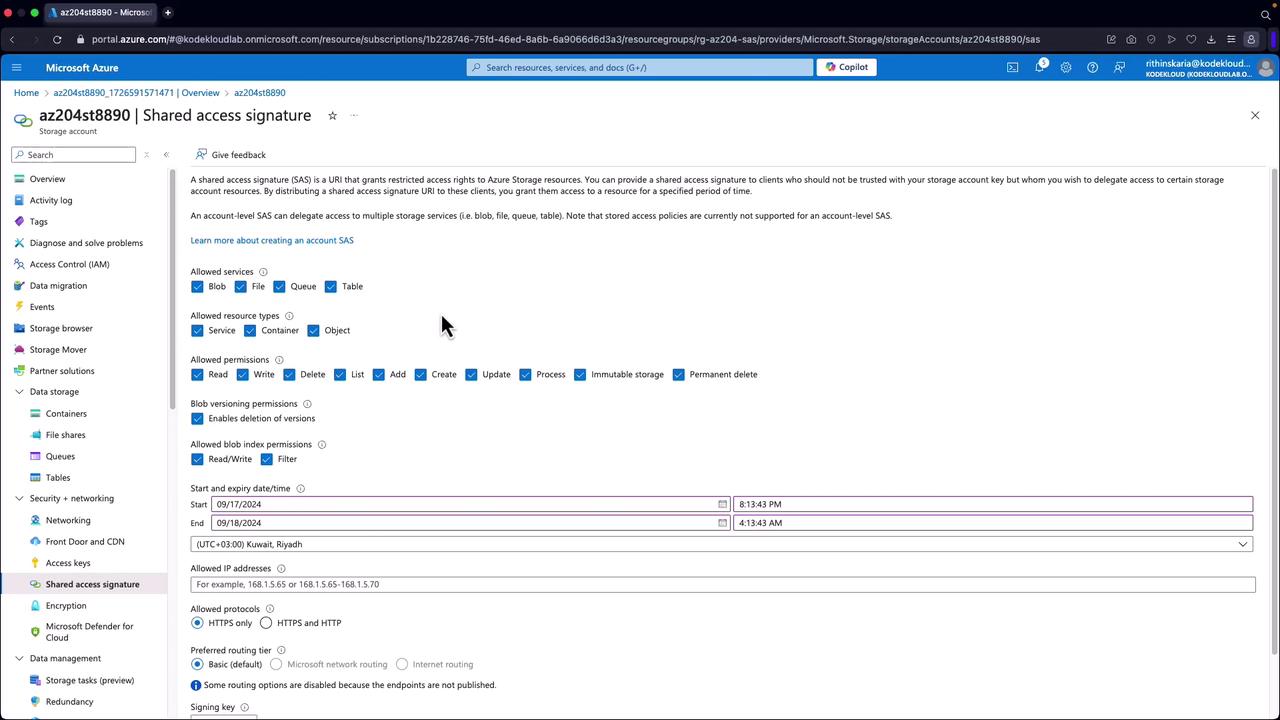
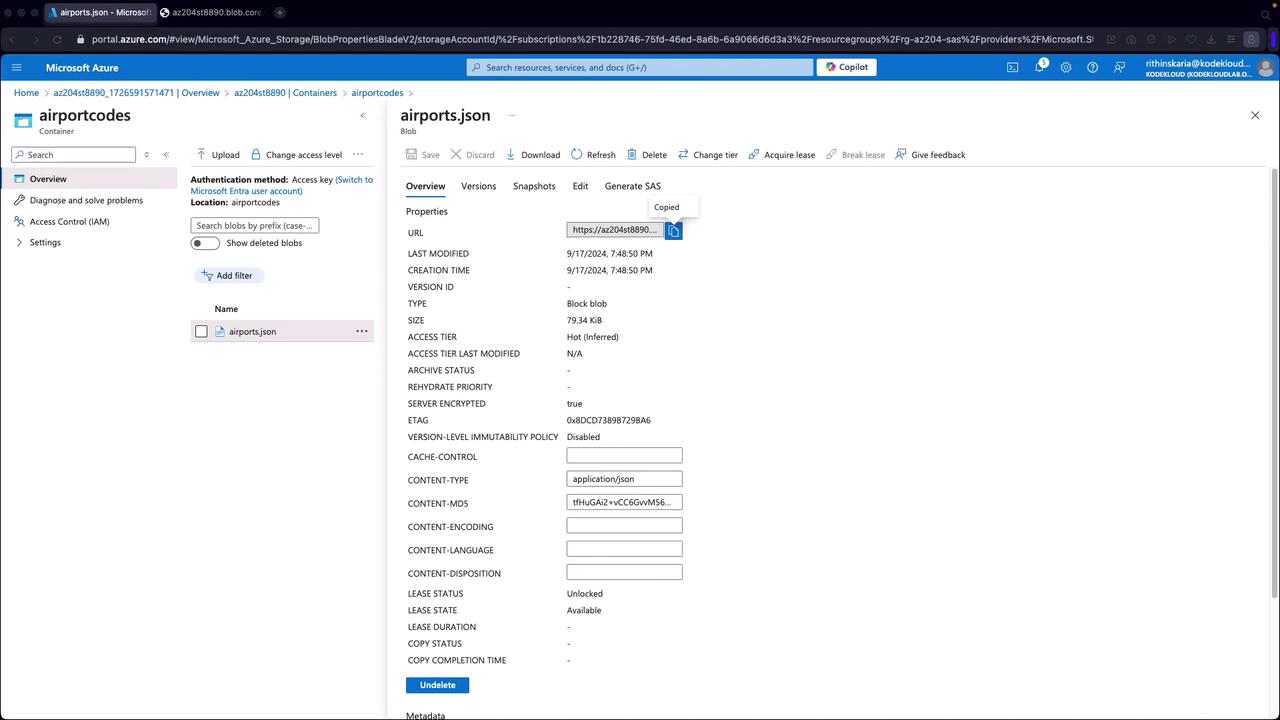
You can generate SAS tokens using the Azure portal before implementing them with SDKs:- Open your storage account and navigate to a container (e.g., “airportcodes”) that holds a file (such as airports.json).
- Scroll down to the “Shared Access Signatures” section.
- Configure the SAS by choosing the services, resource types, permissions, start/end times, IP restrictions, and the protocol (ensure HTTPS is enforced).
- Click to generate the SAS token.
If you rotate the signing key, any previously generated SAS tokens will be revoked.