

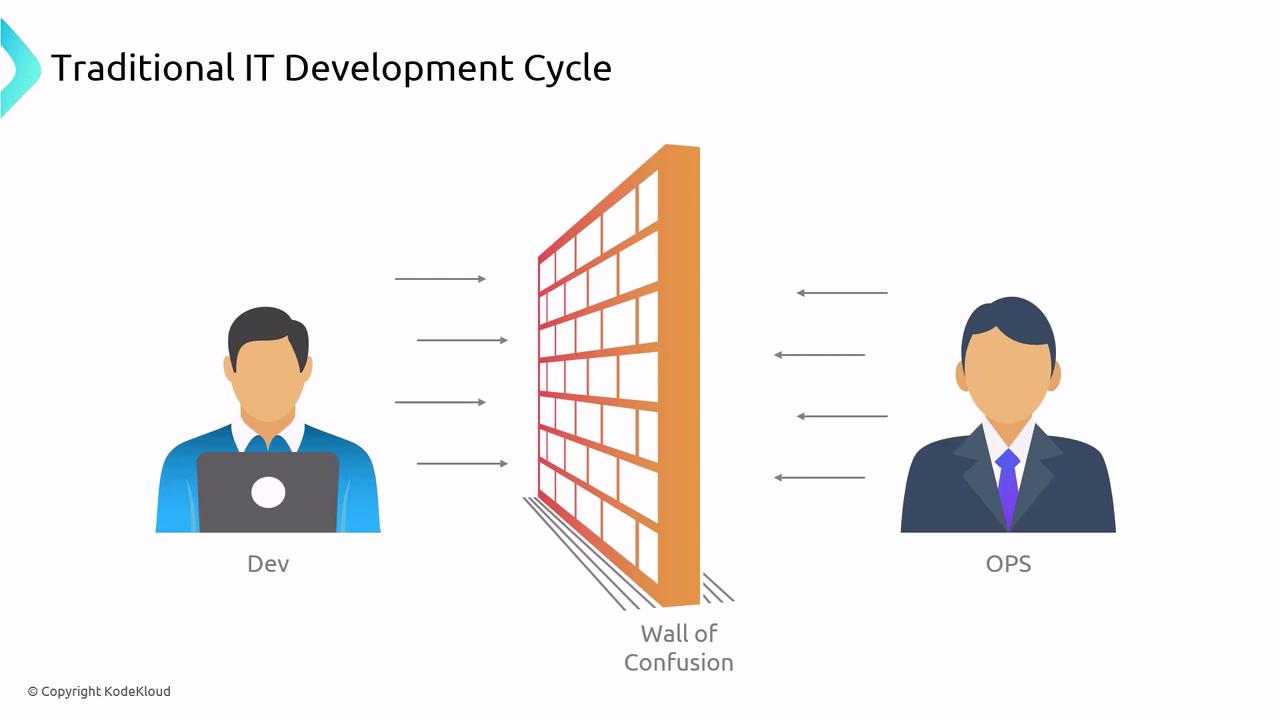
Silos and Their Impact
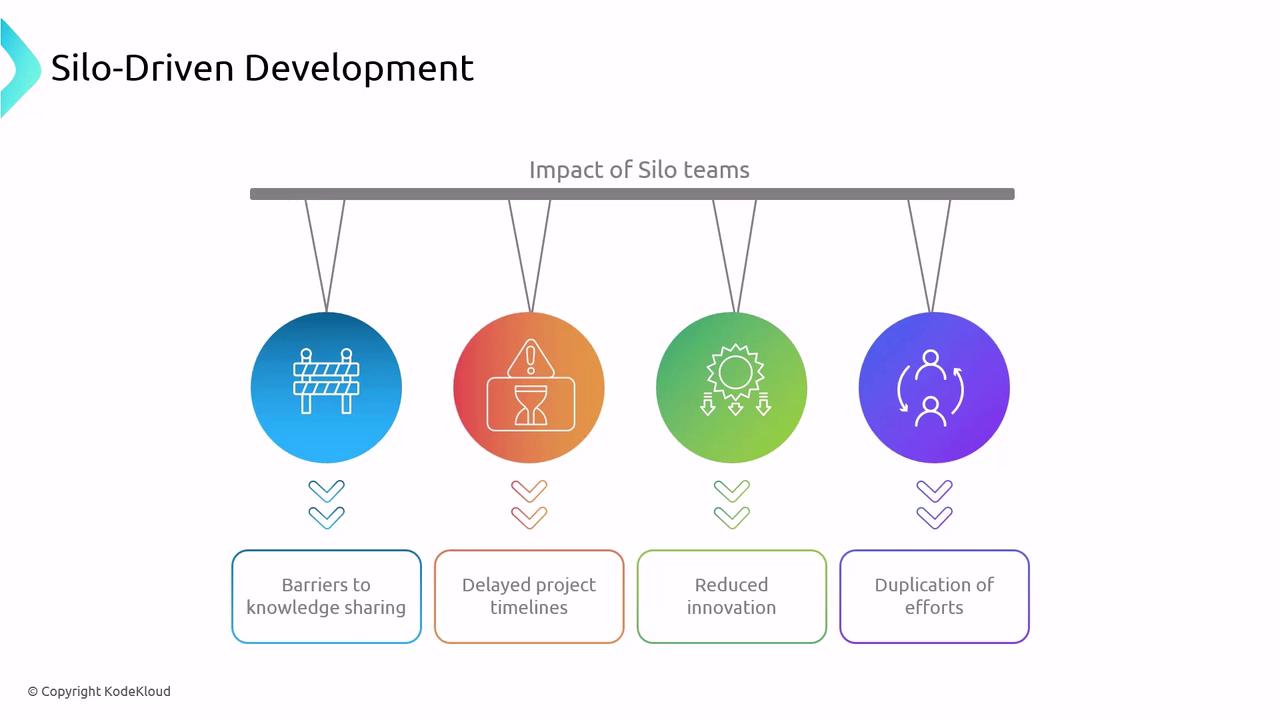
When teams operate in isolation, innovation stalls and handoffs become bottlenecks.- Barriers to knowledge sharing
- Extending project timelines
- Reduced experimentation
- Duplication of effort
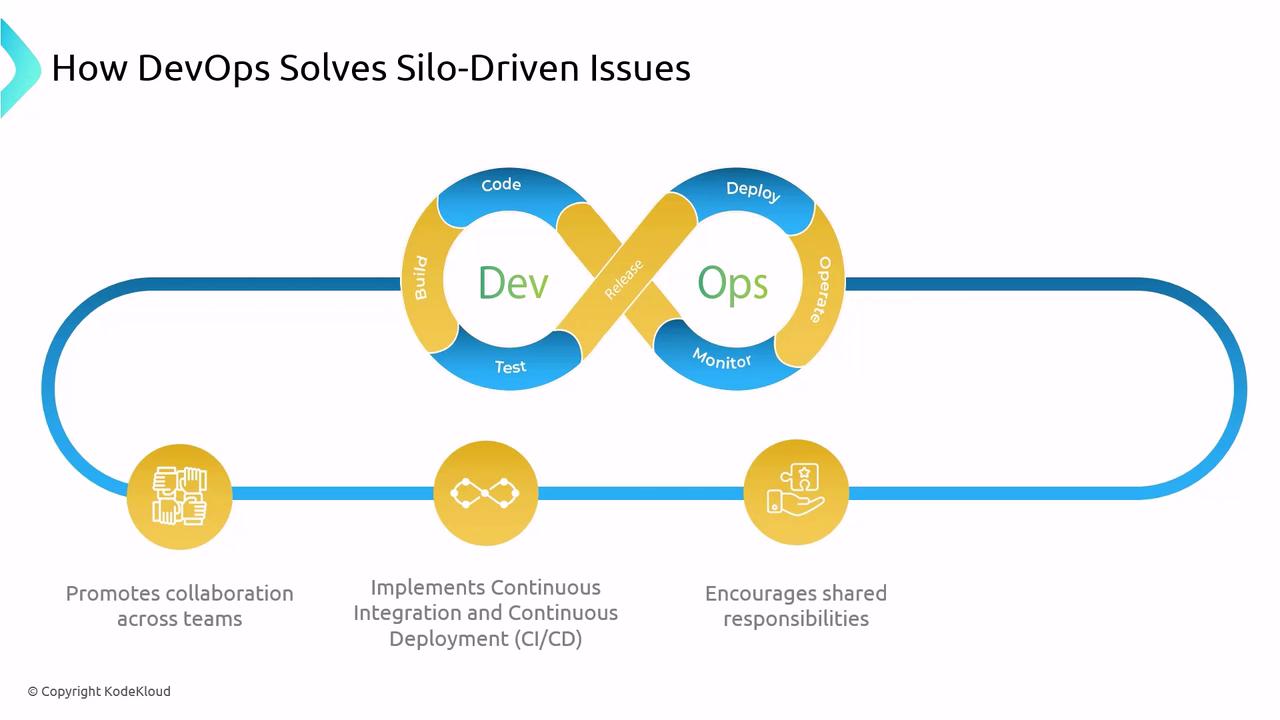
Breaking Down Silos with DevOps
DevOps transforms the traditional Dev→Ops handoff into a shared responsibility model through:- Collaboration: Cross-functional teams co-own design, deployment, and monitoring.
- CI/CD Automation: Automated builds, tests, and deployments provide consistent feedback.
- Continuous Improvement: An “infinite loop” of planning, coding, testing, and operating cultivates shared ownership and accountability.
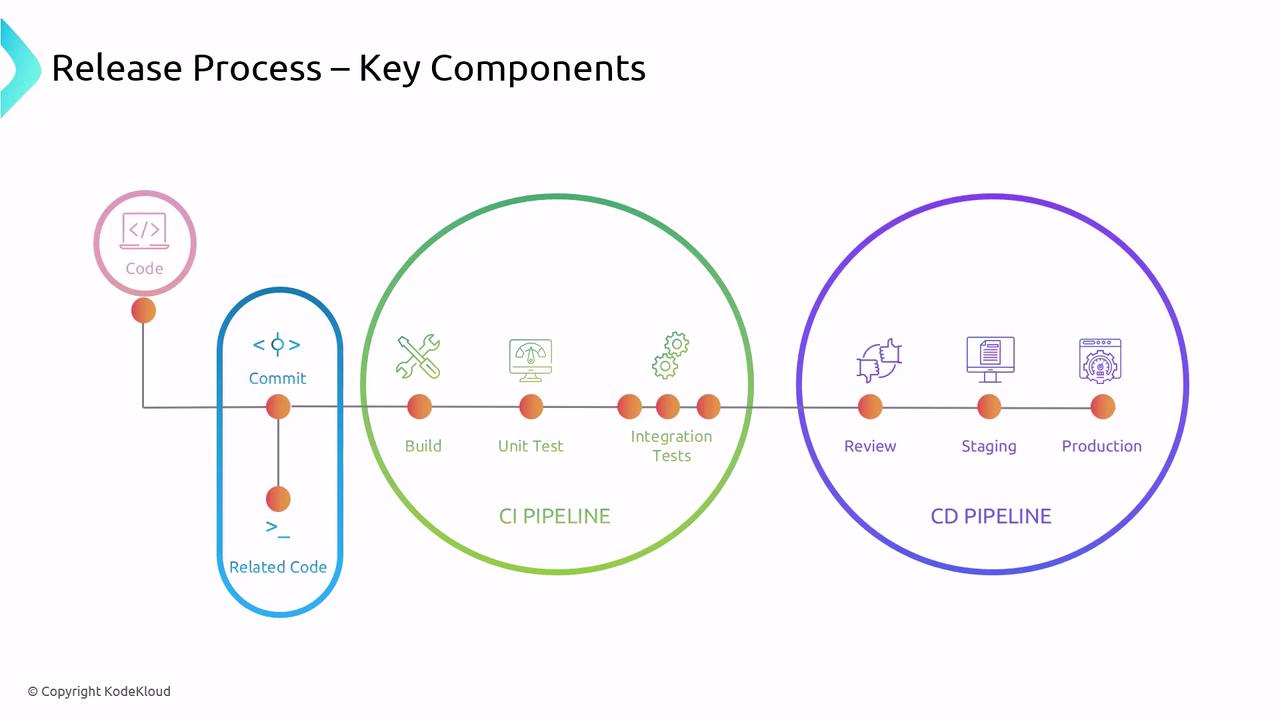
The Release Process Overview
A robust release process defines how code transforms into production-ready features. A typical workflow includes:- Code commit
- Build & package
- Automated testing (unit & integration)
- Review & approval
- Deploy to staging
- Deploy to production
Continuous Integration (CI)
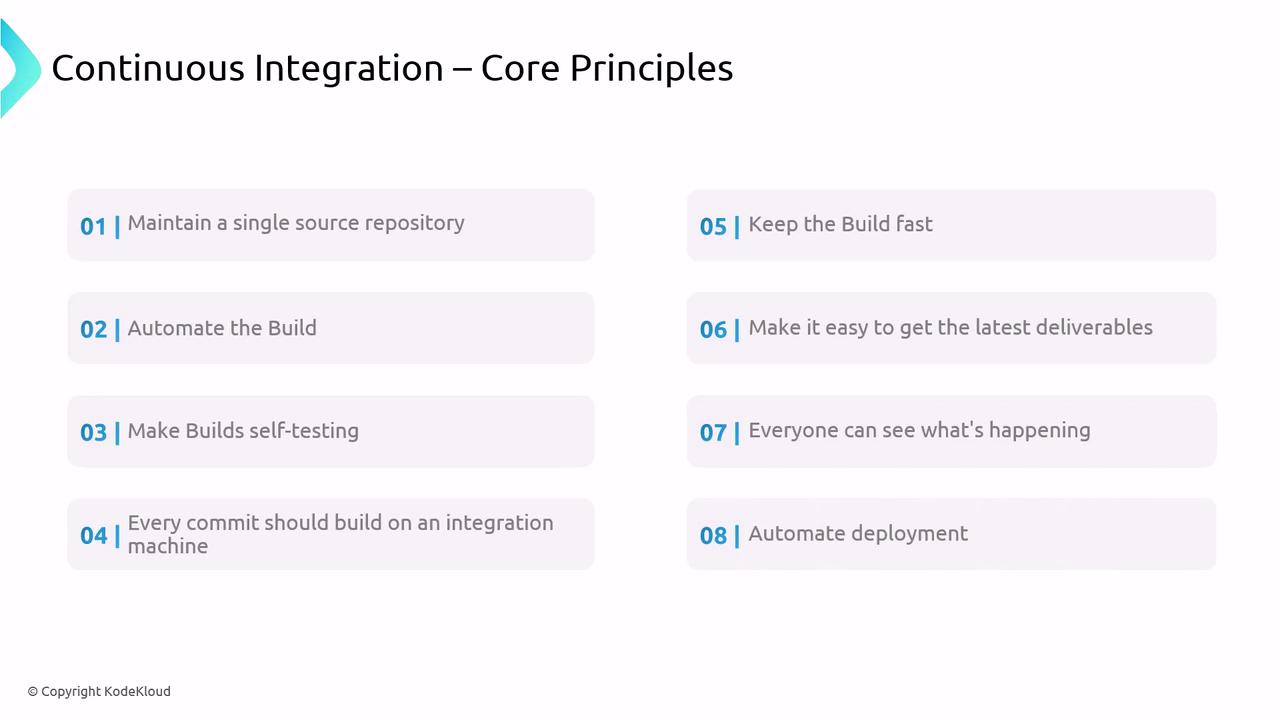
Continuous Integration emphasizes frequent merges to a central repository, ensuring early detection of defects.- Automated builds triggered on every commit
- Self-testing pipelines with unit and integration tests
- Rapid feedback loops via dashboards
- Reproducible environments (often containerized)
- Single source of truth for code
Implementing CI with clear build and test stages reduces integration headaches and accelerates development.
Continuous Delivery (CD)
Continuous Delivery extends CI by ensuring every change is deployable. Key concepts:- Release: A versioned package of artifacts ready for deployment.
- Deployment: Execution of tasks (infrastructure provisioning, application install) that bring a release into a running state.
YAML Pipelines
Defining your release process as code makes it version-controlled, auditable, and reproducible. Azure DevOps, GitLab CI/CD, and other platforms use YAML to declare pipelines.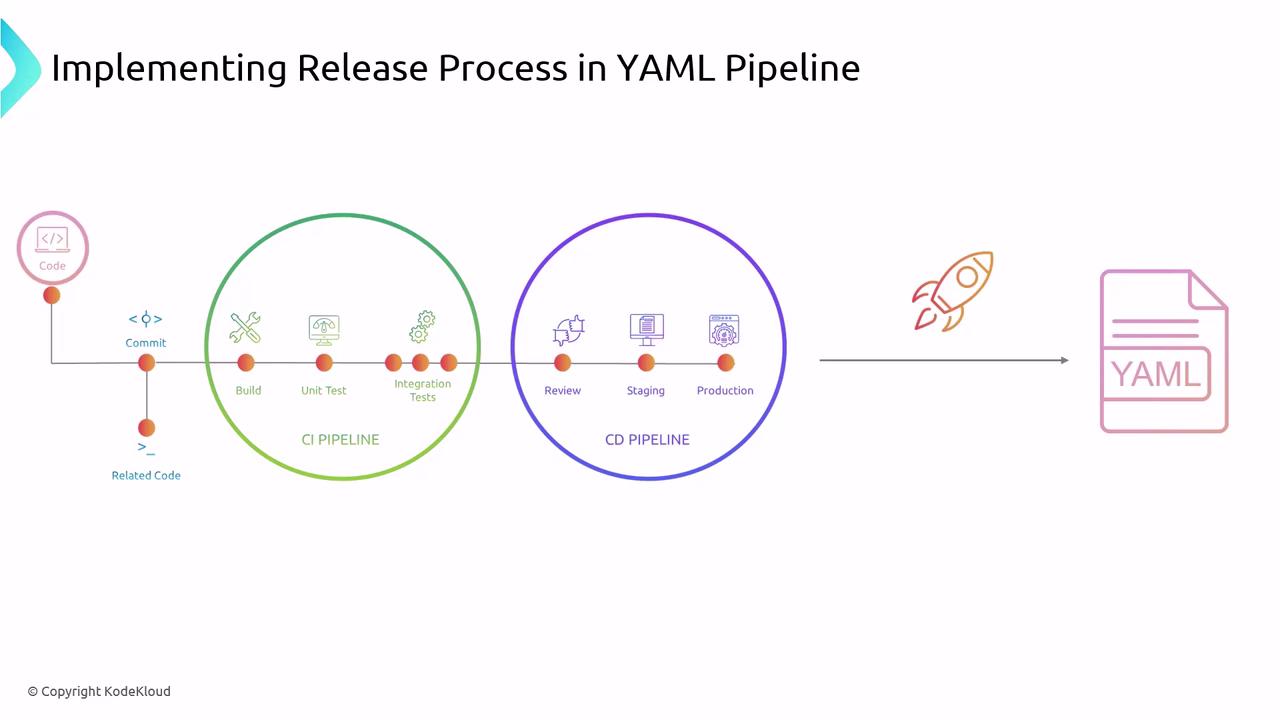
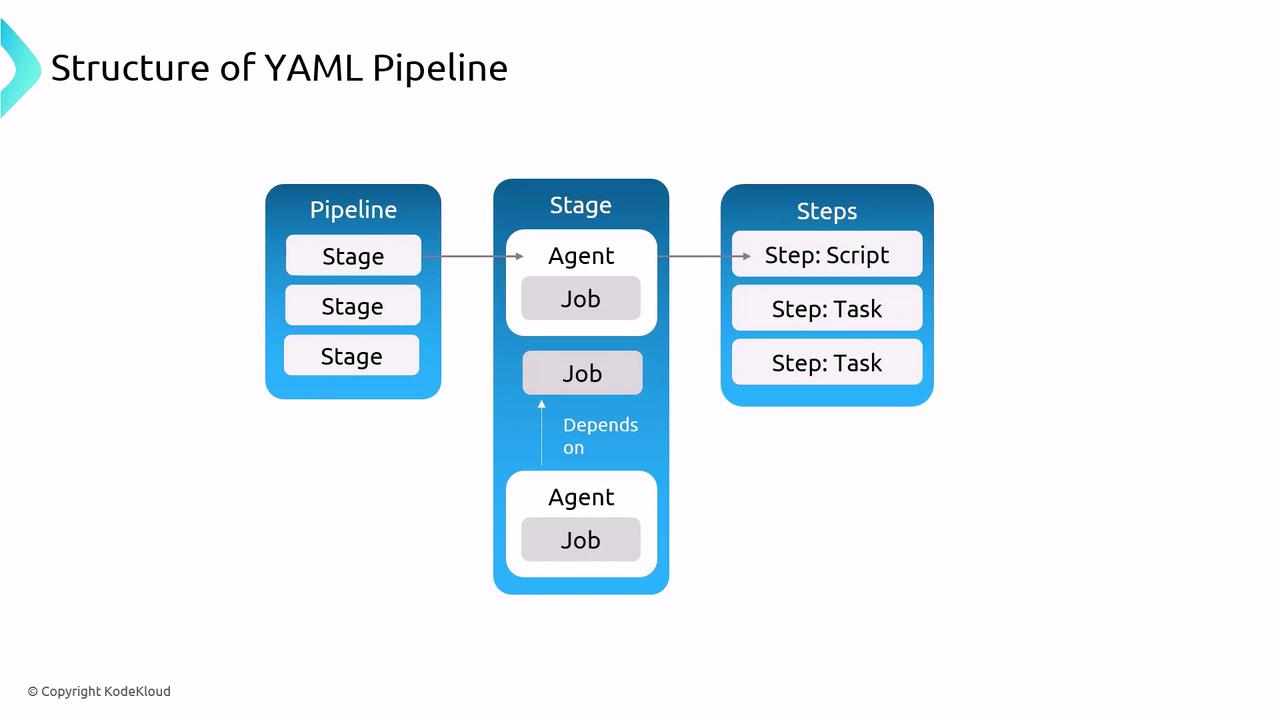
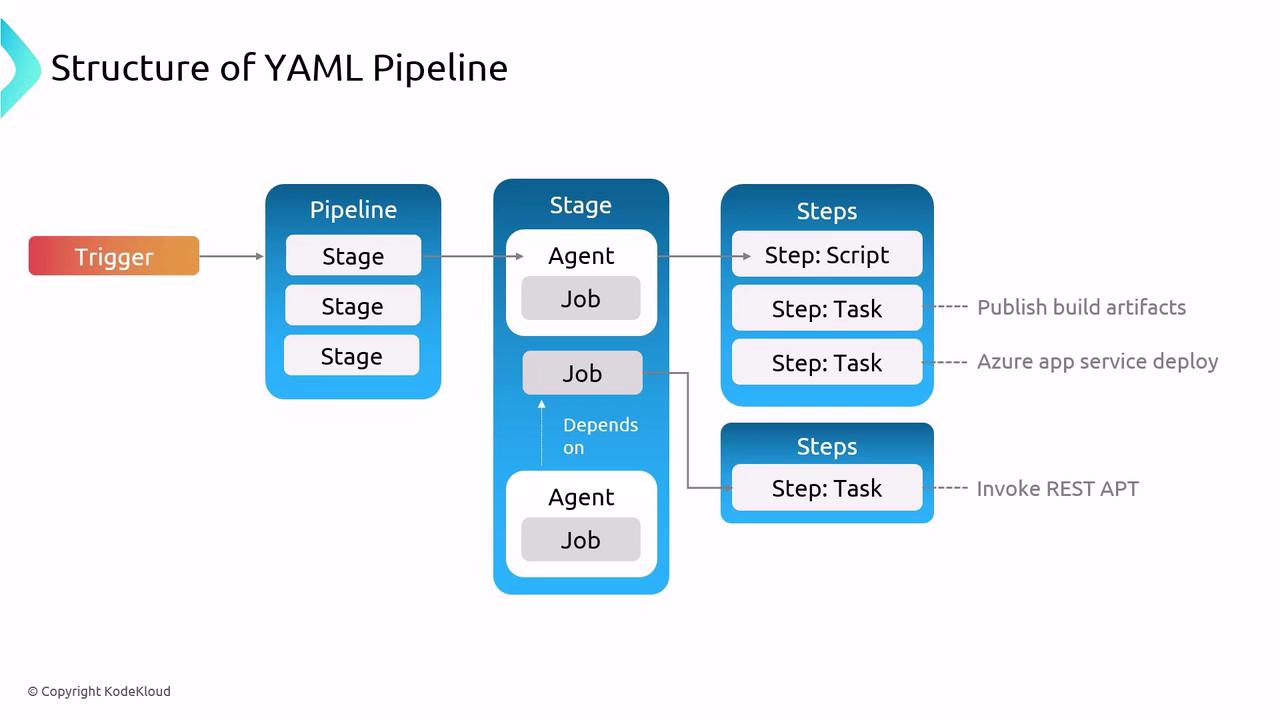
Pipeline Structure
| Element | Description |
|---|---|
| Trigger | Event that starts the pipeline (e.g., commit to main). |
| Stage | Logical grouping of jobs (e.g., Build, Test, Deploy). |
| Job | Container for one or more steps, executed on an agent. |
| Step | Individual task or script command. |
Designing Your Release Strategy
Tailor your pipeline to your organization’s size, regulatory requirements, and team expertise:-
Start Simple
- Build a minimal pipeline for one environment.
- Validate each stage before adding complexity.
-
Incremental Improvement
- Introduce new tests, stages, or approvals gradually.
- Use analytics to optimize performance.
-
Environment Focus
- Perfect CI/CD for development before scaling to staging and production.
-
Small Batches
- Deploy features in bite-sized updates to simplify rollbacks and diagnostics.
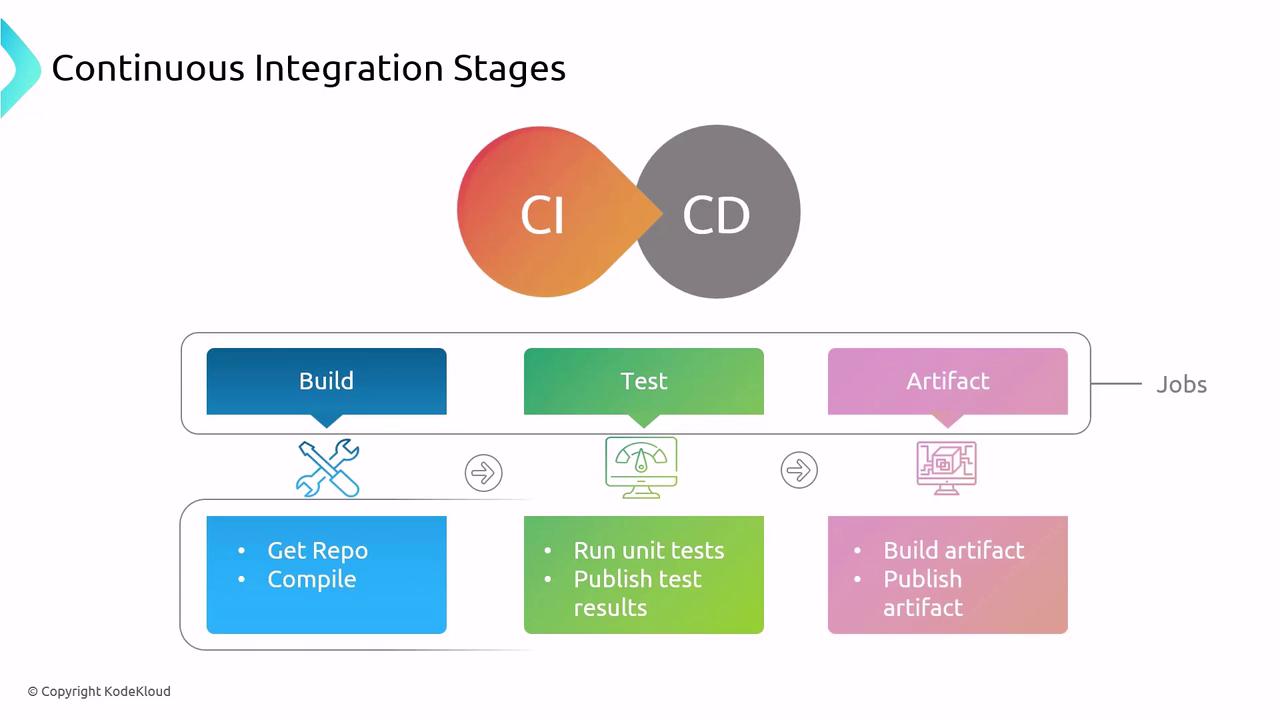
- Get the repo
- Compile code
- Run unit tests
- Publish test results
- Build and publish artifacts
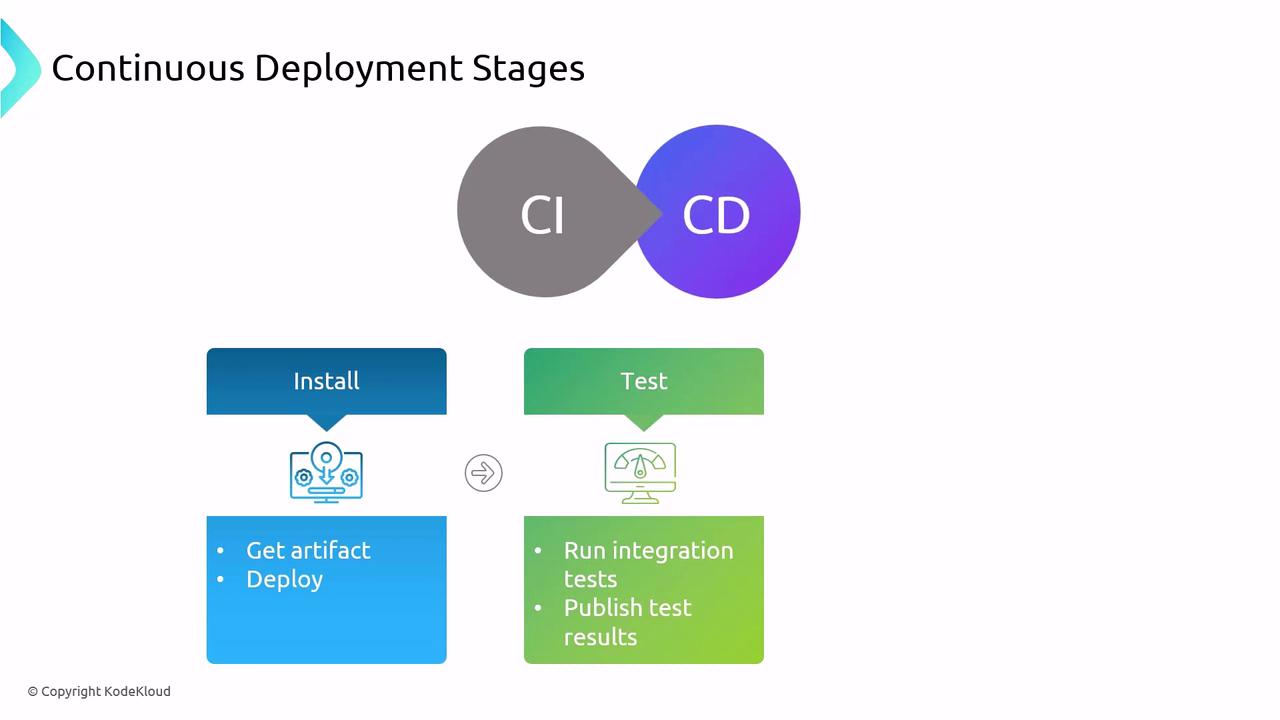
- Retrieve artifacts
- Deploy to servers
- Run integration tests
- Publish deployment results
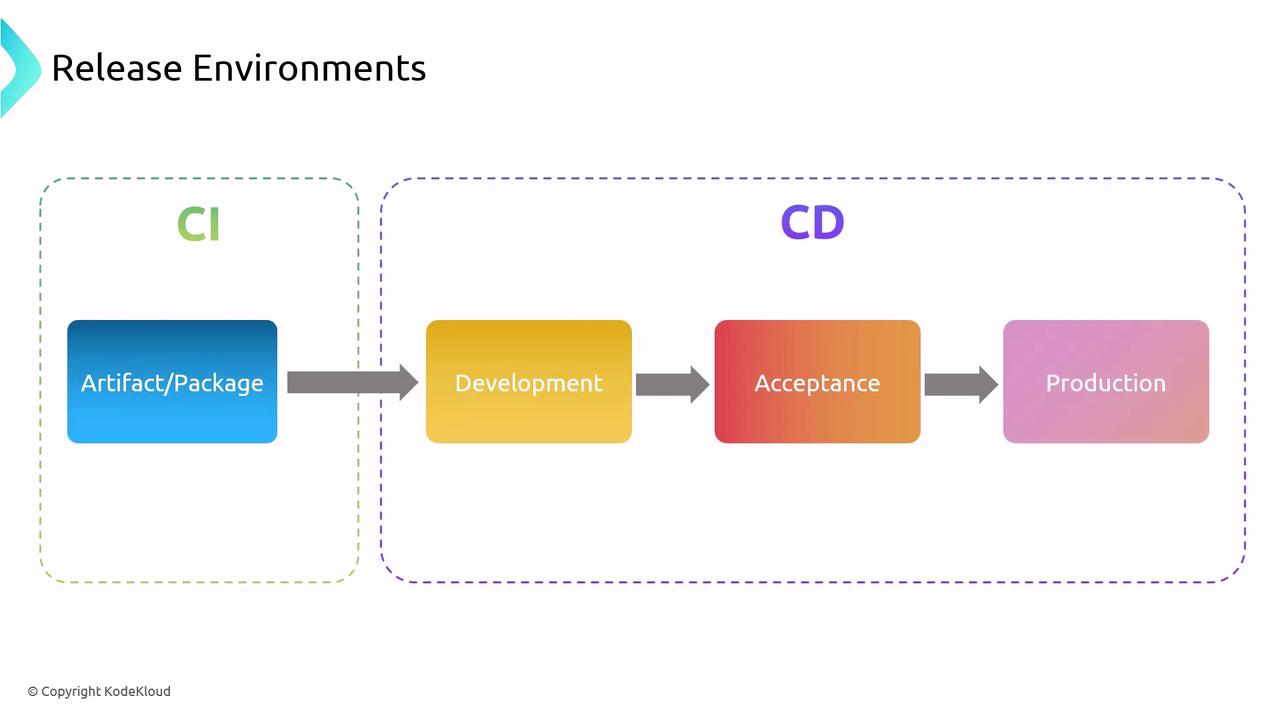
Environments
| Environment | Purpose | Common Tools |
|---|---|---|
| Development | Developer sandbox for feature work | Local Docker, Minikube |
| Staging/Acceptance | Business validation and UAT | Azure App Service, Kubernetes |
| Production | Live application serving end users | AKS, App Service, Lambda |
Release Strategy Best Practices
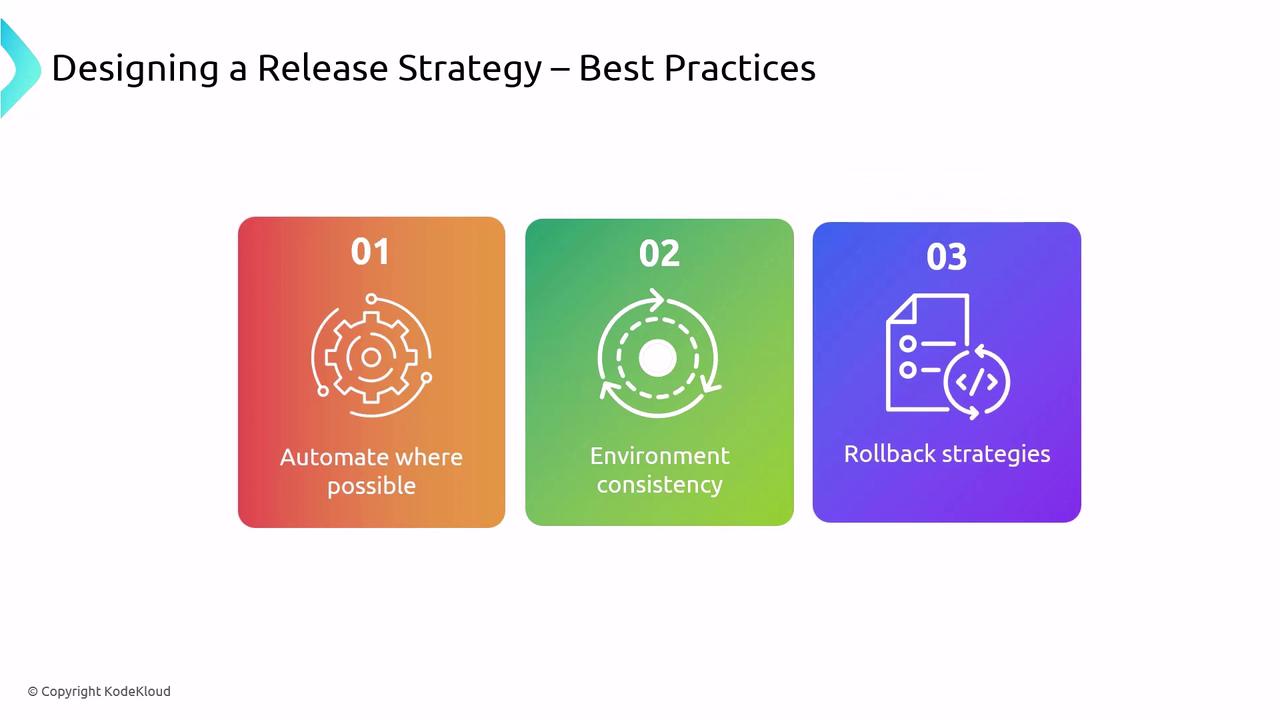
- Automate Everything: Leverage Azure Pipelines, GitHub Actions, or Jenkins.
- Maintain Environment Parity: Use Infrastructure as Code (e.g., Terraform, ARM templates).
- Monitor Continuously: Integrate logging and alerting (e.g., Azure Monitor, Prometheus).
- Prepare a Rollback Plan: Small, frequent releases simplify recovery.
Neglecting a rollback strategy increases downtime risk. Always version your artifacts and test rollback procedures in non-production environments.
Links and References
- Azure Pipelines Documentation
- YAML schema reference
- DevOps Principles
- Infrastructure as Code with Terraform