

License Types
Azure DevOps offers various licenses tailored to different roles and requirements:
| License Type | Access & Features | Ideal For |
|---|---|---|
| Basic | Boards, Repos, Pipelines, Test Plans | Developers, Project Managers |
| Stakeholder | View and modify work items and boards | Executives, Customers |
| Visual Studio Subscriber Benefits | Full Azure DevOps access via VS subscription | Visual Studio license holders |
| Enterprise | Analytics, Code Search, Test Insights | Large organizations |
| MSDN Platforms Subscriber Benefits | IDE integration and advanced collaboration | MSDN subscription holders |
Advanced Test Plans features require a separate Azure Test Plans extension license.
Pricing Tiers
Azure Pipelines supports both free and paid tiers. Review the Azure pricing page for the latest details.| Tier | Features | Limits |
|---|---|---|
| Free | Microsoft-hosted CI/CD jobs | 1 parallel job, 1,800 minutes/month |
| Paid | Additional parallel jobs and build minutes | Variable rates for hosted vs. self-hosted |
| Grant-based | Included with certain Visual Studio subs | Governed by subscription level |
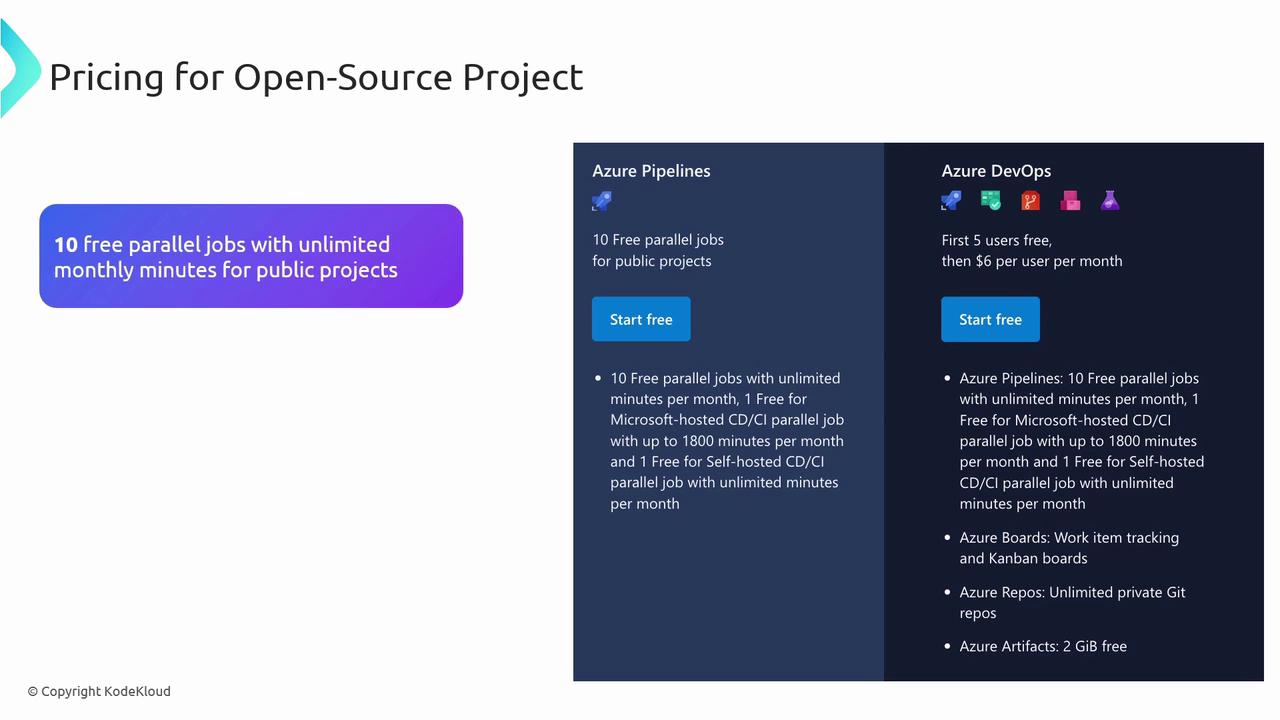
- 10 free parallel jobs
- Unlimited monthly minutes for public repositories
Managing and Assigning Licenses
To maintain security and efficiency:- Assign licenses according to team roles.
- Audit allocations frequently and adjust as projects evolve.
- Monitor build minutes and parallel jobs to prevent over-provisioning.
Best Practices for License Compliance
- Audit license usage quarterly to identify unused seats.
- Optimize pipeline triggers and retention policies to cut down on billing minutes.
Overspending on idle parallel jobs can quickly inflate your monthly bill. Review utilization metrics before adding capacity.
- Set budgets and alerts in Azure Cost Management.
- Leverage built-in analytics to forecast future licensing requirements.