

License Types
Azure DevOps offers various licenses tailored to different roles and requirements:
Advanced Test Plans features require a separate Azure Test Plans extension license.
Pricing Tiers
Azure Pipelines supports both free and paid tiers. Review the Azure pricing page for the latest details.
Enterprise organizations pay per user beyond the first five, based on the selected plan.
Azure DevOps also offers a special deal for public open-source projects:
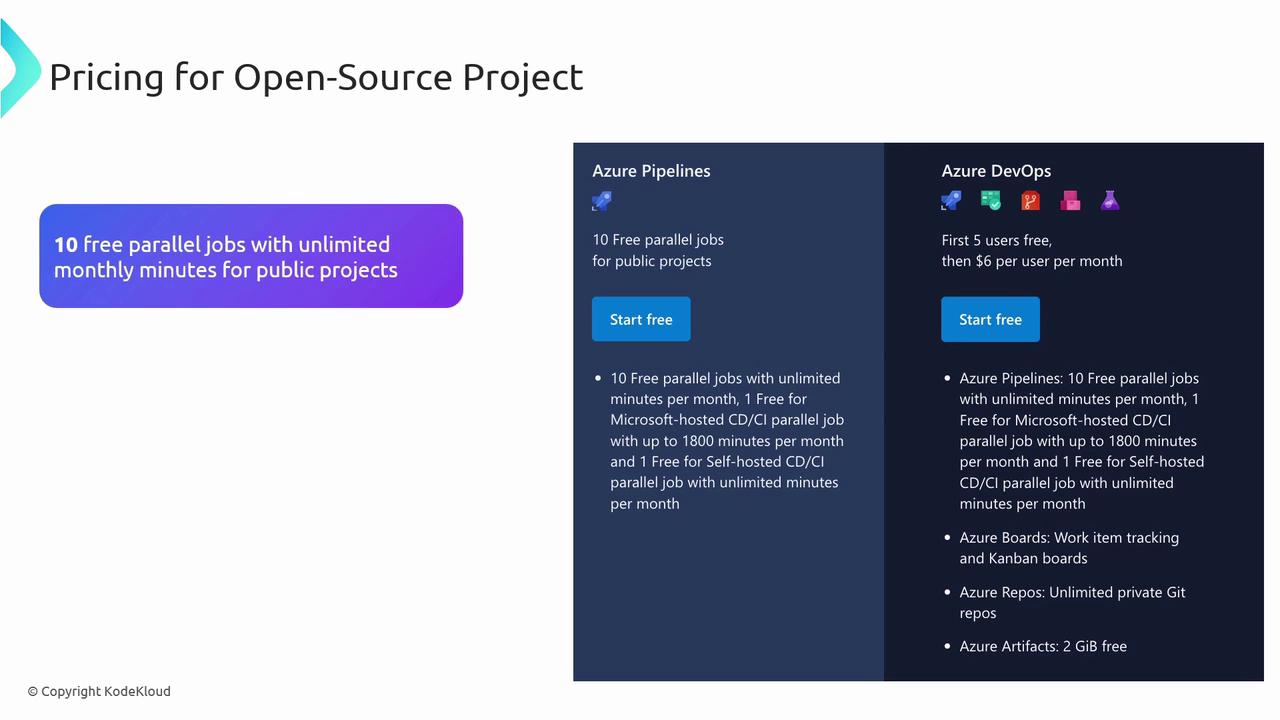
- 10 free parallel jobs
- Unlimited monthly minutes for public repositories
Managing and Assigning Licenses
To maintain security and efficiency:- Assign licenses according to team roles.
- Audit allocations frequently and adjust as projects evolve.
- Monitor build minutes and parallel jobs to prevent over-provisioning.
Best Practices for License Compliance
- Audit license usage quarterly to identify unused seats.
- Optimize pipeline triggers and retention policies to cut down on billing minutes.
Overspending on idle parallel jobs can quickly inflate your monthly bill. Review utilization metrics before adding capacity.
- Set budgets and alerts in Azure Cost Management.
- Leverage built-in analytics to forecast future licensing requirements.