

1. Quick Git Log Examples
Start by extracting commit history in chronological order:Git Log Format Options
For a full list of placeholders, see the Git log documentation.
2. Integrating with Azure Pipelines
2.1 Generating Release Notes
If you’re already using the Generate Release Notes task in yourazure-pipelines.yml, it might look like this:
2.2 Adding an Automated Changelog Task
Append a PowerShell step to generateCHANGELOG.md via git log, then copy and commit it:
3. Running the Pipeline
During execution, tasks run in sequence: job initialization, code checkout, dependency restore, build, release note generation, changelog creation, and file copying.
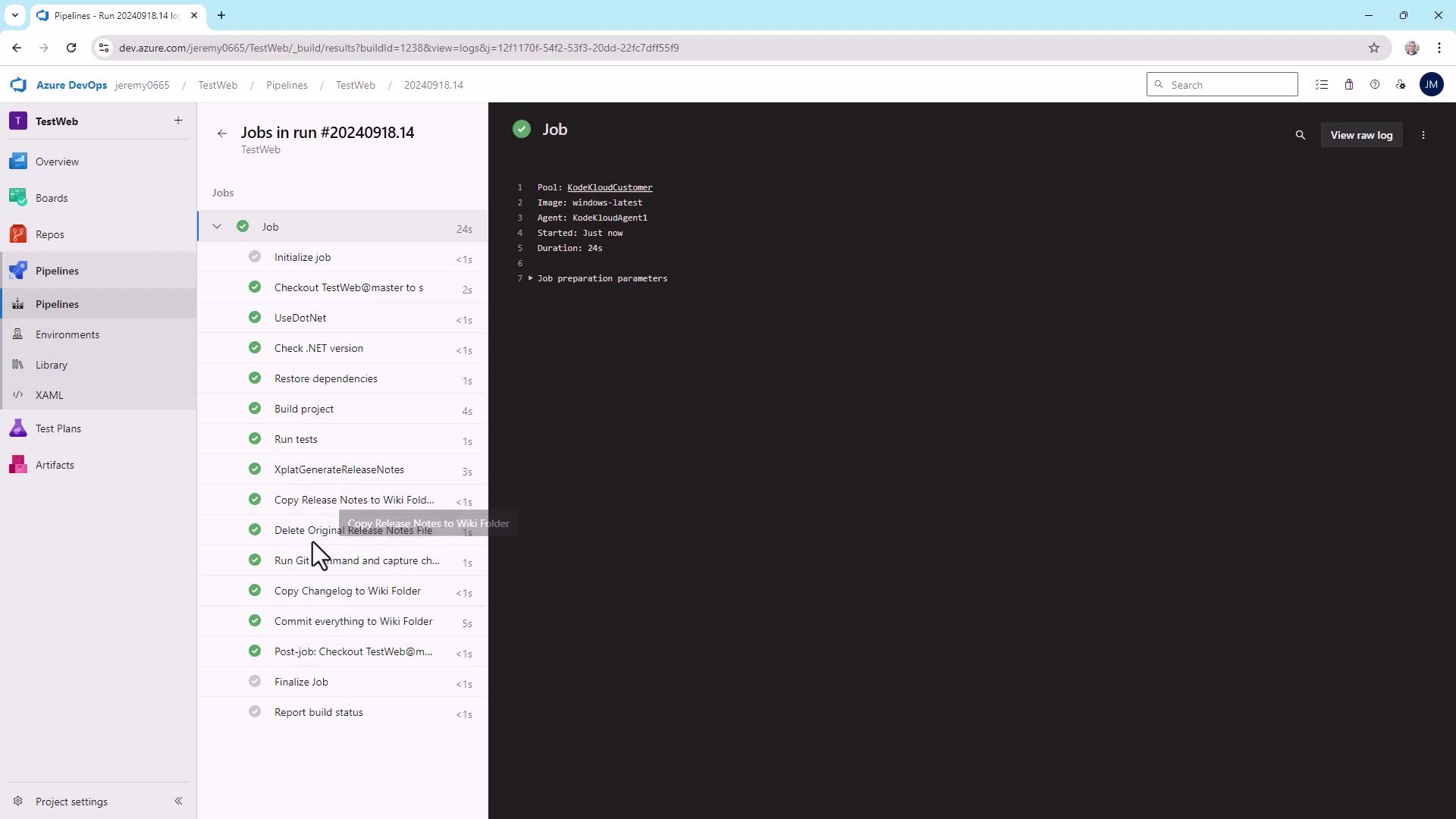
4. Viewing the Changelog in the Wiki
After pipeline completion, navigate to your Azure DevOps Wiki to see the updated
CHANGELOG.md listing all recent commits automatically.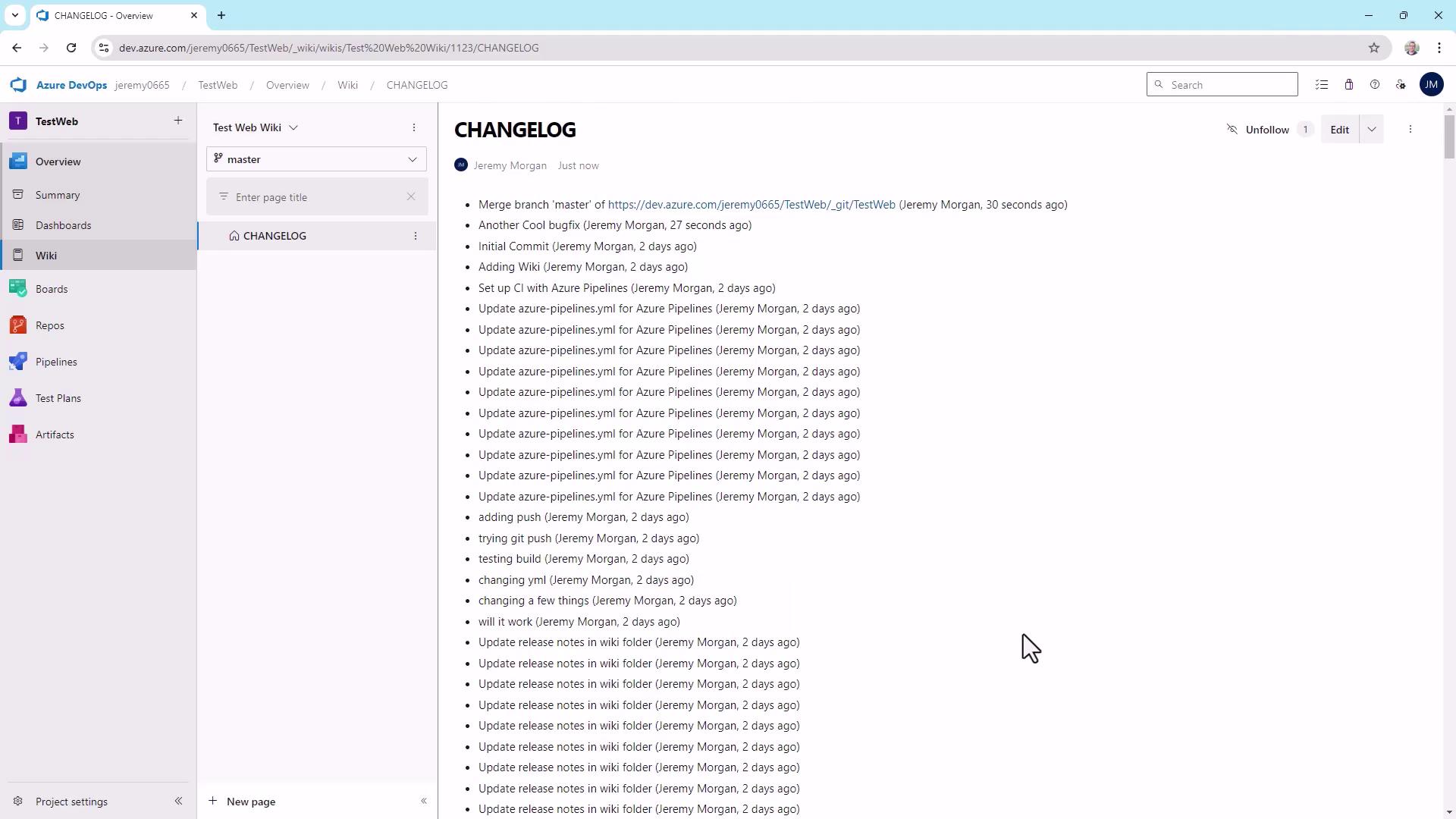
5. Further Customization
You can enrich your automated changelog by:- Including build numbers or branch names in each entry
- Linking Pull Requests or work items (
%B,%Dplaceholders ingit log) - Appending test results or code coverage summaries
--pretty=format to tailor the output for your team’s workflow and documentation standards. Happy changelogging!