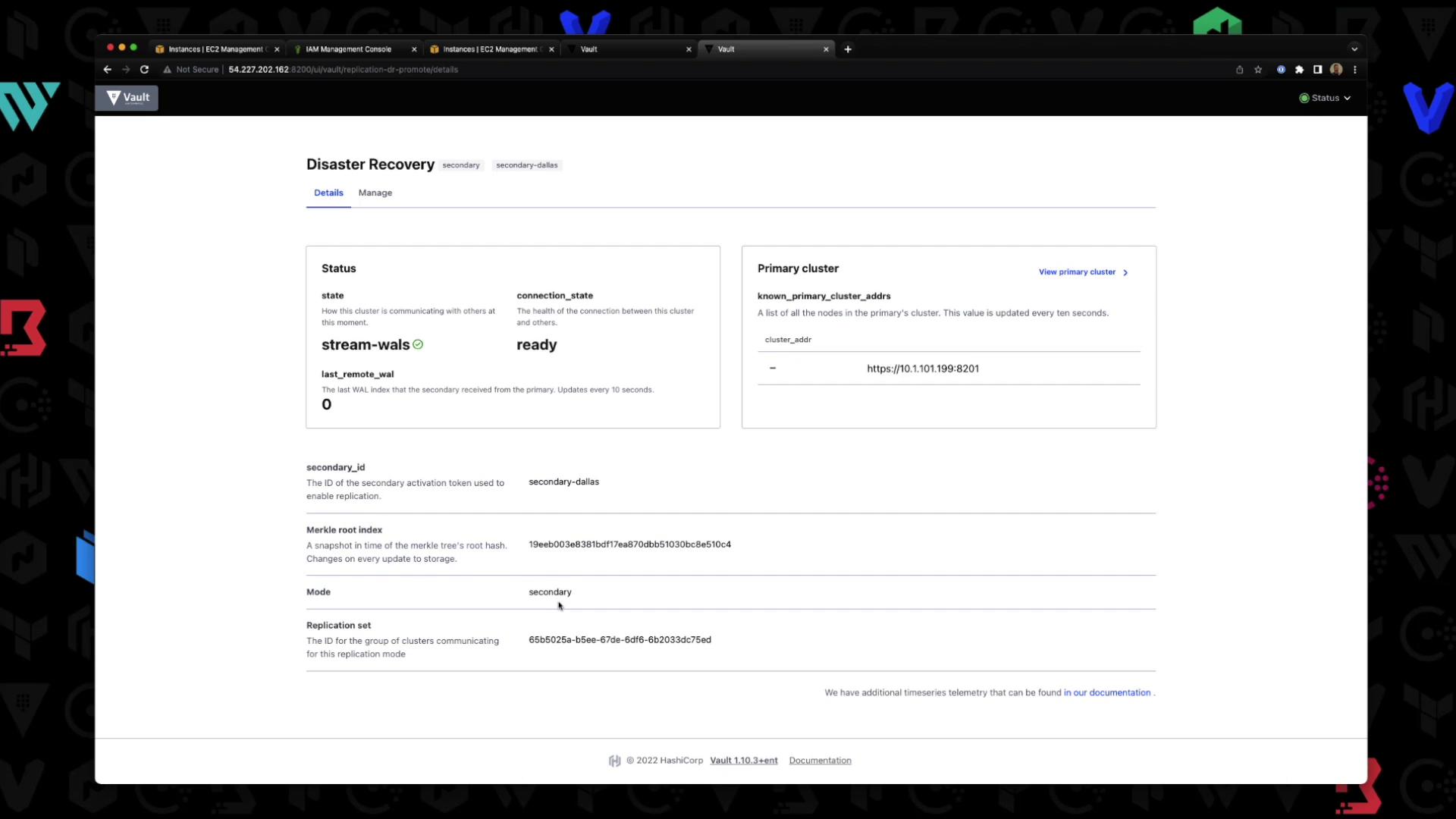
- Primary (10.1.101.199, tan background)
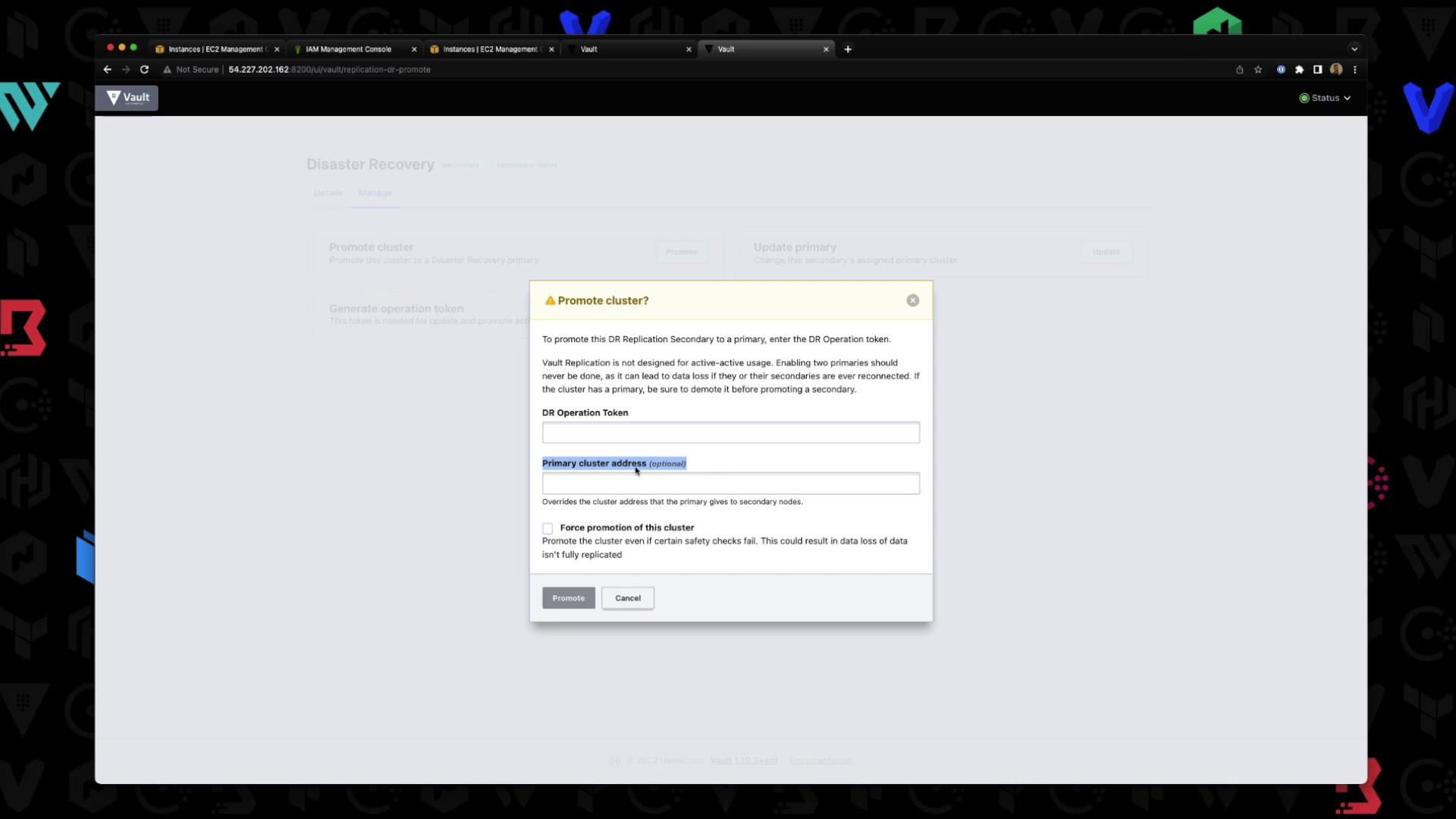
- Secondary (10.1.101.108, white background)
DR replication requires Vault Enterprise; it is not supported in the open-source edition.
1. Check Current Replication Status
On the primary (10.1.101.199), confirm DR and performance replication are disabled:2. Enable DR Replication on Primary
Enable DR replication in primary mode:Enabling primary DR replication causes a short downtime. Plan accordingly for production environments.
3. Generate a Secondary Token
Still on the primary, create a one-time wrapping token for the secondary:wrapping_token value (valid for 30 minutes).
4. Enable DR Replication on Secondary
Switch to the secondary (10.1.101.108) and join it to the primary:Enabling DR on a secondary will wipe any existing data. Be sure this node is dedicated for DR replication.
5. Verify DR Status on Secondary
On the secondary, confirm replication is active:A DR secondary does not serve client requests—most paths are disabled.
6. Verify DR Status on Primary
Back on the primary, list known secondaries:7. DR Replication in the UI
Primary Cluster Dashboard
- Log in to the primary UI and go to Status → Disaster Recovery.
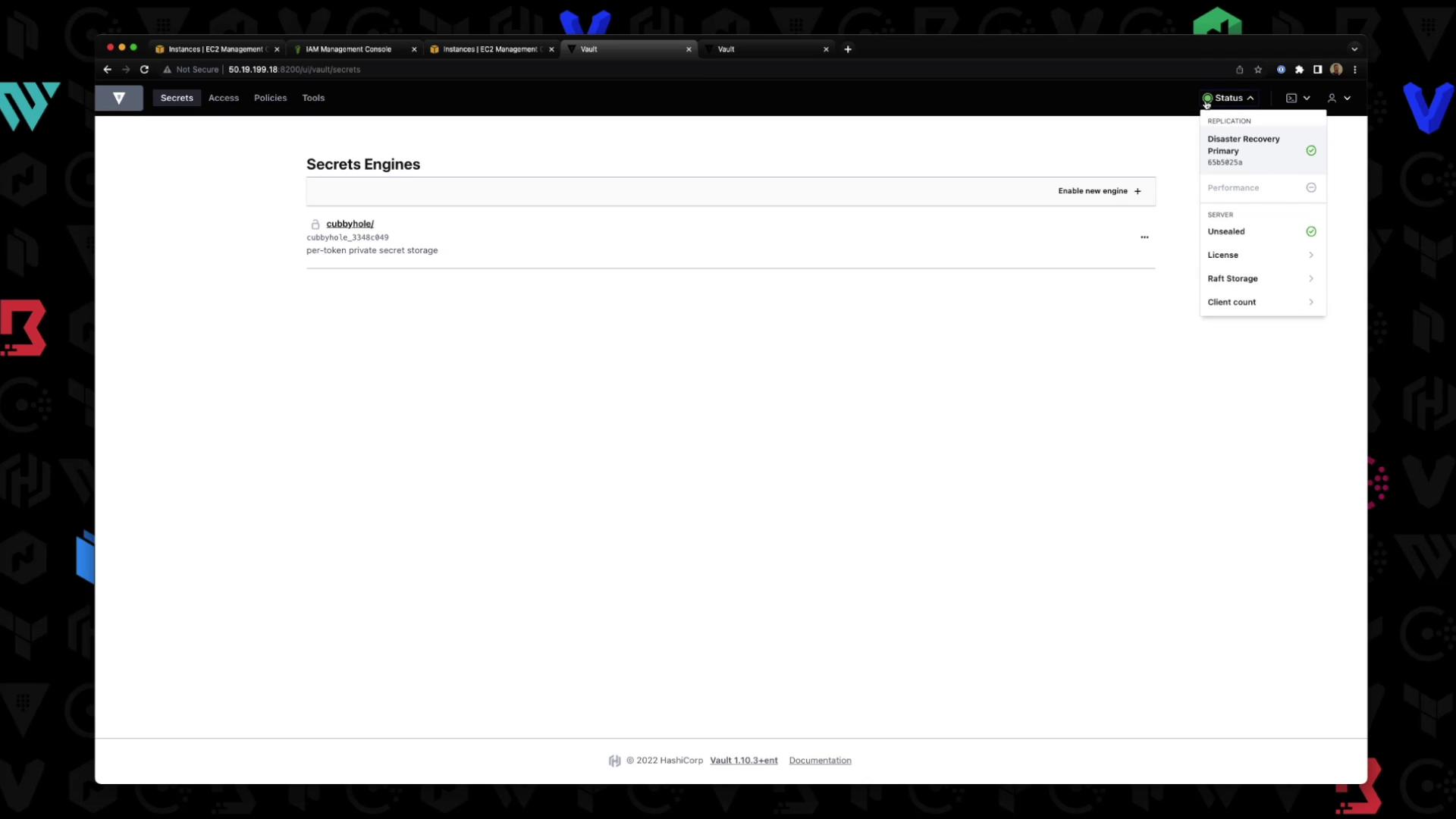
- Click Disaster Recovery to view replication details:
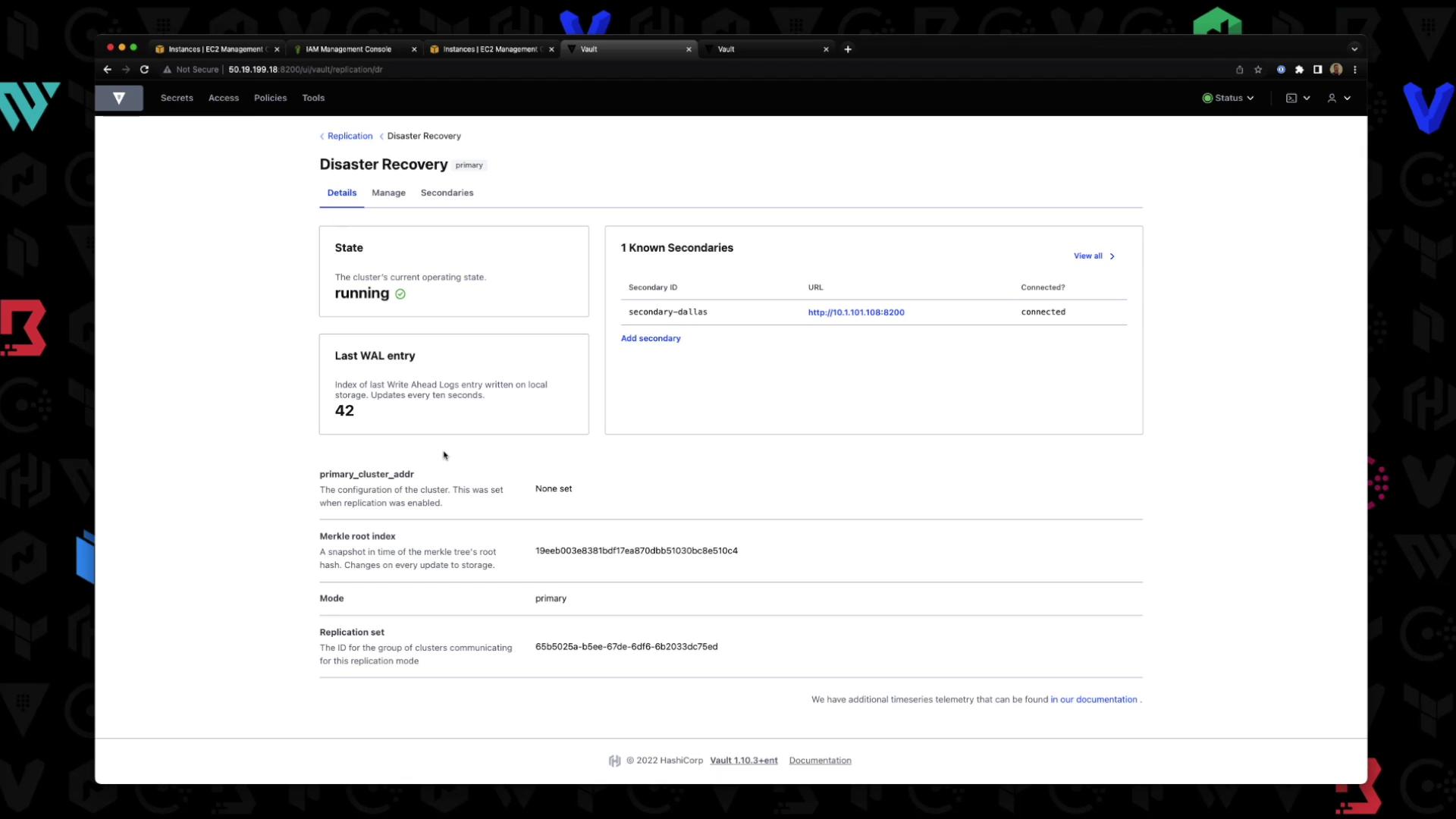
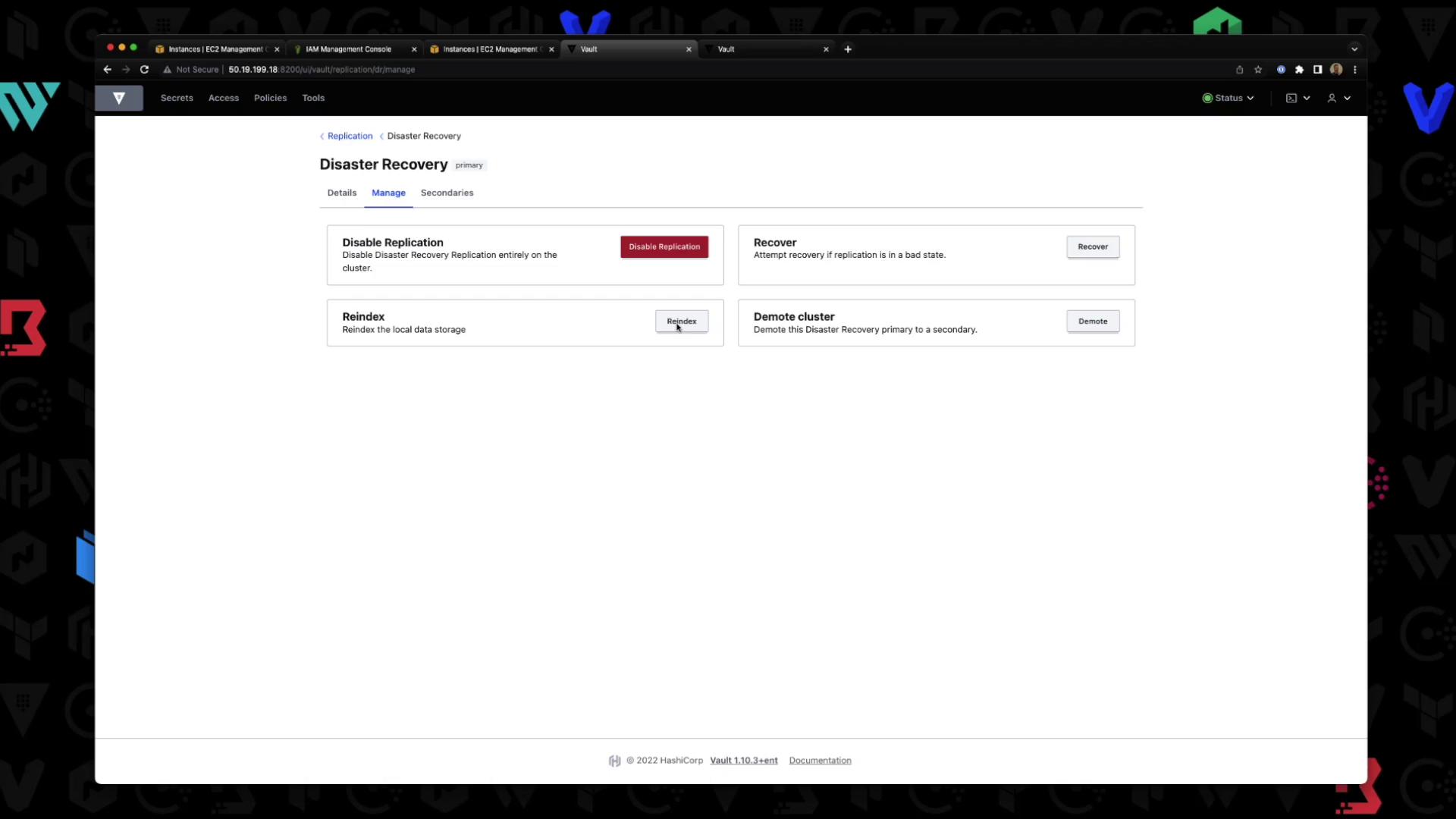
- Under Manage, you can disable replication, force a re-index, or demote this primary:
Secondary Cluster Dashboard
On the secondary UI, you’ll land directly in the DR dashboard (no login prompt). It shows the cluster in stream-wals state: