

Userpass does not enforce password complexity, expiration, or rotation by default. For production workloads, consider integrating Vault with external identity providers or LDAP.
How It Works
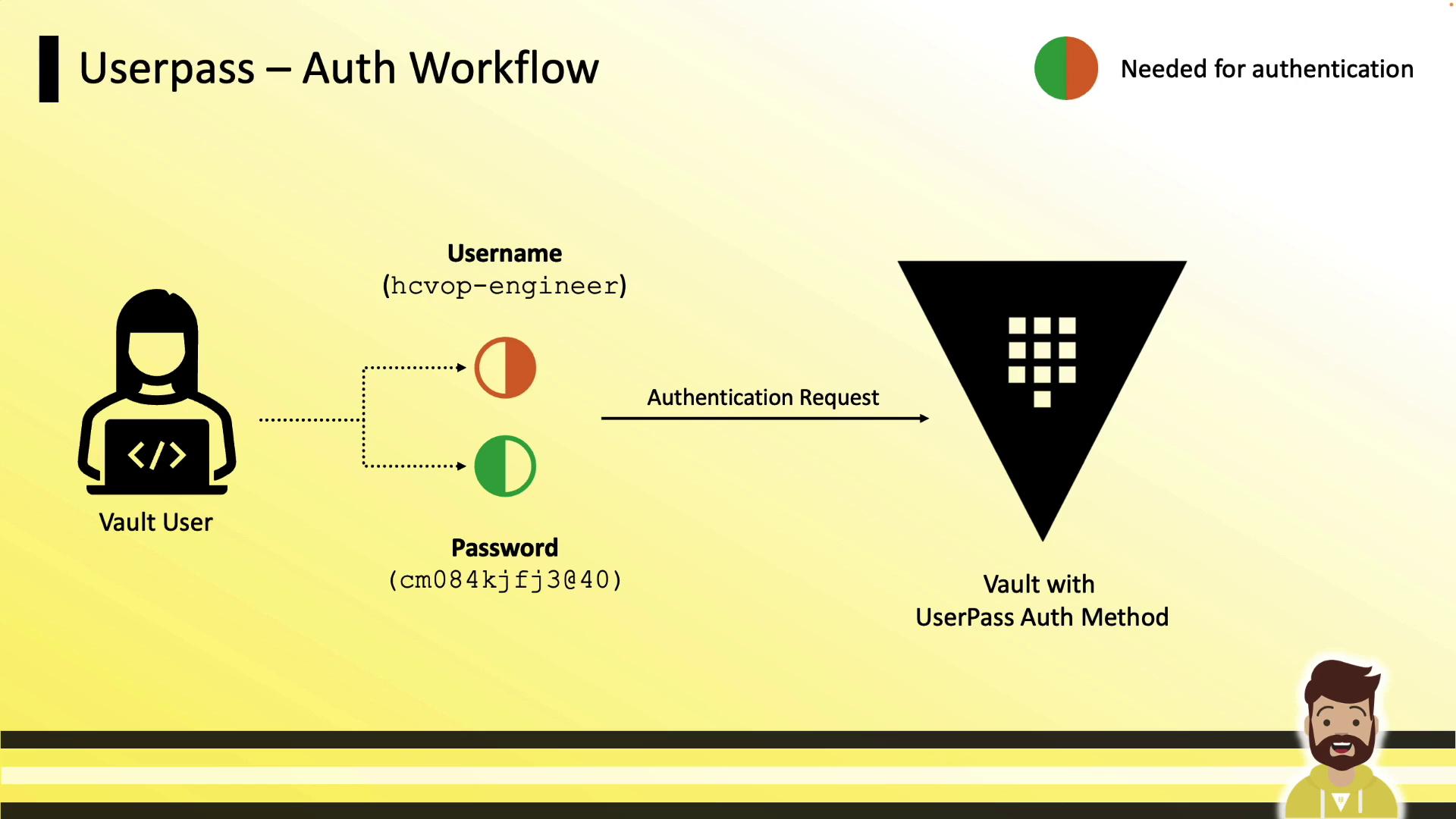
- User provides username (e.g.,
hcvop-engineer) and password. - Vault validates credentials and issues a token.
- The token is used to interact with Vault’s API and secrets engines.
Configuration Workflow
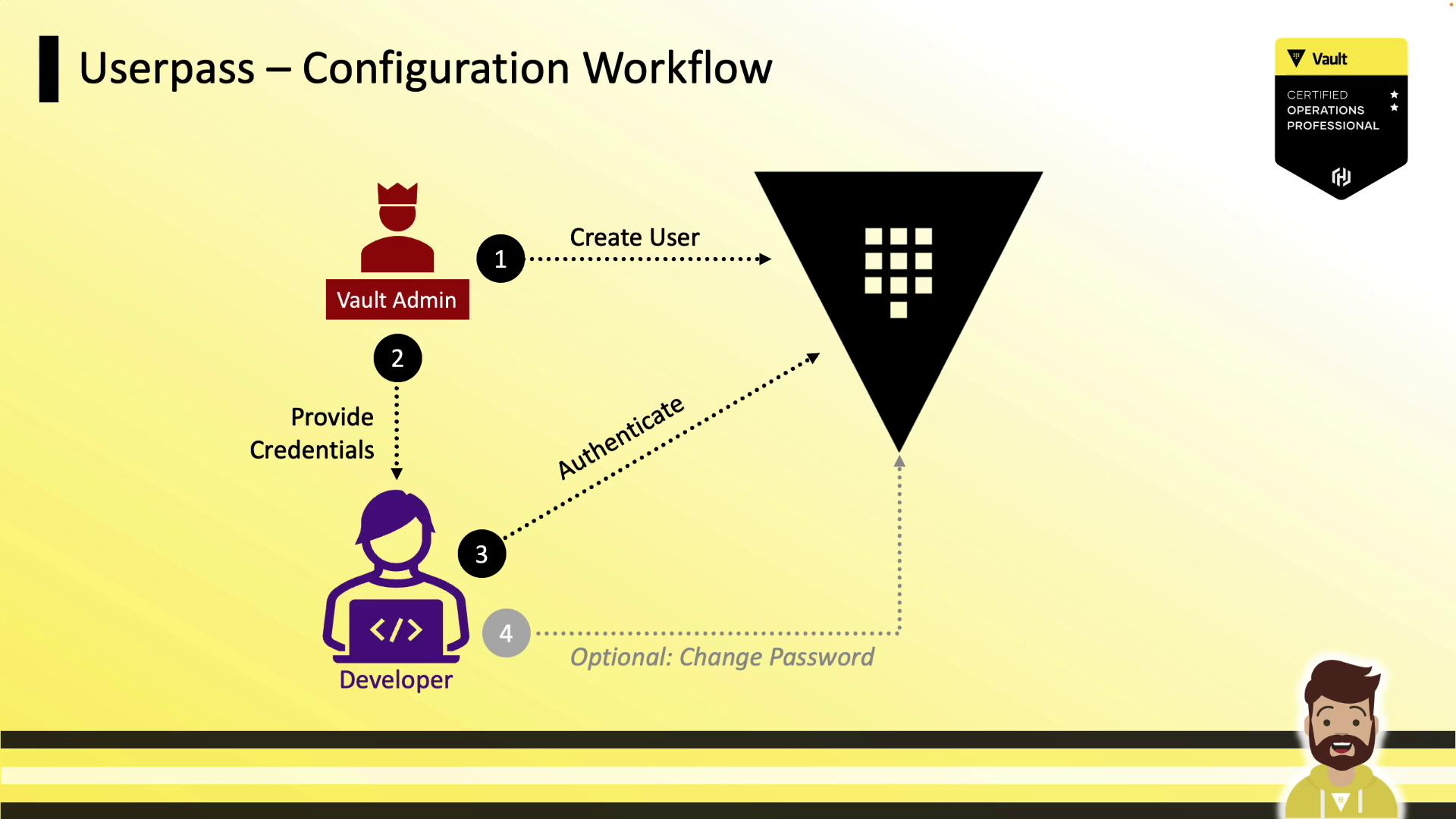
- Vault Admin enables the
userpassauth method. - Admin creates a user with policies and token settings.
- Admin hands off credentials to the Developer.
- Developer logs in and obtains a token.
- Developer may update their password if allowed by policy.
Enabling Userpass
Creating a User
Runvault write against the auth/userpass/users/<username> path:
You can assign multiple policies (e.g.,
default,engineering-policy) or fine-tune token parameters per user.Additional Token Configuration Options
Include these flags in the same
vault write command when creating or updating a user.
Reading User Settings
Retrieve user configuration:Modifying User Configuration
To update a single attribute, re-runvault write with the changed flag:
token_type) is updated; other attributes remain intact.
Authenticating with Userpass
- Token
- Duration (TTL)
- Renewable flag
- Attached policies
Password Rotation
Grant users the ability to update their own password by adding this to their policy:Best Practices and Considerations
- Regularly revoke or delete user entries when access is no longer required.
- Implement an external password policy (complexity, expiry) via automation or scripts.
- For enterprise use, prefer OIDC, LDAP, or Kerberos auth methods to centralize identity management.