- Version 1: A simple, non-versioned store.
- Version 2: A fully versioned store, tracking metadata (creation time, version number, deletion status, etc.).
create, read, update, delete) on defined paths. All data at rest is encrypted using AES-256. You can mount multiple KV engines at unique paths to isolate workloads.
How to Store Secrets as Key/Value Pairs
To write secrets, choose a mount path and supply your key/value pairs. For example, after enabling the KV engine atsecret/:
- create capability is required when writing to a new path.
- update capability is required for overwriting an existing secret.
Ensure your Vault policies explicitly grant
create and update permissions on the exact path (e.g., secret/applications/web01) or via wildcards (e.g., secret/applications/*).Organizing a KV Engine Hierarchy
Suppose you mount a KV engine atapps/. You can structure environments like this:
apps/AWS/prod– Production credentialsapps/AWS/dev– Development certificates
Enabling and Listing KV Version 1
An empty
map[] under Options indicates a KV v1 store.Enabling and Listing KV Version 2
You can enable KV v2 with either shorthand or an explicit version flag. Method 1 (shorthand):The
map[version:2] entry marks a KV v2 store.Upgrading a KV v1 Engine to v2
You can convert an existing KV v1 mount to version 2. Be aware this action is irreversible without restoring from backup.Upgrading to KV v2 cannot be undone. Ensure you have a backup of your Vault data before proceeding.
Understanding KV v2 Metadata and Path Prefixes
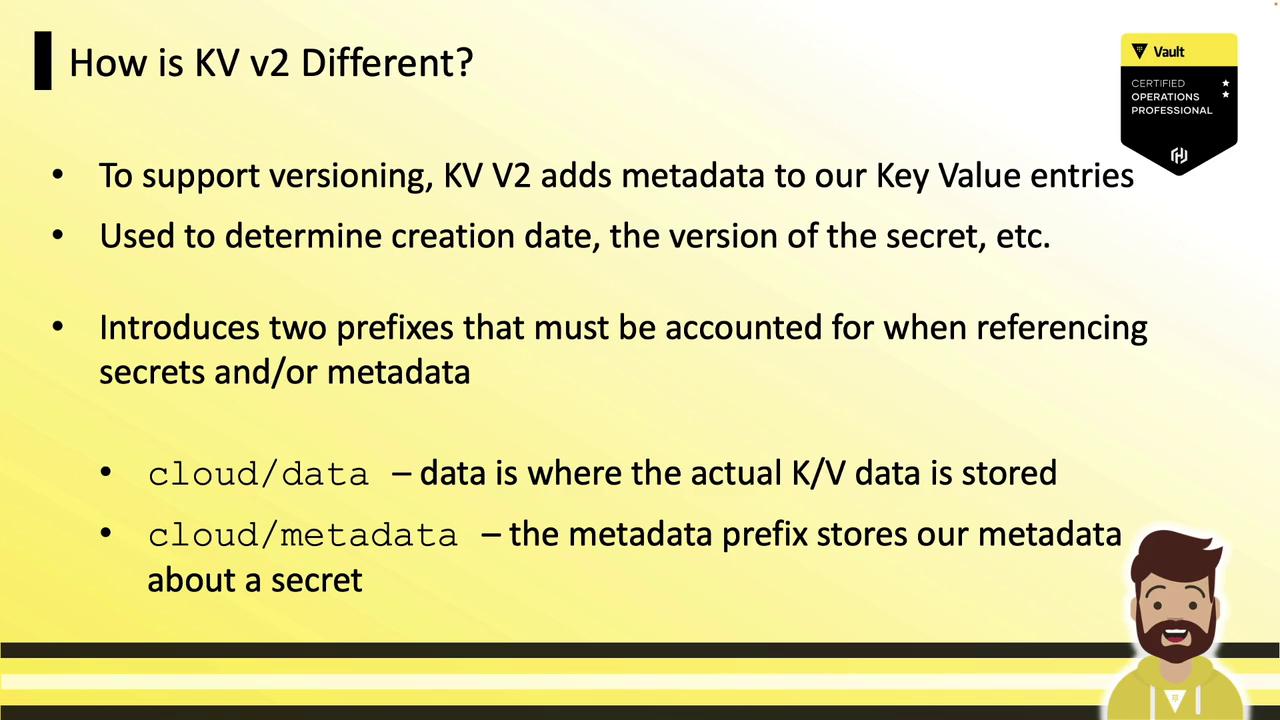
KV v2 tracks detailed metadata (creation date, version, deletion status, custom fields) for every secret. To support versioning, KV v2 introduces two API path prefixes:- data/ – Stores the secret data
- metadata/ – Stores the versioning metadata
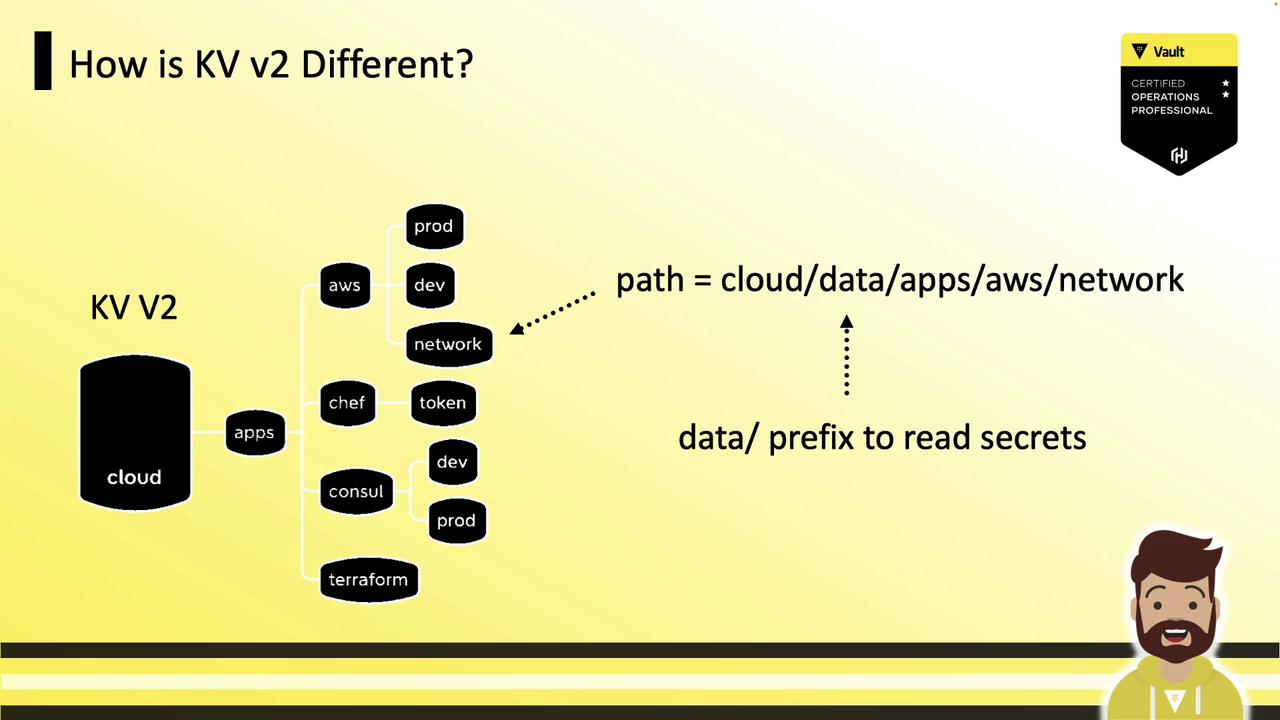
cloud/ with a secret path apps/AWS/network:
- Data path:
cloud/data/apps/AWS/network - Metadata path:
cloud/metadata/apps/AWS/network
data/ and metadata/ prefixes. The vault kv CLI commands automatically handle these prefixes for you: