

The Challenge
Legacy applications often cannot call the Vault HTTP API directly, so they lack a mechanism to fetch secrets using a Vault token. By delegating authentication and token management to Vault Agent, we can render secrets into files that such applications read like standard configuration.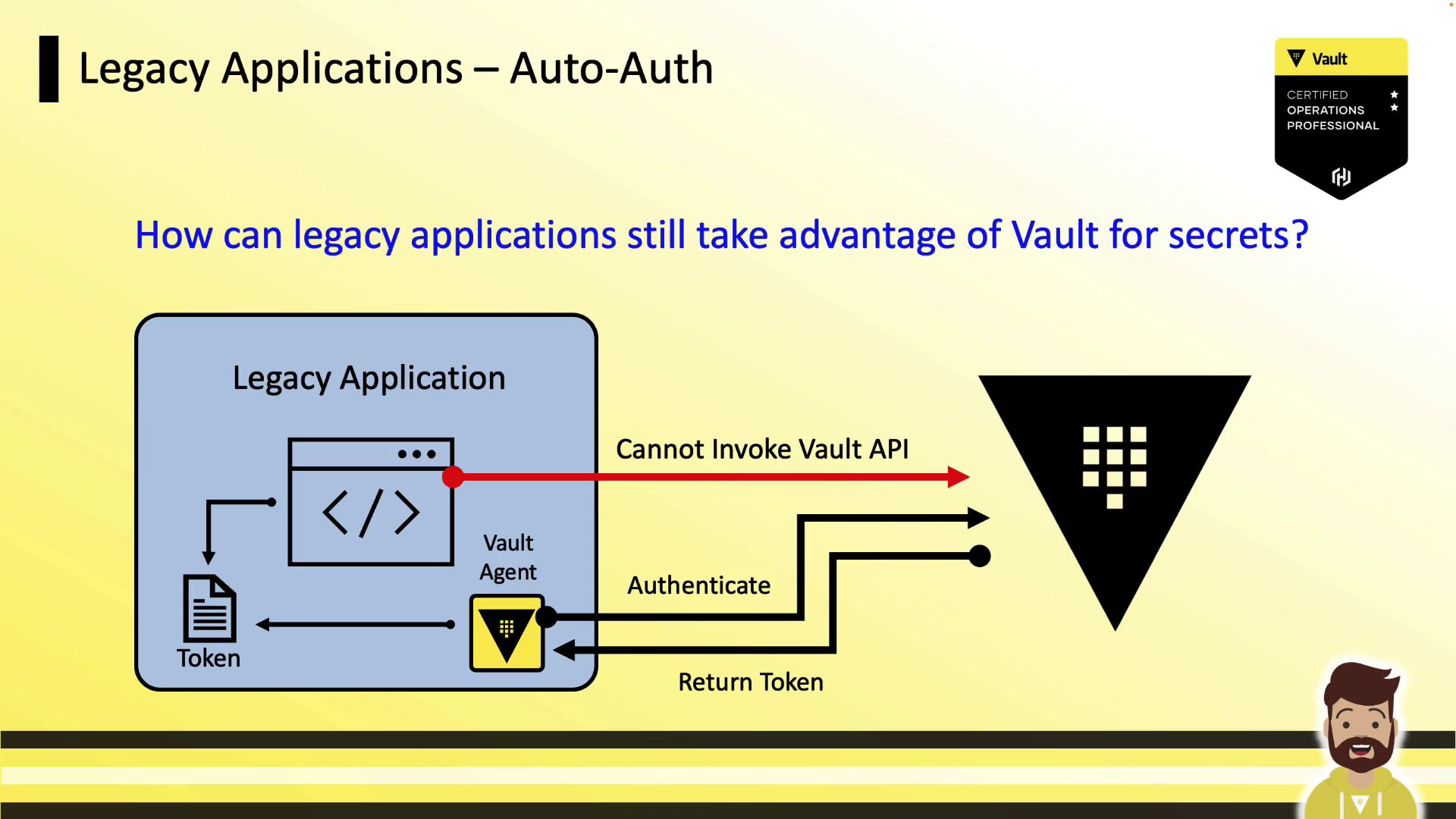
Consul Template Overview
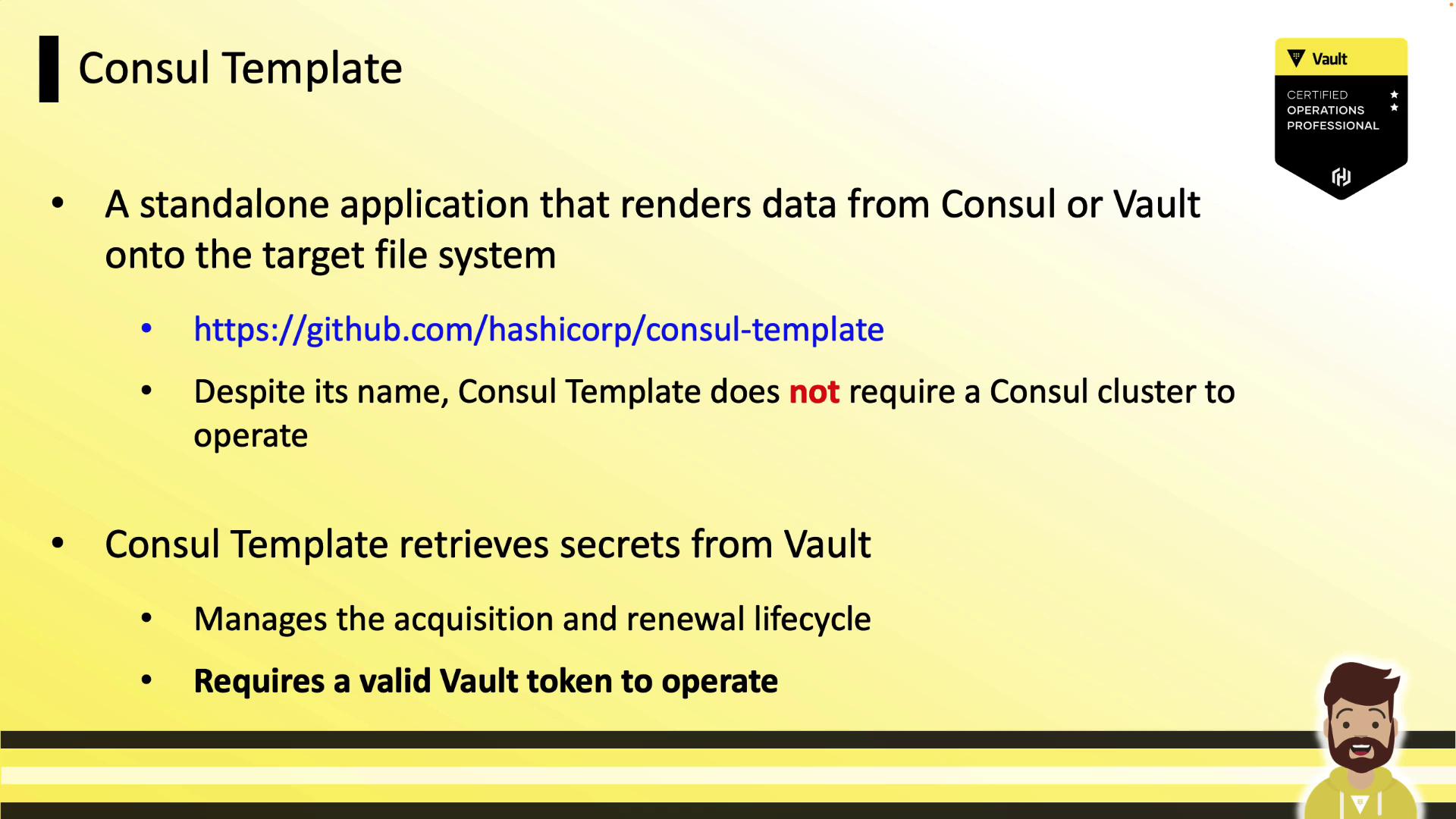
Vault Agent Templating leverages the Consul Template engine. Despite its name, Consul Template can fetch and renew secrets directly from Vault. Consul Template is a standalone binary that:- Retrieves secrets from Vault (or data from Consul).
- Manages token acquisition and renewal.
- Renders secrets to a file based on a provided template.
- Requires a valid Vault token to operate.
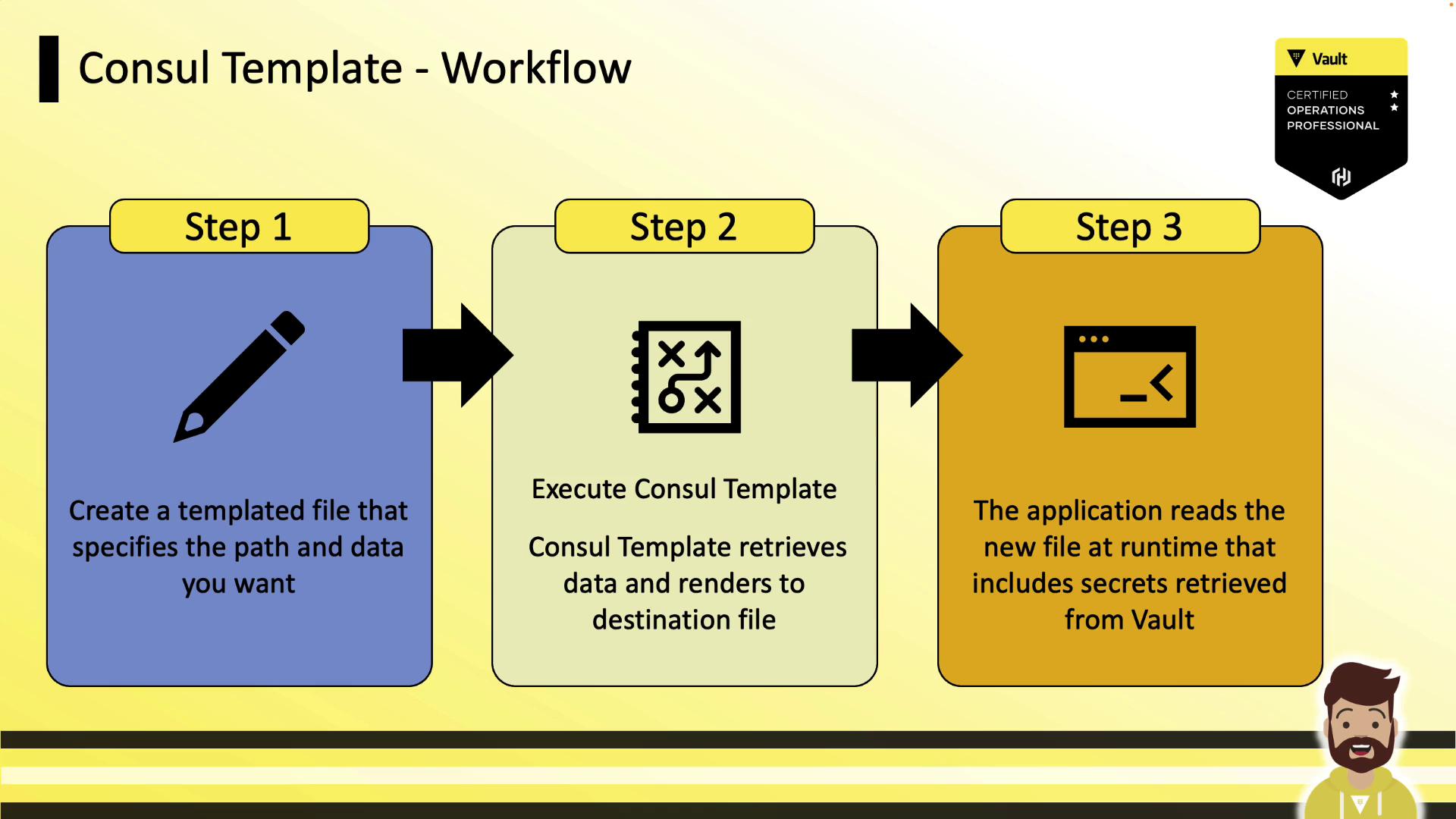
Consul Template Workflow
Example: Template Input (web.tmpl) and Rendered Output
Input (web.tmpl):
config.yml):
Vault Agent Templating
Vault Agent integrates the Consul Template engine directly, removing the need for a separate binary. It uses Auto Auth to authenticate and then renders secrets via templates.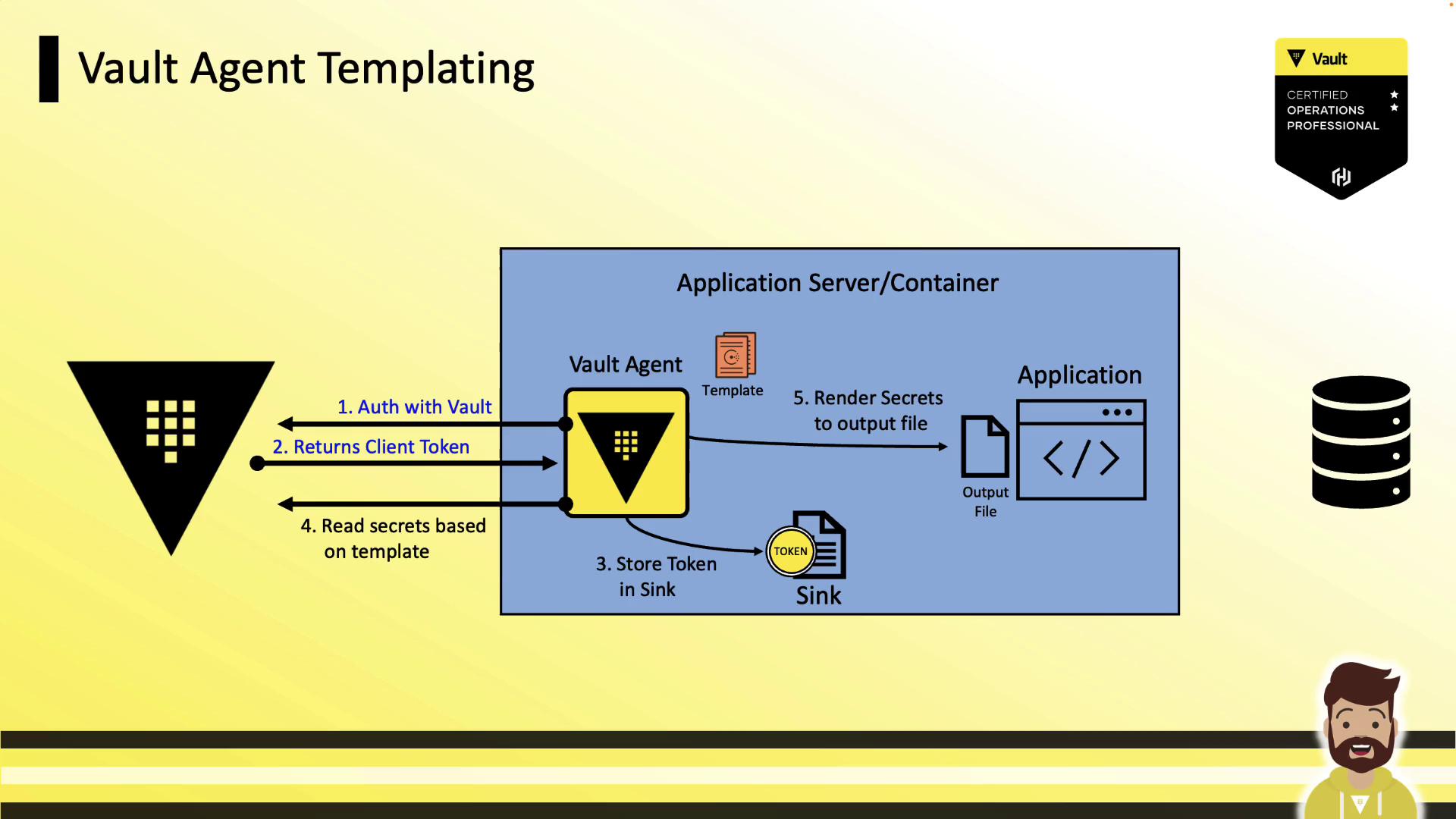
Templating Workflow
- Authentication
Vault Agent uses Auto Auth (AppRole, Kubernetes, AWS, etc.) to authenticate and writes the token to a sink. - Templating
The embedded Consul Template engine reads the template and fetches secrets from Vault. - Rendering
Secrets are written to the specified destination file. - Application Access
The legacy application reads the rendered file as its configuration.
Vault Agent Templating supports multiple
template blocks. Each block can point to a different source and destination file.Configuration Example
Below is a minimalvault.hcl enabling Auto Auth and templating:
The
exit_on_retry_failure flag will terminate Vault Agent if templating consistently fails. Use with caution in production environments.