

- List and inspect enabled secrets engines
- Upgrade a KV v1 mount to KV v2
- Enable a brand-new KV v2 engine
- Write, read, and version secrets
- Perform soft deletes (undelete) and hard deletes (destroy)
- Manage metadata and custom metadata
- Configure KV v2 prefixes in ACL policies
- Interact with KV v2 via the HTTP API
1. List Existing Secrets Engines
First, verify which engines are enabled:training/ mount is KV v1.
See Vault CLI documentation for more on the
vault secrets list command.
2. Upgrade an Existing KV v1 Mount to KV v2
To enable versioning on the existingtraining/ mount:
-
Inspect the mount in detail:
-
Enable versioning:
-
Confirm the mount now uses KV v2:
options: {version: 2} for the training/ path.
Upgrading to v2 is non-destructive. All existing KV v1 data remains accessible under the new KV v2 mount.
3. Enable a New KV v2 Engine
To create a fresh KV v2 mount atkvv2/:
kvv2/ with type: kv and options: {version: 2}.
4. Writing and Reading Versioned Secrets
4.1 Write a Secret
The CLI automatically prepends
/data/ when writing, so you only specify kvv2/apps/circleci.4.2 Read the Latest Version
5. Versioning Secrets
Update to create version 2:6. Soft Delete and Undelete
6.1 Soft Delete
vault kv get kvv2/apps/circleci shows metadata without data.
6.2 Undelete
7. Hard Delete (Destroy)
Permanently remove version 1:destroyed = true; it cannot be undeleted.
Destroying versions is irreversible. Always ensure you have backups or retention policies if you need historic data.
8. Metadata Operations
8.1 View All Metadata
cas_requiredcurrent_versionmax_versions- Per-version status (created, deleted, destroyed)
8.2 Add Custom Metadata
9. JSON Output and Filtering
Fetch JSON and parse withjq:
10. Cleanup: Delete All Metadata
To remove both data and metadata for a secret path:vault kv list kvv2/apps now returns nothing.
11. KV v2 Prefixes in ACL Policies
When you write ACL policies for KV v2, include bothdata/ and metadata/ paths:
12. Managing Secrets via the Web UI
Vault’s UI offers point-and-click management for KV v2 secrets: Browse secrets and create a new entryClick Secrets > kvv2 and select Create secret.
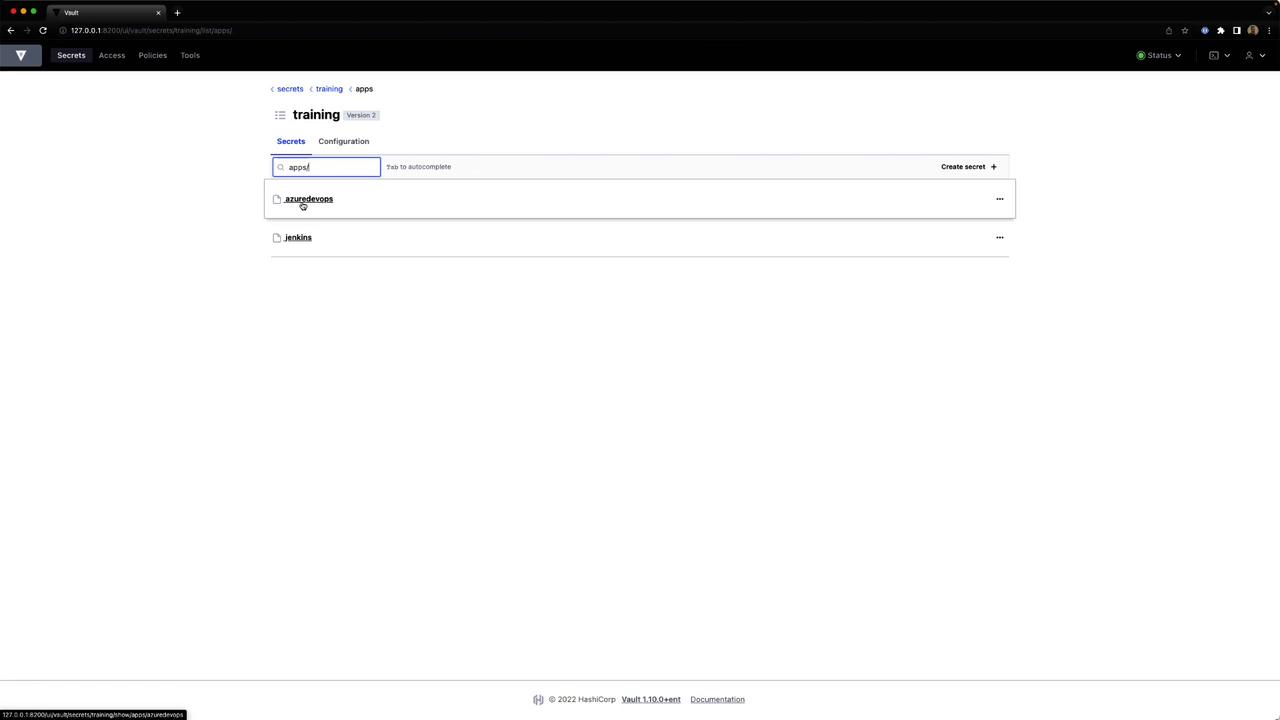
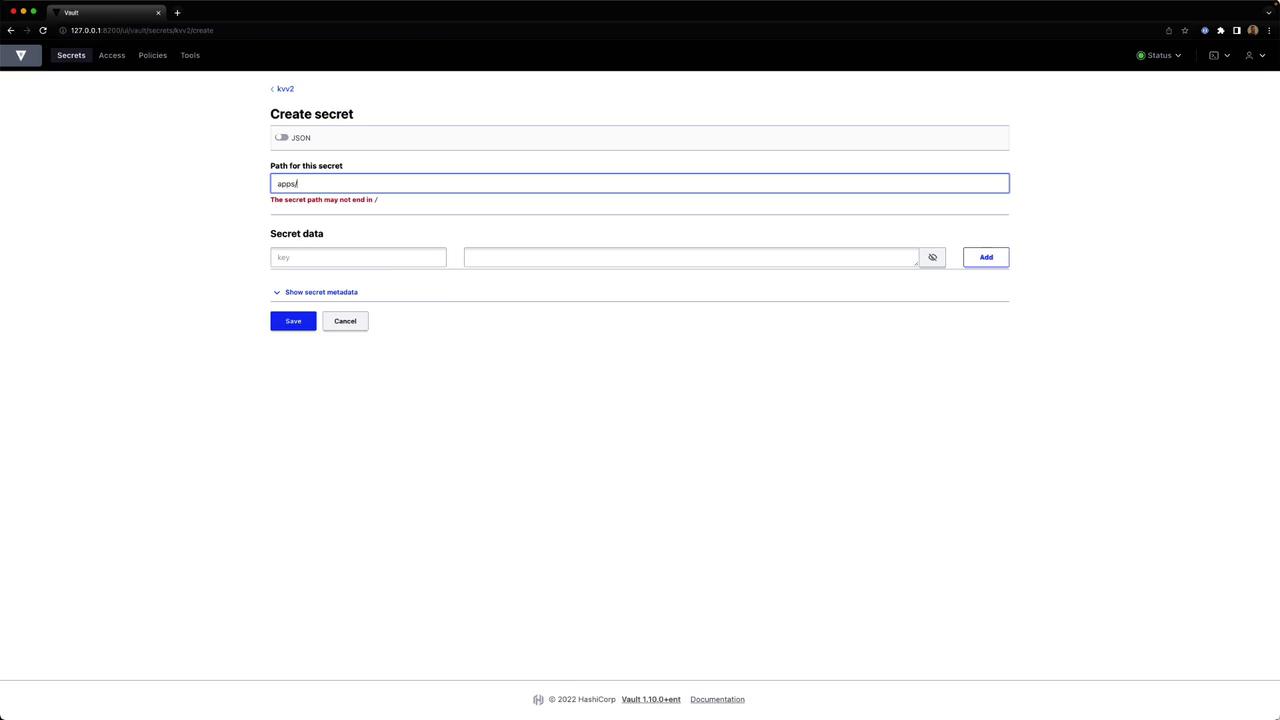
Provide
artifact = "jenkins" or other key-value pairs, then save.
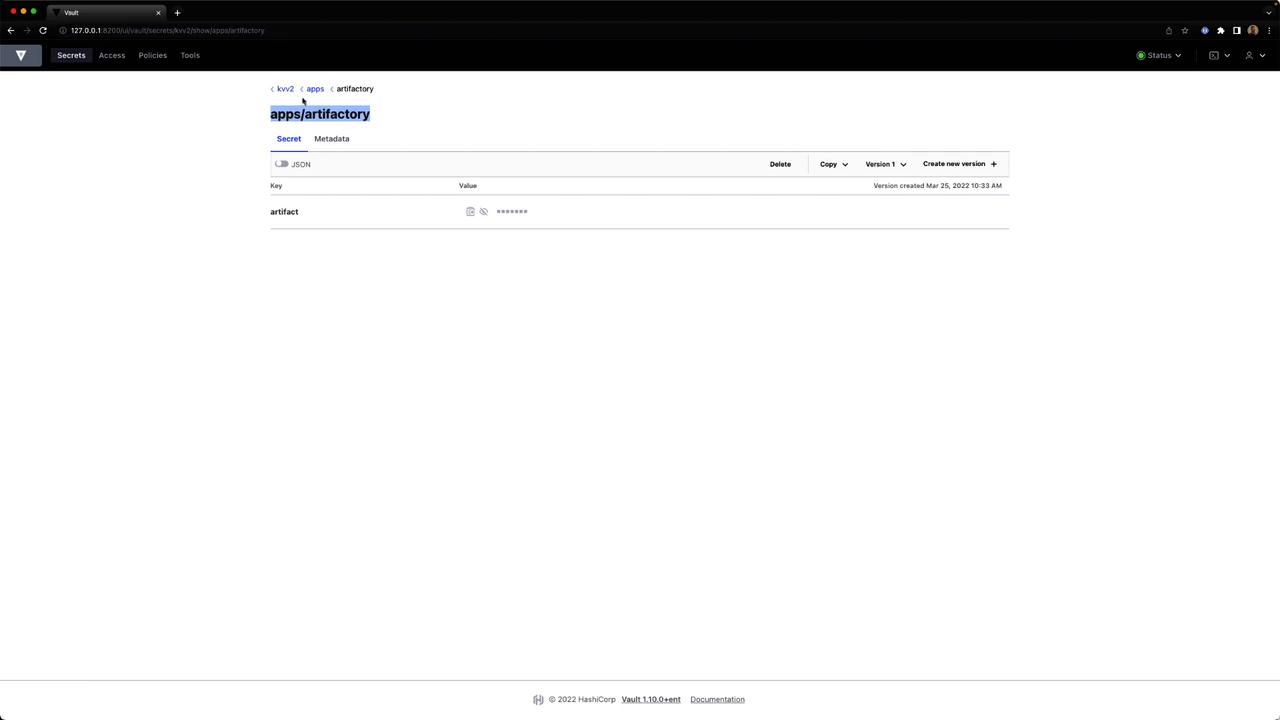
Select the secret to see its JSON key-value data.
Under Policies, click Create policy, enter a name and HCL, then save.
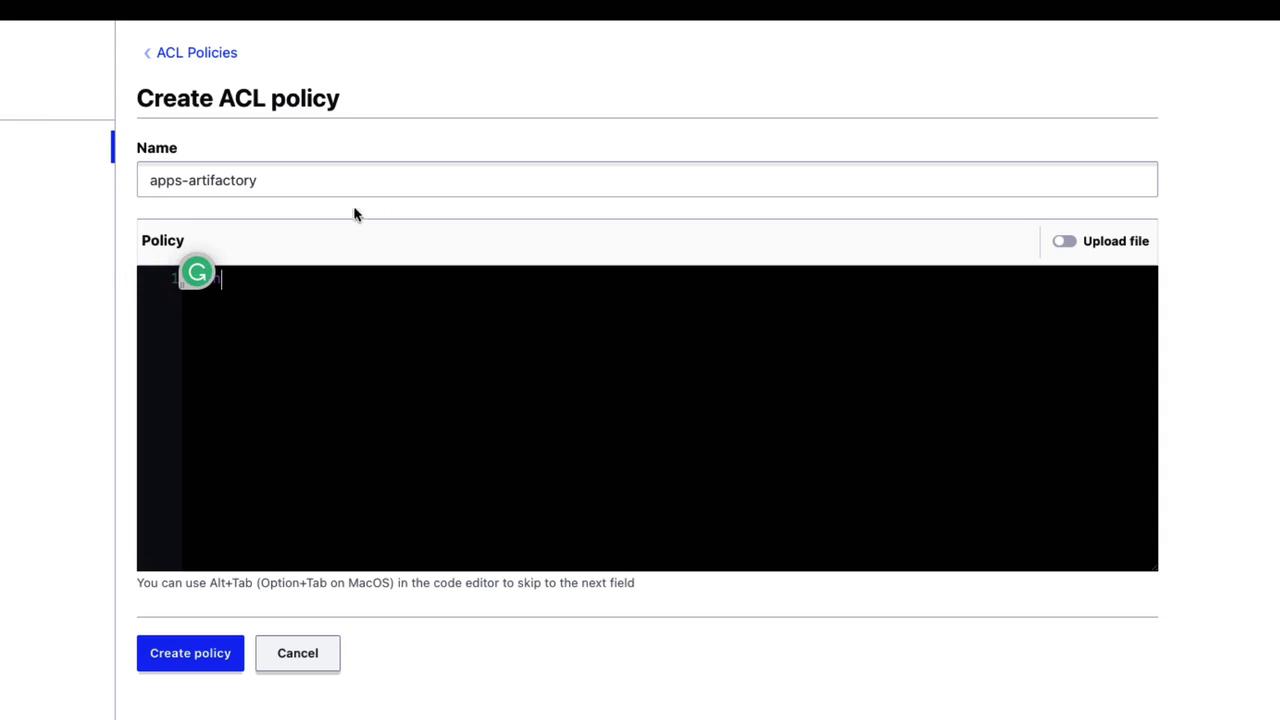
13. Accessing KV v2 via the HTTP API
To retrieve secret data over HTTP, include/data/ in the path:
/data/ prefix.