- Create a user with the userpass auth method
- Define entities and entity aliases
- Observe how combined policies affect access
- (Optionally) Manage entities via the Vault UI
- Vault ≥ 1.0 installed and unsealed
- Root token for policy/entity management
vaultCLI available in your$PATH
1. Review Existing Policies
List current policies to confirm what’s available:Policy Permissions Overview
2. Create a Userpass User
Define a new userbryan with the kv-policy attached:
manager policy:
3. Authenticate as bryan and Test Access
Log in with the new user:
Test Allowed Access
Test Denied Access
You should see a 403 Permission denied error because
kv-policy does not cover operations/**.4. Obtain the Userpass Mount Accessor
Re-authenticate as root and list auth methods to retrieve themount_accessor:
auth_userpass_0479382c value for the next step.
5. Create an Entity and Entity Alias
-
Create an entity named “Bryan Krausen” with the
managerpolicy: -
Link the user to that entity via an alias:
6. Verify Combined Policies
Log back in asbryan:
Test Enhanced Access
-
Automation secret (via
kv-policy): -
Operations secret (via
managerpolicy):
manager policy across auth methods.
7. Using the Vault UI
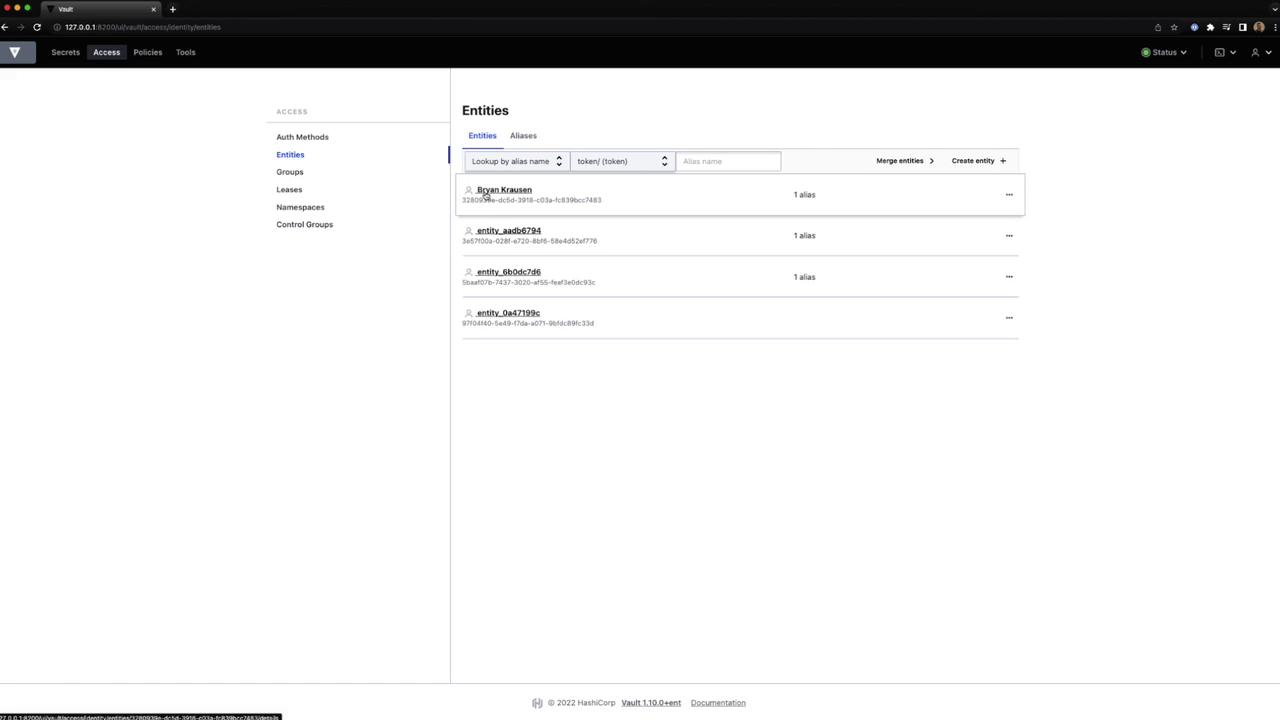
- In the Vault UI, navigate to Access → Entities.
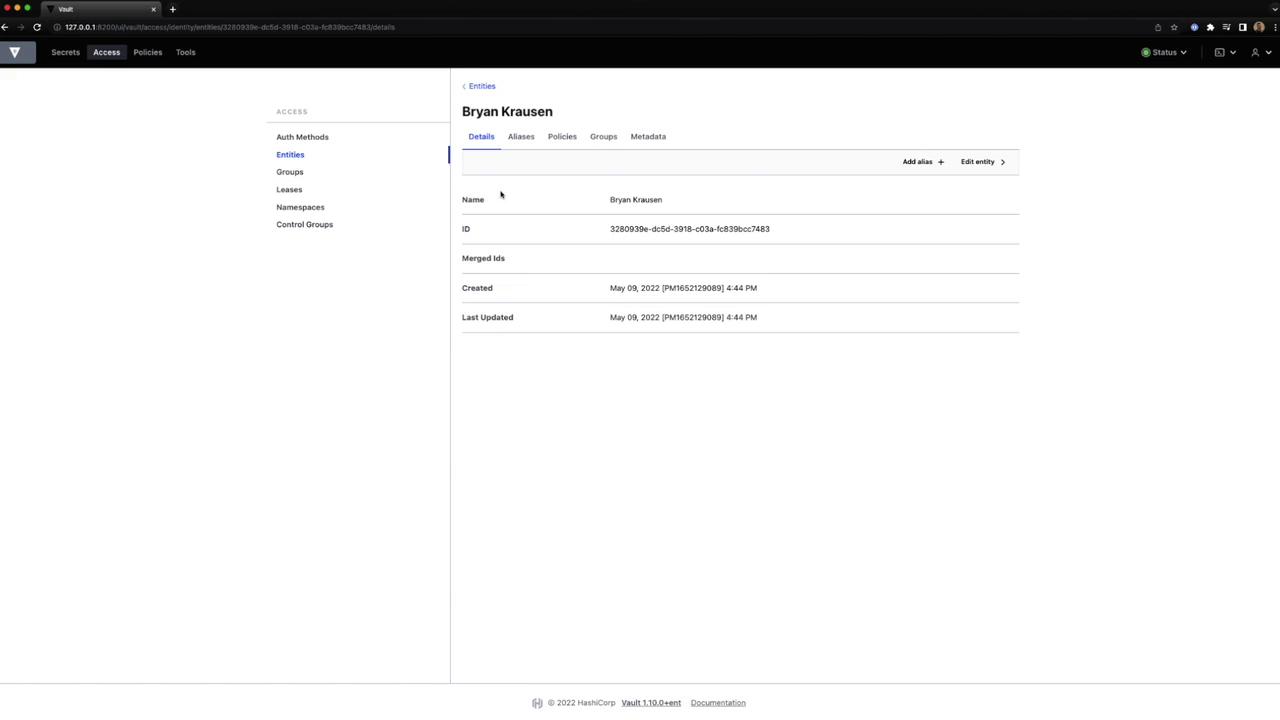
- Create or delete entities, view details, and manage aliases.
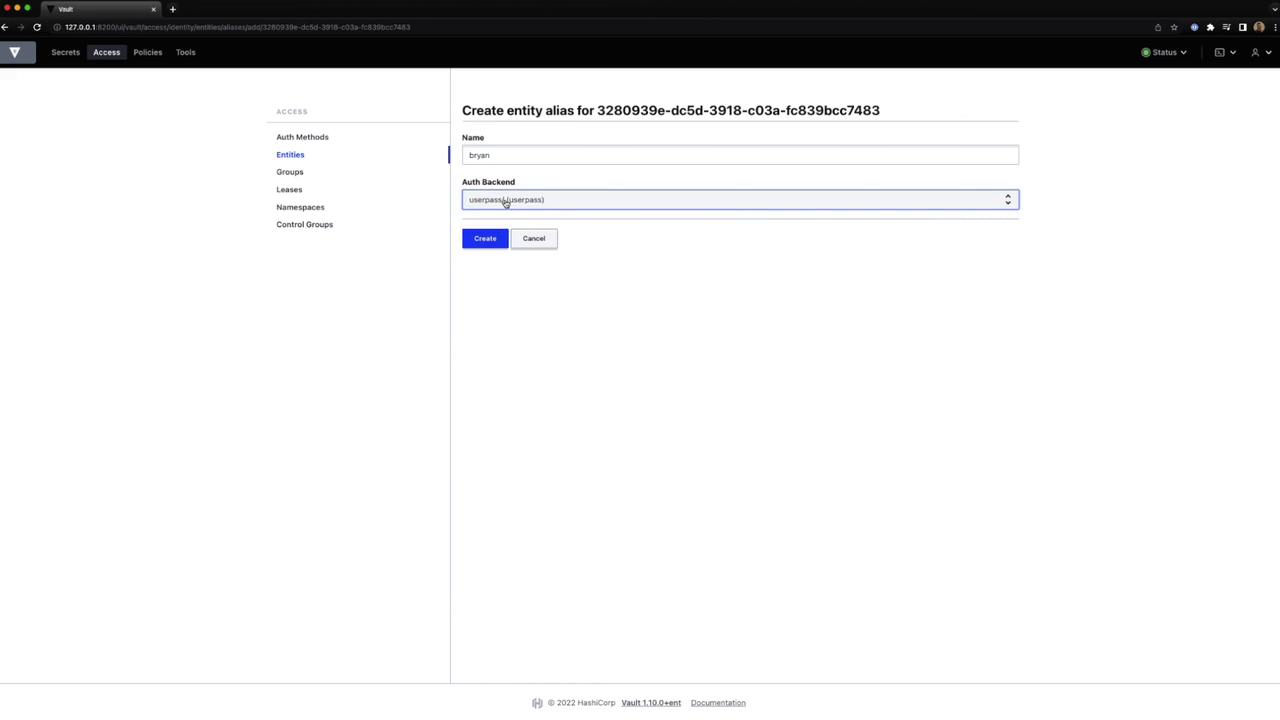
- To add an alias, choose Create Entity Alias:
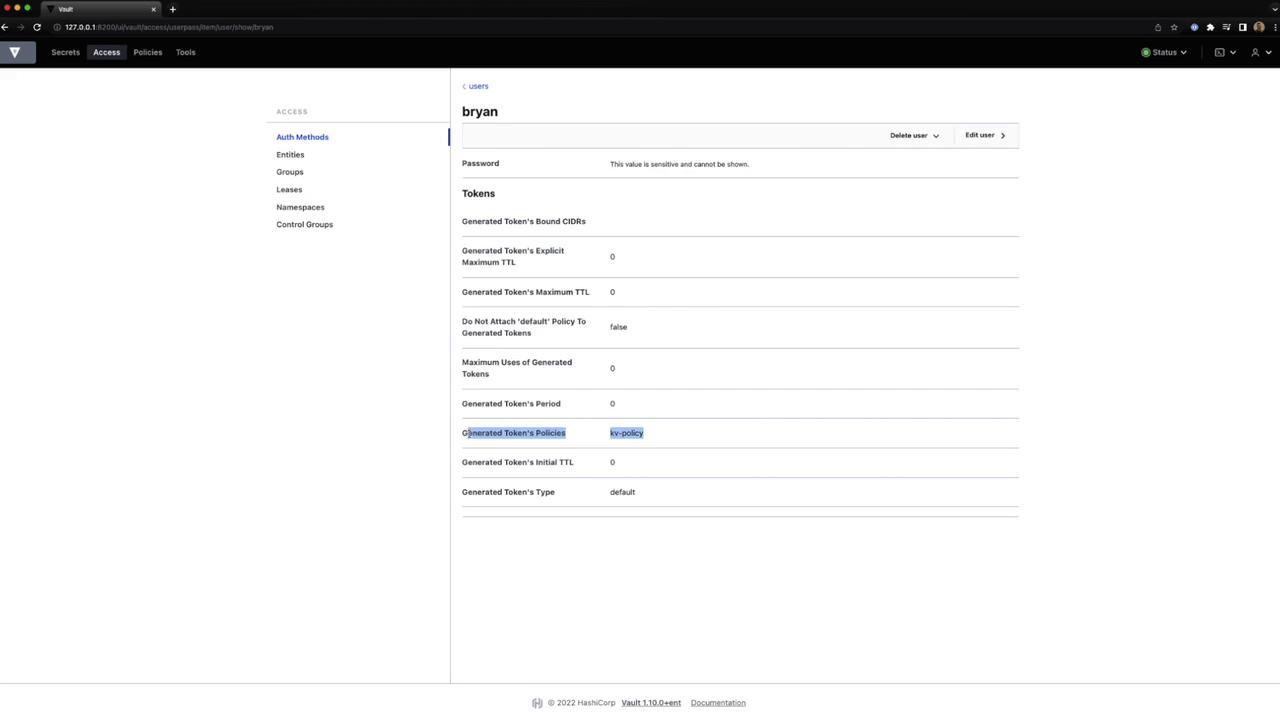
- Inspect token settings and policies:
- View or merge entities as needed: