

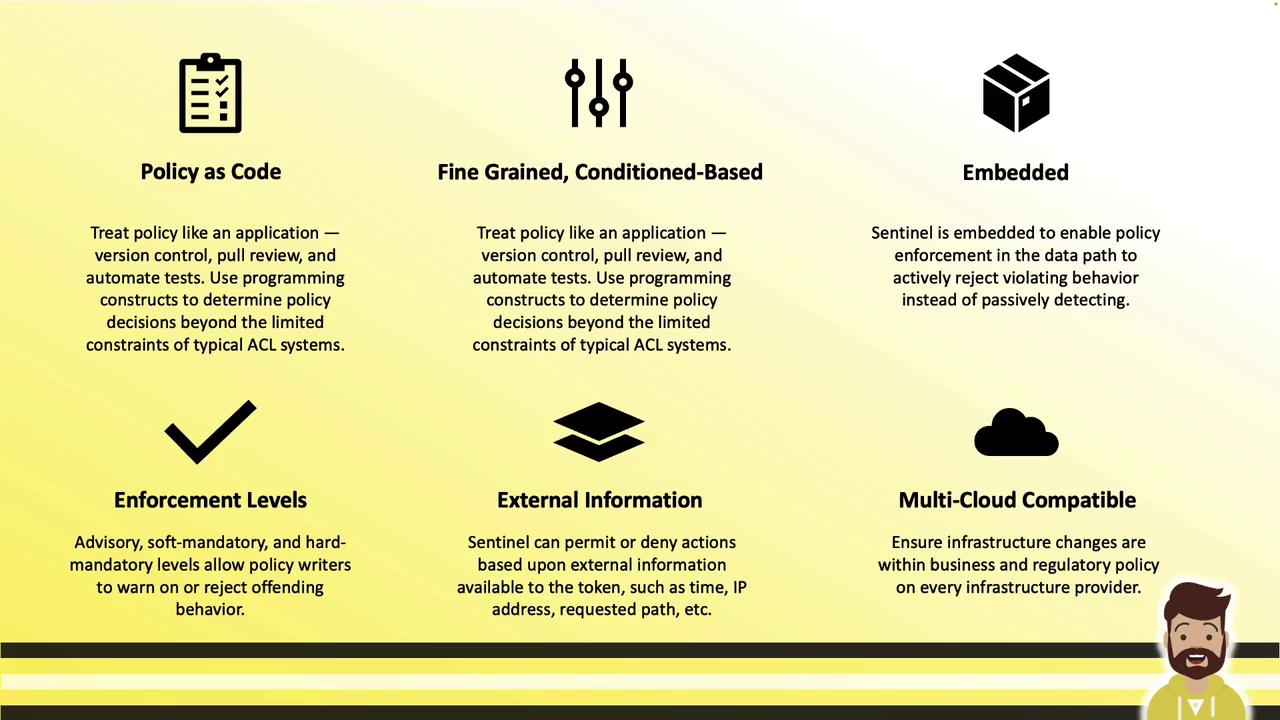
- Treat policies like application code (version control, PR reviews, automated testing, CI/CD)
- Define condition-based rules (time, IP address, request path, MFA status, etc.)
- Pull in external data (current time, client IPs, request details)
- Enforce policies at three levels: advisory, soft mandatory, and hard mandatory
- Reuse the same policies across Terraform, Nomad, Vault, and Consul (enterprise editions)
Sentinel is embedded in the Vault binary. No additional services or agents are required.
Sentinel Across HashiCorp Enterprise Products
Sentinel isn’t limited to Vault. It’s part of HashiCorp’s enterprise offerings for:- Terraform
- Nomad
- Vault
- Consul

Types of Sentinel Policies
Vault supports two main policy types: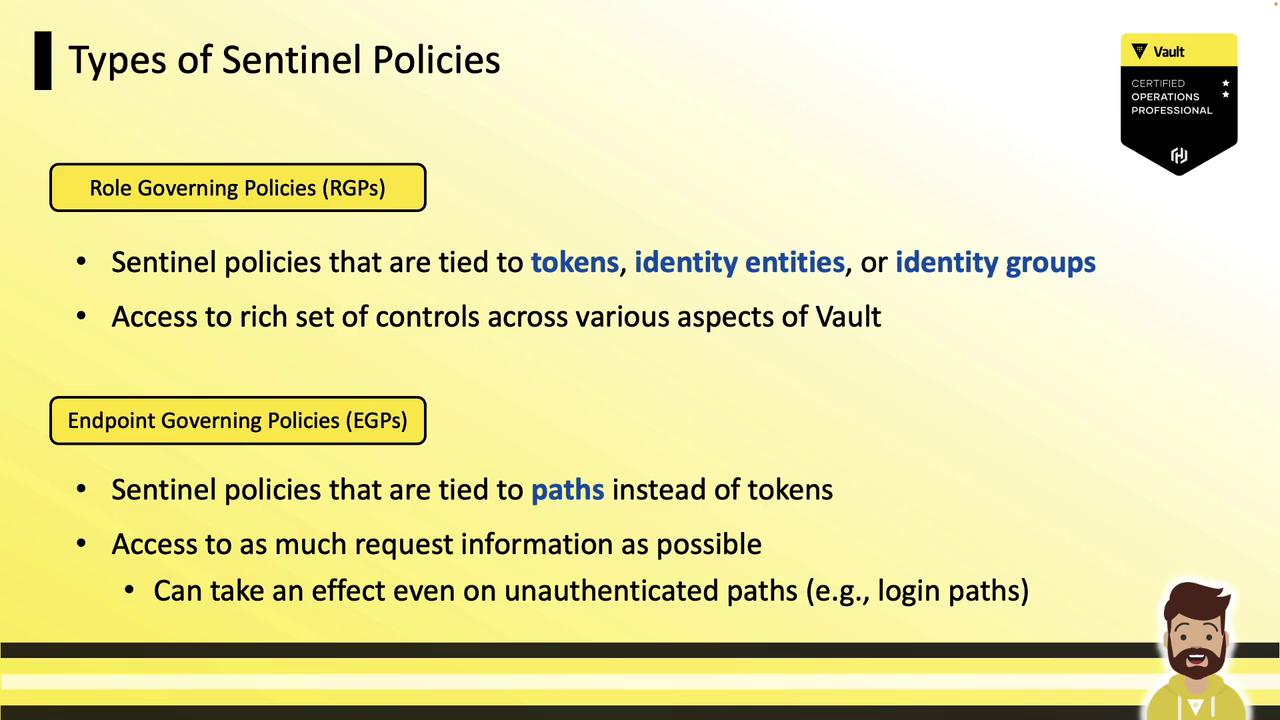
/dev/data could deny all access outside business hours, regardless of token validity.
Anatomy of a Sentinel Policy
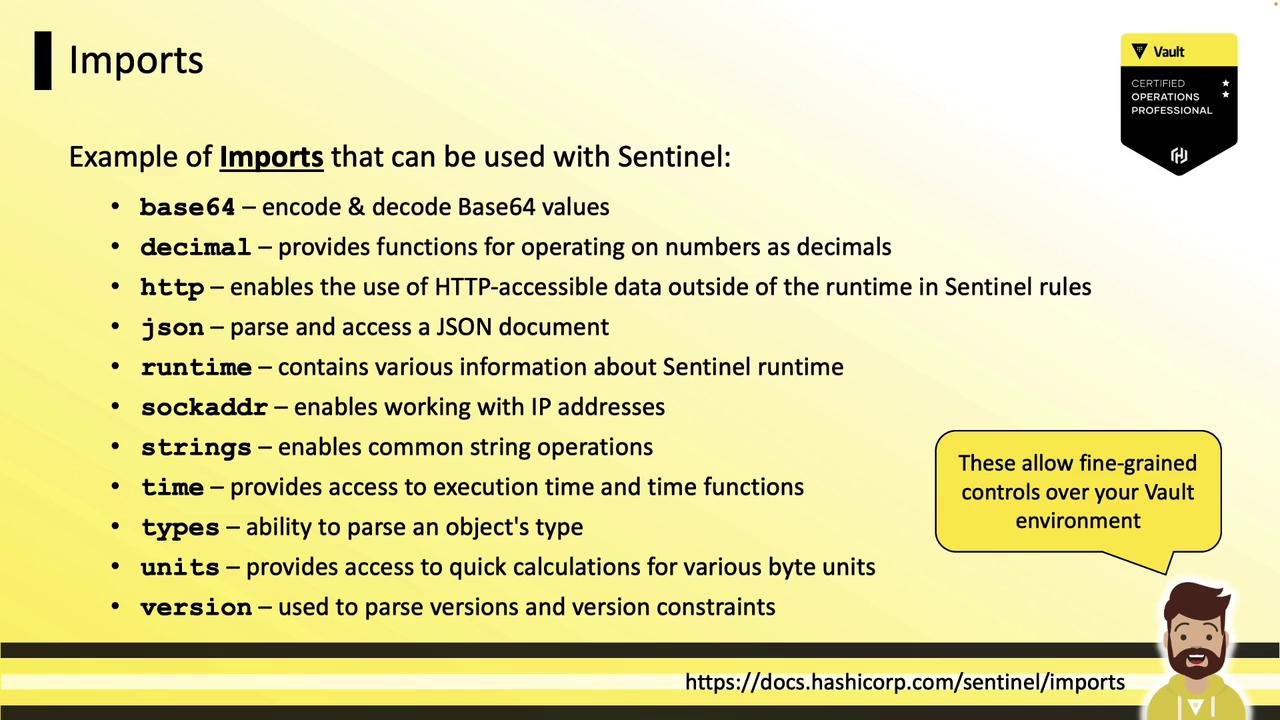
Every Sentinel policy consists of:- Imports: Standard libraries—
base64,decimal,http,json,sockaddr,time,mfa, etc. - Variables & helper rules: Reusable rule definitions.
- main rule: The required entry point. Returns
trueto allow orfalseto deny.
Common Sentinel Imports
base64– Encode/decode Base64 stringsdecimal– High-precision decimal arithmetichttp– Perform HTTP requests within policiesjson– Parse and manipulate JSON datasockaddr– Handle IP addresses and CIDR blockstime– Load, compare, and parse timestampsmfa– Access the results of MFA methodsstrings– String manipulation functions
Example RGP: Allow Specific Identities
This RGP grants access only to identities named “jeff” or members of the “sysops” group:Example EGP 1: Revoke Old Tokens
Apply to all paths (*) to deny tokens issued before a cutoff timestamp:
when not request.unauthenticatedensures this only applies to authenticated requests.- Denies any token created before December 25, 2022.
Example EGP 2: LDAP Login with MFA and IP Check
This policy requires both an IP CIDR check and a Ping MFA challenge onauth/ldap/login:
Enforcement Levels
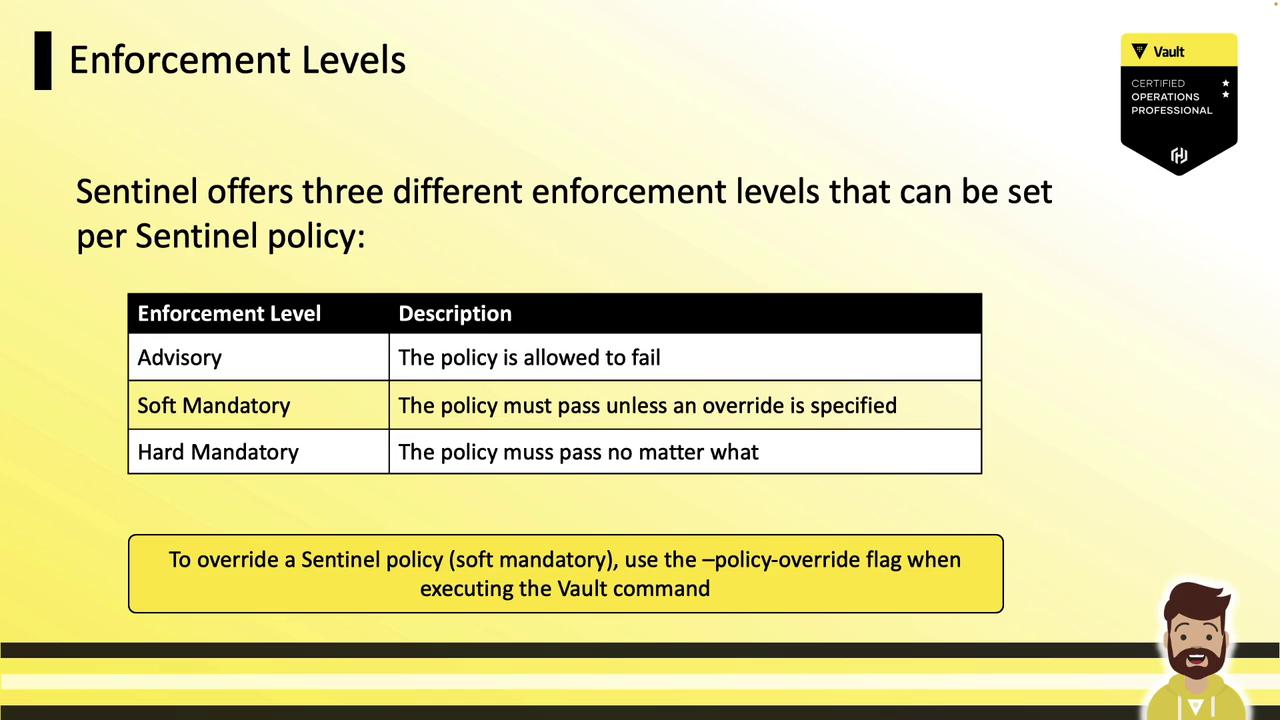
When creating RGPs or EGPs you choose:- Advisory: Failures are logged but do not block requests.
- Soft Mandatory: Failures block requests unless
?policy_override=trueis specified. - Hard Mandatory: Failures block requests with no override allowed.
Creating Sentinel Policies in the Vault UI
Role Governing Policy (RGP)
- Navigate to Policies > Role Governing
- Click Create Policy
- Enter a name (e.g.,
business-hours-access) - Paste your Sentinel code:
- Select an enforcement level
- Click Create Policy
Endpoint Governing Policy (EGP)
- Go to Policies > Endpoint Governing
- Click Create Policy
- Provide a name (e.g.,
cidr-validation-jenkins) - Paste the policy:
- Add the target paths (e.g.,
kv/automation/jenkins) - Choose enforcement level
- Click Create Policy
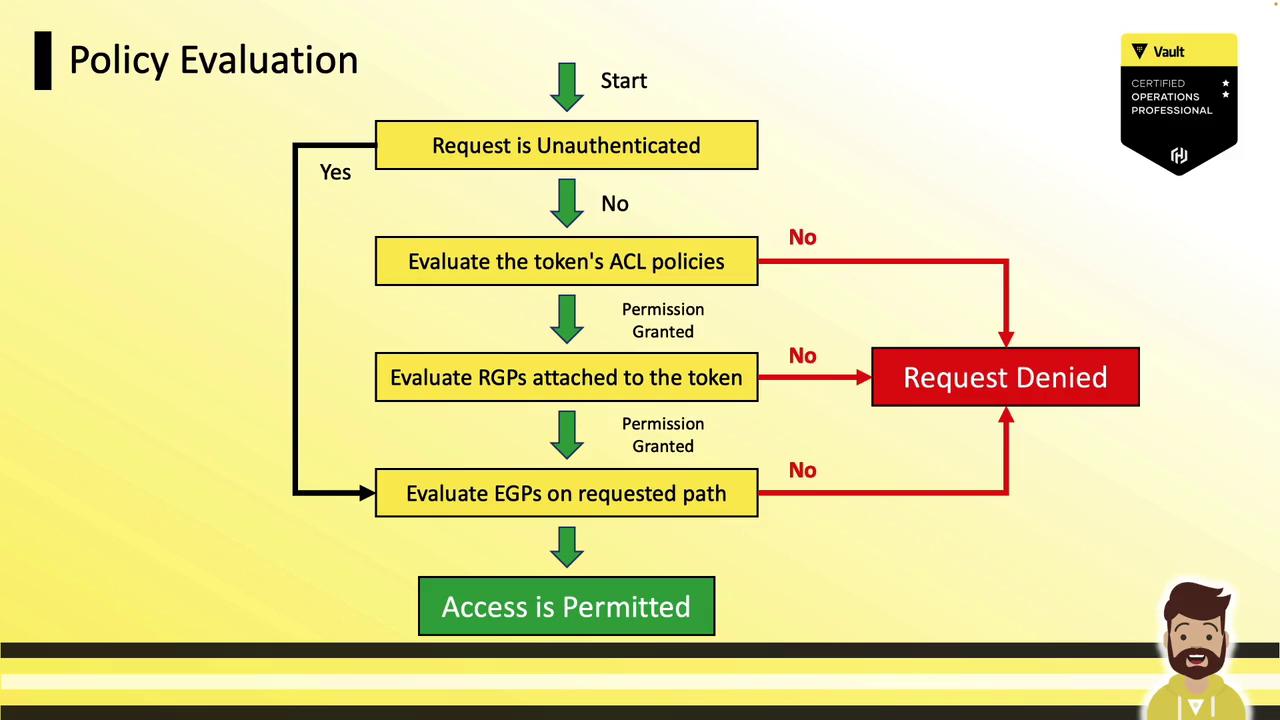
Policy Evaluation Flow
- Unauthenticated path?
- Yes → Evaluate any EGP on that path and permit/deny immediately.
- Authenticated request
a. Evaluate Vault ACL policies attached to the token; deny on failure.
b. Evaluate RGPs attached to the identity; deny on failure.
c. Evaluate any EGP on the requested path; deny on failure.
d. If all checks pass → Access Permitted
Adding multiple Sentinel policies can increase evaluation overhead and may impact latency under heavy request loads. Monitor performance and optimize your rules accordingly.
Root Token Bypass
Root tokens automatically bypass all Sentinel evaluations and are always granted access. For realistic performance testing, use regular service or batch tokens instead of root.References
- Vault Sentinel Documentation
- HashiCorp Enterprise Sentinel
- Vault Policy Management
- Terraform Enterprise Sentinel