

Overview
The Identity Secrets Engine is mounted by default in Vault (path:
identity/). It cannot be disabled or moved.- Represents every Vault client as an entity, each with:
- A unique entity ID.
- Zero or more aliases linking auth methods.
- Operators can manage entities, aliases, and groups via the UI, CLI, or API.
- On first login, Vault auto-creates an entity and alias if none exist.
Entities and Aliases
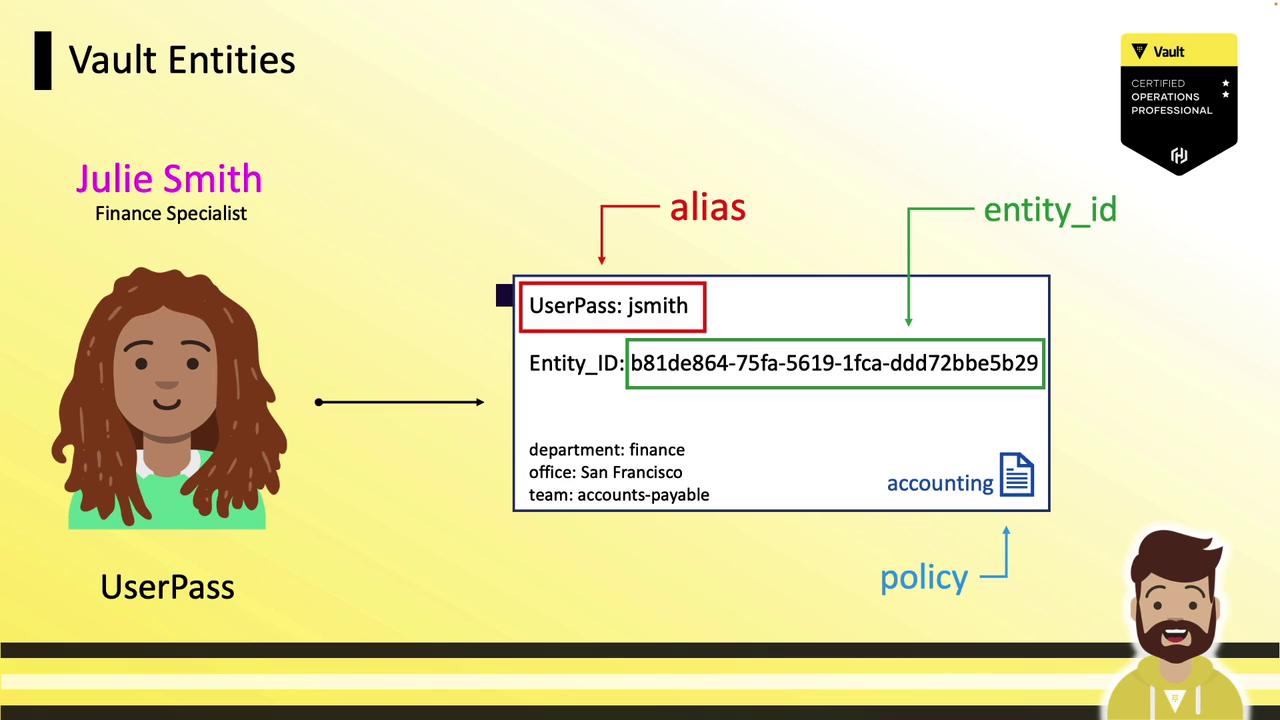
An entity represents one person or system. An alias maps a particular authentication method to that entity. You can pre-create entities and add aliases later or let Vault handle it automatically. When a new user logs in via userpass, Vault:- Creates an entity (e.g.,
b81de864-...). - Attaches an alias combining the auth method (
userpass) and username (JSmith). - Associates policies and optional metadata.
Multiple Authentication Methods
Without consolidation, multiple auth methods create separate entities:userpass/JSmith→ entityB81D…(policy:accounting)ldap/jsmith@example.com→ entityE93D…(policy:finance)github/jsmith22→ entityF45A…(policy:accounts-payable)

Consolidating into a Single Entity
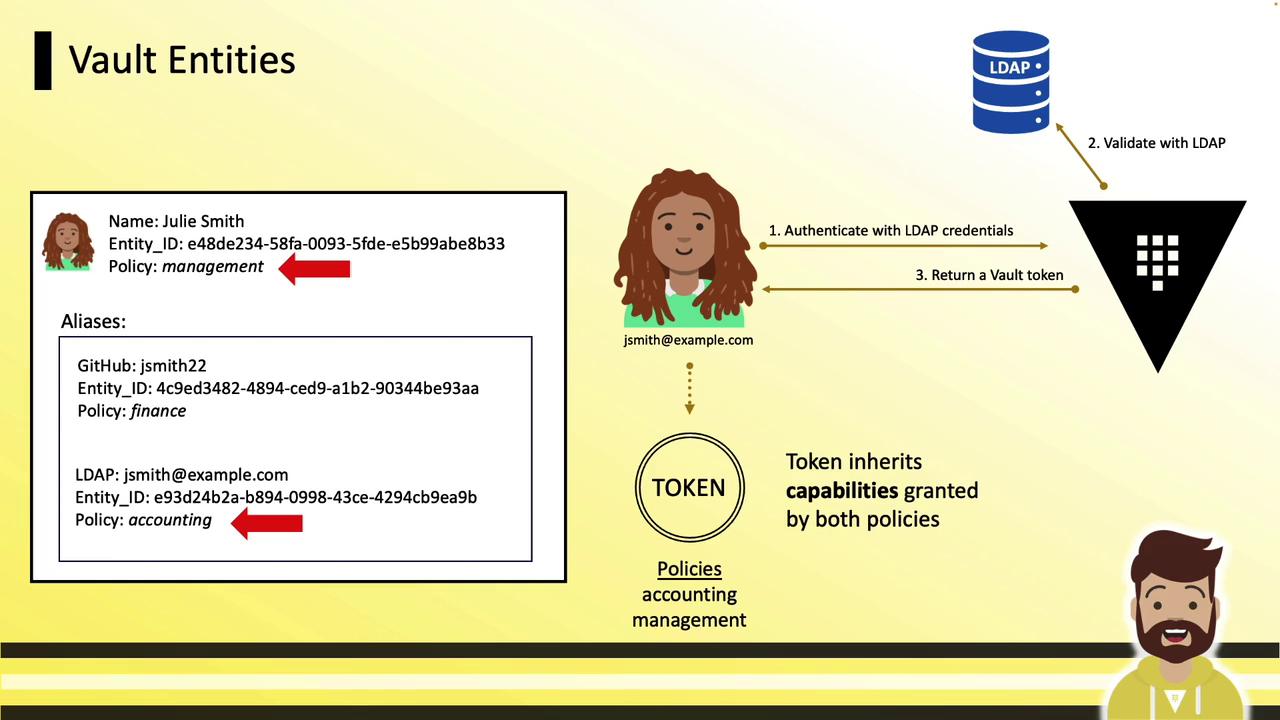
To unify access, create one Julie Smith entity and attach all auth method aliases:- Create the entity and assign shared policy (
management): - Add aliases for each auth method:
- On login via any method, tokens inherit:
- Alias-level policy (e.g.,
accounting) - Entity-level policy (
management)
- Alias-level policy (e.g.,
Vault Groups
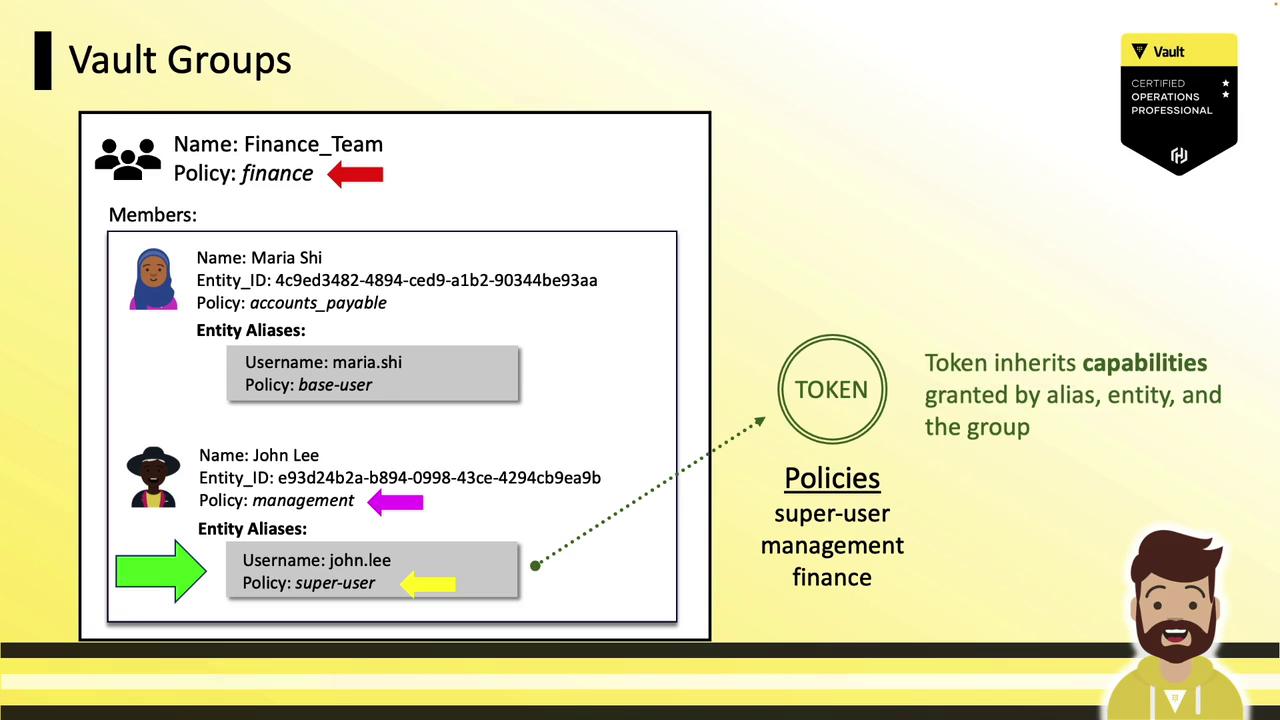
Groups enable policy management for many entities simultaneously:- A group can contain entities and subgroups.
- Assign policies at the group level; all members inherit them.
- Similar to directory-based groups (LDAP/AD).
finance policy includes:
- Maria (entity-level
accounts-payable) - John (entity-level
management)
- Alias
- Entity
- Group
Internal vs. External Groups
Vault supports two group types: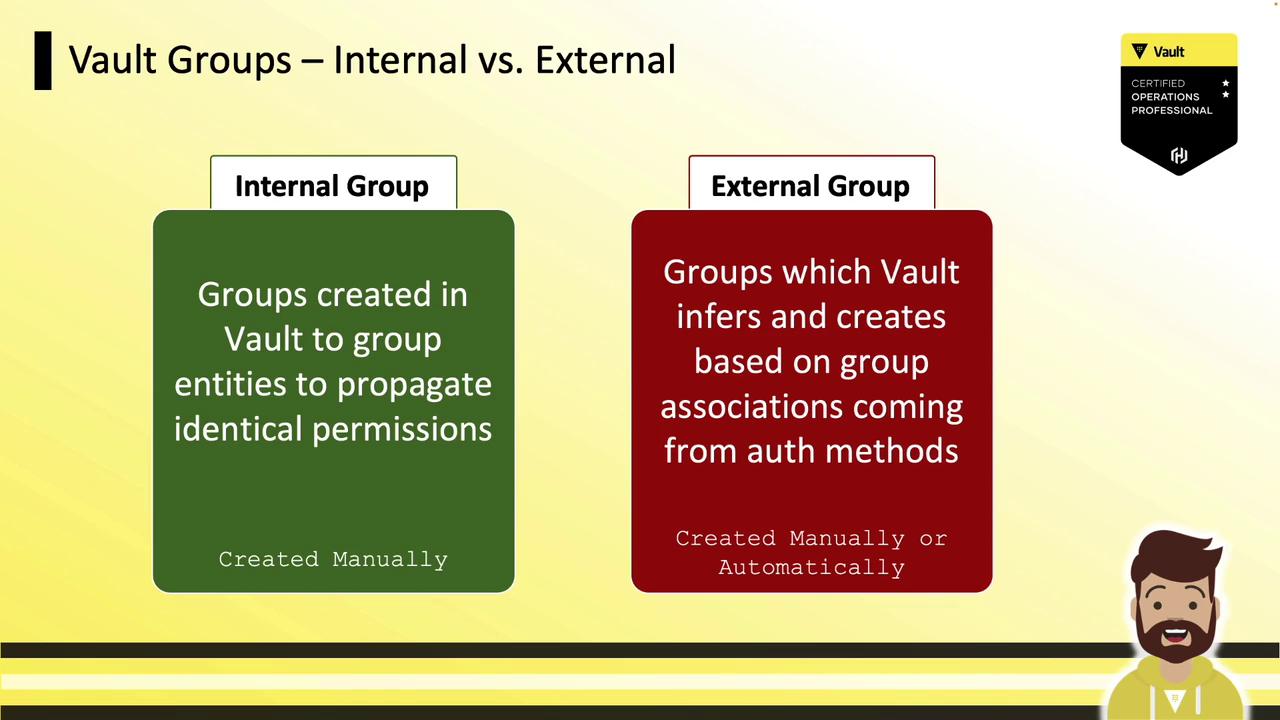
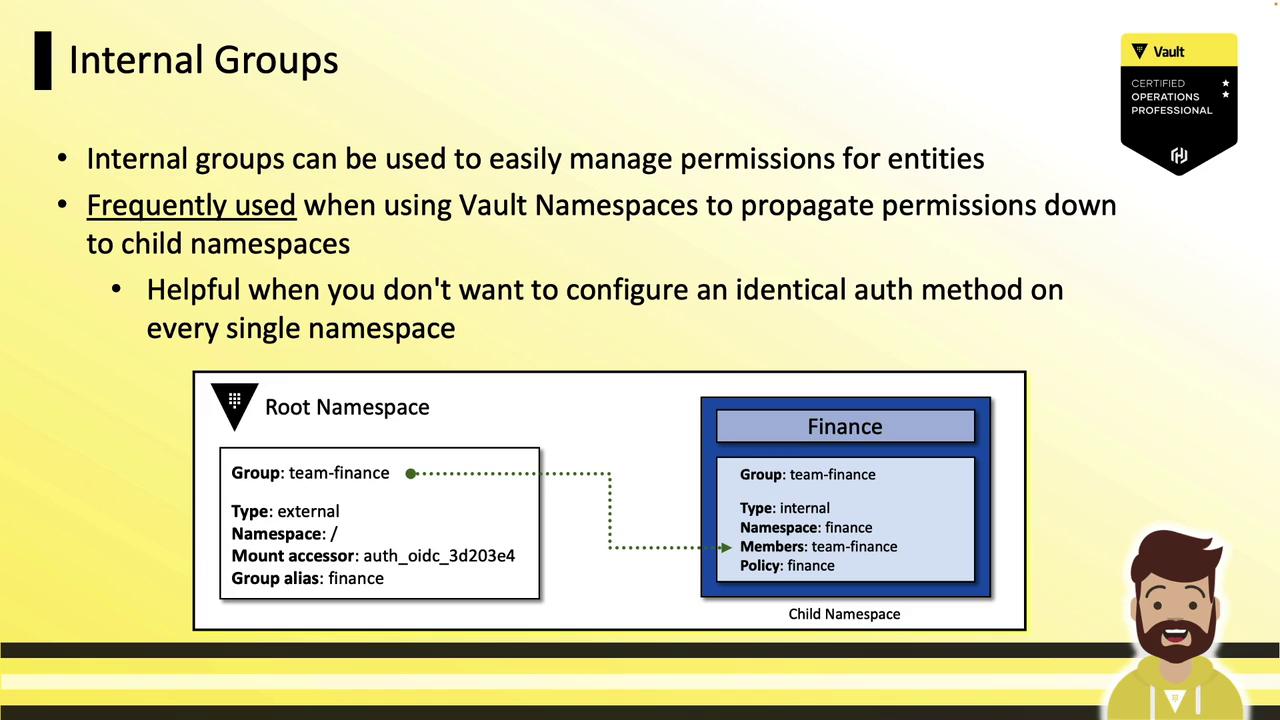
Internal Groups and Namespaces
Use internal groups at the root namespace to grant child namespaces access without reconfiguring auth everywhere:- At root: create an internal group
team-financewith policyfinance. - In child namespace (
finance): reference the root group as a subgroup. - Users authenticated at root automatically gain child namespace permissions.
External Groups
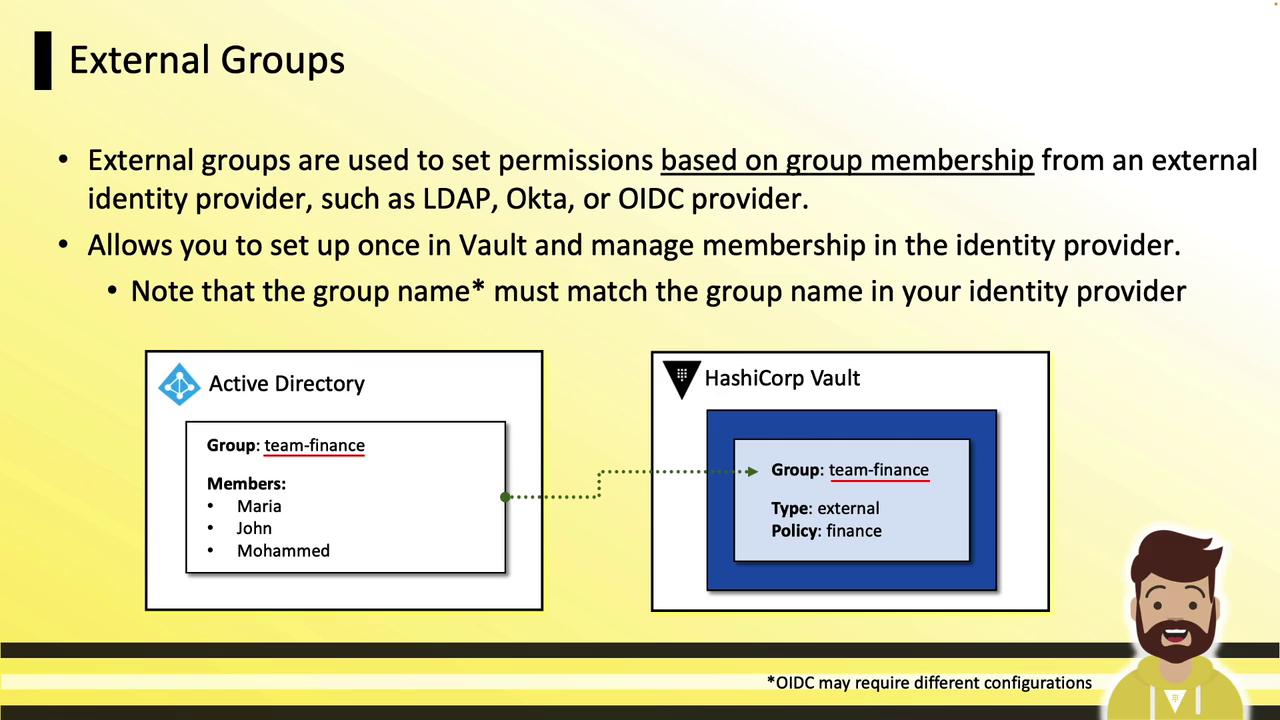
External groups sync with your identity provider’s groups:- Create a Vault external group (e.g.,
team-finance). - Map an alias to the provider’s group name or UUID.
- Assign policies in Vault; manage membership in your IdP.
Summary
- Entities unify clients under a unique identifier.
- Aliases link auth methods to entities for granular policies.
- Groups (internal/external) scale policy management across teams and namespaces.
- Use the Vault CLI and UI to configure entities, aliases, and groups.