

Blue-Green Deployment
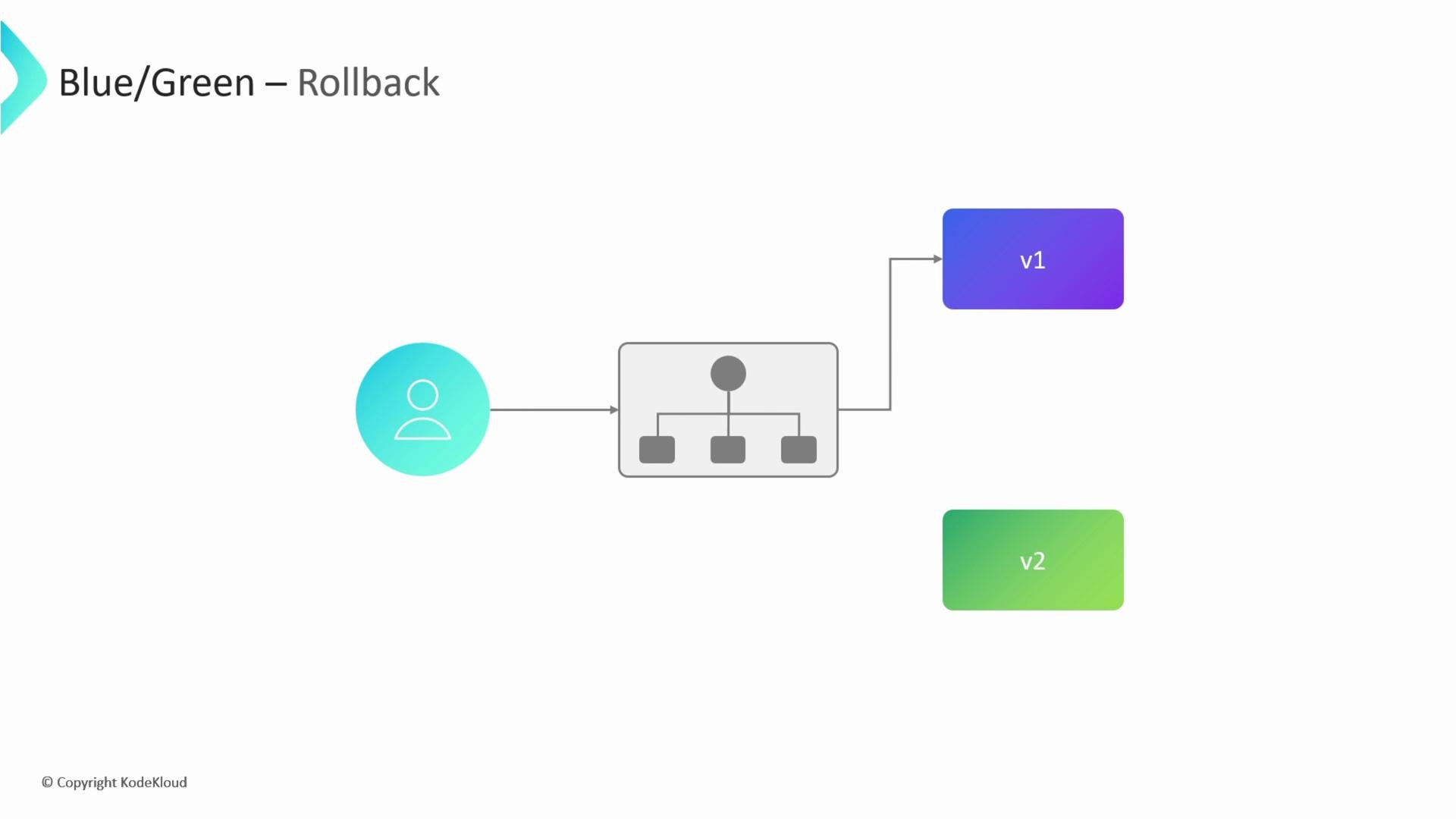
Blue-Green deployment maintains two identical production environments: one active (blue) and one idle (green). Deploy the new version to the idle environment, test it, then switch live traffic to it via a load balancer or routing layer. If something fails, the switch can be reversed immediately to restore the previous environment.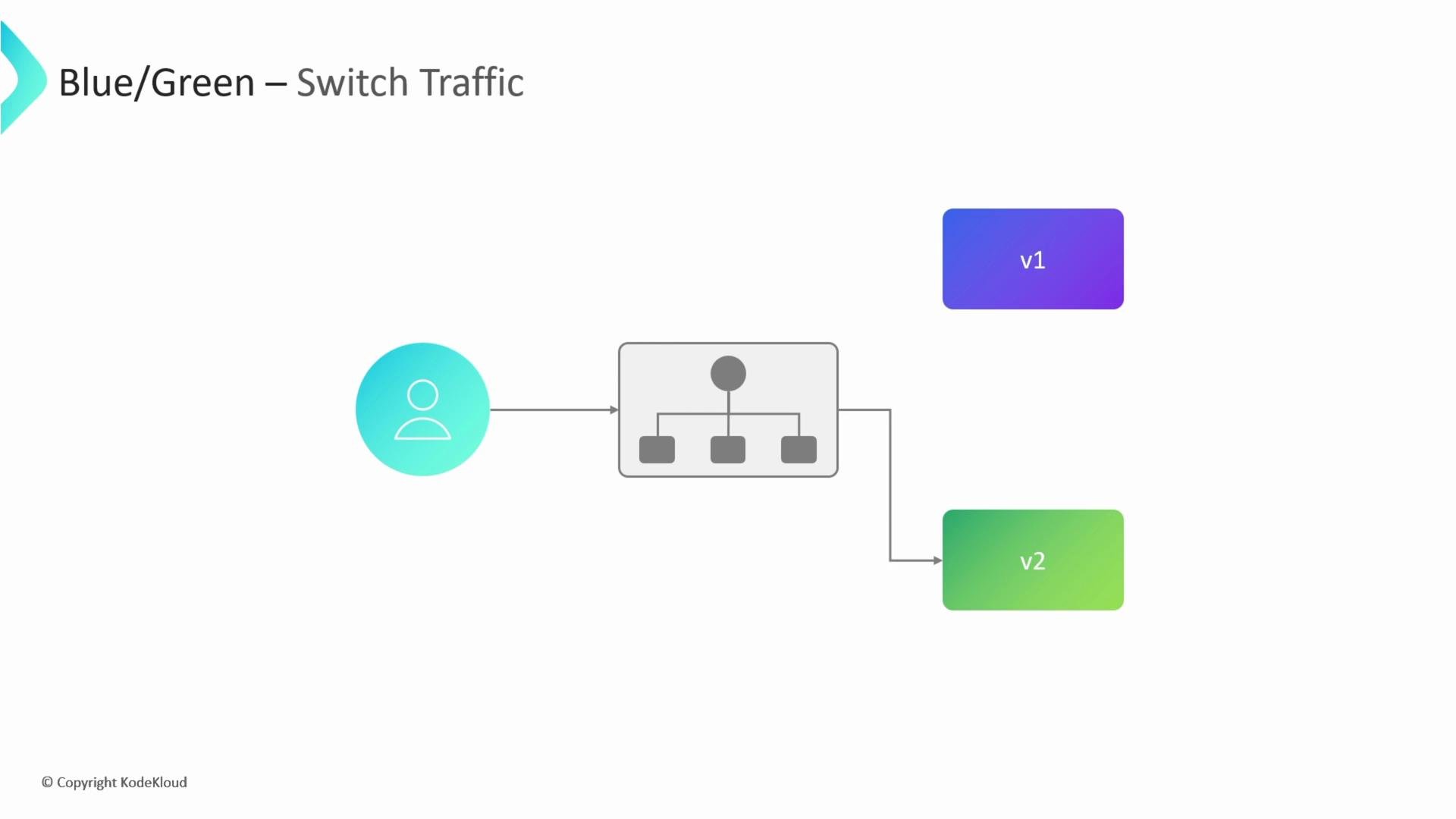
- Near-zero downtime cutover.
- Fast, reliable rollback by switching back to the previous environment.
- Validation occurs before serving all traffic.
- Requires duplicate infrastructure for both environments.
- Less granular real-time feedback compared to progressive rollouts.
Canary Deployment
Canary deployments introduce a new version alongside the stable version and route a small percentage of traffic to it. The percentage increases gradually (for example, 5% → 25% → 50% → 100%) as automated health checks and business metrics validate the release. If problems arise, you reduce the canary weight back to zero or remove it.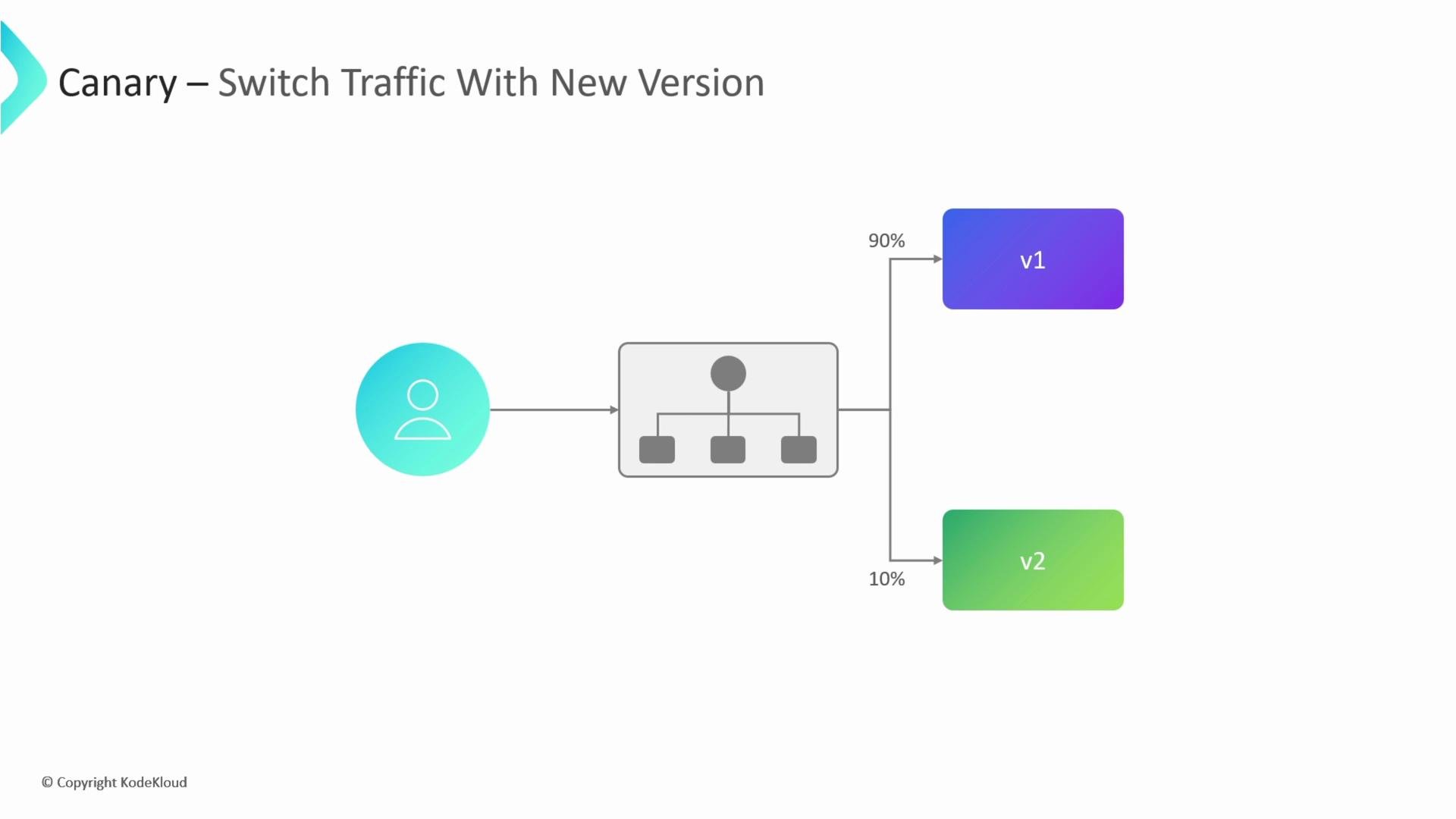
- Limits blast radius by exposing a subset of users to changes.
- Provides continuous, real-user feedback during rollout.
- Can be automated with monitoring gates, enabling safe promotions or automated rollbacks.
- Requires more complex traffic routing and automation.
- Needs strong observability (metrics, logs, traces) and often feature-flag integration.
Comparing Blue-Green and Canary
Below is a practical comparison to help you decide which approach matches your needs.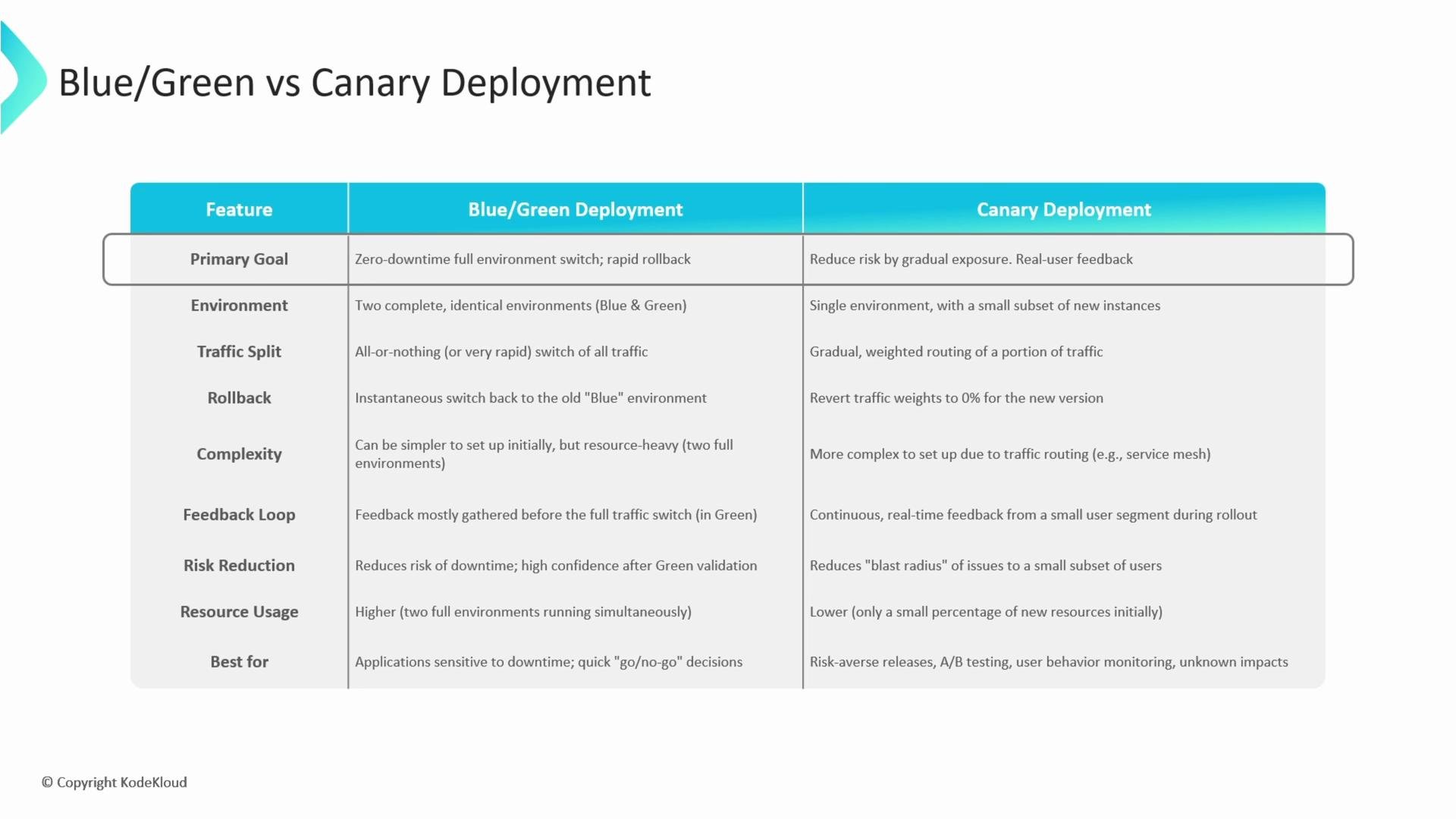

- Blue-Green: Use when you need a straightforward, reliable full-environment rollback and can allocate duplicate infrastructure.
- Canary: Use when you want to minimize blast radius, capture real-user signals, and have automation to promote/rollback releases.
Choose the strategy that matches your risk tolerance, monitoring maturity, and infrastructure constraints. Canary requires robust automation and observability, while Blue-Green requires duplicate environments.
Progressive Delivery, Feature Flags, A/B Testing, and Shadowing
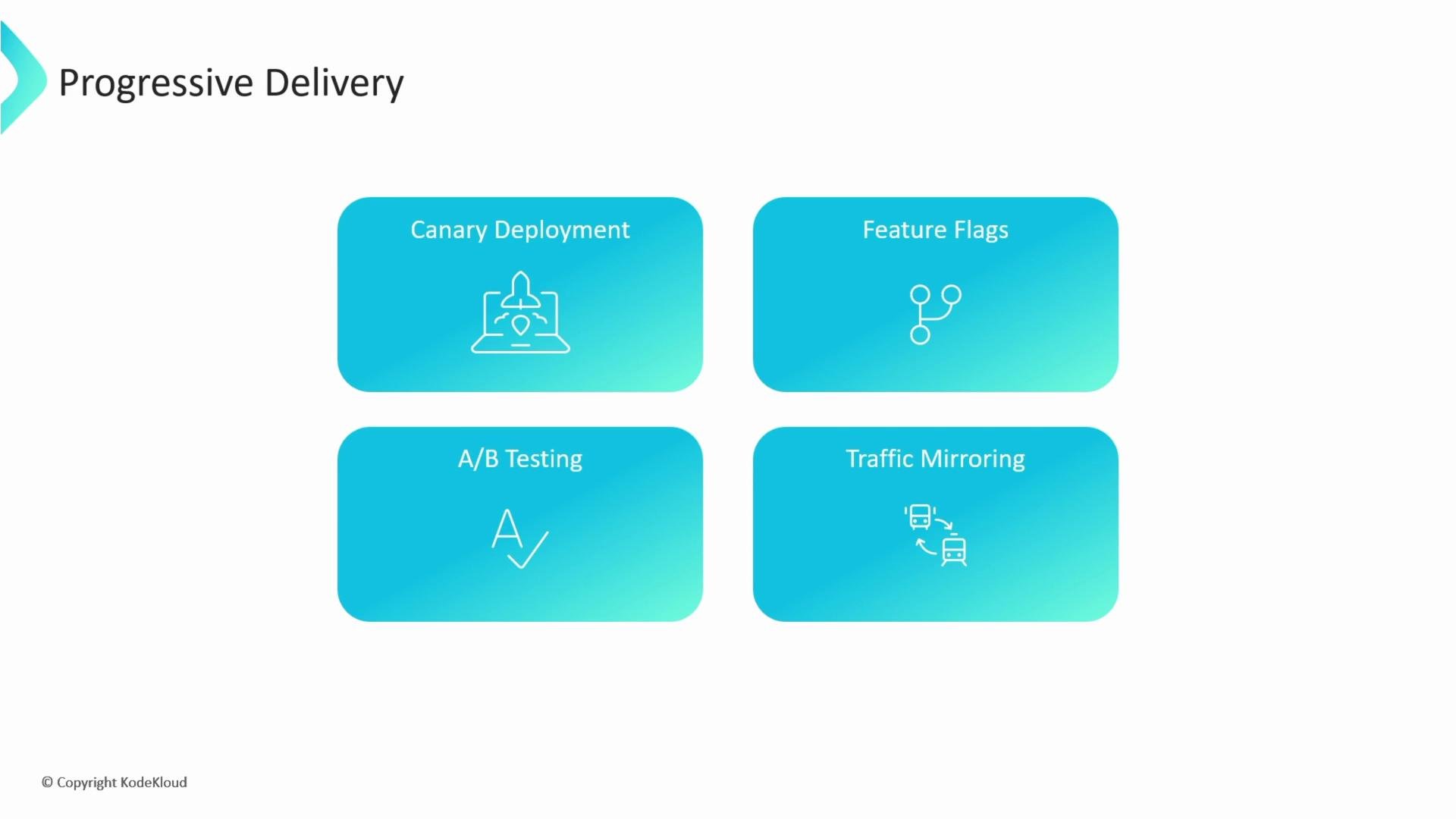
Progressive Delivery combines multiple techniques—Canary releases, feature flags, traffic shifting, and automated validation gates—to expose changes gradually and safely. It focuses on continuous delivery with guardrails that minimize production risk.- Canary releases: Incrementally increase exposure to the new version while checking health and business metrics.
- Feature flags: Toggle features at runtime so you can decouple code deploys from feature releases and instantly disable problematic features.
- A/B testing: Route traffic between variants to measure user behavior, conversion, or engagement and choose the best-performing variant based on data.
- Traffic mirroring / shadowing: Duplicate live production traffic to a shadow environment that processes requests for validation; responses are discarded so users are unaffected. When implementing shadowing, ensure side effects (writes, external calls) are suppressed or mocked so validation does not modify production data.
When using traffic mirroring / shadowing, ensure shadow instances do not perform destructive operations or call external systems that modify data. Mock or suppress side effects to prevent impacting production systems.
- Feature flags + Canary: Use flags to enable new behaviors for the canary cohort before promoting globally.
- A/B testing + Feature flags: Implement variants behind flags and use experimentation platforms to measure outcome metrics.
- Shadowing + Canary: Validate performance and side effects in shadow environments, then run a canary to validate user-facing behavior.
Summary
- Blue-Green: Fast full-environment switch, simple rollback, higher infrastructure cost.
- Canary: Gradual exposure with a lower blast radius; requires automation and strong observability.
- Feature Flags: Fine-grained control over who sees features; enables instant rollback at feature level.
- A/B Testing: Data-driven decisions by comparing user metrics across variants.
- Traffic Shadowing: Validate under real load without affecting users—careful handling of side effects is essential.
- Kubernetes: What is a Deployment?
- Progressive Delivery (article)
- Feature flagging primer (Martin Fowler)
- Canary Releases (best practices)