

- GIT for Beginners
- Docker Training Course for the Absolute Beginner
- Kubernetes for the Absolute Beginners - Hands-on Tutorial
- Coursera Labs: Source Control & CI/CD - Hands-On
- GitOps with ArgoCD
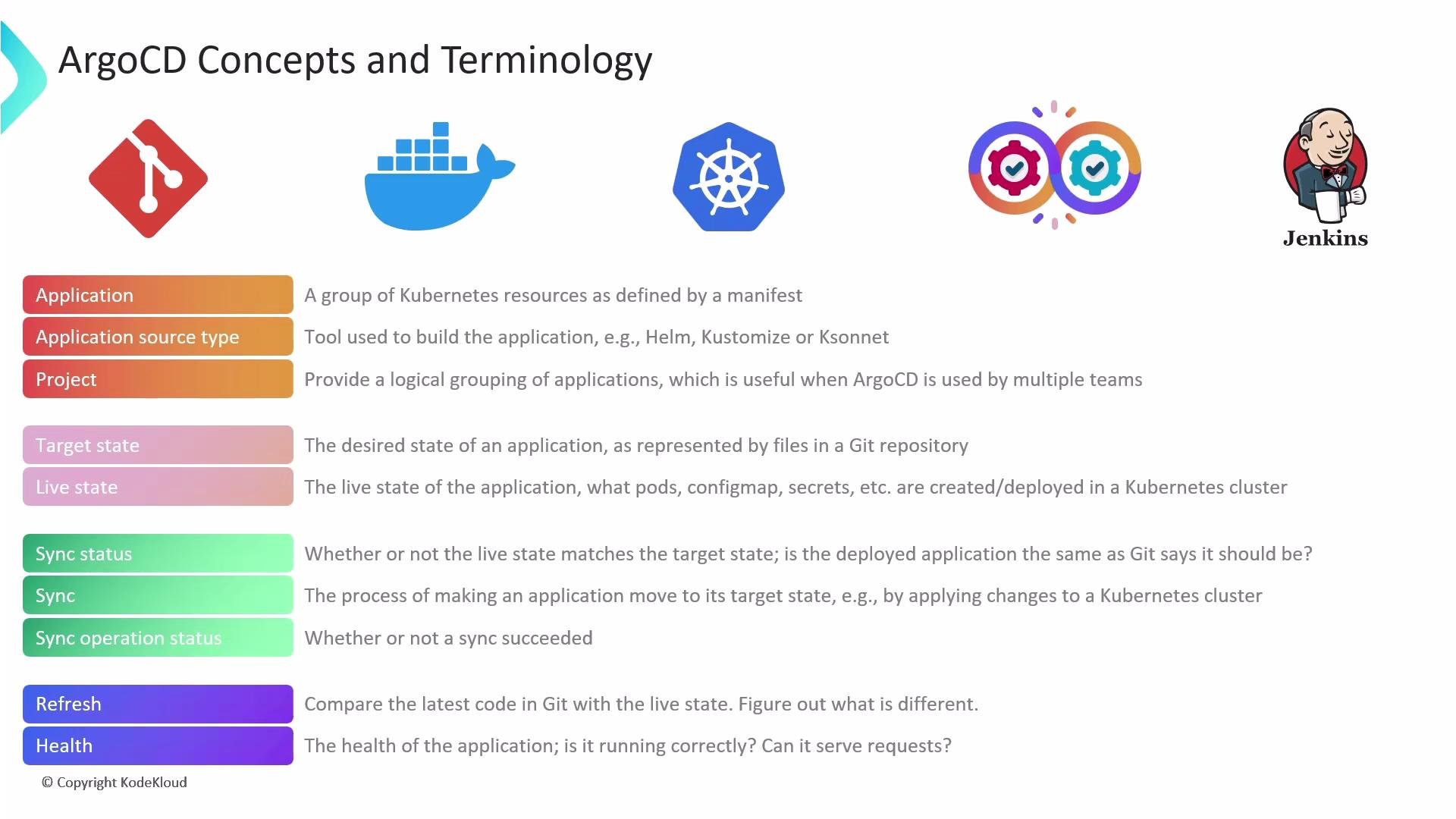
Argo CD implements GitOps: the Git repository holds the desired (target) state, and Argo CD continuously reconciles the live cluster state to match that target state.
Application (Argo CD Application)
- An Argo CD Application is the main unit Argo CD manages. It is a Kubernetes CR named
Application. - The Application CR includes:
source: repository URL and path to manifests or chartdestination: cluster and namespace where resources will be applied- rendering tool choice (Kustomize, Helm, plain YAML, or a plugin)
- sync policies, credentials, and other options
Application manifest (YAML)
- The Application
sourcesection defines how Argo CD should render and obtain manifests. - Common renderers:
- Kustomize — overlay-driven configuration
- Helm — templated charts and
values.yaml - Plain Kubernetes manifests (YAML)
- Argo CD can be extended with custom generators and plugins for advanced workflows.
- Projects are a namespace-like control plane within Argo CD to group and govern Applications.
- Use Projects to restrict which Git repos, clusters, and namespaces an Application can target and to enforce RBAC boundaries.
Synchronization and reconciliation
- Argo CD continuously compares the target state (Git) to the live state (cluster) and performs a reconciliation loop.
- When differences are detected, Argo CD can perform a sync operation to apply changes so the live state matches the target state.
- Sync status (high-level): indicates whether the live resources match Git, for example:
Synced— cluster matches GitOutOfSync— cluster diverges from Git
- Operation status (task-level): describes the progress/outcome of the last sync action, for example:
Running,Succeeded,Failed
- Sync an Application:
argocd app sync <app-name>
- Refresh an Application (re-evaluate Git & cluster state):
argocd app refresh <app-name>
- View Application status:
argocd app get <app-name>
- A refresh forces Argo CD to re-evaluate the repository and live cluster state. If differences are found, a new sync can be initiated (manually or automatically depending on sync policy).
- Argo CD provides built-in health checks for many Kubernetes resource kinds and reports per-resource and overall Application health.
- Health checks make it easy to see whether individual resources (Pods, Deployments, Services, etc.) are healthy and whether the Application is overall healthy.
- Argo CD Documentation — official docs and API reference
- GitOps Principles — concepts and best practices
- Kubernetes Documentation — core Kubernetes concepts and resources