After covering manual synchronization, this article explains how Argo CD can automatically reconcile (sync) an application when the desired state in Git differs from the live state in the cluster. Note: In GitOps terminology this is usually called “reconciliation”; Argo CD refers to it as “synchronization”. They refer to the same concept. What automated sync does
  • Argo CD can automatically apply changes from Git to the cluster whenever it detects drift between the Git manifests and the live state.
  • You enable this behavior by setting an automated sync policy on the application.
Enable automated sync (CLI)
argocd app set <APPNAME> --sync-policy automated
The equivalent Application manifest fragment:
spec:
  syncPolicy:
    automated: {}
Enabling Auto-Sync in the UI
  • Open the Argo CD application and go to Details.
  • Scroll down to the Sync options and enable “Auto-Sync”. Argo CD will prompt for confirmation.
  • Additional options such as “Self Heal” and “Prune Resources” are available but optional.
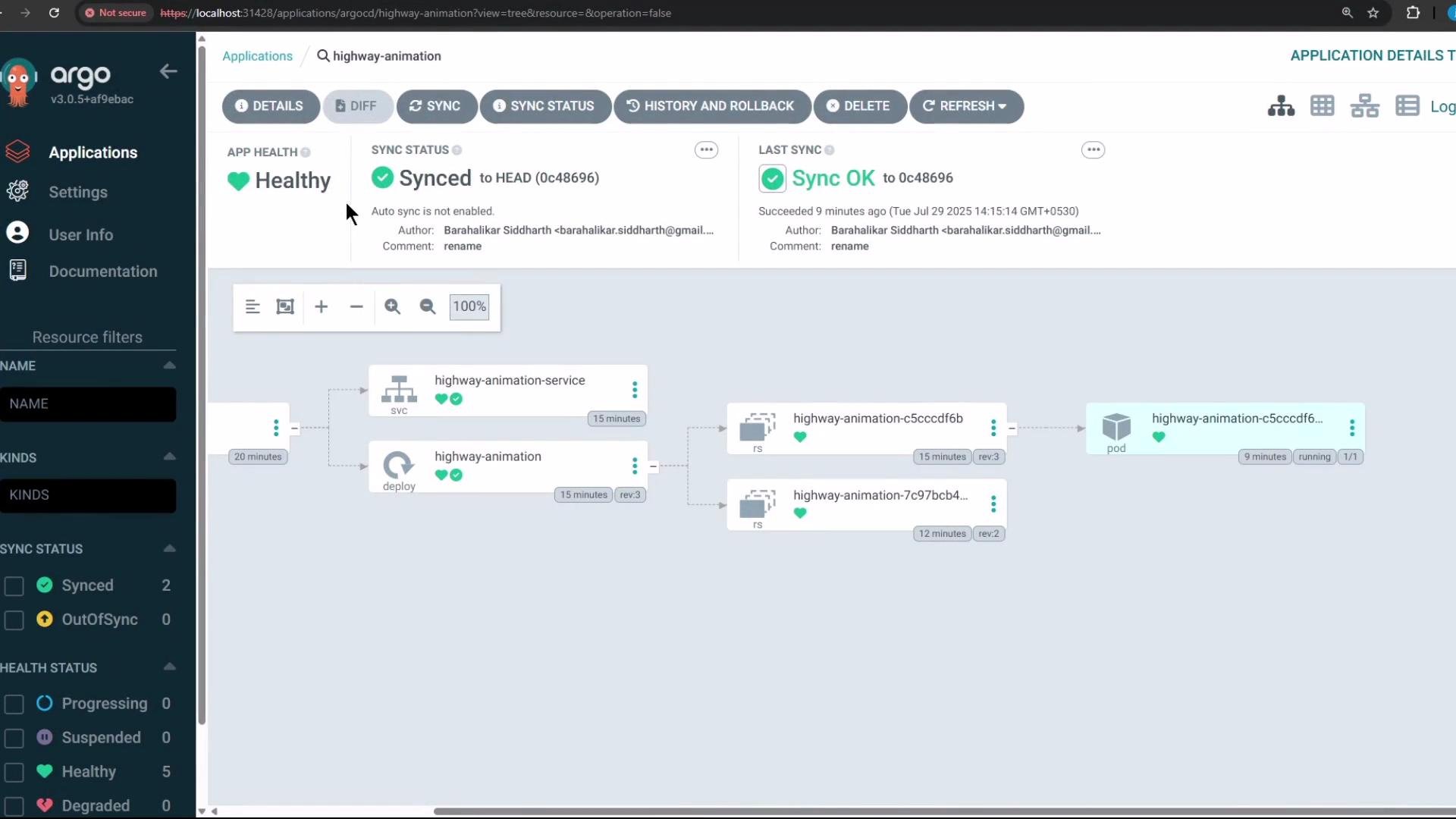
The image shows a deployment view in Argo CD, displaying the status of a "highway-animation" application, which is healthy and synced. The interface displays details like revision history, sync status, and component hierarchy.
Testing automated reconciliation
  1. Start from the current Deployment manifest in Git (example initial manifest):
apiVersion: apps/v1
kind: Deployment
metadata:
  name: highway-animation
  namespace: highway-animation
spec:
  replicas: 1
  selector:
    matchLabels:
      app: highway-animation
  template:
    metadata:
      labels:
        app: highway-animation
    spec:
      containers:
        - name: highway-animation
          image: siddharth67/highway-animation:blue
          ports:
            - containerPort: 3000
          env:
            - name: POD_COUNT
              value: "1"
  1. Edit the manifest in Git to scale to 10 replicas and update the environment variable:
spec:
  replicas: 10
  ...
          env:
            - name: POD_COUNT
              value: "10"
After committing the change, Argo CD will detect the difference and reconcile the application automatically if Auto-Sync is enabled. However, by default Argo CD polls for changes at a periodic interval, so you may not see the change instantly in the UI. Automated sync timing
  • The frequency at which Argo CD checks Git for changes is controlled by reconciliation settings (often exposed via the argocd-cm ConfigMap), typically a reconciliation timeout plus jitter.
  • By default Argo CD uses a reconciliation timeout of 120 seconds plus up to 60 seconds of jitter, so it can take up to ~3 minutes to detect and apply changes automatically.
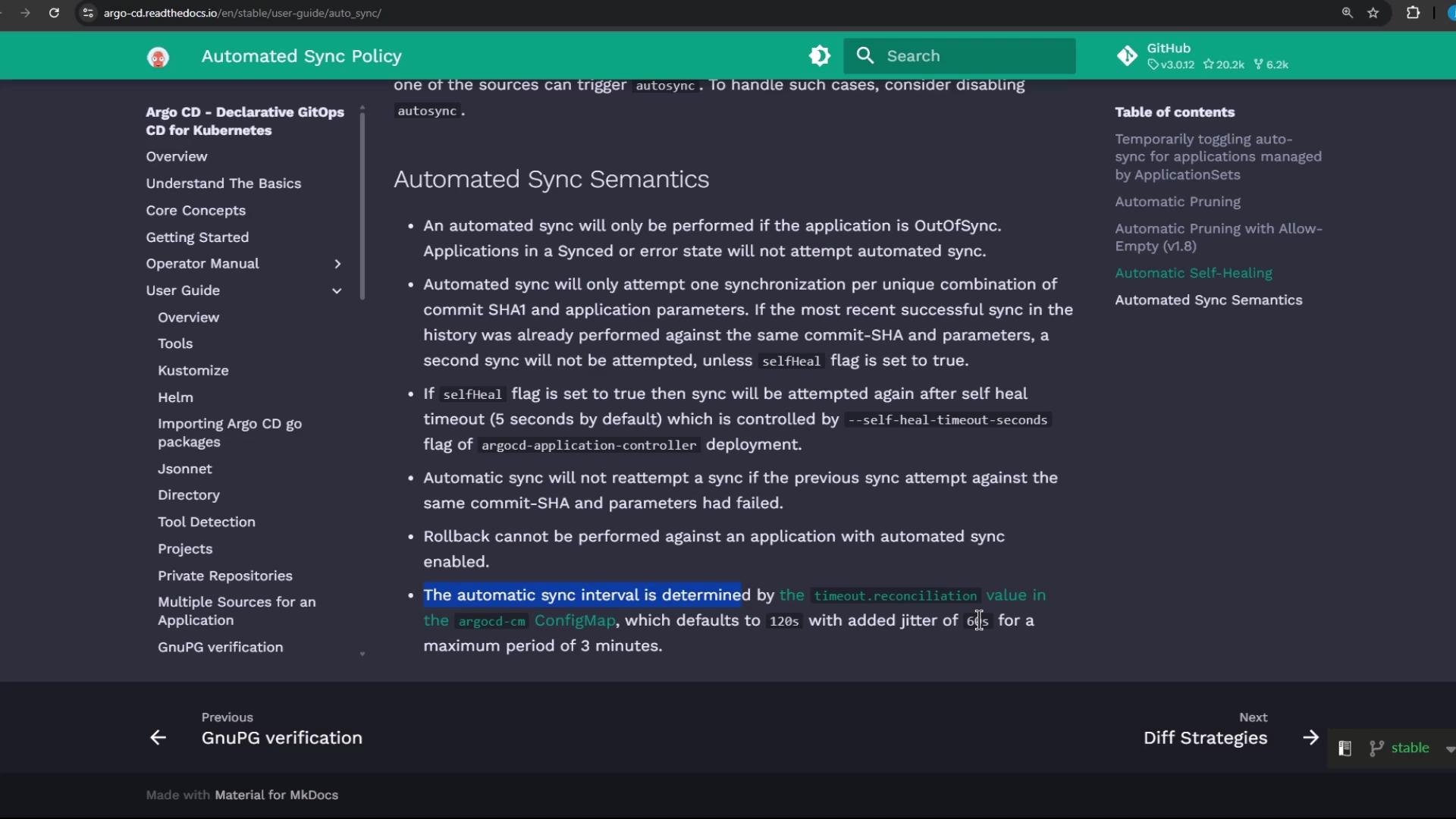
The image shows a webpage from Argo CD's documentation on "Automated Sync Semantics". It details the conditions under which an automated sync will occur and describes related configurations and behaviors.
Force a refresh (manual poll)
  • If you don’t want to wait for the automatic reconciliation window, you can force Argo CD to poll Git immediately by clicking the “Refresh” button in the UI or using the CLI.
  • When refreshing, Argo CD will pull the latest manifests and, if Auto-Sync is enabled, apply them right away.
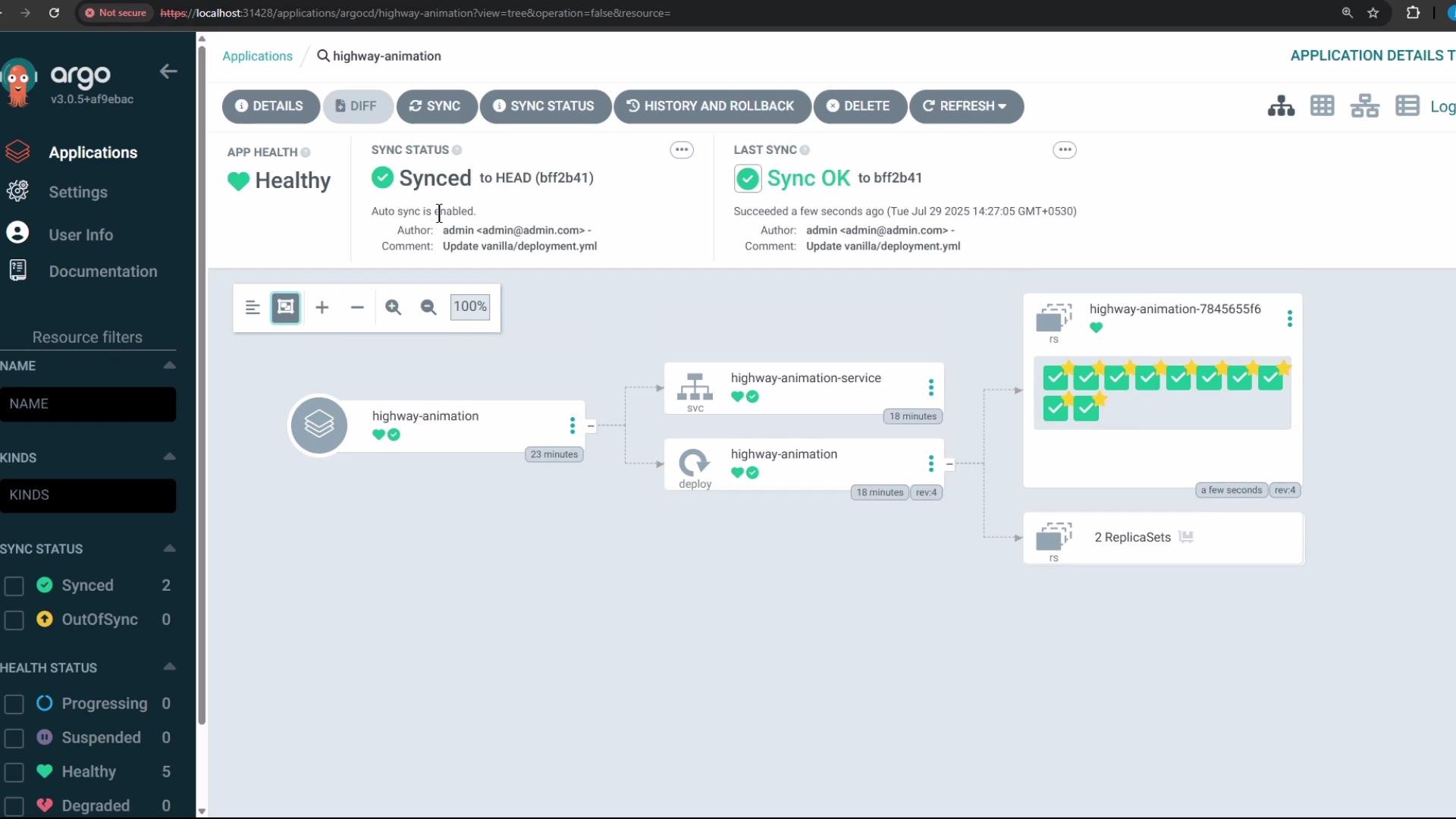
When the manifest above was updated and a refresh was triggered, Argo CD detected the change and created 10 healthy pods (the previous pods were terminated and replaced by the new replica set). You can see the application return to a healthy, synced state in the dashboard.
The image shows a dashboard from the Argo CD application with a visual representation of an application's deployment status, indicating a healthy and synced state. It features a flowchart showing service and deployment components with successful sync and health indicators.
Inspecting the Argo CD ConfigMap
  • To view the argocd ConfigMap and check reconciliation-related settings run:
kubectl -n argocd get configmap argocd-cm -o yaml
  • To list configmaps in the argocd namespace:
kubectl -n argocd get configmaps
  • To search for the reconciliation timeout setting:
kubectl -n argocd get configmap argocd-cm -o yaml | grep -i timeout
If timeout.reconciliation is not present in argocd-cm, Argo CD uses the default value (120s) plus jitter (up to 60s), so reconciliation may take up to ~3 minutes by default.
Summary
  • Enable automated sync via argocd app set <APPNAME> --sync-policy automated or by enabling Auto-Sync in the UI.
  • Changes committed to Git are applied automatically by Argo CD, subject to the reconciliation polling interval.
  • Use the Refresh action to force a Git poll and apply changes immediately.

Watch Video

Practice Lab