

- What CI and CD mean and how they differ
- A typical pull request (PR) based CI workflow
- How pipelines validate integrated code and prevent regressions
- Deployment strategies for staging and production
- CI/CD automates verification and delivery of code changes, reducing human error and accelerating feedback.
- Using a Git hosting platform (for example, Gitea, GitHub, GitLab, Bitbucket) lets teams trigger automated pipelines on pull requests and merges.
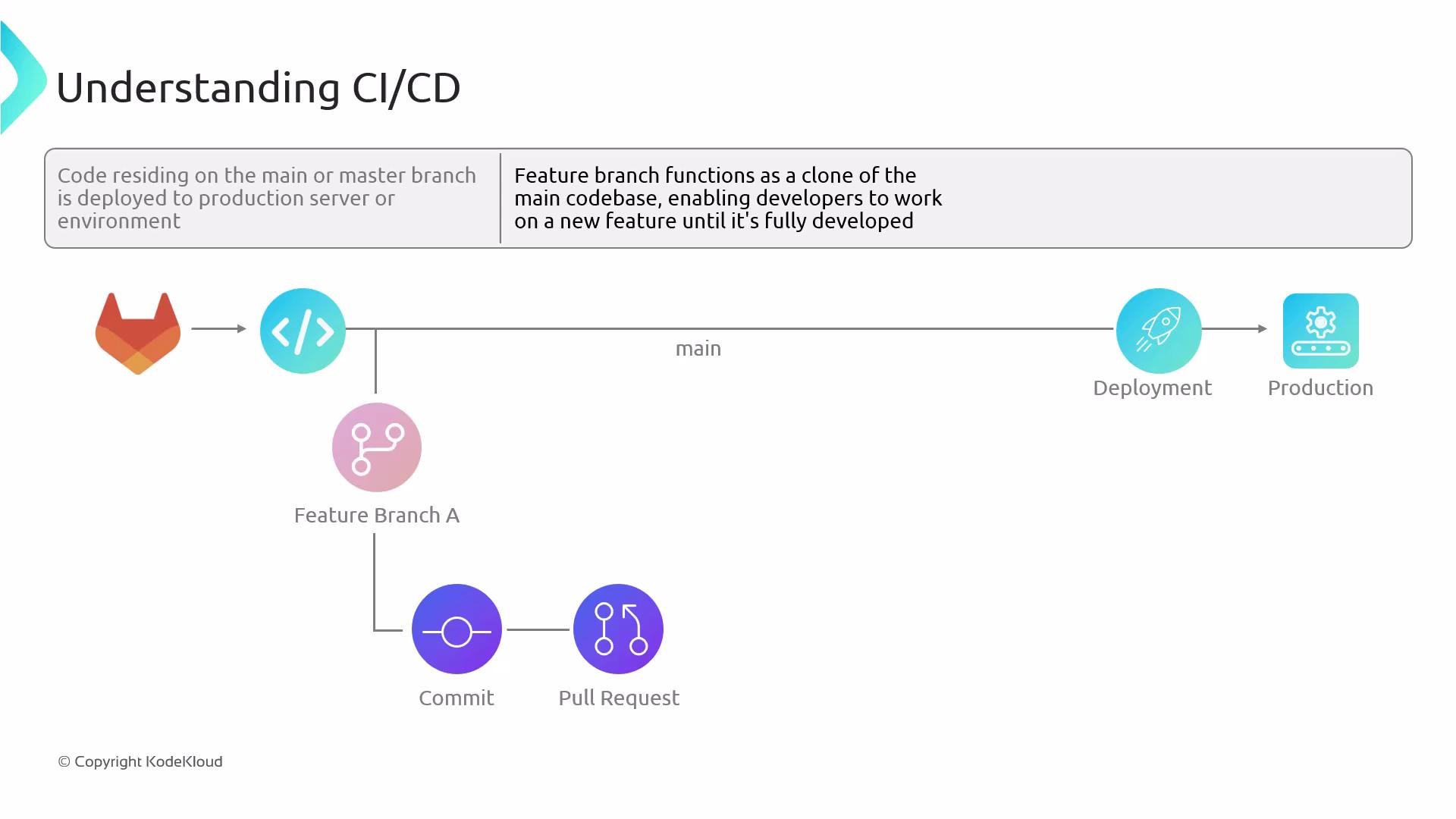
- Primary branches (commonly
mainormaster) are usually the source of truth for production deployments; feature branches let developers iterate without disrupting production.
- Delayed testing: Tests run late and integration issues surface only after multiple merges.
- Inefficient deployments: Manual steps increase the chance of inconsistent environment states.
- Reduced quality assurance: Heavy reliance on manual testing introduces human error and bottlenecks.
Deploying untested code directly to production is risky. Automated CI and testing reduce the likelihood of regressions and outages.
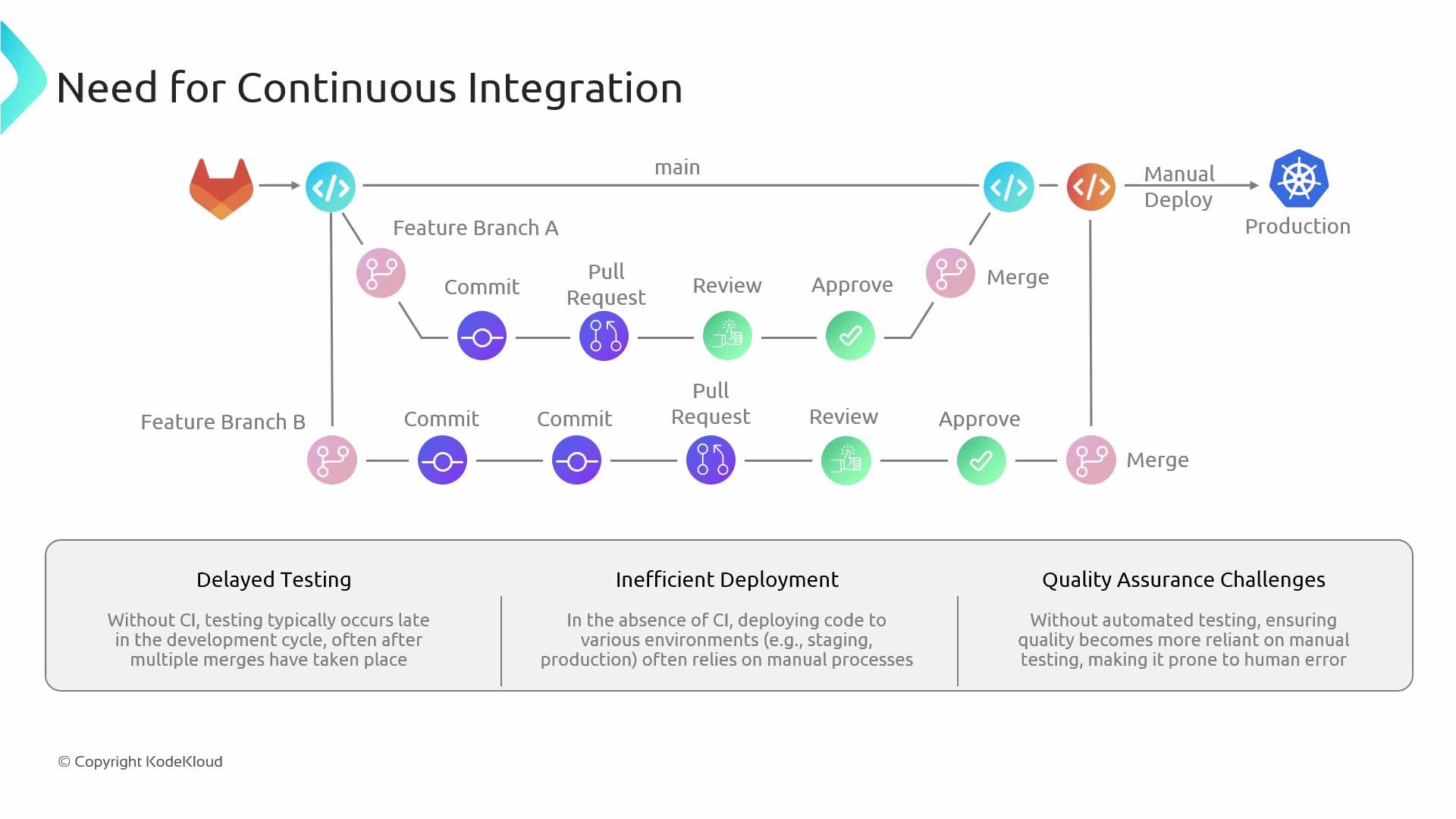
- Developer A creates a feature branch
feature/A, implements changes, and opens a pull request againstmain. - The CI pipeline runs on the PR. Typical stages:
- Checkout and prepare environment
- Run unit tests
- Static code analysis and linting
- Dependency and license scanning
- Build artifacts (binaries, Docker images)
- Vulnerability scanning and security tests
- If any check fails, the contributor updates the branch and pushes a new commit—this re-triggers the CI pipeline.
- When checks pass and reviewers approve, merge the PR into
main. - Developer B independently follows the same process with
feature/B.
main?
- Fast feedback: CI on the PR validates the change in isolation (often merged with the latest
mainlocally) and gives quick feedback to the author and reviewers. - Integration safety: CI on
mainafter merge validates the combined state, catching race conditions or interactions with other recently merged changes.
- Continuous Delivery: Every change is built, tested, and ready to deploy; a manual approval or release step promotes the change to production.
- Continuous Deployment: Every passing change is automatically deployed to production with no manual gate.
Deployment and validation after CI
- After
mainpasses CI, deploy to a non-production environment that mirrors production (for example, staging) for live validation. - Pipelines can also deploy feature branches to ephemeral environments for testing.
- Post-deploy tests: integration tests, end-to-end (E2E) tests, performance and load testing.
- Promotion: Once staging checks pass, either merge/tags are created to mark release artifacts, and a pipeline promotes those artifacts to production.
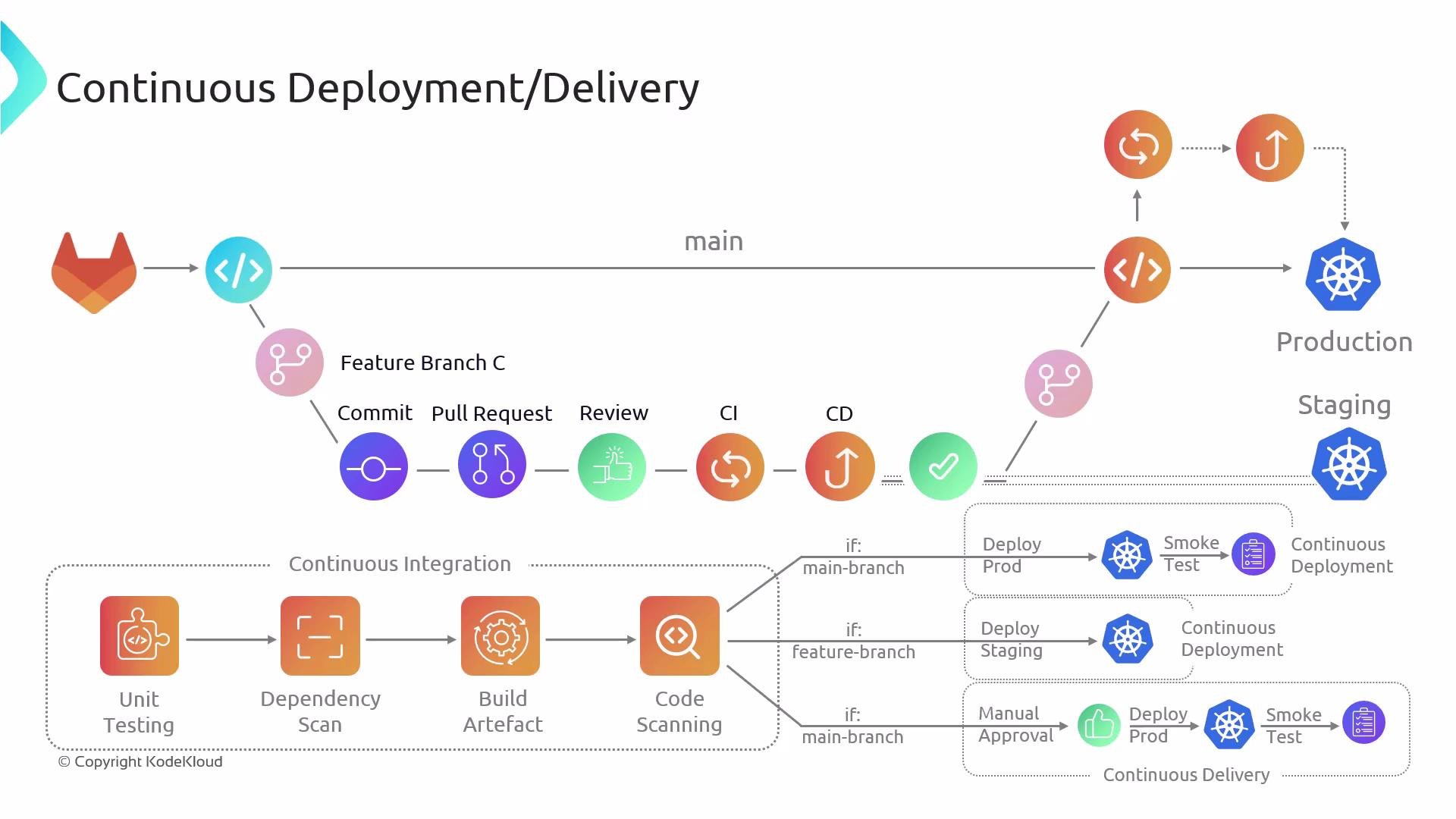
Continuous Delivery keeps your codebase always in a deployable state but uses a manual approval before production. Continuous Deployment automates the last step: code moves to production automatically when all checks succeed.
- Gitea — lightweight Git hosting
- GitHub, GitLab, Bitbucket — popular Git hosting and CI/CD platforms
- CI/CD best practices and pipeline examples:
- Branch-per-feature workflows and PR validation
- Use of ephemeral environments for feature testing
- Automate as many checks as practical to reduce manual testing burden