This guide demonstrates how Argo Rollouts implements the Blue-Green deployment strategy to promote and rollback application versions. With blue-green, the Rollout controller manages ReplicaSets and switches traffic by updating Kubernetes Service objects. Key concepts:
  • activeService — the Service that receives production traffic (the active color/version).
  • previewService (optional) — a Service used to expose the new version for testing without affecting production traffic.
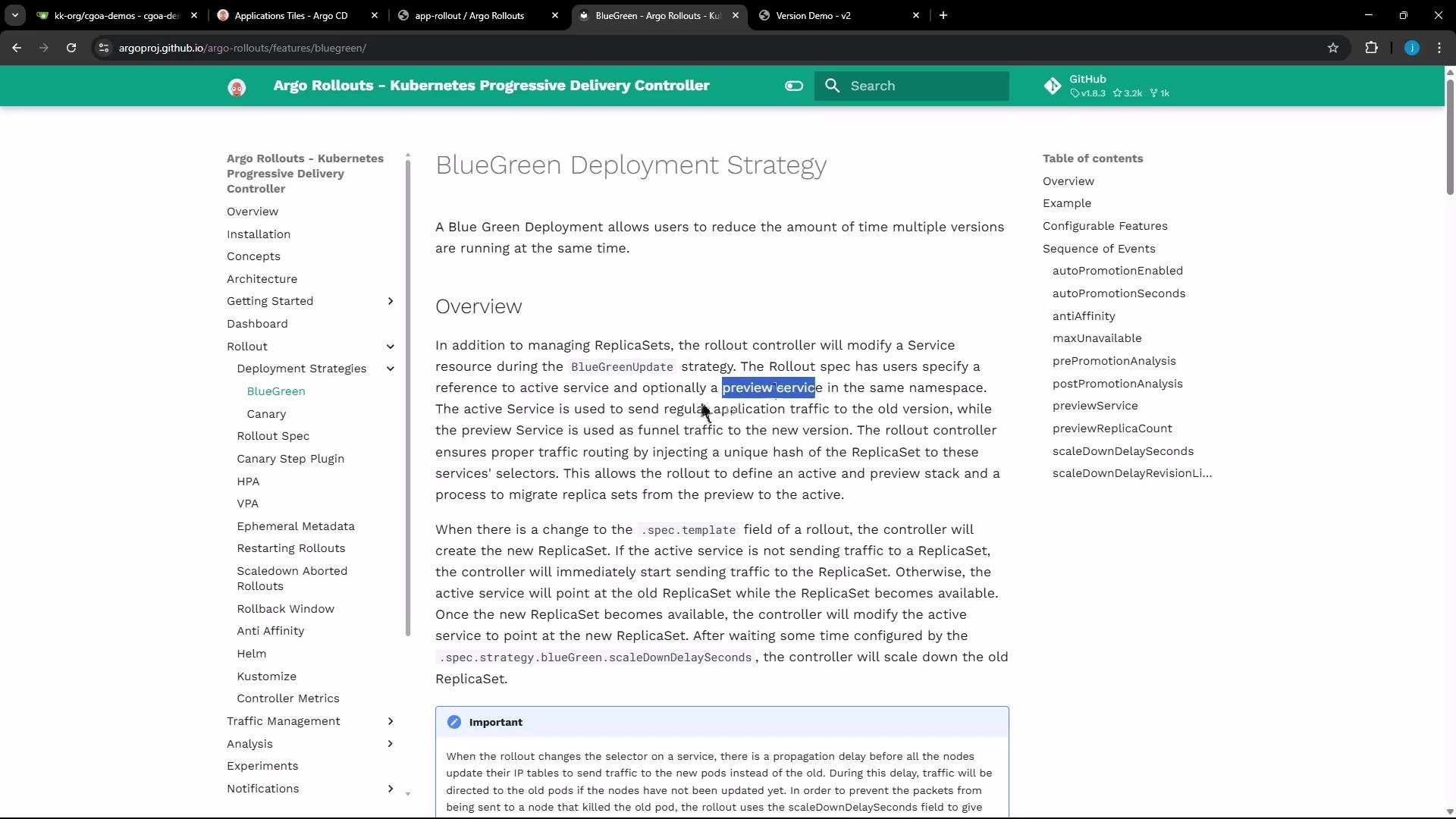
The image shows a webpage from the Argo Rollouts documentation, specifically discussing the BlueGreen Deployment Strategy. It includes an overview of the strategy with a menu on the left and a table of contents on the right.

Minimal Rollout spec (blue-green)

Below is a minimal Rollout manifest using the blueGreen strategy. Note the required activeService and optional previewService. Setting autoPromotionEnabled: false disables automatic promotion so you can manually promote via the UI or CLI.
apiVersion: argoproj.io/v1alpha1
kind: Rollout
metadata:
  name: rollout-bluegreen
spec:
  replicas: 2
  revisionHistoryLimit: 2
  selector:
    matchLabels:
      app: rollout-bluegreen
  template:
    metadata:
      labels:
        app: rollout-bluegreen
    spec:
      containers:
        - name: rollouts-demo
          image: argoproj/rollouts-demo:blue
          imagePullPolicy: Always
          ports:
            - containerPort: 8080
  strategy:
    blueGreen:
      # activeService is mandatory: the service that receives production traffic.
      activeService: rollout-bluegreen-active
      # previewService is optional: exposes the new ReplicaSet without serving production traffic.
      previewService: rollout-bluegreen-preview
      # If false, promotion is manual. If omitted or true, promotion occurs once the ReplicaSet is ready.
      autoPromotionEnabled: false

Repository layout

A typical repository contains a blue-green folder with the Rollout manifest and two Service manifests (active and preview).
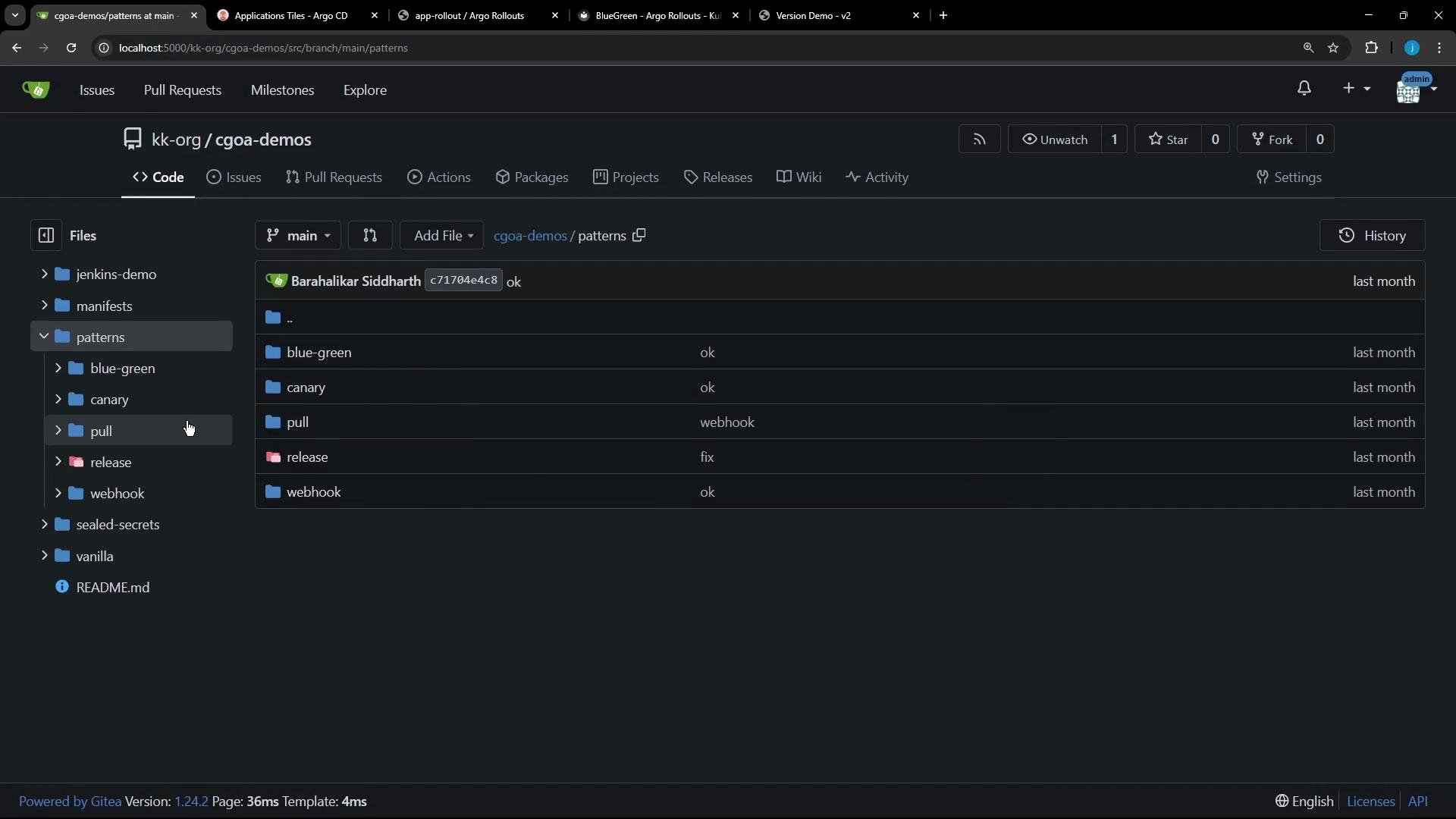
This image shows a web interface displaying the contents of a repository named "cgoa-demos" with multiple folders and files listed under the "patterns" directory. It appears to be a Git-like platform, featuring directories for "blue-green," "canary," "pull," "release," and "webhook."

Service manifests

Both Services select the same pods (same selector). Only the Service names differ so you can route traffic independently to the active or preview ReplicaSet.
apiVersion: v1
kind: Service
metadata:
  name: highway-bluegreen-active
  namespace: blue-green
spec:
  selector:
    app: highway-bluegreen
  ports:
    - protocol: TCP
      port: 3000
      targetPort: 3000
  type: NodePort
---
apiVersion: v1
kind: Service
metadata:
  name: highway-bluegreen-preview
  namespace: blue-green
spec:
  selector:
    app: highway-bluegreen
  ports:
    - protocol: TCP
      port: 3000
      targetPort: 3000
  type: NodePort

Example Rollout manifest (10 replicas)

This Rollout runs 10 replicas of the “blue” image in the blue-green namespace and disables auto-promotion to allow manual testing and promotion.
apiVersion: argoproj.io/v1alpha1
kind: Rollout
metadata:
  name: highway-bluegreen
  namespace: blue-green
spec:
  replicas: 10
  revisionHistoryLimit: 2
  selector:
    matchLabels:
      app: highway-bluegreen
  template:
    metadata:
      labels:
        app: highway-bluegreen
    spec:
      containers:
      - name: highway-bluegreen
        image: siddharth67/highway-animation:blue
        ports:
        - containerPort: 3000
        env:
        - name: POD_COUNT
          value: "10"
  strategy:
    blueGreen:
      activeService: highway-bluegreen-active
      previewService: highway-bluegreen-preview
      autoPromotionEnabled: false

Deploy the manifests

Apply the Rollout and Service YAMLs from the folder that contains them:
kubectl apply -f .
Example output:
rollout.argoproj.io/highway-bluegreen created
service/highway-bluegreen-active created
service/highway-bluegreen-preview created

Verify resources

Inspect the blue-green namespace to confirm the Rollout, ReplicaSet(s), pods, and Services are present. Initially only the “blue” ReplicaSet exists; both Services select the same pods so both will return the blue application.
kubectl -n blue-green get all
Example condensed output:
NAME                                           READY   STATUS    RESTARTS   AGE
pod/highway-bluegreen-674c49d44-2x7pm         1/1     Running   0          5s
... (9 more pods total)

NAME                                           TYPE      CLUSTER-IP      EXTERNAL-IP   PORT(S)
service/highway-bluegreen-active               NodePort  10.110.42.78    <none>        3000:30920/TCP
service/highway-bluegreen-preview              NodePort  10.110.199.112  <none>        3000:31981/TCP

NAME                                            DESIRED  CURRENT  READY  AGE
replicaset.apps/highway-bluegreen-674c49d44     10       10       10     5s
Because both Services share the same selector, the preview Service is reachable but does not yet represent a different version until a new ReplicaSet is created.

Introduce a new version (green)

To deploy a new version, update the Rollout’s container image (for example, change siddharth67/highway-animation:blue to siddharth67/highway-animation:green). With autoPromotionEnabled: false, Argo Rollouts will create a new ReplicaSet for the green image and keep both ReplicaSets running in parallel (blue and green) until you promote. After updating the image, you will see two ReplicaSets and approximately 20 pods (10 per ReplicaSet):
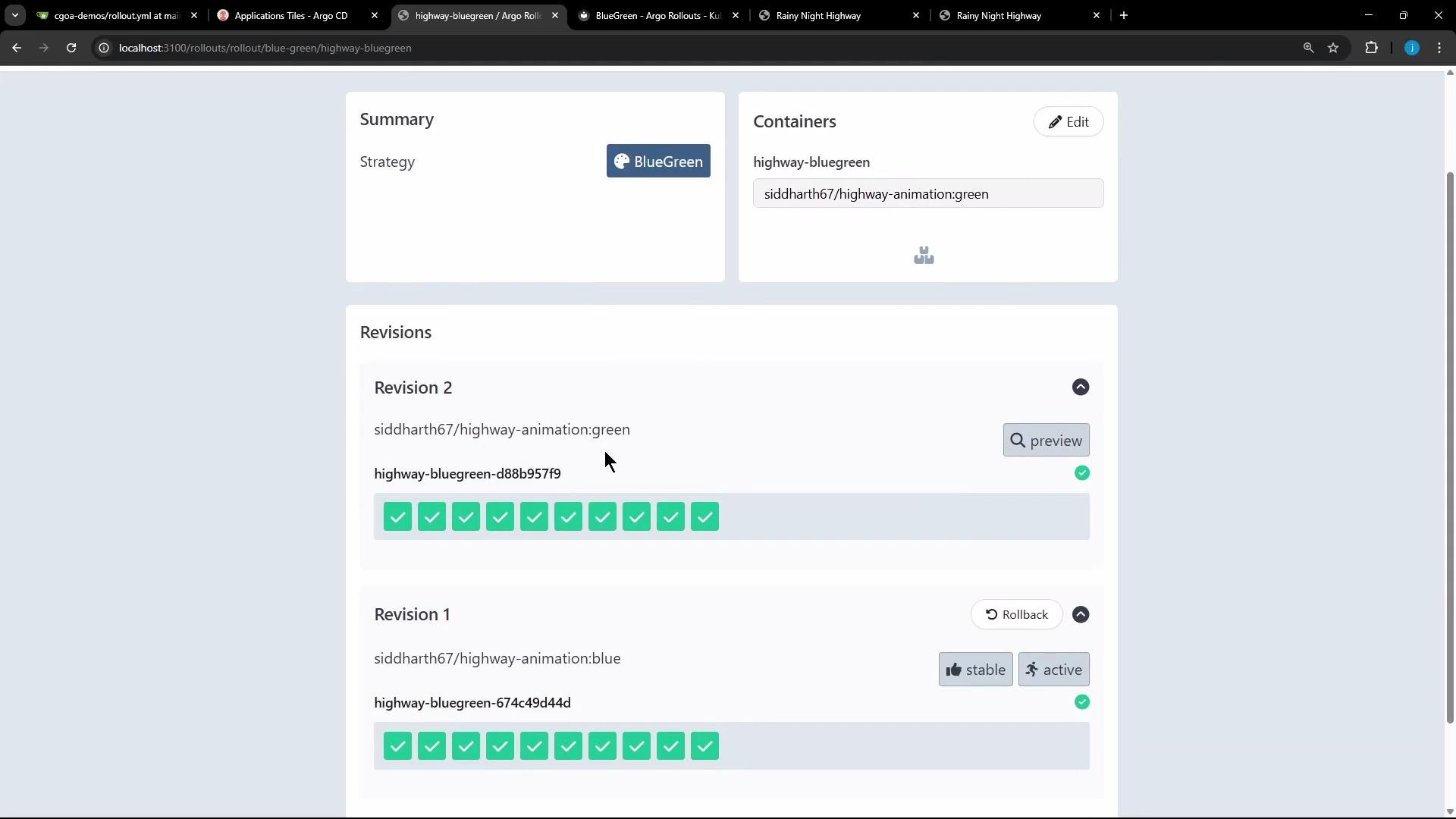
The image shows a BlueGreen deployment interface with details of two revisions, both marked with successful checks. The interface includes options to edit, preview, or roll back changes.
Example kubectl -n blue-green get all after the image update:
pod/highway-bluegreen-674c49d44d-77vn5   1/1  Running  0  2m41s  # blue ReplicaSet
... (9 blue pods)

pod/highway-bluegreen-d88b957f9-596m2    1/1  Running  0  16s   # green ReplicaSet
... (9 green pods)

service/highway-bluegreen-active          NodePort 10.110.42.78   <none>  3000:30920/TCP
service/highway-bluegreen-preview         NodePort 10.110.199.112 <none> 3000:31981/TCP

replicaset.apps/highway-bluegreen-674c49d44d   10  10  10  2m41s  # blue
replicaset.apps/highway-bluegreen-d88b957f9   10  10  10  16s   # green
Behavior summary:
  • activeService continues to route production traffic to the active ReplicaSet (blue).
  • previewService routes to the new ReplicaSet (green) for testing without impacting production traffic.

Promote the new version

Use the Argo Rollouts UI or CLI to promote the green ReplicaSet and swap production traffic:
kubectl argo rollouts promote highway-bluegreen
Or, if using the generic format with a placeholder, run: kubectl argo rollouts promote <rollout-name> Promotion updates the Service selector behind activeService so production traffic shifts to green.
Promoting switches production traffic to the promoted ReplicaSet. Ensure you have validated the preview version before promoting. If autoPromotionEnabled is enabled or omitted, promotion can occur automatically once the new ReplicaSet is ready.
Once promoted, the UI and Services will show the new version as active.

Rollback behavior

If the promoted version has problems, you can rollback via the UI or CLI. A rollback:
  • Updates activeService to point back to the previous ReplicaSet.
  • Scales down the newer ReplicaSet and scales up the restored ReplicaSet as needed.
  • The Rollout controller retains ReplicaSets according to revisionHistoryLimit (older ReplicaSets may persist until garbage-collected).
Typical rollback sequence:
  • Newer ReplicaSet remains present but is scaled down.
  • Old ReplicaSet is scaled back up and becomes active.
  • Services are updated to route traffic to the restored ReplicaSet.
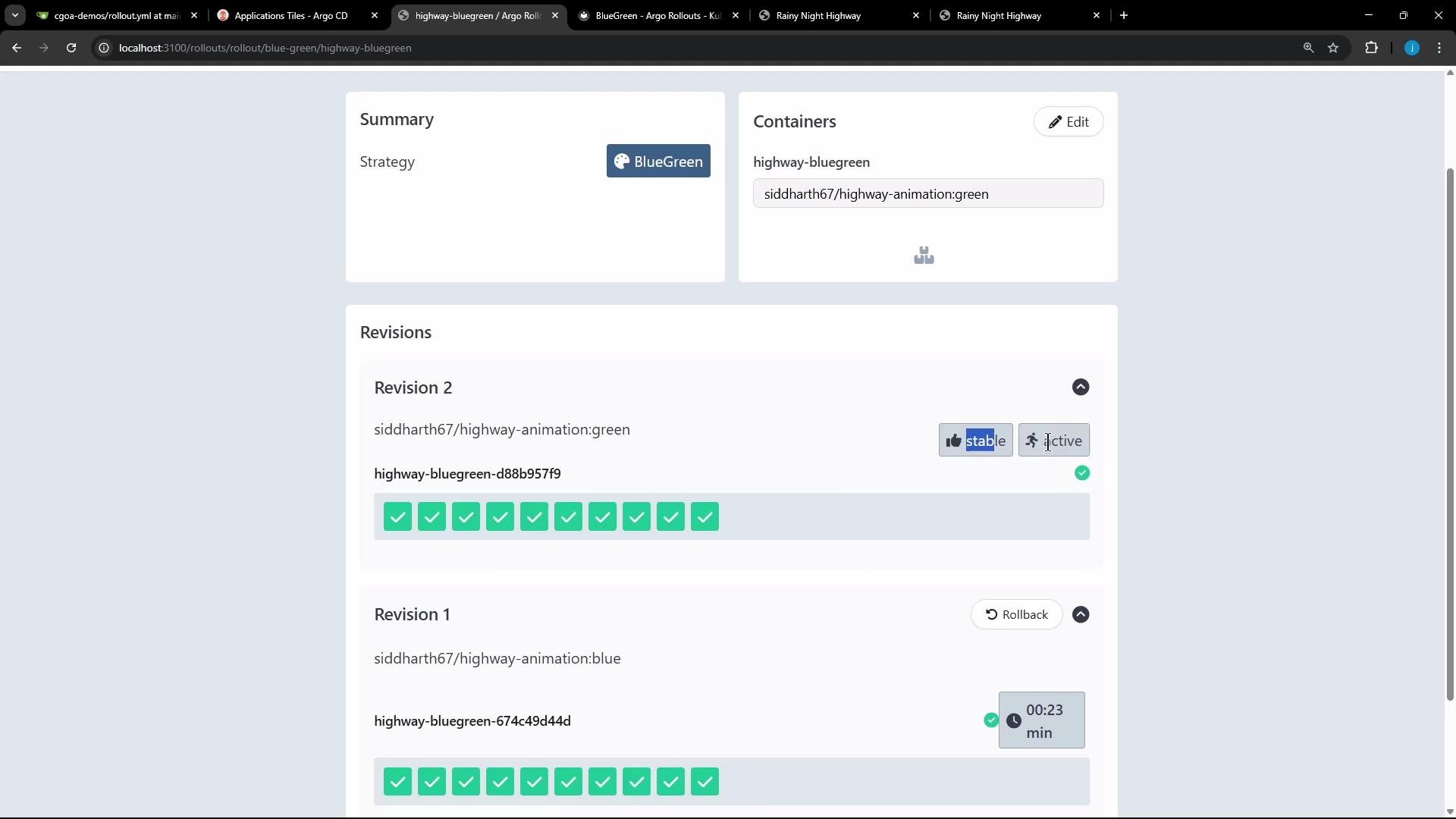
The image shows a user interface for Argo Rollouts with a blue-green deployment strategy. It displays two revisions, with the second revision marked as stable and active.
Preview Service is optional — include it when you want to route test traffic to the new ReplicaSet without affecting production traffic. If autoPromotionEnabled is true (or omitted), promotion happens automatically once the new ReplicaSet is ready.

Quick reference

ResourcePurposeExample / Command
Rollout (blue-green)Declarative application of blue-green strategySee Rollout YAML above
Service (active)Receives production trafficactiveService: highway-bluegreen-active
Service (preview)Exposes new ReplicaSet for testingpreviewService: highway-bluegreen-preview
PromoteSwitch production traffic to new ReplicaSetkubectl argo rollouts promote highway-bluegreen
Verify namespaceList Rollout, ReplicaSets, pods, serviceskubectl -n blue-green get all
Apply manifestsDeploy Rollout and Serviceskubectl apply -f .
That’s it — Argo Rollouts’ blue-green strategy gives you a controlled way to deploy, test, promote, and rollback application versions by manipulating ReplicaSets and Services.

Watch Video