

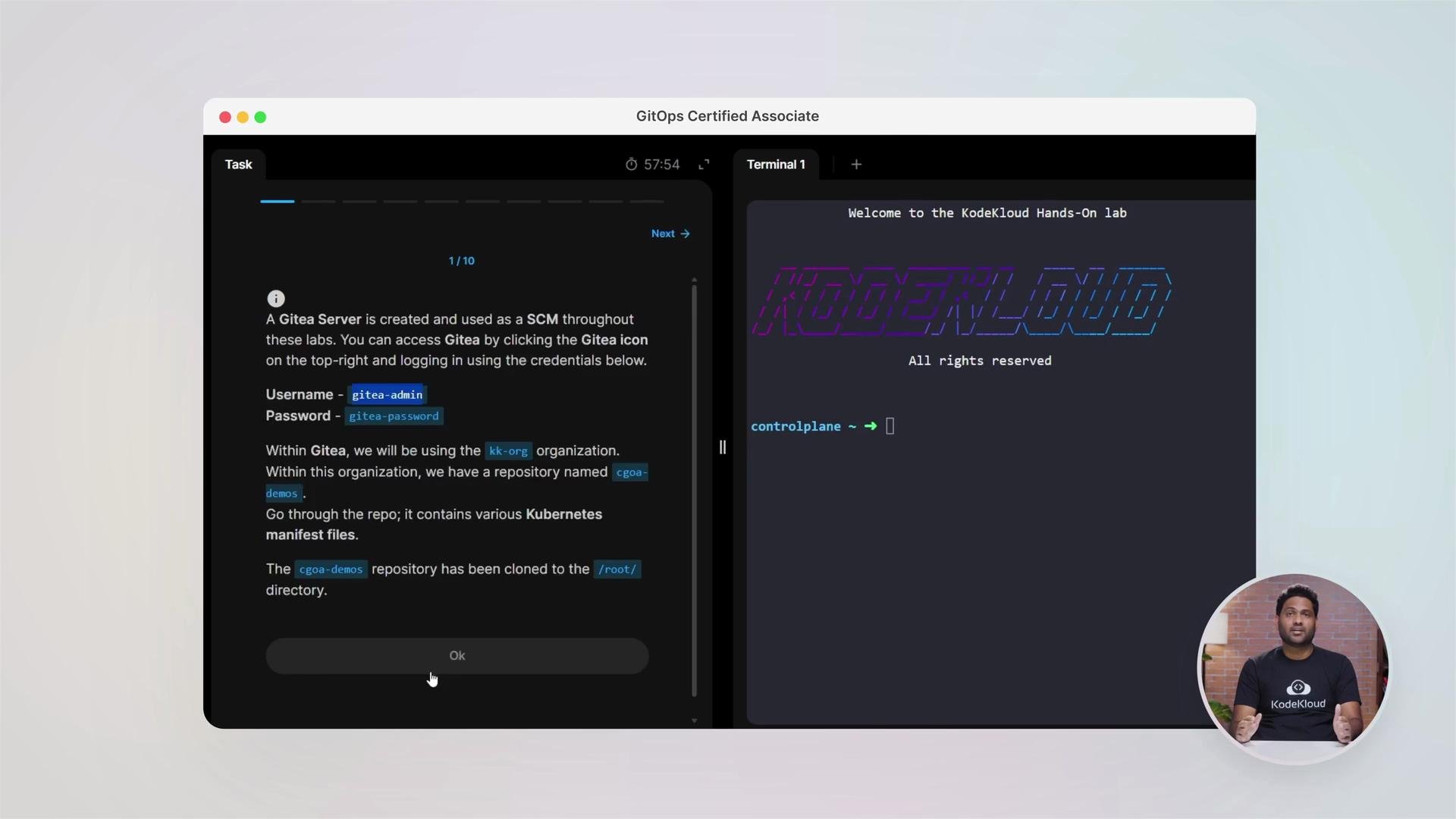
This course emphasizes labs and exercises so you can practice GitOps patterns and tooling in realistic scenarios.
What you’ll learn (at a glance)
- GitOps fundamentals: continuous and declarative concepts, desired state, state drift, reconciliation, and feedback loops.
- GitOps principles: why Git as the single source of truth matters and the core principles that define GitOps.
- Reconciliation engines: hands-on with Argo CD and Argo Rollouts.
- Manifests and packaging: Kustomize, Helm charts, and OCI-based Git/registry workflows.
- Secrets management: working with Bitnami Sealed Secrets and
kubeseal. - Observability: integrating Prometheus, Grafana, and Alertmanager for metrics and alerts.
- CI integration: building pipelines that publish artifacts and update Git for pull-based delivery.
- Release patterns: rolling updates, recreate, blue/green, and canary releases.
- Metrics & best practices: DORA metrics, operational guardrails, and security-first practices.
- Mock exams and practice questions to validate readiness for certification.
Course modules overview
Hands-on labs and learning approach
This course is lab-first. Each lesson pairs conceptual material with guided exercises so you can test patterns, iterate, and learn troubleshooting techniques that matter in production environments.GitOps patterns — storing secrets safely with Bitnami Sealed Secrets
A common, secure flow to keep secrets in Git using Bitnami Sealed Secrets:- Create a Kubernetes
Secretmanifest locally (without applying it to the cluster). - Encrypt that secret with
kubesealto produce aSealedSecret. - Commit the
SealedSecretto Git; your GitOps controller (for example, Argo CD) will apply it and the Sealed Secrets controller will decrypt it inside the cluster.
Secret YAML (base64 or otherwise) to public repositories.
Always ensure the private key for Sealed Secrets remains secure. Only encrypted
SealedSecret manifests belong in Git. Avoid storing unencrypted secrets or private keys in repositories.sealed-secret.yaml, you can manage it in Git and create an Argo CD application that points to the chart or repository hosting the Sealed Secrets controller:
- Bitnami Sealed Secrets: https://github.com/bitnami-labs/sealed-secrets
kubesealdocs: https://github.com/bitnami-labs/sealed-secrets#kubeseal
Tooling and repository layouts
You will practice operating both manifest-based repos and Helm chart repositories. A typical navigation example:infrastructure/for cluster-level manifests (ingress, storage)applications/for per-app Helm charts or Kustomize overlaysci/for pipeline definitions that update Git
CI pipelines that update Git (example pattern)
A common GitOps pattern: CI builds and publishes an image, then updates a manifest in Git (e.g., bumps an image tag). The GitOps controller then reconciles that change to the cluster. Below is a cleaned Jenkins pipeline that demonstrates the pattern.- CI: build/publish artifacts and update Git (push change).
- GitOps controller: continuously reconcile the cluster to match Git.
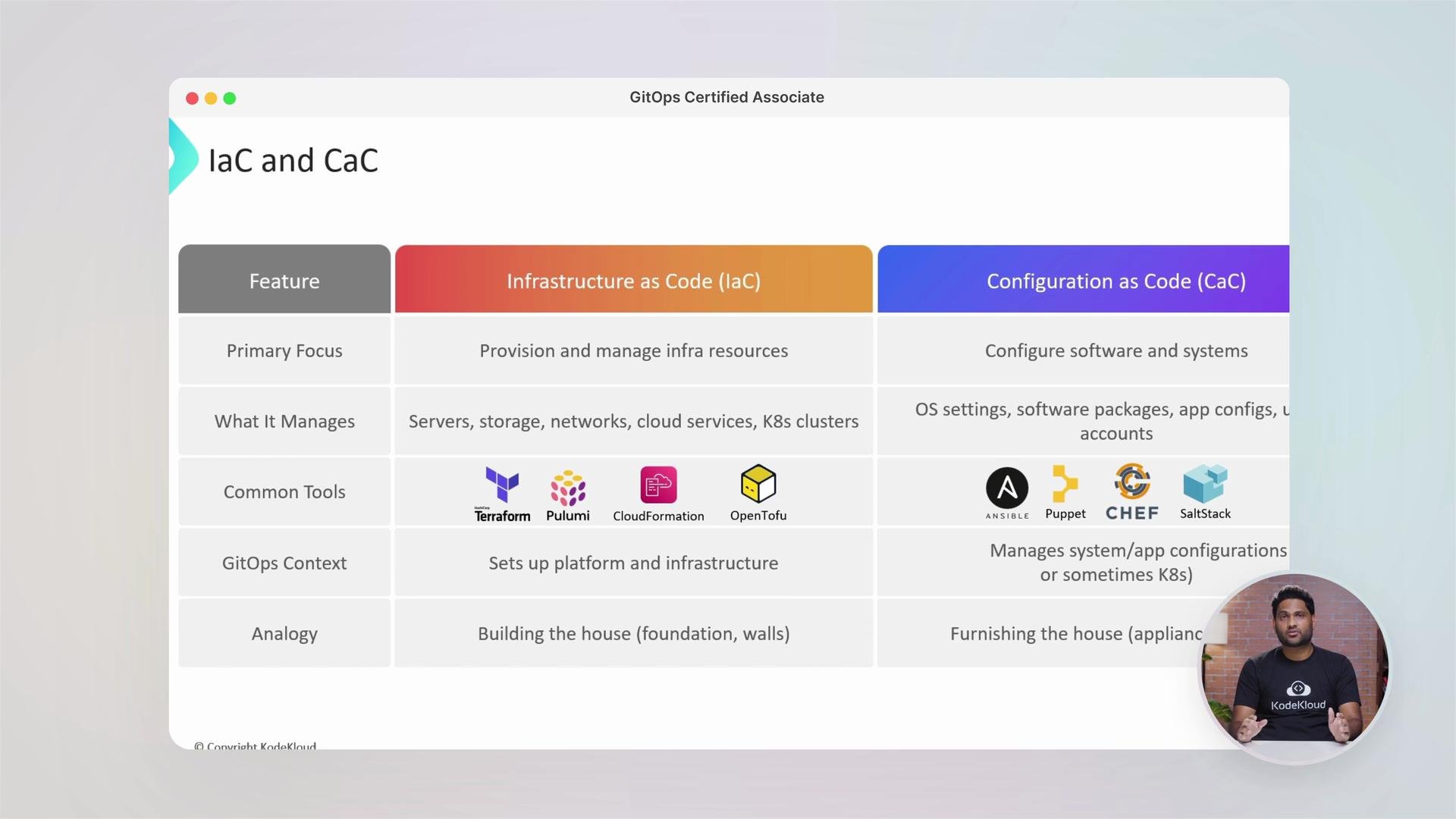
Infrastructure as Code (IaC) vs Configuration as Code (CaC)
Understanding IaC vs CaC clarifies responsibilities:
Use IaC to create and manage platform resources; use CaC to manage how workloads run on those platforms.
Other topics covered
- Moving from DevOps to DevSecOps: integrating security into GitOps workflows.
- CI/CD best practices and how CI pipelines feed pull-based delivery.
- Observability: Prometheus metrics, Grafana dashboards, and Alertmanager for alerts and incident detection.
- DORA metrics: measuring lead time, deployment frequency, MTTR, and change failure rate.
- Labs, exercises, and mock exams to validate your knowledge and certification readiness.
Quick links & references
- Argo CD: https://argo-cd.readthedocs.io/
- Bitnami Sealed Secrets: https://github.com/bitnami-labs/sealed-secrets
- Kubernetes docs: https://kubernetes.io/docs/
- Helm: https://helm.sh/
- Kustomize: https://kustomize.io/
- Prometheus: https://prometheus.io/
- Grafana: https://grafana.com/
- Jenkins: https://www.jenkins.io/
- DORA metrics primer: https://cloud.google.com/blog/products/devops-sre/dora-research-accelerate