Demonstrates a GitOps CI CD workflow where Jenkins builds and publishes container images, updates Kubernetes manifests in Git, and Argo CD applies those changes to the cluster.
This lesson demonstrates a GitOps-style CI/CD flow: a Jenkins pipeline builds and publishes a container image, updates Kubernetes manifests stored in Git, and Argo CD applies those changes to the cluster. The example uses a simple Node.js app (highway-animation), a manifest repository tracked by Argo CD, and a self-hosted Gitea instance for repository hosting and PR automation.
Below is the Deployment manifest used in this demo. It deploys 10 replicas of the highway-animation app and exposes the app container on port 3000. Argo CD will track this manifest in the manifest repository.
Create an Argo CD Application that points to the manifest repository for the Jenkins demo. In the UI choose a name such as jenkins-demo, set the sync policy to manual initially (so you can control when changes are applied), and enable auto-creation of the target namespace.
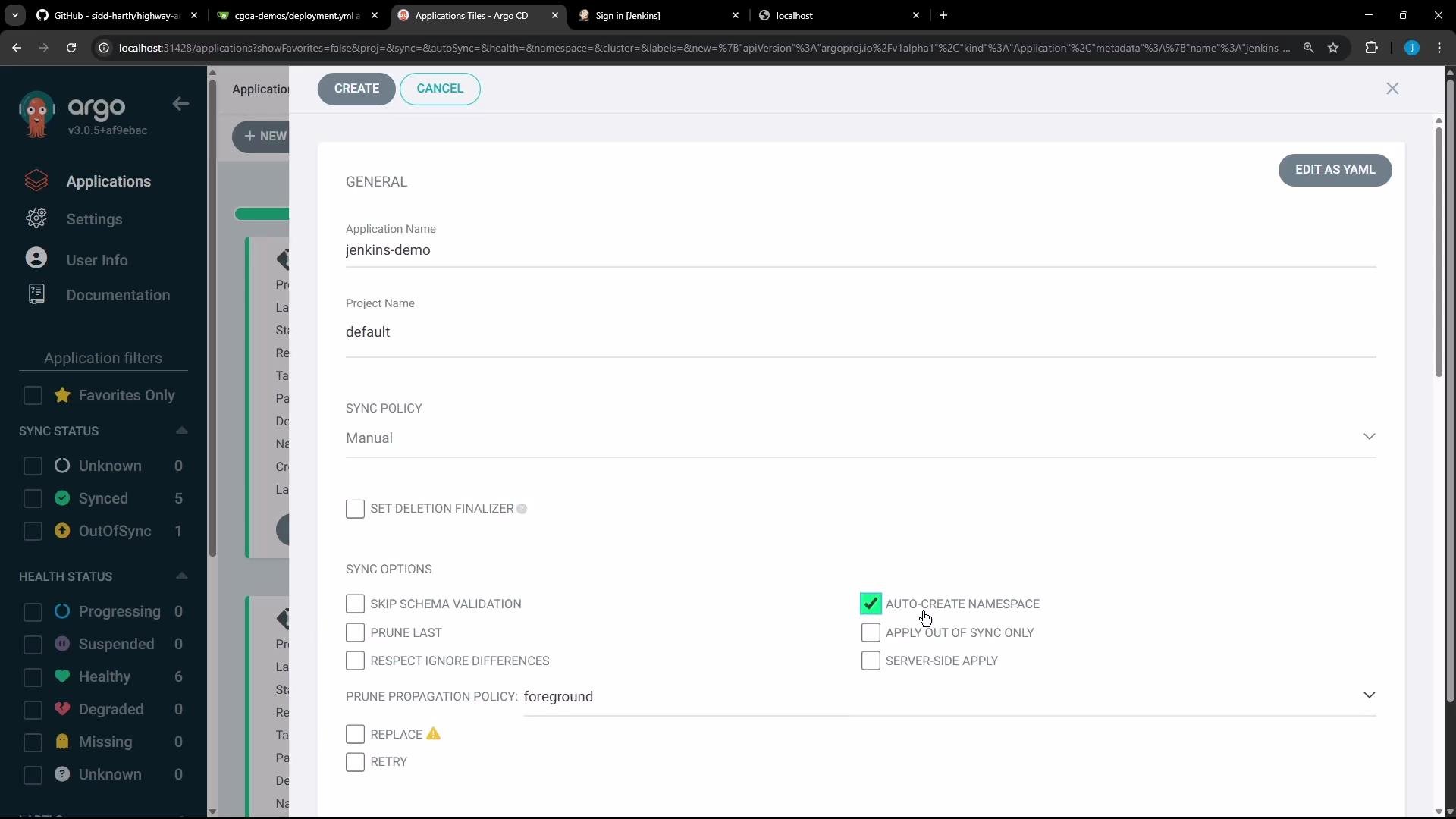
After creating the application the status will show as OutOfSync until you manually sync. Once you sync, Argo CD creates the jenkins-demo namespace and deploys the resources. In this demo the Deployment creates 10 Pods.
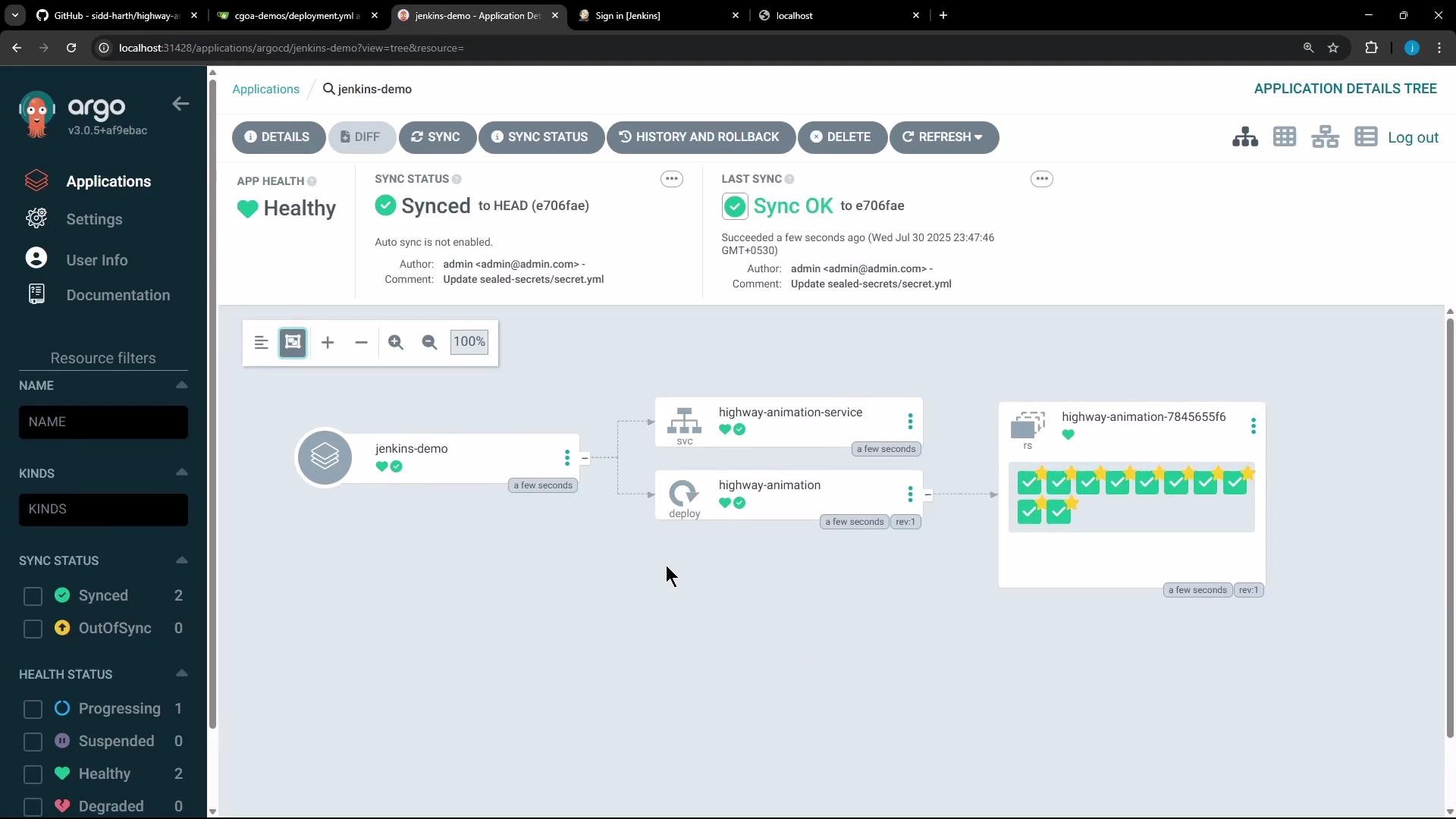
Once deployed you can access the app (in the demo it was exposed on a NodePort) and confirm the UI shows 10 blue vehicles.
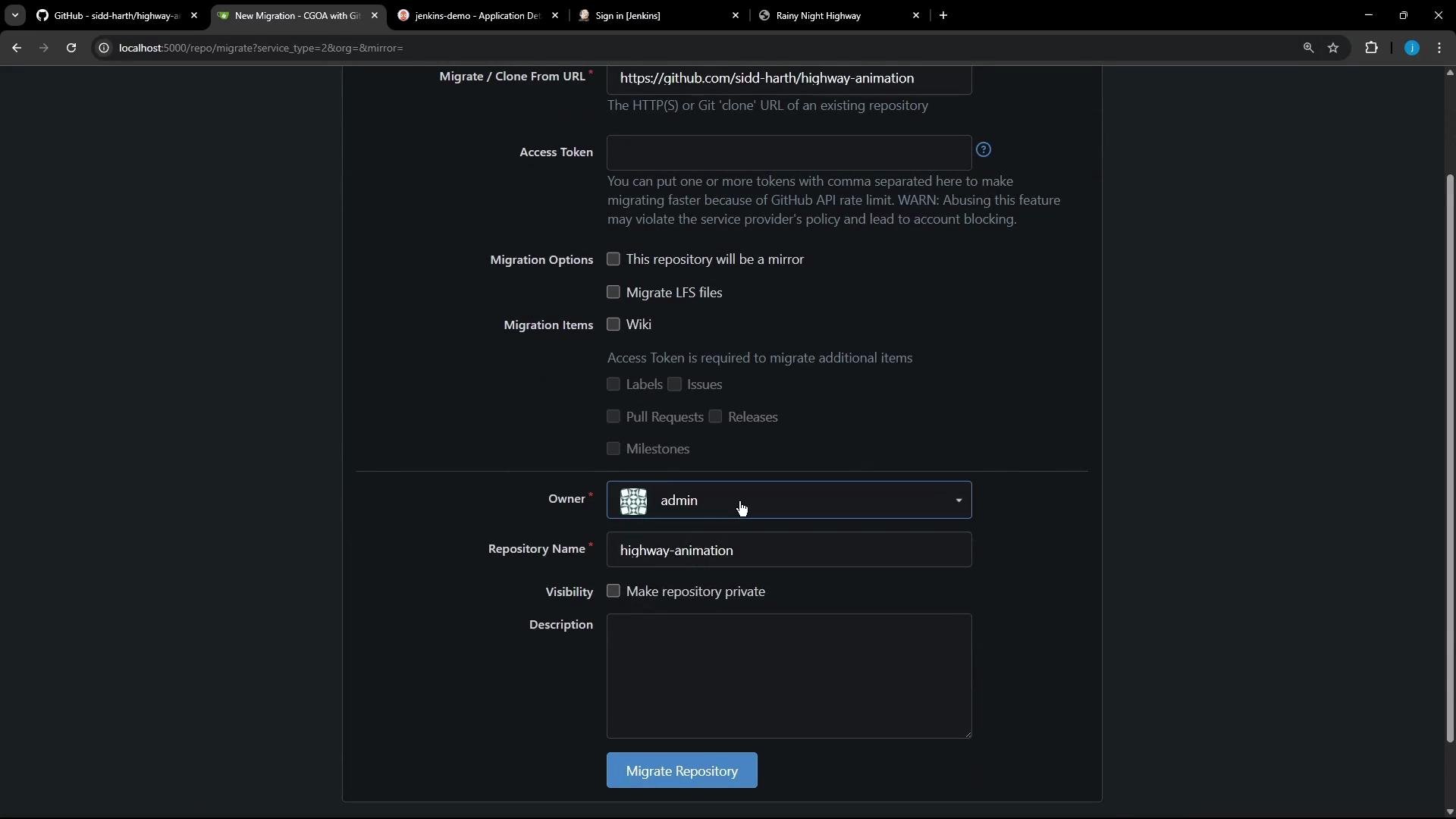
With GitOps the developer makes changes to application source, builds a new image, pushes it to a registry, and updates the image tag in the manifest repository. Argo CD monitors the manifest repo and applies changes once they land on the tracked branch (e.g., main).For this demo we migrated the app source from GitHub to a self-hosted Gitea instance and made small UI/server fixes. The migration UI looks like this:
The highway-animation repository contains:
public/index.html (UI)
frontend JS files (ui.js, app.js)
package.json
Dockerfile
Jenkinsfile (CI/CD)
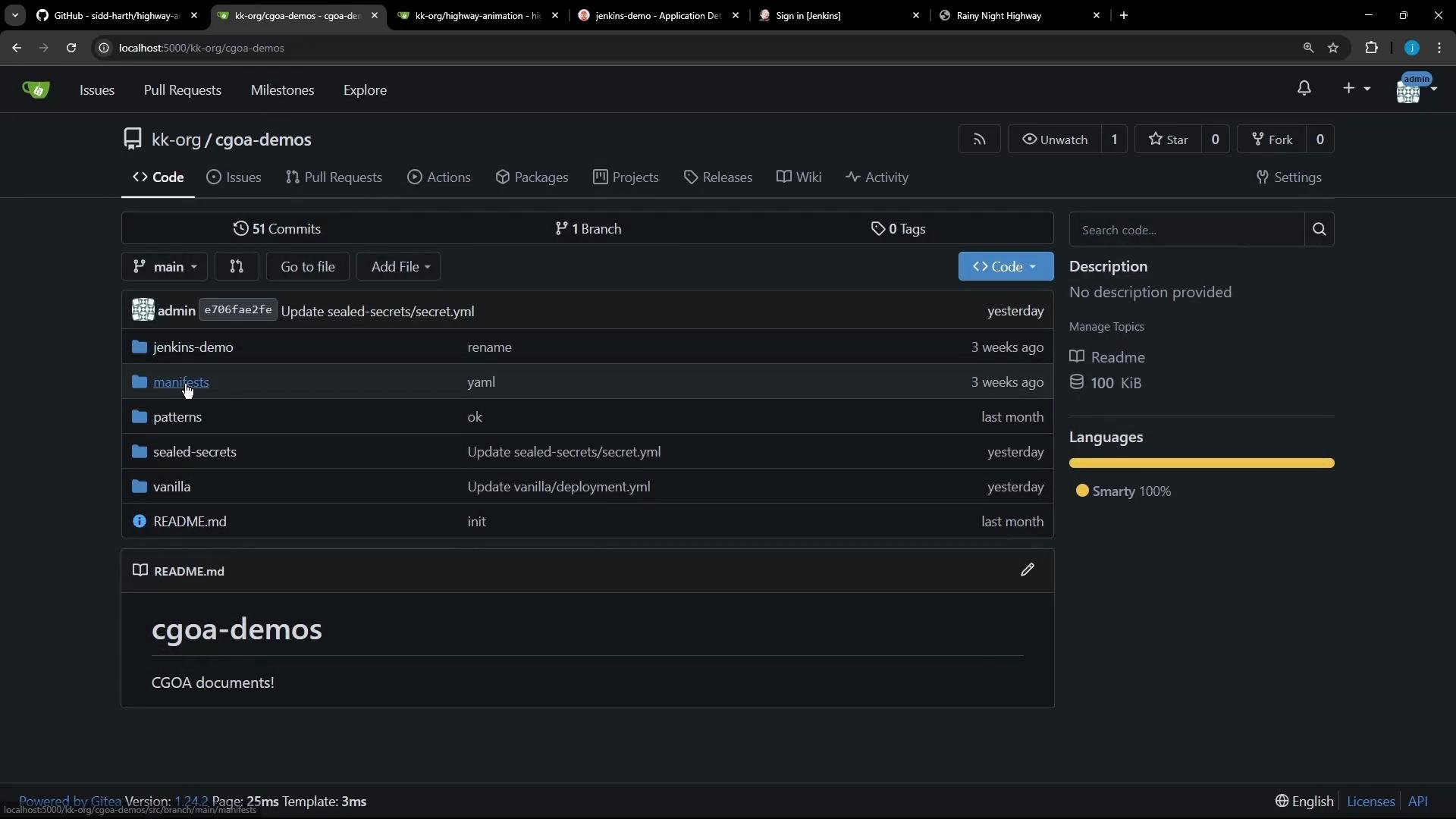
When browsing the manifest repository to update deployment.yaml you will see a structure similar to the image below:
After making source changes you build a new Docker image and push it to a registry. The Jenkins pipeline automates:
Build and tag the image (using BUILD_ID and Git commit).
Push the image to the registry using stored credentials.
Clone or pull the manifest repository.
Update the deployment.yaml with the new image tag (using sed).
Commit and push a feature branch and open a PR via the Gitea API.
Below is a cleaned-up, corrected Jenkins declarative pipeline that demonstrates the full flow.
pipeline { agent any environment { NAME = "highway-animation" // VERSION includes BUILD_ID and the commit hash VERSION = "${env.BUILD_ID}-${env.GIT_COMMIT}" IMAGE_REPO = "siddharth67" // GITEA_TOKEN should be added to Jenkins Credentials (type: Secret text) GITEA_TOKEN = credentials('gitea-token') // DockerHub credentials ID stored in Jenkins credentials DOCKER_CREDENTIALS_ID = 'docker-hub-credentials' MANIFEST_REPO_URL = "http://localhost:5000/kk-org/cgoa-demos.git" MANIFEST_DIR = "cgoa-demos" FEATURE_BRANCH = "feature-gitea" } stages { stage('Unit Tests') { steps { echo 'Run unit tests here (placeholder)' } } stage('Build Image') { steps { sh "docker build -t ${NAME}:${VERSION} ." sh "docker tag ${NAME}:${VERSION} ${IMAGE_REPO}/${NAME}:${VERSION}" } } stage('Push Image') { steps { withDockerRegistry([credentialsId: DOCKER_CREDENTIALS_ID, url: ""]) { sh "docker push ${IMAGE_REPO}/${NAME}:${VERSION}" } } } stage('Clone or Pull Manifest Repo') { steps { script { if (fileExists("${MANIFEST_DIR}")) { echo 'Manifest repo exists. Pulling latest changes...' dir("${MANIFEST_DIR}") { sh 'git checkout main || true' sh 'git pull origin main' } } else { echo 'Cloning manifest repo...' sh "git clone -b main ${MANIFEST_REPO_URL} ${MANIFEST_DIR}" } } } } stage('Update Manifest') { steps { dir("${MANIFEST_DIR}/jenkins-demo") { // Replace the image line with the new image and tag. // This sed targets a line starting with "image:" and replaces the value. sh "sed -i 's|^\\s*image:\\s.*|image: ${IMAGE_REPO}/${NAME}:${VERSION}|' deployment.yaml" sh 'cat deployment.yaml' } } } stage('Commit & Push Manifest Branch') { steps { dir("${MANIFEST_DIR}") { sh "git config user.email 'jenkins@ci.local'" sh "git config user.name 'jenkins'" // Create or checkout the feature branch sh "git checkout -B ${FEATURE_BRANCH}" sh 'git add -A' sh "git commit -m 'Updated image to ${IMAGE_REPO}/${NAME}:${VERSION}' || echo 'No changes to commit'" // Use the Gitea token in the remote URL for authentication sh "git remote set-url origin https://${GITEA_TOKEN}@${env.MANIFEST_REPO_URL.replace('http://', '').replace('.git','')}.git || true" sh "git push -u origin ${FEATURE_BRANCH} --force" } } } stage('Create Pull Request in Gitea') { steps { dir("${MANIFEST_DIR}") { // The gitea token is available in environment variable GITEA_TOKEN sh """ cat <<JSON > /tmp/pr-body.json { "assignee": "admin", "assignees": ["admin"], "base": "main", "head": "${FEATURE_BRANCH}", "title": "Update image: ${NAME}:${VERSION}", "body": "Automated update of Deployment to image ${IMAGE_REPO}/${NAME}:${VERSION}" } JSON """ sh "curl -s -X POST 'http://localhost:5000/api/v1/repos/kk-org/cgoa-demos/pulls' -H 'Content-Type: application/json' -H \"Authorization: token ${GITEA_TOKEN}\" -d @/tmp/pr-body.json || true" } } } }}
Never hard-code tokens or registry credentials in pipelines or repository files. Use Jenkins Credentials (or a secret manager) and reference them via credentials() in the pipeline.
Store tokens and registry credentials in Jenkins Credentials (or another secret manager) and reference them via credentials() in the pipeline. Avoid hard-coding secrets in scripts or repository files.
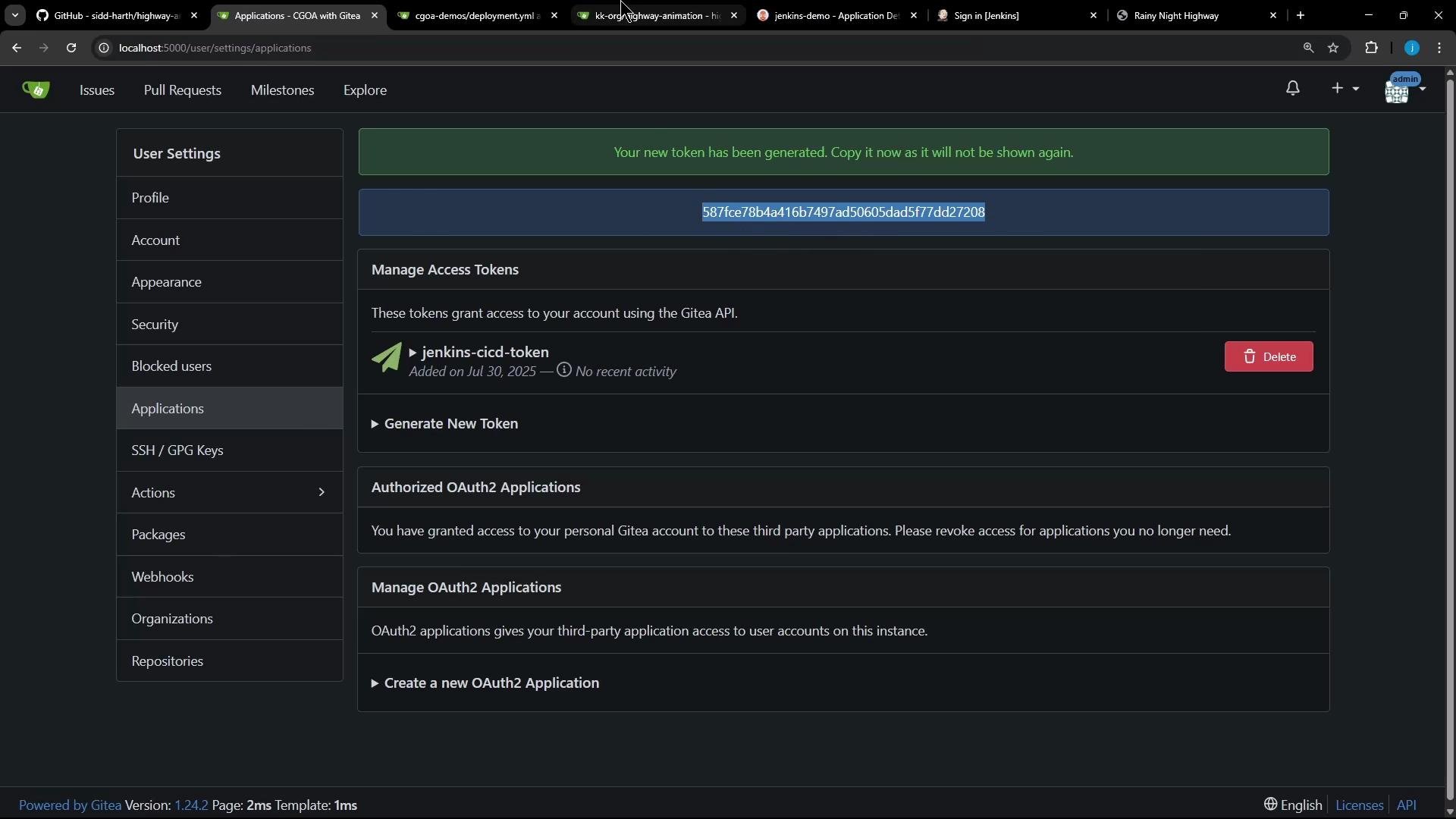
If you need to create a personal access token in Gitea (so Jenkins can push/raise PRs), go to your Gitea user settings → Applications and generate a token with repository write permissions. The token is shown only once — copy it to a secure secret store.
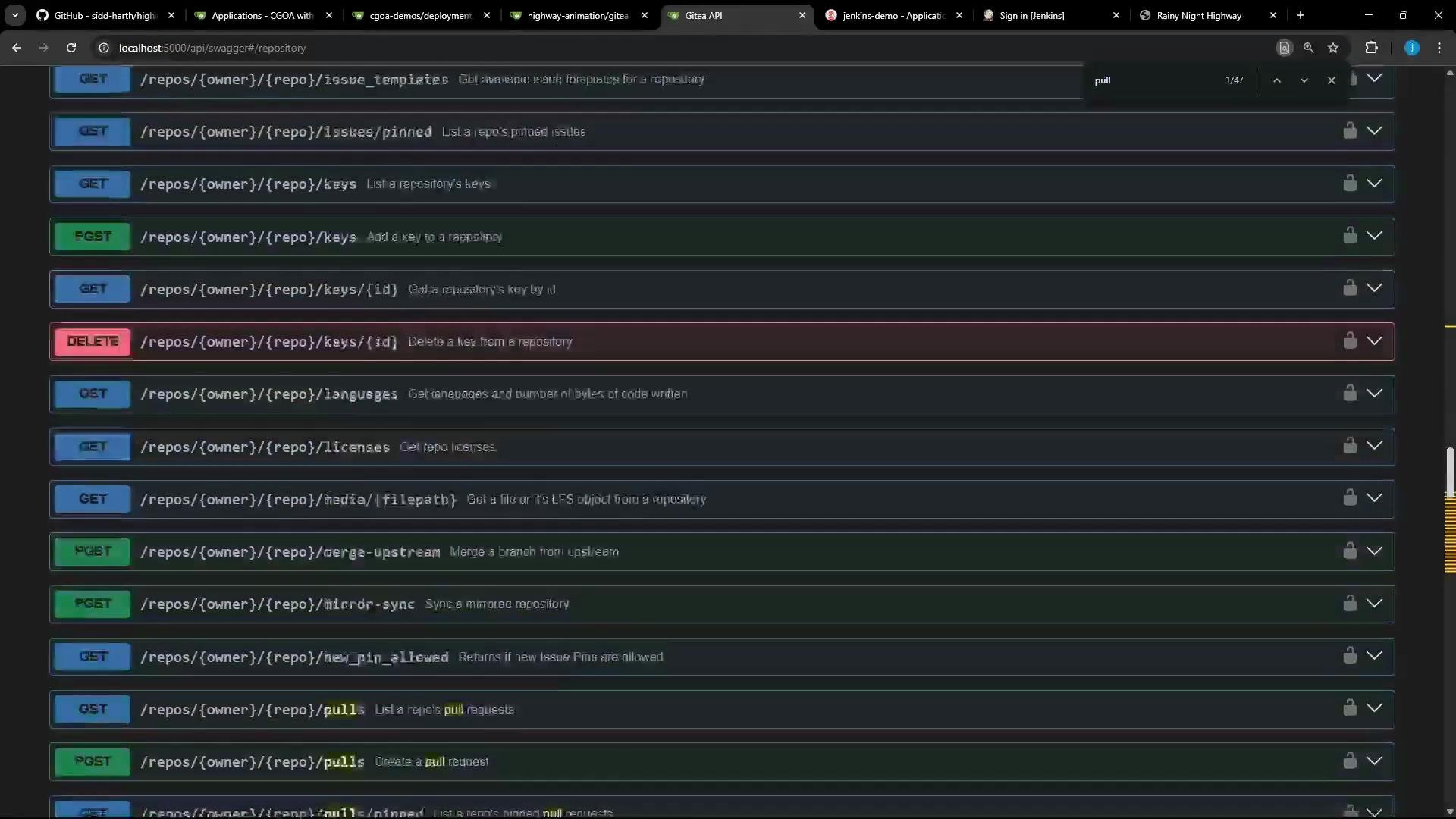
Gitea exposes a REST API (Swagger) that documents payloads for operations such as creating pull requests. You can review the API and try sample requests: https://docs.gitea.io/en-us/swagger/
Example shell script to create a PR (invoked by the Jenkins pipeline). This script relies on the GITEA_TOKEN environment variable and assumes the repo owner/name and branch names are set appropriately:gitea-pr.sh (example):
#!/usr/bin/env bashset -euo pipefailAPI_URL="http://localhost:5000/api/v1"REPO_OWNER="kk-org"REPO_NAME="cgoa-demos"HEAD_BRANCH="feature-gitea"BASE_BRANCH="main"echo "Opening a Pull Request for ${REPO_OWNER}/${REPO_NAME}: ${HEAD_BRANCH} -> ${BASE_BRANCH}"curl -s -X POST "${API_URL}/repos/${REPO_OWNER}/${REPO_NAME}/pulls" \ -H 'Accept: application/json' \ -H "Authorization: token ${GITEA_TOKEN}" \ -H 'Content-Type: application/json' \ -d "{ \"assignee\": \"admin\", \"assignees\": [\"admin\"], \"base\": \"${BASE_BRANCH}\", \"head\": \"${HEAD_BRANCH}\", \"title\": \"Updated deployment image\", \"body\": \"Automated update of deployment image by CI pipeline.\" }"echo "Pull request API call complete."
Developer updates application source (UI or server).
Jenkins builds, tags, and pushes a new image to the registry.
Jenkins clones/pulls the manifest repo, updates deployment.yaml with the new image tag, commits, and pushes a feature branch.
Jenkins opens a PR in Gitea for the manifest change.
A reviewer inspects and merges the PR; once merged, Argo CD detects the change on main and applies it to the cluster (or Argo CD can be configured for automated sync).
Later we will create the Jenkins job, run the pipeline, and observe the full flow end-to-end — from source change to Argo CD applying the updated manifest.