In this lesson we’ll demonstrate using Git as the single source of truth for Kubernetes manifests by importing an existing GitHub repository into a local Gitea instance. This workflow is the foundation of GitOps and is later used with Argo CD to enforce declarative configuration and automated deployments. Repository to import
  • Source: GitHub repository cgoa-demos (contains manifests and example projects used for the Certified GitOps Associate curriculum).
  • Target: Local Gitea instance running on localhost:5000.
  • Gitea organization: kk-org
  • New repository name in Gitea: cgoa-demos (we will import the contents from GitHub).
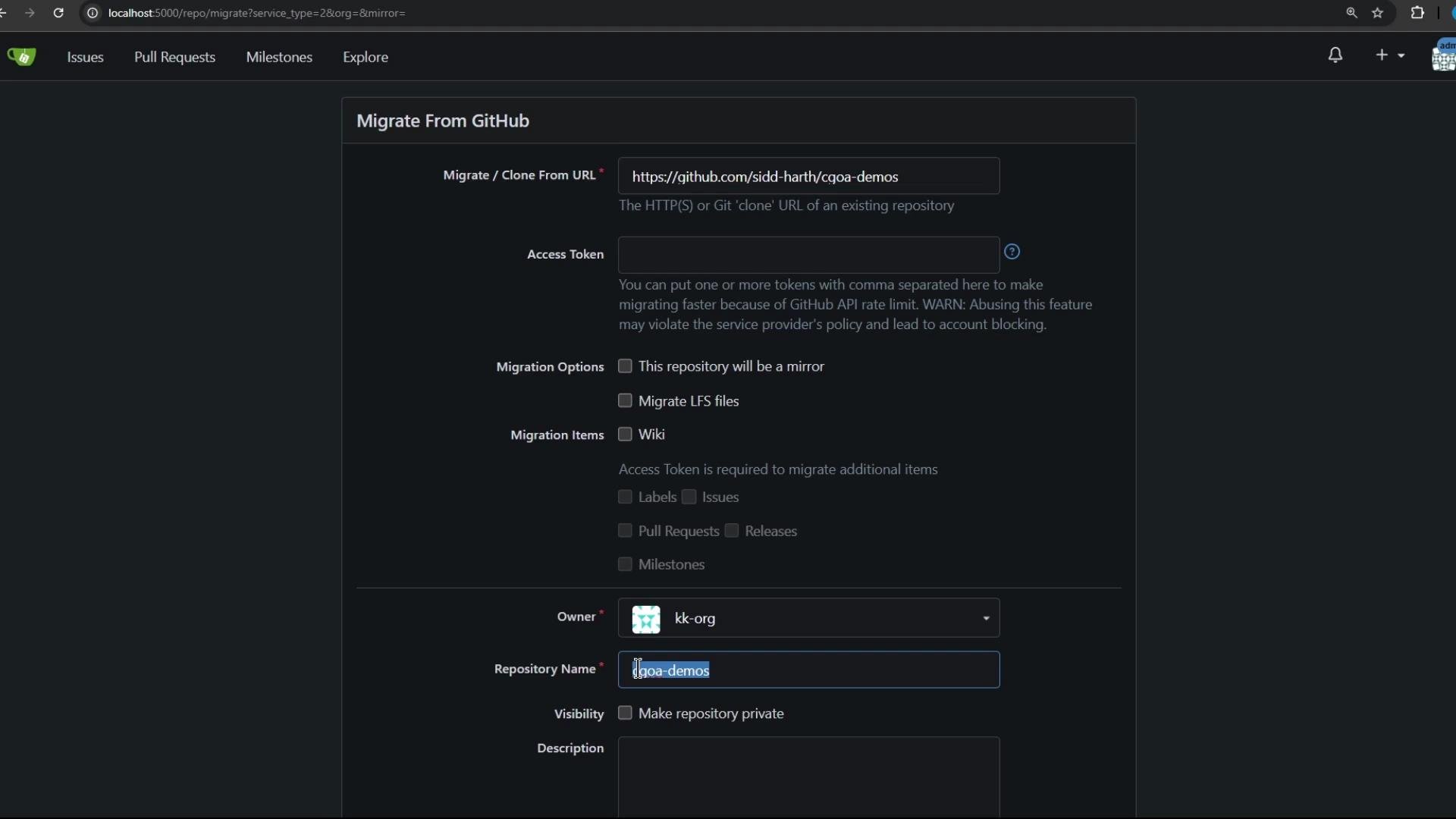
The image shows a web interface for migrating a GitHub repository. It includes fields for a repository URL, access token, migration options, and other settings.
What’s in the repository Below is a concise inventory of the key directories and examples included in cgoa-demos. This helps you understand the kinds of declarative artifacts you can use as the single source of truth.
Directory / ItemPurpose / Example
manifests or plain Kubernetes manifestsBasic Deployments and Services — a “vanilla” starting point for cluster resources.
sealed-secretsDemonstrates Sealed Secrets usage for safely storing secrets in Git.
Blue-green and canary examplesDeployment strategies to test progressive rollouts and traffic shifting.
Webhook-based deployment examplesTrigger-based workflows for automated updates from CI systems.
manifest (Helm & Kustomize)Examples showing how to manage templated or kustomized manifests as code.
Jenkins Pipeline demoExample CI pipeline showing integration with Kubernetes manifests and automated delivery.
Note: The repository is intended to be used with an Argo CD GitOps workflow in later lessons. Authentication and migration When migrating the repository from GitHub to Gitea using the web UI (as shown above), you will typically provide:
  • The source repository URL on GitHub.
  • A GitHub personal access token with the appropriate scopes (e.g., repo) so Gitea can read/import the source repo.
When migrating from GitHub to Gitea, ensure your GitHub personal access token includes the necessary scopes (for example, repo). This allows the migration to read the source repository and import it into your Gitea instance.
Local Kubernetes environment For this demo I’m using Docker Desktop’s single-node Kubernetes cluster. Confirm that your node and namespaces are ready with these commands:
kubectl get nodes
NAME            STATUS   ROLES           AGE   VERSION
docker-desktop  Ready    control-plane   41m   v1.29.2
kubectl get ns
NAME              STATUS   AGE
default           Active   42m
kube-node-lease   Active   42m
kube-public       Active   42m
kube-system       Active   42m
Ensure Kubernetes is enabled in Docker Desktop (or your local runtime) before applying manifests or onboarding Argo CD. If the cluster is not ready, Argo CD and the deployed manifests will fail to sync.
Next steps — Argo CD and GitOps In the upcoming lessons we will:
  • Install and configure Argo CD in the cluster.
  • Connect Argo CD to the kk-org/cgoa-demos repository hosted on the local Gitea instance.
  • Demonstrate a full GitOps workflow where Git remains the single source of truth, and Argo CD continuously reconciles cluster state to match the repository.
References and further reading That’s all for this demo. In the next lesson we’ll run through installing Argo CD and onboarding this repository to showcase GitOps in action.

Watch Video