This lesson demonstrates an event-driven GitOps workflow using Argo CD webhooks. Instead of relying on periodic polling, Argo CD can accept webhook events (for example, Git push events) and start reconciling immediately when a change is pushed to a repository. Argo CD supports Git webhook notifications from major providers, including Gitea. The webhook endpoint on the Argo CD server is /api/webhook.
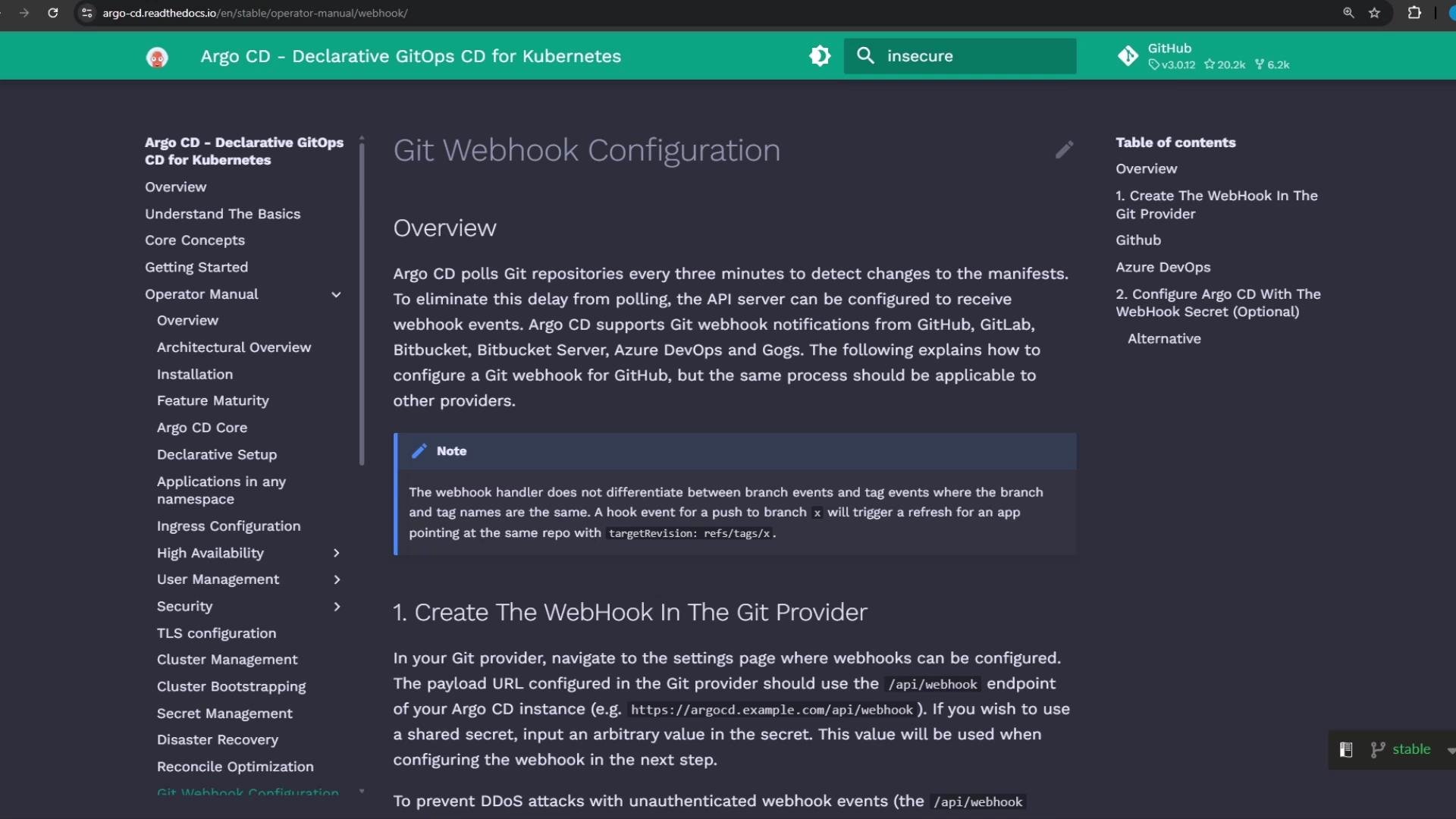
The image shows a webpage from the Argo CD documentation, detailing the configuration of Git webhooks. It includes an overview, instructions, and navigation links.

Webhook configuration checklist

When creating a webhook for Argo CD, configure the provider with these minimum settings:
  • Payload URL: Argo CD server + /api/webhook (for example, http://host.docker.internal/api/webhook)
  • HTTP method: POST
  • Content-Type: application/json
  • Optional: secret for payload signing (validate on Argo CD side)
  • Trigger events: typically push (or whatever events correspond to your workflow)
  • Optional: branch and/or path filters to avoid unnecessary deliveries
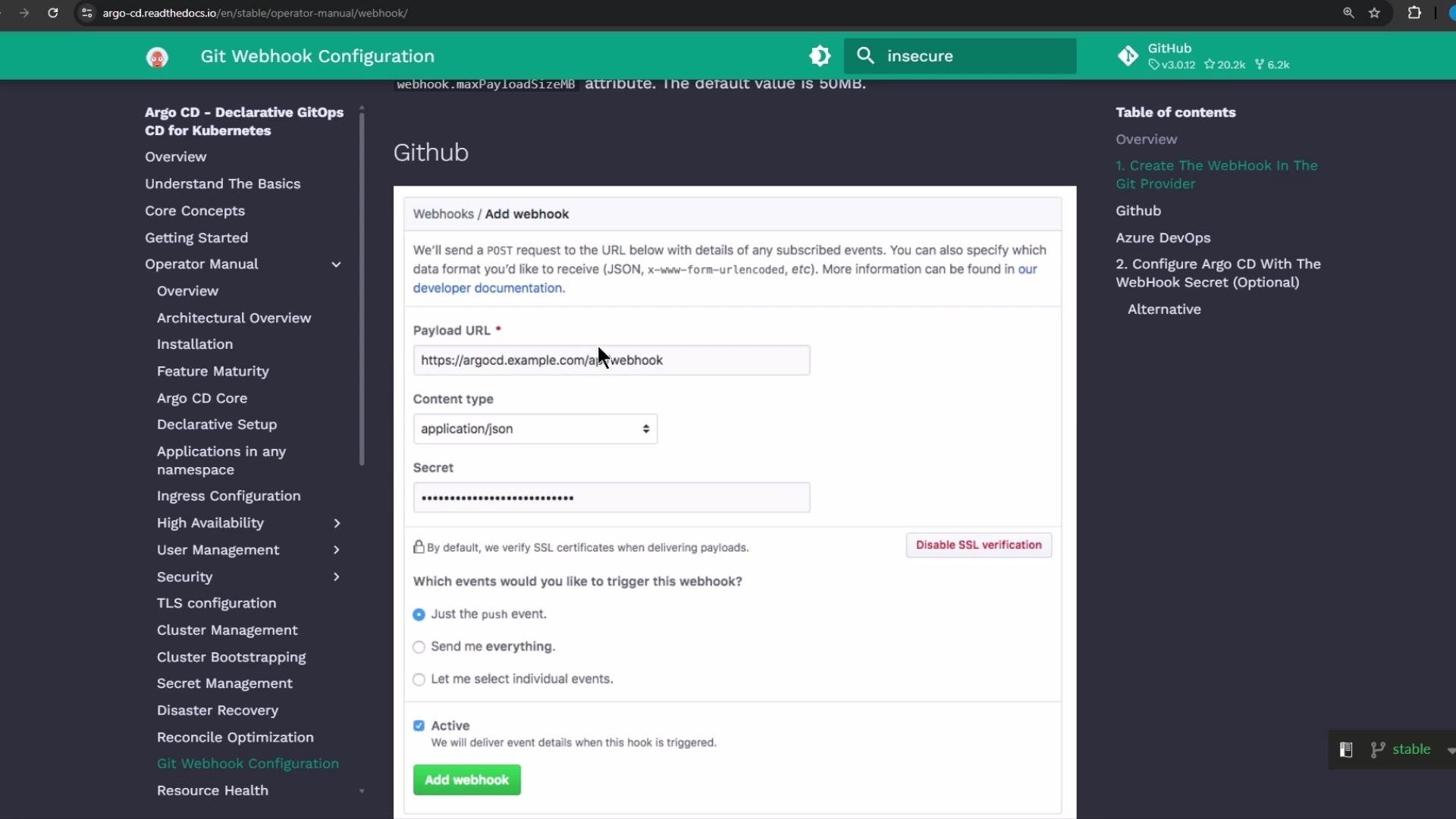
The image shows a Git Webhook configuration page on a website, detailing settings for adding a webhook, including fields for Payload URL, Content type, and event triggers.
FieldRecommended valueNotes
Payload URLhttp://<ARGOCD_HOST>/api/webhookUse the reachable host/port for your environment (see examples below).
HTTP methodPOSTRequired by Argo CD webhook receiver.
Content-Typeapplication/jsonArgo CD expects JSON payloads.
Trigger eventspush (or repo-specific events)Filter to only relevant events to reduce noise.
SecretOptionalUse payload signing if you require validation.
Links and references:

Dealing with self-signed TLS in demo environments

If your Argo CD server uses a self-signed certificate, some Git hosting services (including Gitea) may not deliver webhooks to it. For local labs and demos a common workaround is to run the Argo CD server in insecure mode (disable TLS) so the webhook endpoint is reachable over HTTP.
Setting server.insecure: "true" disables TLS on the Argo CD server. This is insecure and should only be used for local testing or demos — do not use this in production.
To enable insecure mode, edit the Argo CD CLI parameters ConfigMap and add server.insecure: "true":
kubectl edit configmap argocd-cmd-params-cm -n argocd
Add (or update) the data section:
data:
  server.insecure: "true"
Restart the Argo CD server deployment to apply the flag:
kubectl -n argocd rollout restart deployment argocd-server
Verify pod status while the server restarts:
kubectl -n argocd get pods
Example (abridged) output:
NAME                                         READY   STATUS    RESTARTS   AGE
argocd-application-controller-0              1/1     Running   0          38m
argocd-repo-server-74c7b5889-7dgp            1/1     Running   0          84m
argocd-server-669b680cb-vndv4                1/1     Running   0          84m
argocd-server-75bf58bd-hclm8                 0/1     Running   0          5s
After the restart, the Argo CD UI will be accessible over plain HTTP in this insecure/demo configuration.
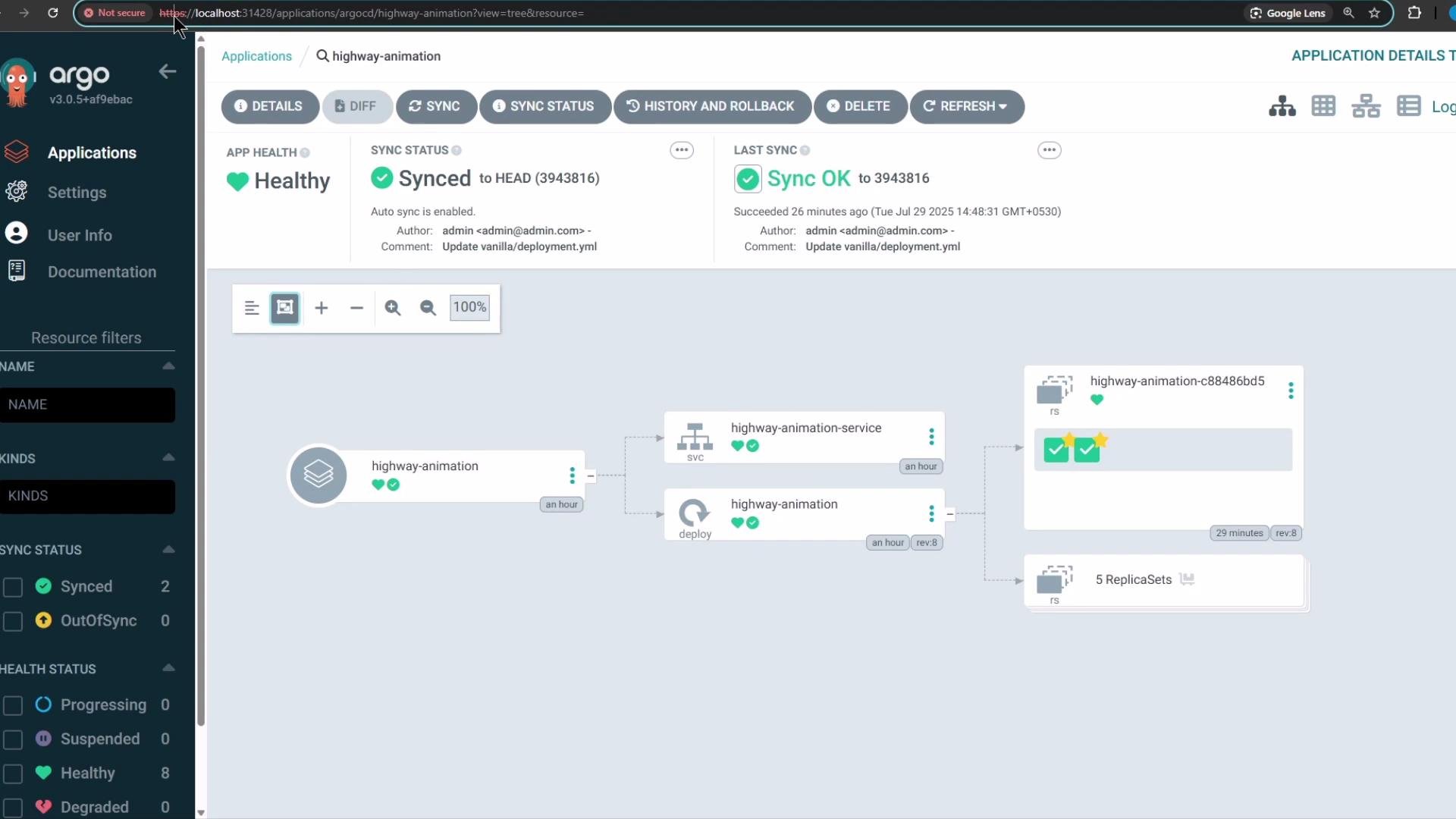
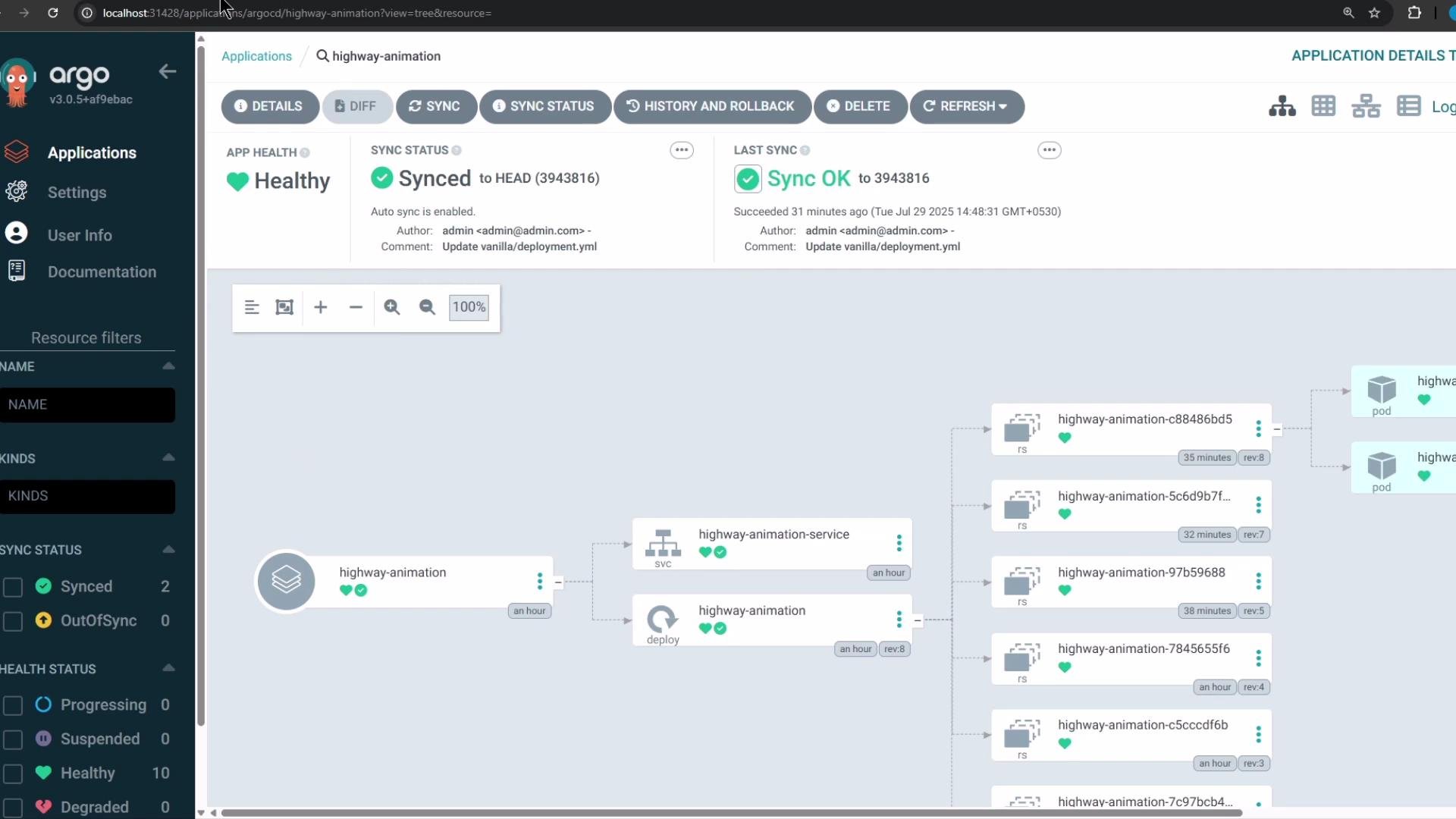
The image shows a UI from Argo CD displaying the status of a Kubernetes application called "highway-animation," which is healthy and synced. The visual representation includes services and deployments with their current statuses.

Example: webhook target URL in a Docker-based demo

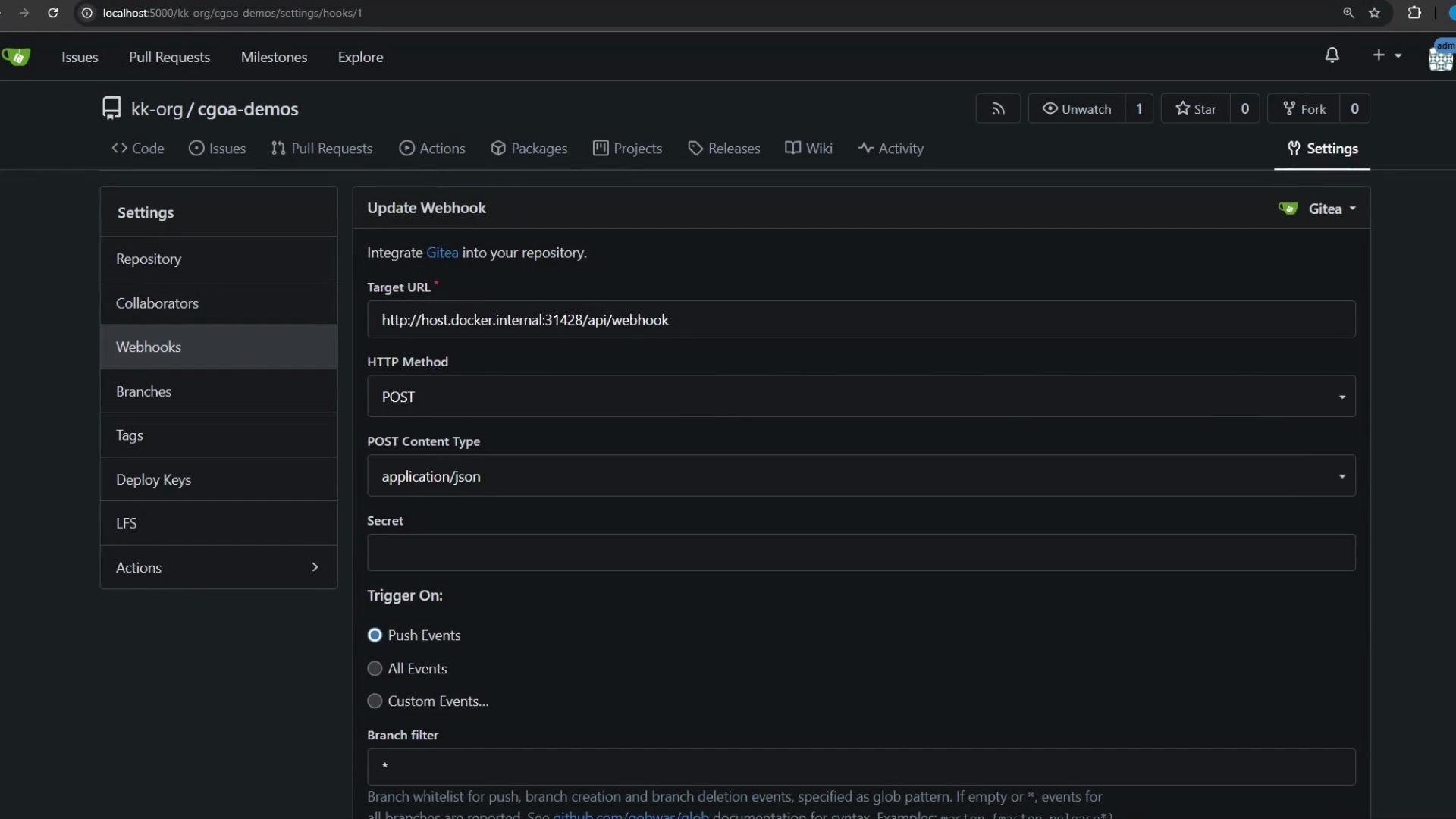
In the demo environment, host.docker.internal was used so the Gitea container (running on the host) could reach the Argo CD server. Example webhook target: http://host.docker.internal/api/webhook Adjust host and port to match your environment (for example, http://argocd.example.com/api/webhook). Configure the webhook with:
  • HTTP method: POST
  • Content type: application/json
  • Trigger events: push (or other relevant events)
  • Optional: branch filter (e.g. main) to restrict triggers
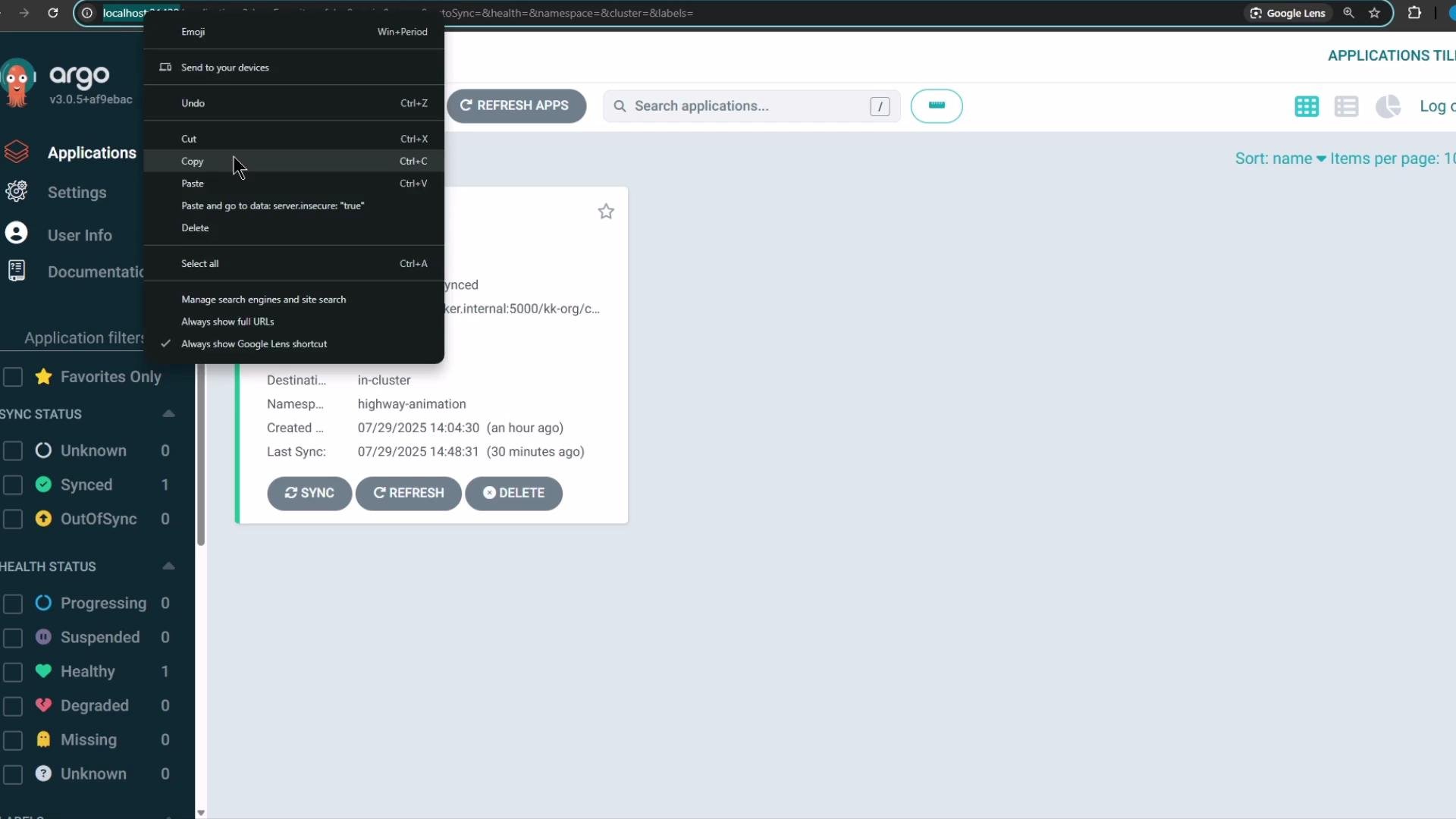
The image shows a screenshot of the Argo CD application interface with a context menu open for copying. It displays application details such as sync status and creation time.
After adding the webhook in Gitea (or your Git provider), use the provider’s “test delivery” feature to verify connectivity. A successful delivery returns HTTP 200 from Argo CD. When Argo CD accepts the webhook and the application is configured with an automated sync policy, Argo CD will immediately reconcile the application to the desired state. You can monitor the application dashboard to watch the reconciliation and status changes.
The image shows a web interface for setting up a webhook in a repository, with fields for Target URL, HTTP Method, and options for triggering events.

Watch the reconciliation in Kubernetes

Monitor pods in the application namespace while you trigger a change:
kubectl -n highway-animation get pods
# or watch continuously:
kubectl -n highway-animation get pods -w
Before the change (example):
NAME                                    READY   STATUS    RESTARTS   AGE
highway-animation-c88486bd5-4hbhf       1/1     Running   0          31m
highway-animation-c88486bd5-5z542       1/1     Running   0          31m
Now update the deployment manifest in Git to increase replicas and update the POD_COUNT environment variable. Example patch: change replicas: 2 to replicas: 8.
apiVersion: apps/v1
kind: Deployment
metadata:
  name: highway-animation
  namespace: highway-animation
spec:
  replicas: 8
  selector:
    matchLabels:
      app: highway-animation
  template:
    metadata:
      labels:
        app: highway-animation
    spec:
      containers:
        - name: highway-animation
          image: siddharth67/highway-animation:blue
          ports:
            - containerPort: 3000
          env:
            - name: POD_COUNT
              value: "8"
Commit and push the change to your Git repository. Gitea will send a webhook to Argo CD; Argo CD will receive it and, when auto-sync is enabled for the application, immediately start reconciling to the new desired state. You can inspect webhook deliveries and responses in your Git provider’s UI to confirm successful delivery and the HTTP 200 response from Argo CD.
The image shows the Argo CD dashboard displaying an application's deployment status, including its health as "Healthy" and sync status as "Synced." The interface also shows a visual representation of the application's components and their current deployment states.
Within Argo CD you can review the application sync history and events to confirm the webhook-triggered sync was initiated and completed. In this demo the reconciliation completed quickly and the Deployment scaled to the target replica count.
To avoid unnecessary reconciliations (for example, when non-manifest files like README.md or .gitignore are committed), configure branch or path filters in your Git provider’s webhook settings or limit triggers to commits that change manifest files. This reduces noise and conserves reconciliation resources.
That completes the demonstration of using webhooks to enable event-driven reconciliation in Argo CD.

Watch Video

Practice Lab