

- Confirm cluster namespaces.
- Synchronize an Argo CD application from Git.
- Inspect the resulting live resources.
- Make an intentional manual change in-cluster to cause drift.
- Observe Argo CD detecting the OutOfSync state and restore the desired state by synchronizing from Git.
1. Confirm existing namespaces
First, verify which namespaces are present in the cluster:2. Synchronize the Argo CD application
In the Argo CD web UI, click “Synchronize” for the application. Choose to auto-create the namespace if prompted and synchronize both the Deployment and Service manifests. Argo CD will apply those manifests and report the created ReplicaSet and Service details (such as the NodePort).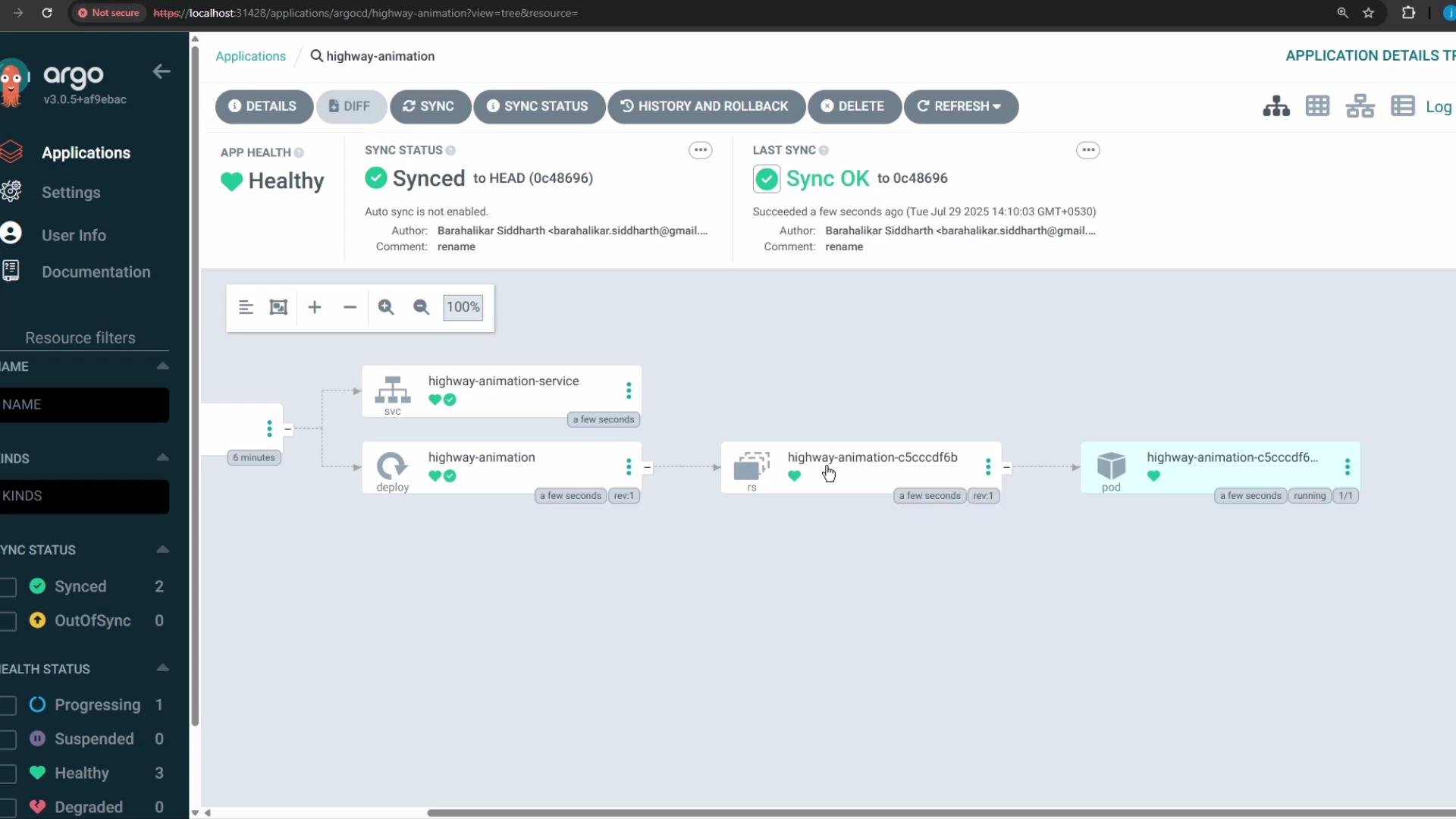
3. Inspect the created Pod manifest (live cluster)
Here is the Pod manifest that was created by the Deployment in the cluster:4. Confirm the new namespace and resources
After synchronization, thehighway-animation namespace should exist:
highway-animation namespace:
http://localhost:32000) and will render the highway animation. With the Deployment set to 1 replica, you will see one vehicle.
5. Create drift: manually scale the Deployment in-cluster
In a non-GitOps workflow, an operator might directly edit the Deployment in the cluster to increase replicas:- Change
replicas: 1toreplicas: 5 - Update the container environment variable
POD_COUNTvalue from'1'to'5'
6. Example: live (cluster) Deployment after manual edit
Live (cluster) Deployment snippet showing the manual change:7. Desired (Git) Deployment in the repository
The desired manifest stored in Git still declares 1 replica:8. Reconcile back to Git (manual sync)
To restore the cluster to the Git-declared desired state, click “Synchronize” in Argo CD. Argo CD will reconcile the resources and update the live cluster to match the manifests in the repository. In this scenario it will update the Deployment (not the Service) to revert the replica count back to 1.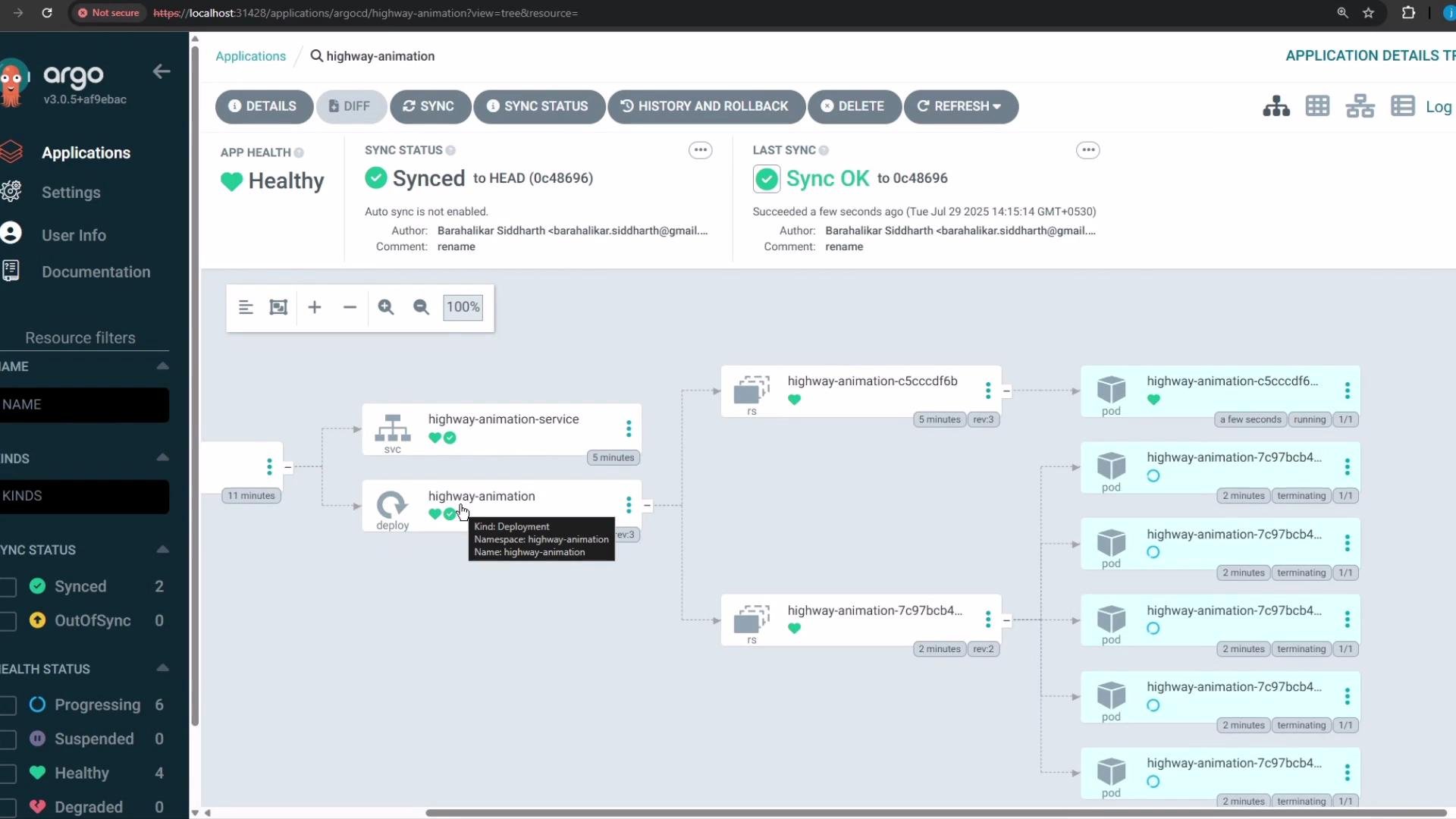
Quick reference: kubectl & Argo CD actions
Best practice
Never make long-lived configuration changes directly in the cluster. Always update the Git repository with the desired state and let your GitOps operator (Argo CD) reconcile the cluster. This ensures a single source of truth, prevents configuration drift, and makes rollbacks and audits straightforward.
Links and references
- Argo CD documentation: https://argo-cd.readthedocs.io/
- Kubernetes: Deployments — https://kubernetes.io/docs/concepts/workloads/controllers/deployment/
- GitOps principles: https://www.weave.works/technologies/gitops/