Build a compact Rust CLI to manage Docker: list containers/images, start/stop containers, and pull images. This guide walks through scaffolding the project, adding async Docker support with Bollard, parsing commands with Clap, organizing a modular code layout, and implementing the core commands.
A presentation slide titled "Project: Manage Docker Containers using Docker Clients in Rust." A teal-blue curved shape on the right shows a white monitor/code icon, with a small "© Copyright KodeKloud" in the bottom-left.
Prerequisites
  • Rust toolchain (rustup + cargo)
  • Docker running locally (Docker Desktop on macOS/Windows or Docker daemon on Linux)
  • Basic familiarity with async/await in Rust
  • Optional: VS Code (or your preferred editor)
Create the project From your projects directory:
# scaffold a new binary crate and open it in your editor
cargo new mydocker
cd mydocker
code .   # optional: open in VS Code
After this, your project will contain the standard Rust layout (Cargo.toml, src/main.rs, etc.).
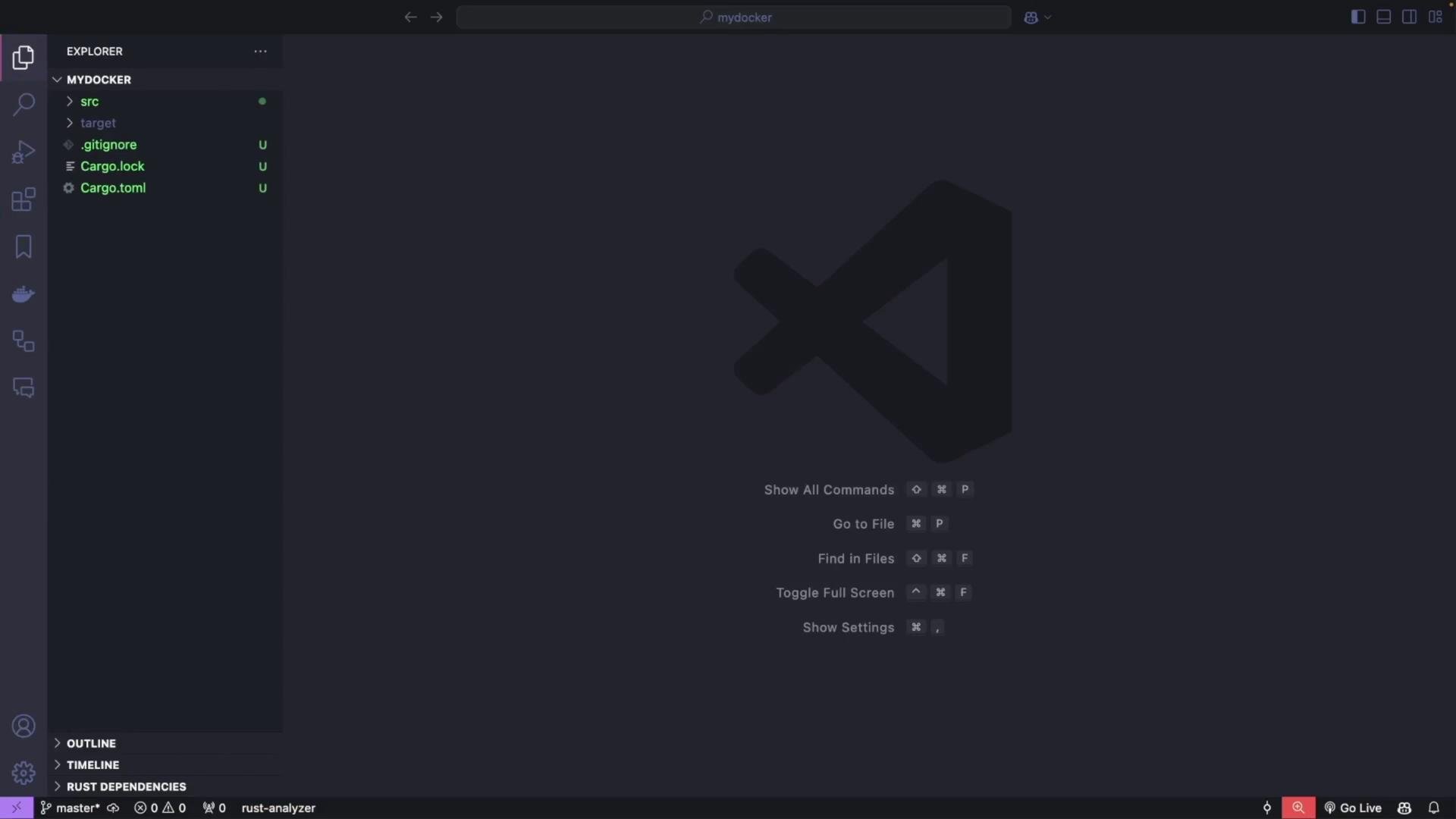
A dark-themed Visual Studio Code window showing the Explorer pane with a Rust project named "MYDOCKER" (files like Cargo.toml, src, .gitignore) on the left. The main area displays a large VS Code logo and keyboard shortcut hints (Show All Commands, Go to File, Find in Files, etc.).
Add dependencies (Cargo.toml) Open Cargo.toml and add these dependencies. Bollard provides the async Docker API client, Clap handles CLI parsing, Tokio is the async runtime, and futures-util gives helper utilities.
[package]
name = "mydocker"
version = "0.1.0"
edition = "2021"

[dependencies]
bollard = "0.18.1"                       # Docker API integration (async)
clap = { version = "4.5.21", features = ["derive"] }  # CLI argument parsing
tokio = { version = "1.41.1", features = ["full"] }  # Async runtime
futures-util = "0.3"                     # Async utilities (streams & try_next)
Download dependencies once:
cargo build
Dependency reference table
DependencyPurposeDocs
bollardAsync Docker client for interacting with daemonhttps://docs.rs/bollard/latest/bollard/
clapCLI parsing and subcommand supporthttps://clap.rs/
tokioAsync runtime for async/awaithttps://tokio.rs/
futures-utilStream and future utilitieshttps://docs.rs/futures-util/latest/futures_util/
Project structure We will keep the code modular:
  • src/cli.rs — Clap definitions (commands/subcommands)
  • src/docker.rs — DockerClient wrapper around Bollard
  • src/main.rs — Top-level wiring and command dispatch
CLI: define the command structure (using Clap) Create src/cli.rs and define a clear subcommand hierarchy for list/start/stop/pull.
use clap::{Parser, Subcommand};

/// A minimal Docker CLI in Rust
#[derive(Parser, Debug)]
#[command(name = "mydocker")]
#[command(about = "A minimal Docker CLI in Rust")]
pub struct Cli {
    /// The main command to execute
    #[command(subcommand)]
    pub command: Command,
}

/// Top-level commands
#[derive(Subcommand, Debug)]
pub enum Command {
    /// List resources
    List {
        /// Subcommands for listing resources
        #[command(subcommand)]
        list_command: ListCommands,
    },

    /// Start a container
    Start {
        /// The container name
        container_name: String,
    },

    /// Stop a container
    Stop {
        /// The container name
        container_name: String,
    },

    /// Pull an image
    Pull {
        /// The image name (e.g., "nginx:latest")
        image_name: String,
    },
}

/// Subcommands under `list`
#[derive(Subcommand, Debug)]
pub enum ListCommands {
    /// List containers
    Containers {
        /// Include stopped containers
        #[arg(short, long)]
        all: bool,
    },

    /// List images
    Images,
}
CLI usage hierarchy
  • mydocker list containers [—all | -a]
  • mydocker list images
  • mydocker start <container_name>
  • mydocker stop <container_name>
  • mydocker pull <image_name>
Quick help example:
cargo run -- --help
# or per-subcommand:
cargo run -- list --help
Callout — Docker socket and Docker Desktop
Ensure Docker is running (Docker Desktop or a daemon on Linux). The typical Docker socket path on Linux is /var/run/docker.sock. On Docker Desktop (macOS/Windows) the socket path may differ — use docker context inspect to find the “Host” value and adjust the socket path in DockerClient::new if needed.
Example output of docker context inspect (used to discover socket path):
docker context inspect
[
  {
    "Name": "desktop-linux",
    "Endpoints": {
      "docker": {
        "Host": "unix:///Users/priyadav/.docker/run/docker.sock",
        "SkipTLSVerify": false
      }
    }
    ...
  }
]
Docker client module Create src/docker.rs. This module wraps Bollard to provide the operations we need: listing containers/images, starting/stopping containers, and pulling images. The implementation uses async functions returning Result types mapped to Bollard errors.
use bollard::Docker;
use bollard::errors::Error;
use bollard::models::{ContainerSummary, ImageSummary, CreateImageInfo};
use bollard::container::{ListContainersOptions, StartContainerOptions, StopContainerOptions};
use bollard::image::{ListImagesOptions, CreateImageOptions};
use futures_util::stream::TryStreamExt;
use std::default::Default;

pub struct DockerClient {
    docker: Docker,
}

impl DockerClient {
    /// Create a new DockerClient using the default Unix socket.
    pub fn new() -> Self {
        // You may tweak the socket path if your Docker context uses a different location.
        // Common defaults:
        // - Linux: "/var/run/docker.sock"
        // - Docker Desktop on macOS: "/Users/<user>/.docker/run/docker.sock" (see `docker context inspect`)
        let docker = Docker::connect_with_unix("/var/run/docker.sock", 120, bollard::API_DEFAULT_VERSION)
            .expect("Failed to connect to Docker daemon");

        Self { docker }
    }

    /// List containers.
    pub async fn list_containers(&self, all: bool) -> Result<Vec<ContainerSummary>, Error> {
        let options = Some(ListContainersOptions::<String> {
            all,
            ..Default::default()
        });

        let containers = self.docker.list_containers(options).await?;
        Ok(containers)
    }

    /// List images.
    pub async fn list_images(&self) -> Result<Vec<ImageSummary>, Error> {
        let options = Some(ListImagesOptions::<String> {
            all: true,
            ..Default::default()
        });

        let images = self.docker.list_images(options).await?;
        Ok(images)
    }

    /// Start a container by name or ID.
    pub async fn start_container(&self, container_name: &str) -> Result<(), Error> {
        self.docker
            .start_container(container_name, None::<StartContainerOptions<String>>)
            .await?;
        Ok(())
    }

    /// Stop a container by name or ID. Wait `t` seconds before killing (here t = 30).
    pub async fn stop_container(&self, container_name: &str) -> Result<(), Error> {
        let options = Some(StopContainerOptions { t: Some(30) });
        self.docker.stop_container(container_name, options).await?;
        Ok(())
    }

    /// Pull an image from a registry (e.g., "nginx:latest").
    /// This consumes the streaming progress sent by the daemon and prints statuses.
    pub async fn pull_image(&self, image_name: &str) -> Result<(), Error> {
        let options = Some(CreateImageOptions {
            from_image: image_name,
            ..Default::default()
        });

        // create_image returns a stream of CreateImageInfo messages
        let mut stream = self.docker.create_image(options, None, None);

        while let Some(msg) = stream.try_next().await? {
            if let Some(status) = msg.status {
                println!("{}", status);
            } else if let Some(progress) = msg.progress {
                println!("{}", progress);
            } else if let Some(id) = msg.id {
                println!("{}", id);
            }
        }

        Ok(())
    }
}
Top-level main Create or update src/main.rs to wire the CLI and DockerClient together, then dispatch subcommands. We use Tokio for async main.
mod cli;
mod docker;

use clap::Parser;
use cli::{Cli, Command, ListCommands};
use docker::DockerClient;

#[tokio::main]
async fn main() {
    // Parse CLI args
    let args: Cli = Cli::parse();

    // Create Docker client
    let docker_client = DockerClient::new();

    // Dispatch commands
    match args.command {
        Command::List { list_command } => match list_command {
            ListCommands::Containers { all } => {
                println!("Printing containers:");
                match docker_client.list_containers(all).await {
                    Ok(containers) => {
                        for c in containers {
                            // many fields in ContainerSummary are Option<T>, so use unwrap_or_default
                            let id = c.id.unwrap_or_default();
                            let names = c.names.unwrap_or_default().join(",");
                            let status = c.status.unwrap_or_default();
                            println!("{}\t{}\t{}", id, names, status);
                        }
                    }
                    Err(e) => eprintln!("Error listing containers: {}", e),
                }
            }
            ListCommands::Images => {
                println!("Printing images:");
                match docker_client.list_images().await {
                    Ok(images) => {
                        for img in images {
                            let id = img.id.unwrap_or_default();
                            let tags = img.repo_tags.unwrap_or_default().join(",");
                            println!("{}\t{}", id, tags);
                        }
                    }
                    Err(e) => eprintln!("Error listing images: {}", e),
                }
            }
        },

        Command::Start { container_name } => {
            println!("Starting container: {}", container_name);
            match docker_client.start_container(&container_name).await {
                Ok(_) => println!("Container started successfully"),
                Err(e) => eprintln!("Error starting container: {}", e),
            }
        }

        Command::Stop { container_name } => {
            println!("Stopping container {}", container_name);
            match docker_client.stop_container(&container_name).await {
                Ok(_) => println!("Container stopped successfully"),
                Err(e) => eprintln!("Error stopping container: {}", e),
            }
        }

        Command::Pull { image_name } => {
            println!("Pulling image {}", image_name);
            match docker_client.pull_image(&image_name).await {
                Ok(_) => println!("Image pulled successfully"),
                Err(e) => eprintln!("Error pulling image: {}", e),
            }
        }
    }
}
CLI commands and examples
CommandDescriptionExample
list containersList running containers (use —all to include stopped)cargo run -- list containers -a
list imagesList local imagescargo run -- list images
startStart a container by name or IDcargo run -- start my_alpine
stopStop a container by name or IDcargo run -- stop my_nginx
pullPull an image from a registrycargo run -- pull postgres:latest
Run & test examples
  • Show general help:
cargo run -- --help
  • List running containers:
cargo run -- list containers
# Example output:
Printing containers:
f38a4319459bb201b0875fb9c5b13f91913f3d2e160029b77217cbfe7589da23    /my_nginx    Up 36 seconds
  • List all containers, including stopped:
cargo run -- list containers --all
# or:
cargo run -- list containers -a
  • List images:
cargo run -- list images
# Example output:
sha256:0c86dddac19f2ce4fd716ac58c0fd87bf69bfd4edabfd6971fb885bafd12a00b    nginx:latest
  • Start a container:
cargo run -- start my_alpine
# Output:
Starting container: my_alpine
Container started successfully
  • Stop a container:
cargo run -- stop my_nginx
# Output:
Stopping container my_nginx
Container stopped successfully
  • Pull an image:
cargo run -- pull postgres:latest
# Output: streaming status lines from the daemon, then:
Image pulled successfully
Notes and behavior
  • Docker returns many optional fields (names, status, IDs). The example code uses unwrap_or_default() to avoid panics and print reasonable defaults.
  • Bollard’s create_image returns a stream of progress messages — the client consumes and prints these lines to provide visible progress.
  • If a resource does not exist, Docker returns an error (often a 404-like response). The CLI forwards the error message returned by the Docker daemon to stderr.
Callout — Permissions and socket path
If you use a Unix socket (e.g., /var/run/docker.sock) your user needs permission to access that socket (membership in the docker group, or run the binary with appropriate privileges). On macOS/Windows with Docker Desktop, the socket path may differ — use docker context inspect to find the socket path and adjust DockerClient::new accordingly.
Extending the project This modular structure makes it straightforward to add features:
  • container inspect, remove, exec
  • filtering lists by labels, status, or health
  • richer output formatting (JSON, table)
  • authentication support for pulling from private registries
Summary
  • Built a small Rust CLI (mydocker) using Clap for argument parsing and Bollard for Docker API access.
  • Organized code into src/cli.rs, src/docker.rs, and src/main.rs for clarity and maintainability.
  • Implemented list (containers/images), start, stop, and pull commands with async/await using Tokio.
  • The project is a solid foundation to grow into a full-featured Docker management tool in Rust.
Links and references

Watch Video